
Change a C2Story illustration from daylight to evening light
Relight one existing page with Describe → Edit, preserve recognizable subjects, and verify the saved result. Includes the exact prompt, before/after images, one-credit observation and mobile limits.
This walkthrough changes the lighting of one existing C2Story illustration through Edit image → Describe → Edit. We performed one edit in the live product on October 17, 2026, then refreshed, reopened the same book, and checked its signed-out reader.
Before you start
Sign in to C2Story and open a book you own from My Books. You need an existing page image and enough credits; this edit displayed 1 credit.
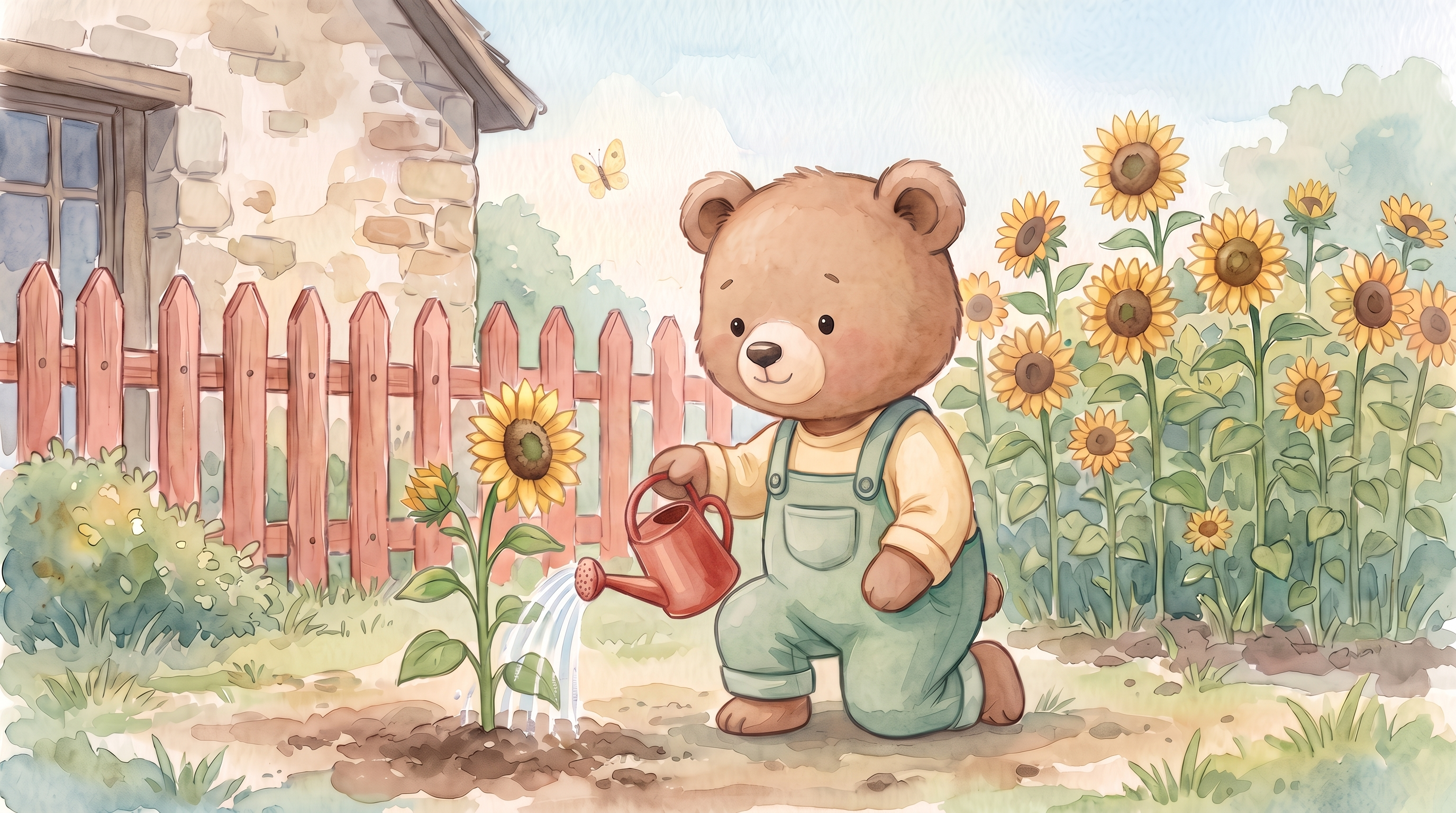
Our prerequisite was the already saved, one-page Milo Waters His Sunflower. Milo, the watercolor garden, coral-pink fence, yellow butterfly, red watering can and page text all existed before this run. This tutorial changes the same page image; it does not create a new book or video.
Our success criteria were a gentle peach-and-lavender evening sky, warm light and soft shadows, a clearly visible and recognizable subject, and a result that remained after refresh and reopen. Preservation is a visual comparison, not a promise of pixel-identical output.
Step 1 — Open the existing page
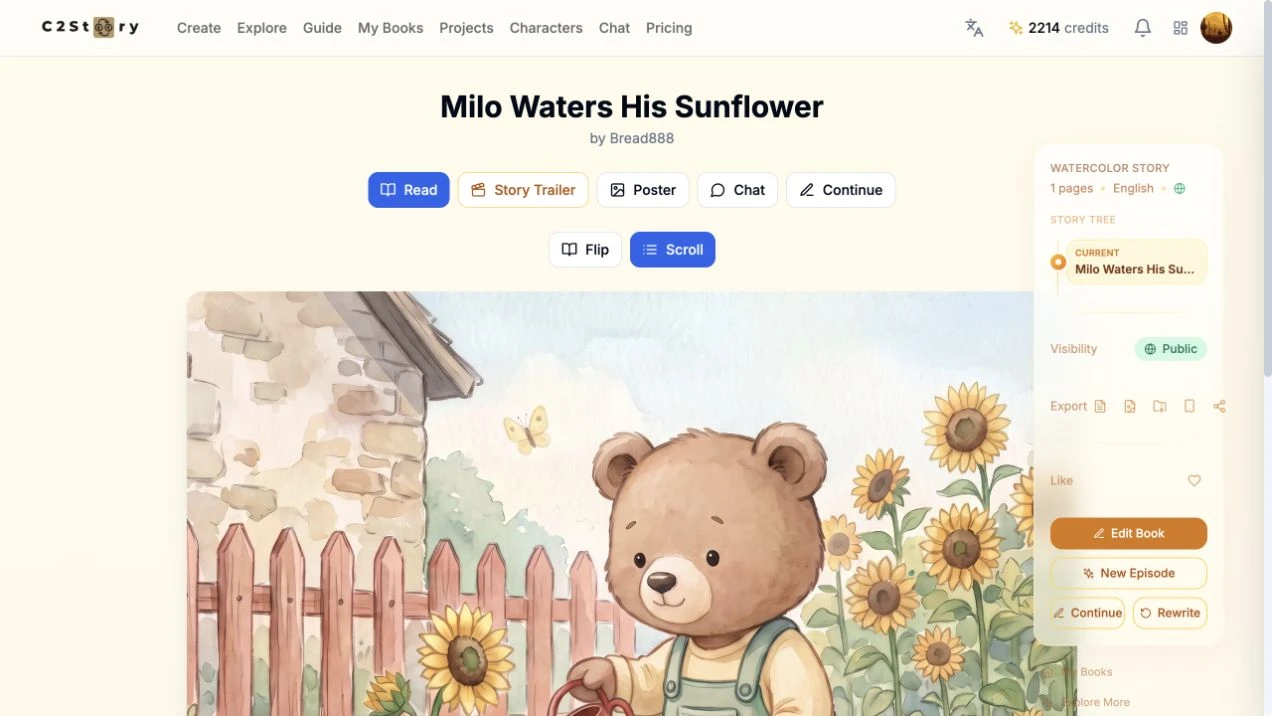
Open the book reader, click Edit Book, and choose Edit image on page 1. Select Describe and keep Edit selected. The dialog says this mode keeps the current composition.
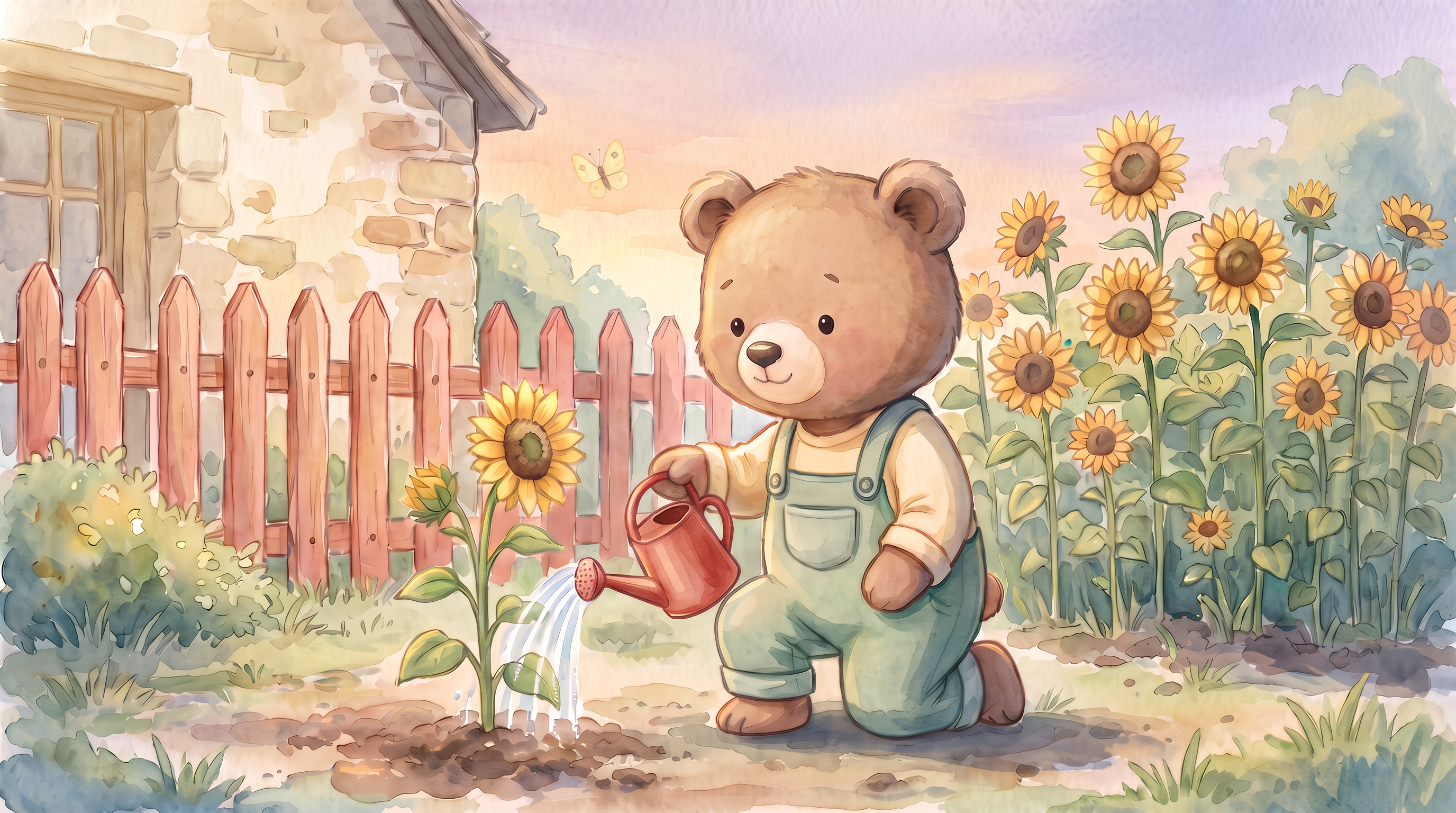
Here is the actual starting image. Its red can, flowers and butterfly are pre-existing:
Step 2 — Describe the lighting change and what to preserve
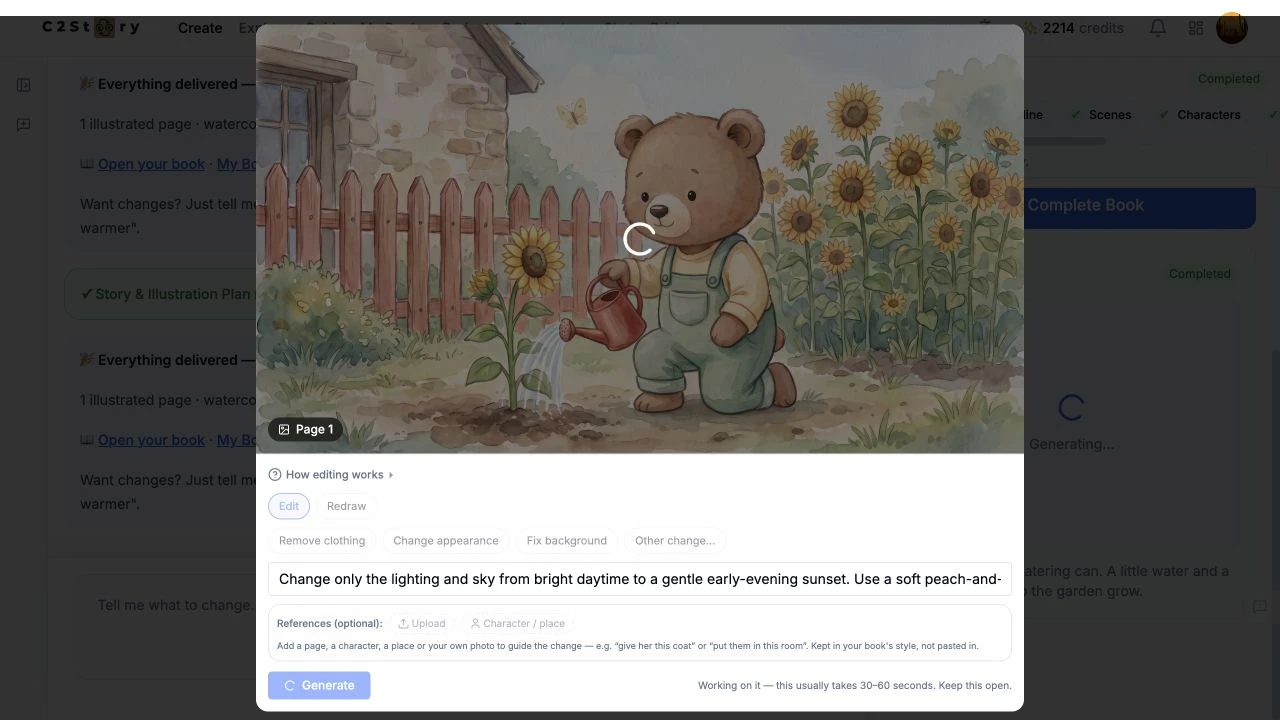
We entered the following exact instruction:
Change only the lighting and sky from bright daytime to a gentle early-evening sunset. Use a soft peach-and-lavender sky, warm golden light from the upper left, and slightly longer soft shadows. Keep the scene bright enough for a young child to see clearly. Preserve Milo’s face and pose, light-brown fur, cream shirt, sage-green overalls, red watering can and flowing water, the sunflowers, coral-pink fence, cottage, yellow butterfly, watercolor texture, and existing composition. Do not add text, new characters, stars, a moon, or new objects.
The screenshot shows the actual submitted instruction while generation is processing; the same screenshot also documents Step 3. The single-line field shows only part of the text at once. No optional references were added. No model or aspect-ratio selector was visible in this editing dialog; the underlying edit model was not verified. Watercolor was the existing style and was explicitly requested in the instruction.
Step 3 — Generate once and inspect the result
Click Generate once. The interface disabled its controls and said Working on it — this usually takes 30–60 seconds. Keep this open. Our result took longer than that estimate; we kept the same task open and did not submit another request.
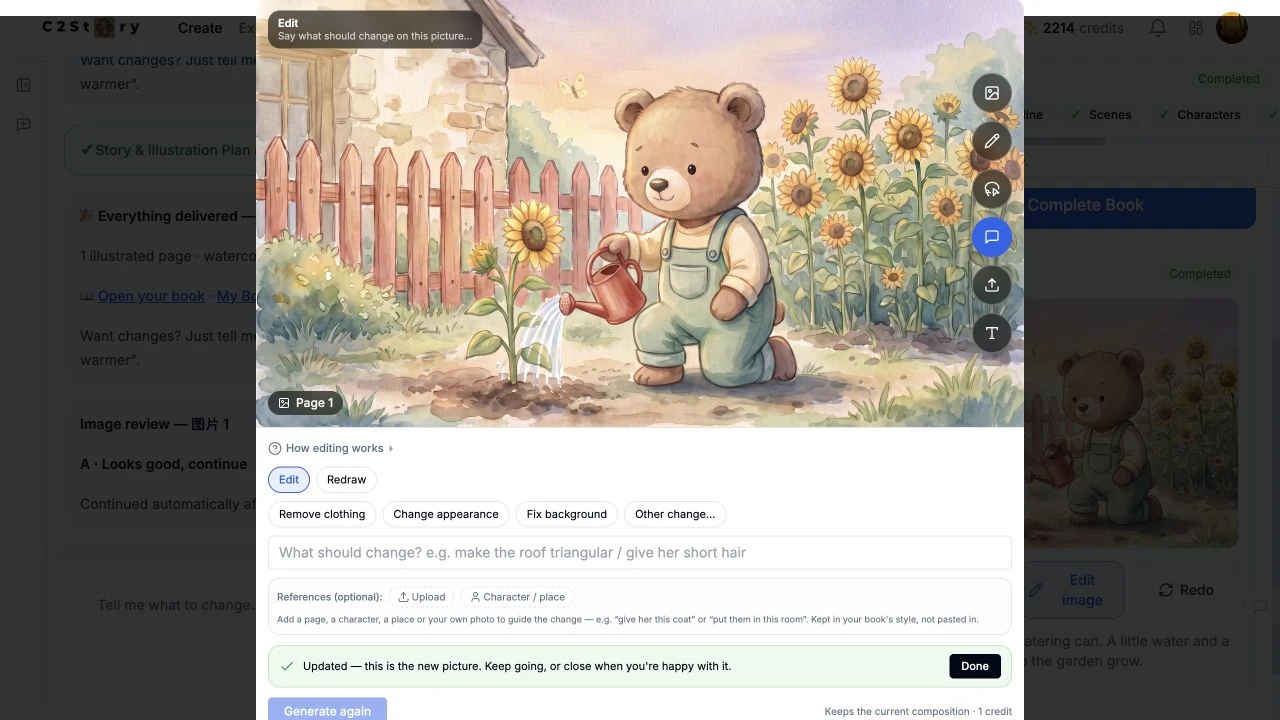
The dialog then displayed Updated — this is the new picture. We saw a peach-and-lavender sky, warmer highlights from the left and deeper soft ground shadows. Milo's face and pose, his clothing, the red can and flowing water, flowers, fence, cottage and butterfly remained recognizable. No new character, moon, stars or text was visible. Fine details and tonal values changed; this was not a pixel-preserving color filter. The exact length of shadows was not measured.
Click Done after checking the result. A background image-review message continued automatically; we did not submit another generation.
Open the generated result image
Step 4 — Verify saving by refreshing and reopening
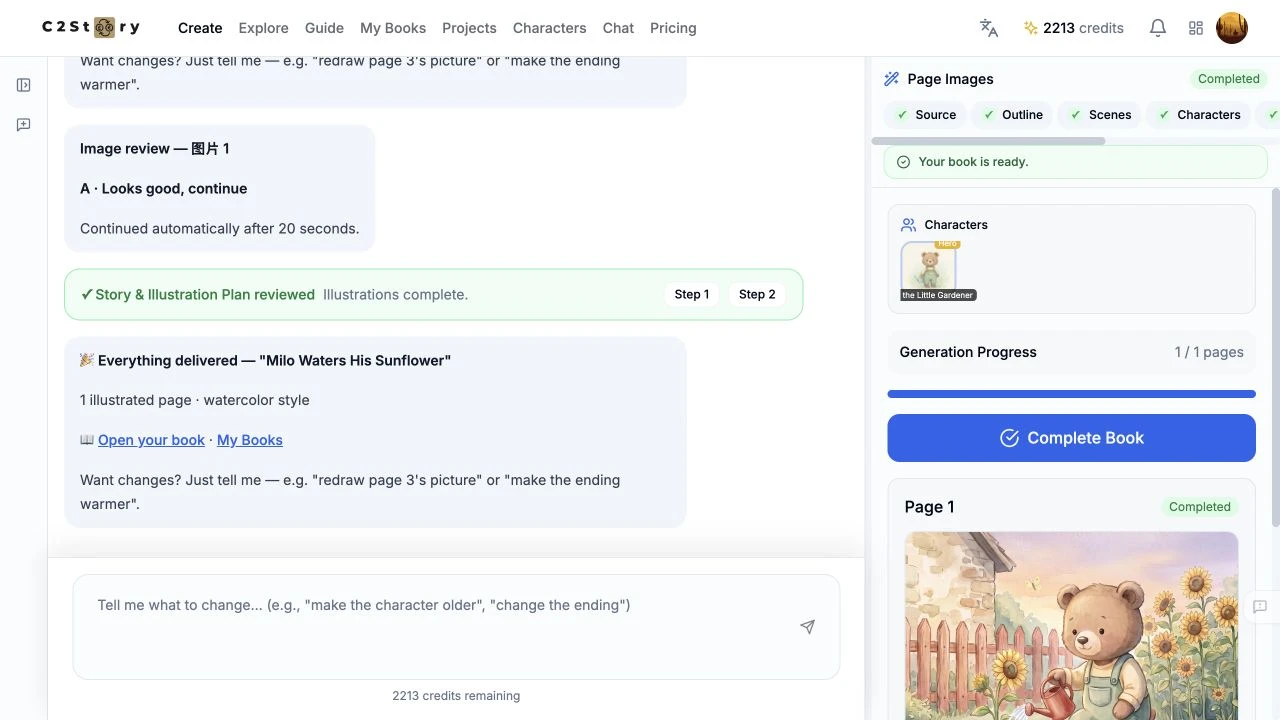
We fully refreshed the editor, returned to the book reader, and opened Edit Book → Edit image → Describe again. The evening image remained on the same page. The existing caption also remained unchanged:
Milo tips his red watering can. A little water and a little kindness help the garden grow.
That text does not specify a time of day, so it did not require a correction. Editing the image did not rewrite it.
The balance showed 2,214 before submission and 2,213 after refresh, an observed one-credit decrease. The immediate balance had remained at 2,214 until refresh. The displayed edit price was 1 credit; no itemized bill was inspected.
Step 5 — Check the public book
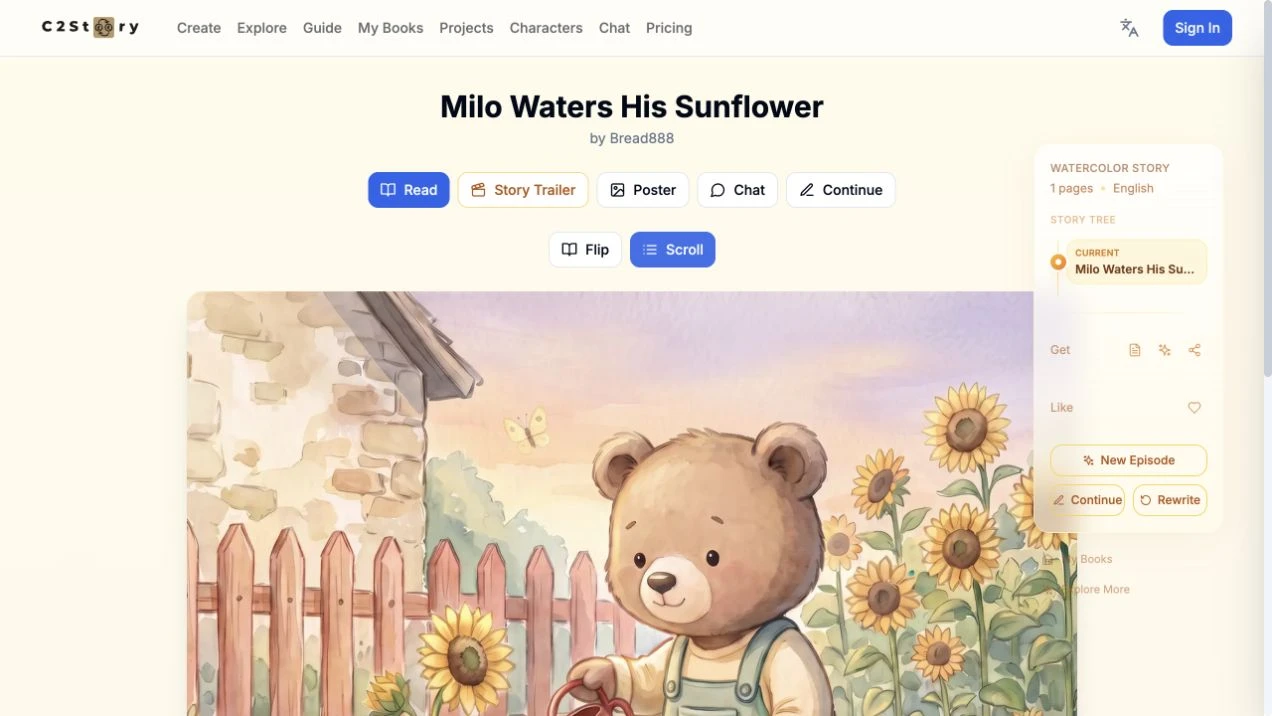
The book was already Public. We clicked its ordinary Share button; this browser returned no visible confirmation or clipboard URL. We used the actual book address and verified the saved image and caption after signing out.
Read Milo Waters His Sunflower

The reader displayed the result at 1280 × 720 and 390 × 844. This is an evolving live book: a later owner edit can change its current page. The before-and-after image links above identify the specific versions used in this tutorial.
Phone editing limits and verified scope
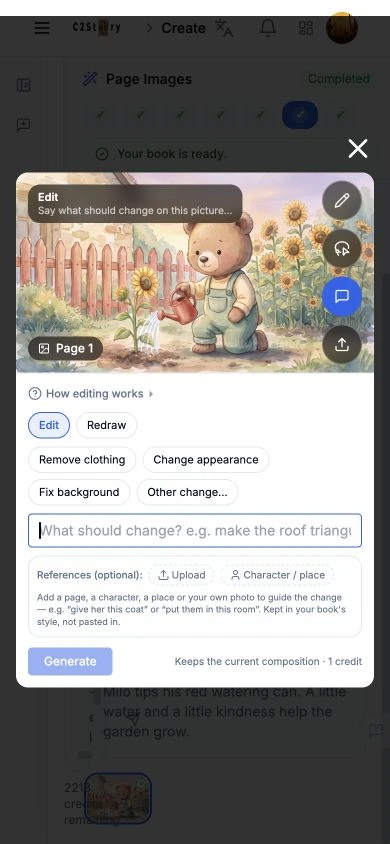
At 390 × 844, the saved preview, Edit mode, description input, reference area and Generate control were visible, and the input received focus. Parts of the vertical image-tool rail were clipped, so we do not claim the entire mobile editor is usable. We did not enter or submit another edit on mobile.
The desktop Updated dialog also extended beyond the 720-pixel viewport, although Done remained accessible. Use the visible Done control to finish; the screenshot records the actual layout.
Verified: one desktop same-image edit, visual before/after review, full reload and reopen persistence, unchanged caption, and signed-out desktop and phone-size reading. Not verified: generation from a phone, physical-phone behavior, exports, Flip reading, video, or repeated-run reliability. No additional book, character or video was generated, no purchase was made, and no community submission or like reward was claimed.
A first like from an active subscriber gives a community author 1 credit. Likes are permanent; self-likes and repeat rewards are excluded.