
Turn an existing C2Story illustration into paper-cut collage
Restyle one saved watercolor page through Describe → Edit, compare the real before and after, and verify persistence. Includes the exact prompt, stale-preview recovery, one-credit observation and phone limits.
Turn an existing C2Story illustration into paper-cut collage
This walkthrough follows one real same-image edit made on October 20, 2026. We asked for layered paper shapes while keeping the existing scene, then checked the saved illustration in the reader and reopened editor. This is a single-page image edit; it does not create a new book or video.
Before you start
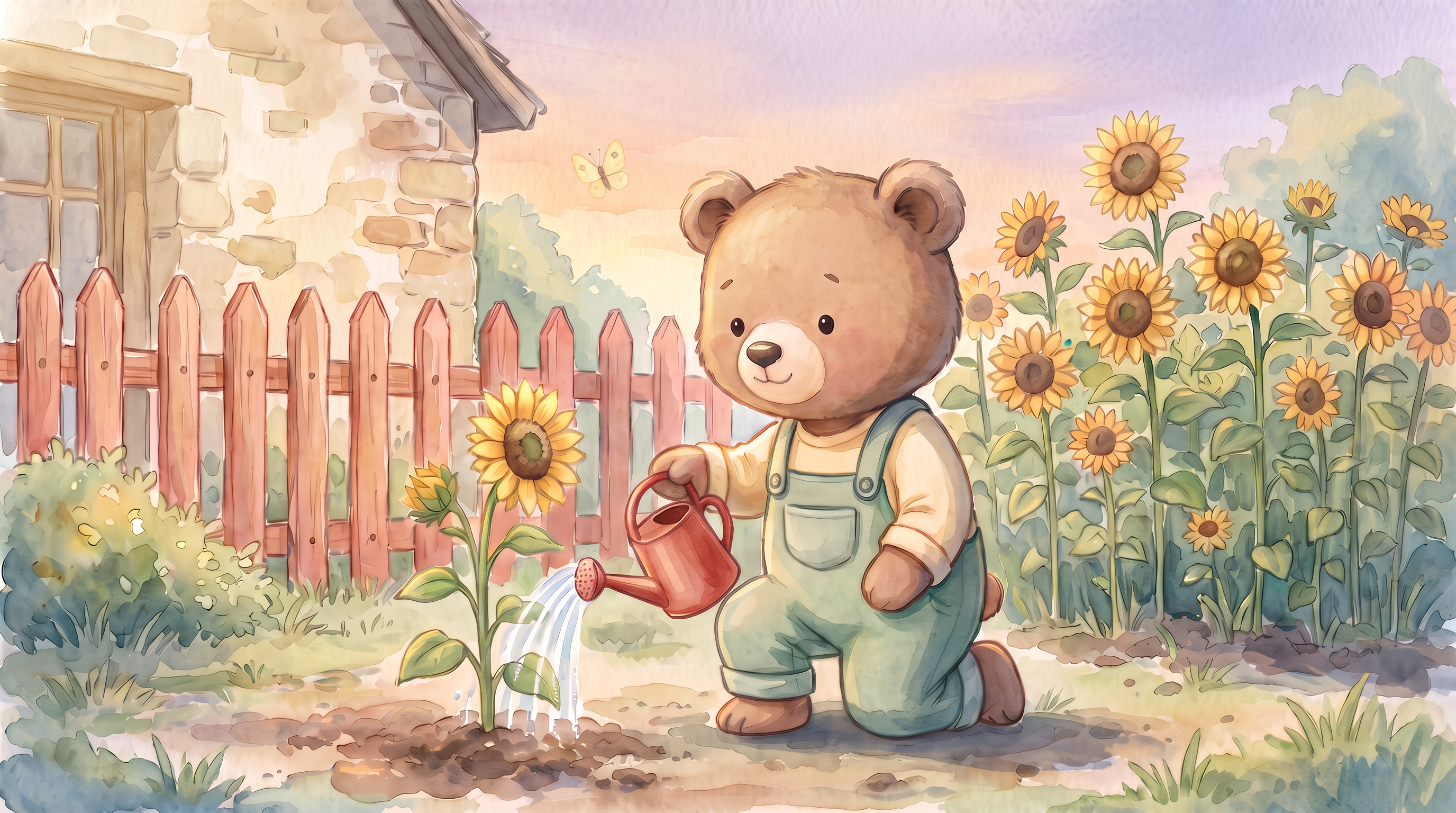
Sign in to the account that owns the book and open it from My Books. Our starting asset is the pre-existing, authorized one-page book Milo Waters His Sunflower. Milo, the red watering can, sunflowers, coral fence, yellow butterfly and evening sky were already present. The source image came from an earlier editing session, not today's generation.
Open the book. The public reader shows the current saved version. To edit your own book, use its Edit Book button while signed in.
Step 1 — Open the existing page
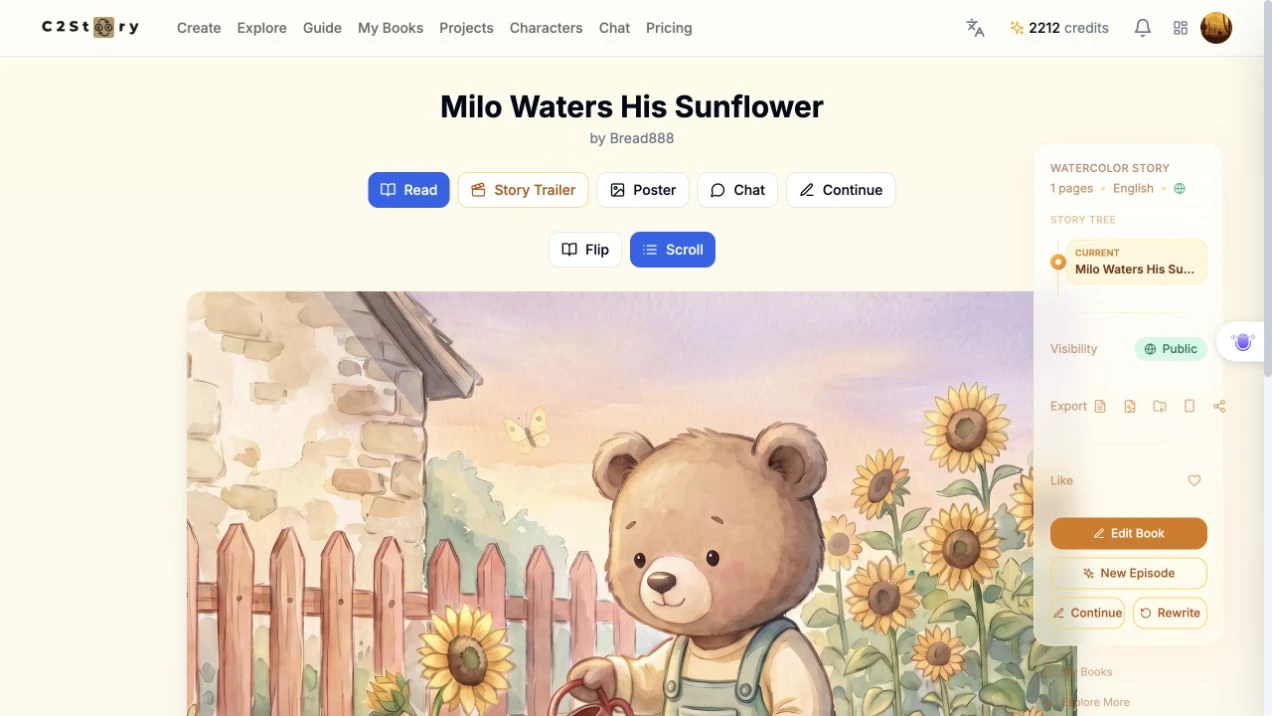
Click Edit Book, find page 1 in Page Images, and click Edit image. This is the same saved page throughout the operation.
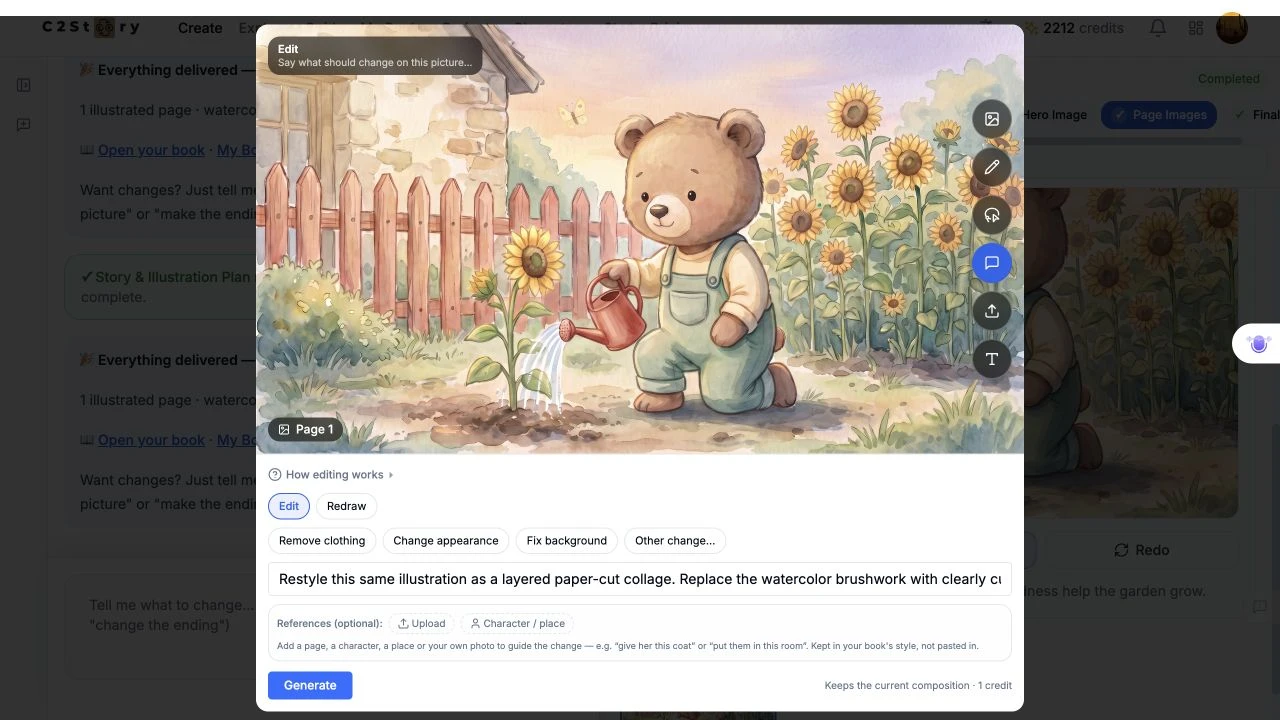
Here is the original watercolor image for comparison:
Step 2 — Choose Describe and enter the actual edit
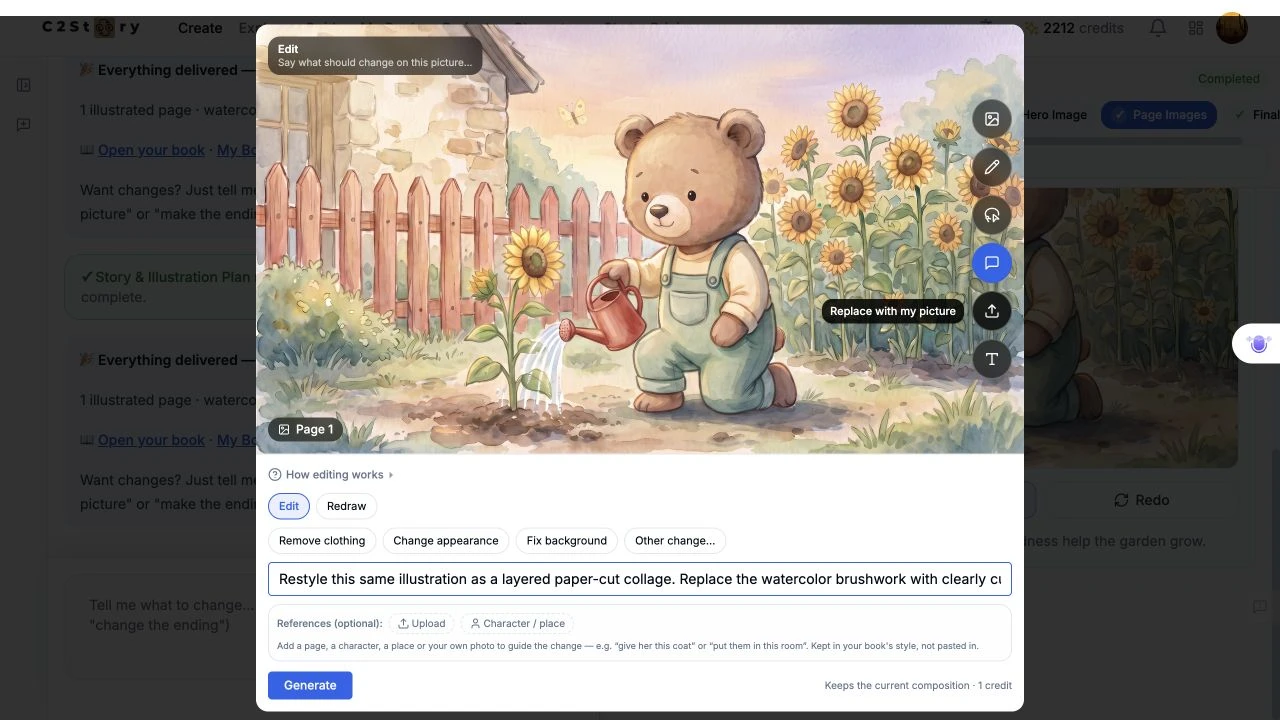
Choose Describe, keep Edit selected, and enter the change. The exact submitted instruction was:
Restyle this same illustration as a layered paper-cut collage. Replace the watercolor brushwork with clearly cut paper shapes, visible paper texture, and gentle shadows between layers. Keep the same composition, Milo the light-brown bear in his cream shirt and sage-green overalls, the red watering can and water stream, the sunflowers, coral-pink fence, small yellow butterfly, and warm peach-lavender evening sky. Do not add text or new objects.
The screenshot shows a single-line field, so only the beginning fits onscreen. The text above is the complete value actually entered. No extra reference image was uploaded or selected. We clicked Generate once; its displayed cost was 1 credit. No model, seed, resolution or aspect-ratio selector was visible in this editing panel.
The panel also says references are kept in the book's style. A cross-style request therefore needs inspection: this example succeeded visually, but one result does not prove that every style conversion will work.
Step 3 — Let the original request finish
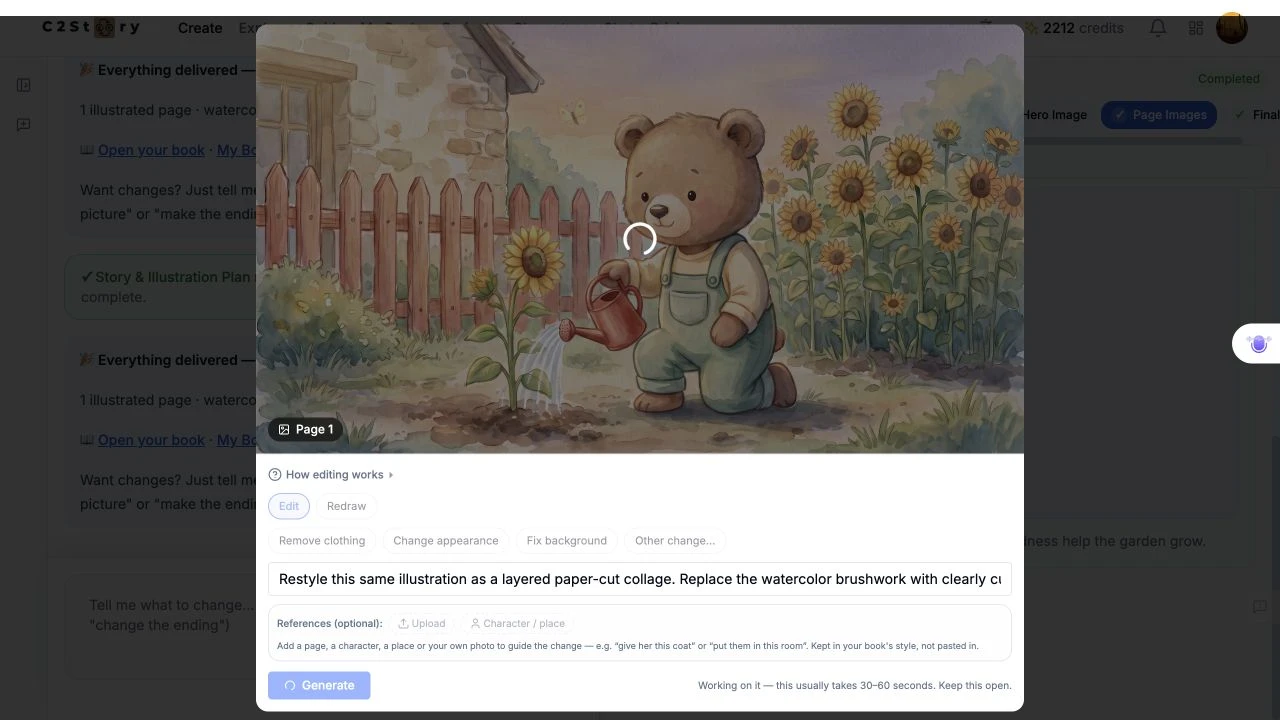
The page showed Generating... and disabled the controls. Its estimate was 30–60 seconds, but this request took longer. Keep the original request open and check its state before submitting again.
In this run, the controls became available again but the original editor still displayed the old watercolor picture and old credit balance. We did not observe an Updated confirmation or click Done.
Opening the existing book in a fresh tab revealed the new saved image and a balance of 2,211 credits. This discrepancy is why the final check matters. The old editor preview alone would have incorrectly suggested that nothing changed.
Step 4 — Refresh and reopen the saved picture
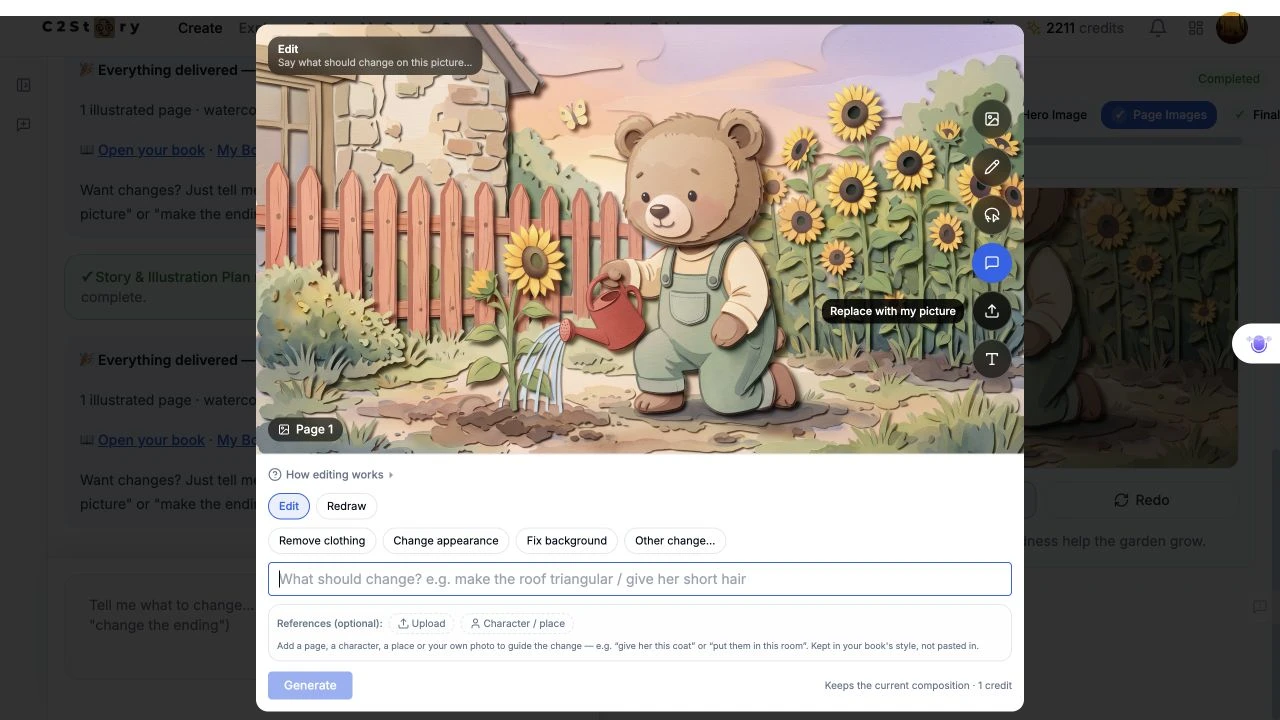
We refreshed the original editing session and reopened Edit image → Describe. After the image loaded, the new paper-cut version was still present. The public book route also retained the new image. No second generation or separate save action was needed in this observed run.
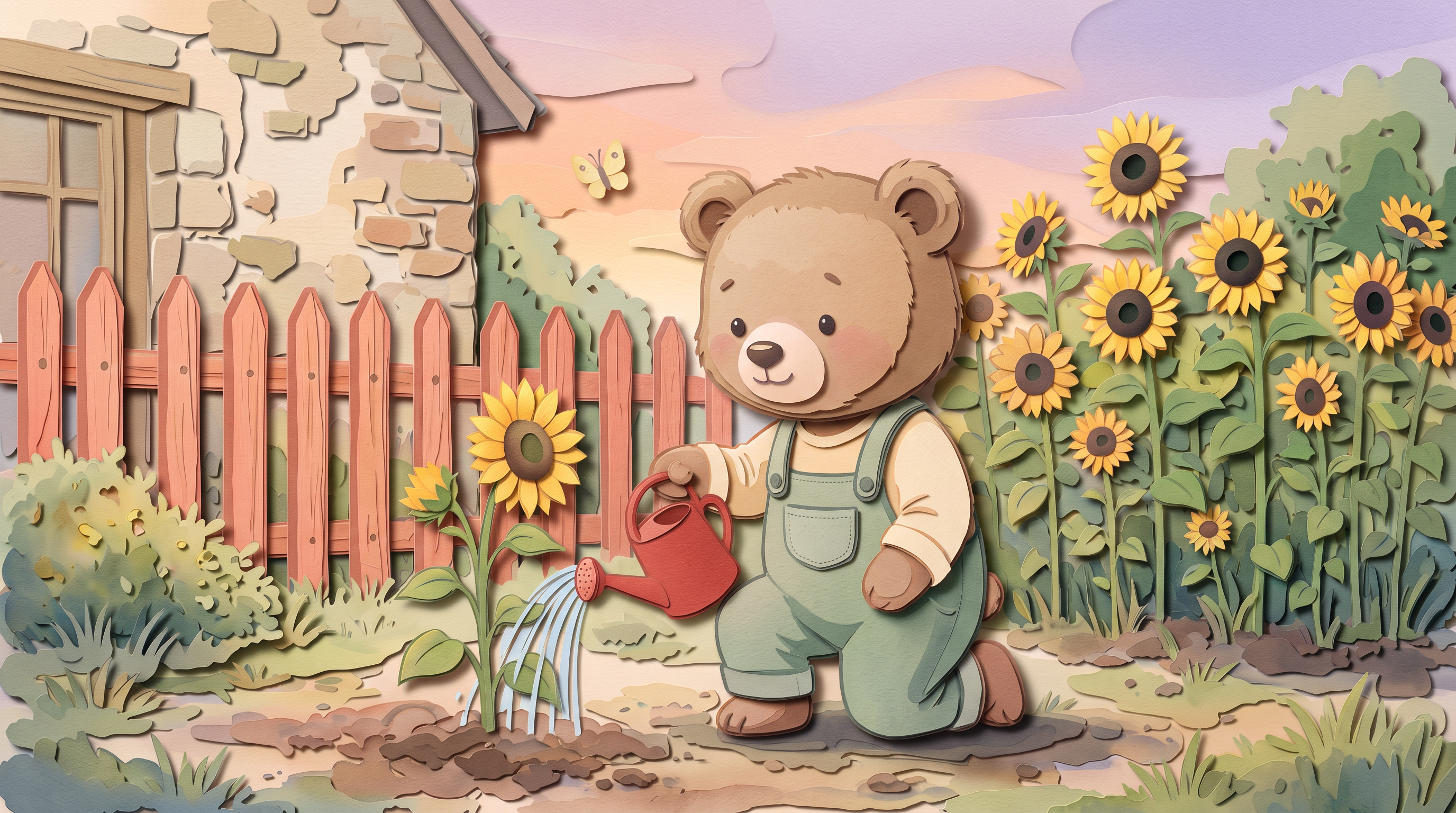
The result has distinct cut-paper edges, textured flat shapes and shadows between layers. Milo remains a light-brown bear in a cream shirt and sage-green overalls. The red can and water stream, flowers, coral fence, butterfly and peach-lavender sky remain recognizable in the same overall composition. Fine shapes and proportions have changed as part of the restyling; this is not a pixel-identical preservation claim.
The page text stayed: “Milo tips his red watering can. A little water and a little kindness help the garden grow.” The book still labels its overall style Watercolor. This operation changed one illustration, not the book's stored style setting.
Read the saved page · Open the result image
Phone-size limits and cost
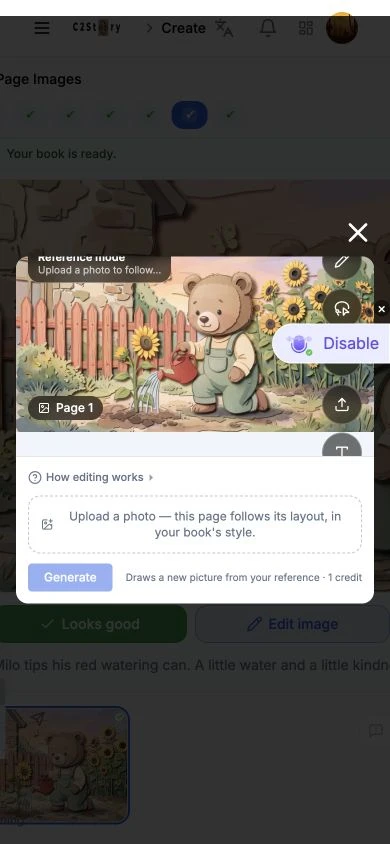
At a 390 × 844 browser viewport, the saved picture was visible. Parts of the tool rail were clipped, and a browser extension overlay obstructed the Describe area during the attempted selection. We could not verify a clean mobile editing path. The overlay is an environment observation; its presence does not establish a C2Story defect. Mobile generation, mobile saving and a physical phone were not tested.
The desktop UI balance changed from 2,212 to 2,211, an observed net decrease of 1 credit, matching the displayed edit price. An itemized charge was not available. No additional generation, new subscription or community submission reward was used.
The main lesson from this run: inspect the image itself and reopen the saved page before deciding an edit failed. Here the saved paper-cut image was available even while the original editor continued to show the old version.
A first like from an active subscriber gives a community author 1 credit. Likes are permanent; self-likes and repeat rewards are excluded.