
Create and save a two-character Group reference in C2Story
Create two distinct children in one watercolor Group reference, generate once, and reopen the saved library entry. Includes exact inputs, actual results, credit use and phone-detail limitations.
Create one shared reference for two characters with the Group option. This walkthrough created Puddle Patrol Duo through the live C2Story UI on October 15, 2026, then reopened the saved library entry. It covers reference creation and saving only; it does not demonstrate the duo in a generated story.
Before you begin
Sign in to C2Story with an account that can create characters and has at least the displayed generation credit. No existing image, character, book or uploaded photo was reused for this example. June and Pip were newly described for this run.
The goal was exactly two distinct children in one watercolor reference: taller June on the left in a yellow coat and red boots, and shorter Pip on the right in a teal coat and yellow boots. Success meant one generated image, a saved library entry, and the same image and details after a refresh.
Step 1 — Choose Group
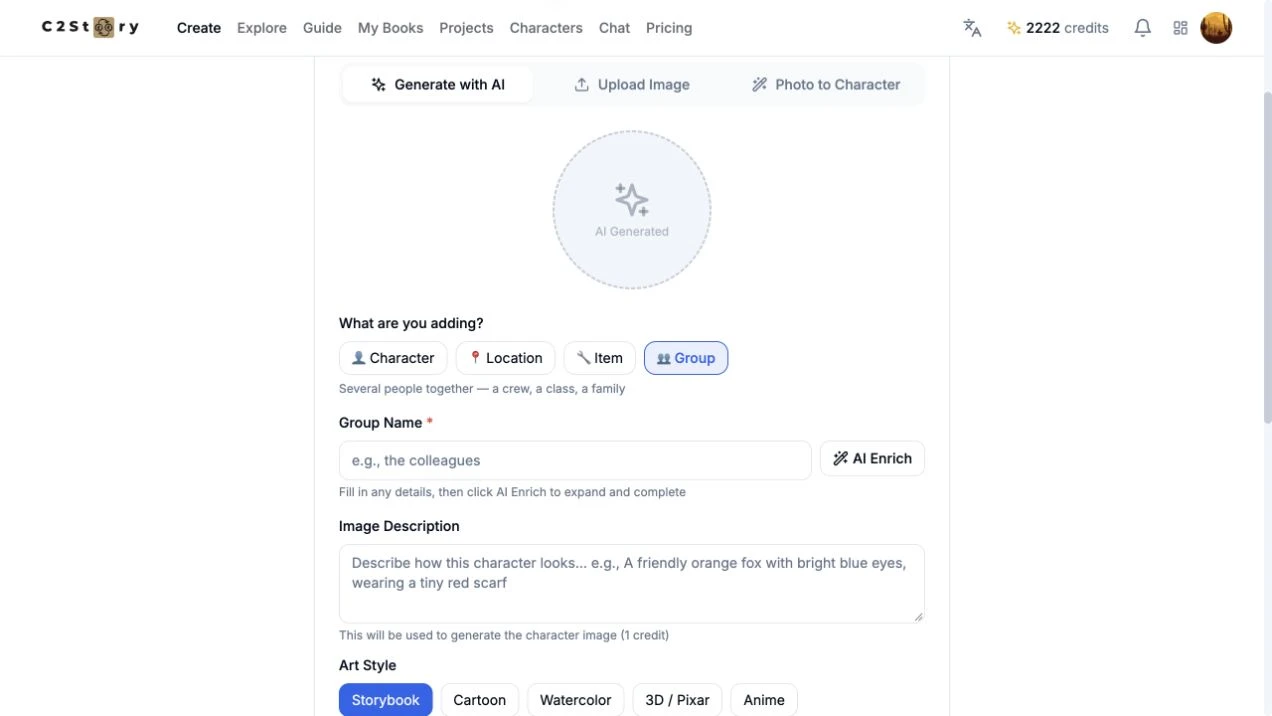
Open Characters → Create Character, stay on Generate with AI, then click Group under What are you adding? The name label changes to Group Name and the helper text describes several people together. This example used no uploaded reference and did not click AI Enrich.
Step 2 — Enter distinct details for each member
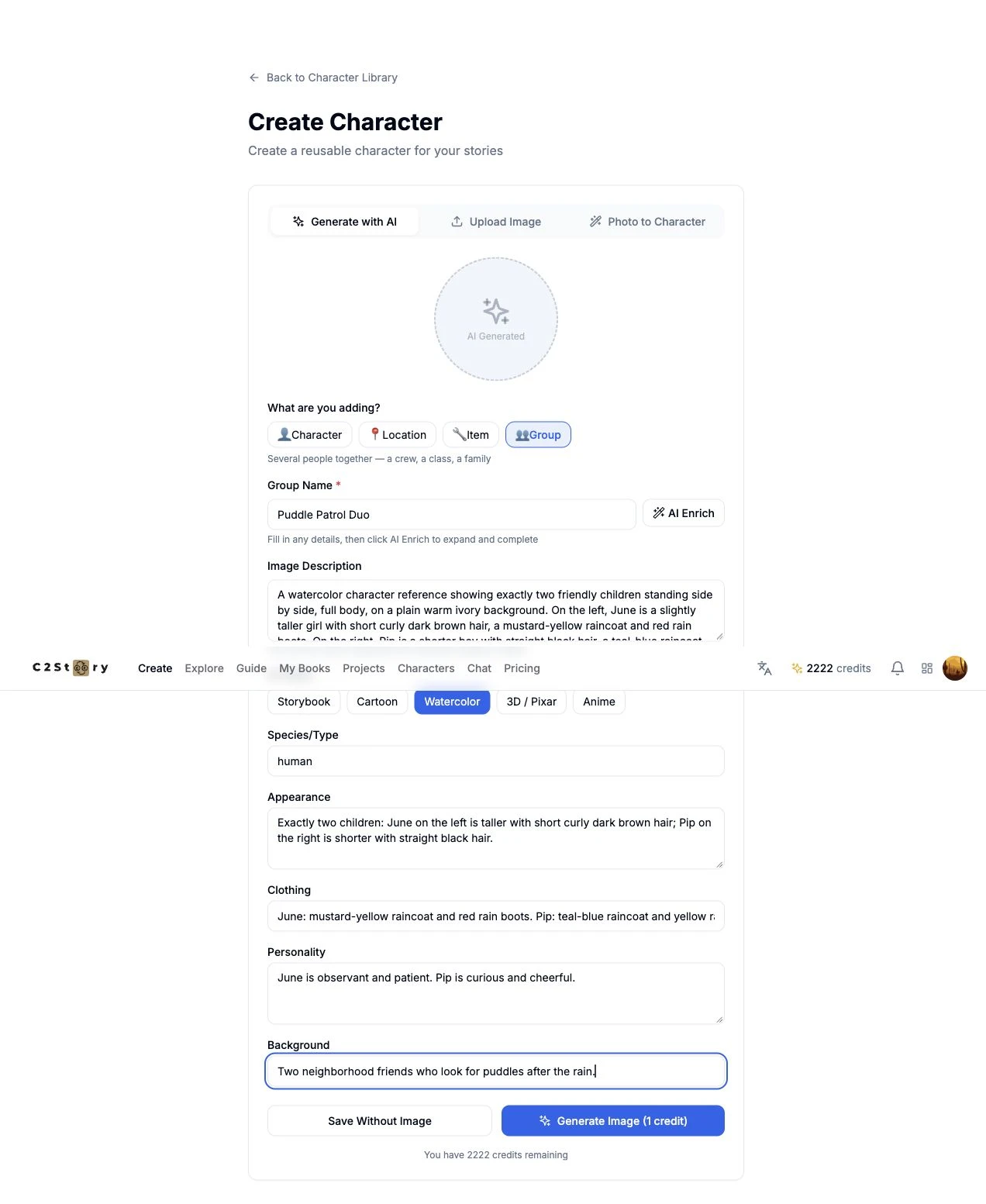
These are the exact inputs submitted:
- Group Name: Puddle Patrol Duo
- Art Style: Watercolor
- Species/Type: human
- Appearance: Exactly two children: June on the left is taller with short curly dark brown hair; Pip on the right is shorter with straight black hair.
- Clothing: June: mustard-yellow raincoat and red rain boots. Pip: teal-blue raincoat and yellow rain boots.
- Personality: June is observant and patient. Pip is curious and cheerful.
- Background: Two neighborhood friends who look for puddles after the rain.
Image Description:
A watercolor character reference showing exactly two friendly children standing side by side, full body, on a plain warm ivory background. On the left, June is a slightly taller girl with short curly dark brown hair, a mustard-yellow raincoat and red rain boots. On the right, Pip is a shorter boy with straight black hair, a teal-blue raincoat and yellow rain boots. Both face forward with gentle smiles, hands relaxed at their sides. Keep a clear gap between them. Soft watercolor paper texture, simple clean silhouettes. No umbrellas, props, scenery, text, labels or extra people.
Left/right placement, height, hair and clothing colors make the two members easy to check. These are the actual generation inputs, not an improved prompt written after seeing the result. No model selector, aspect-ratio control or internal generation prompt was visible on this form, so those settings are not specified here.
Step 3 — Generate once and inspect the saved result
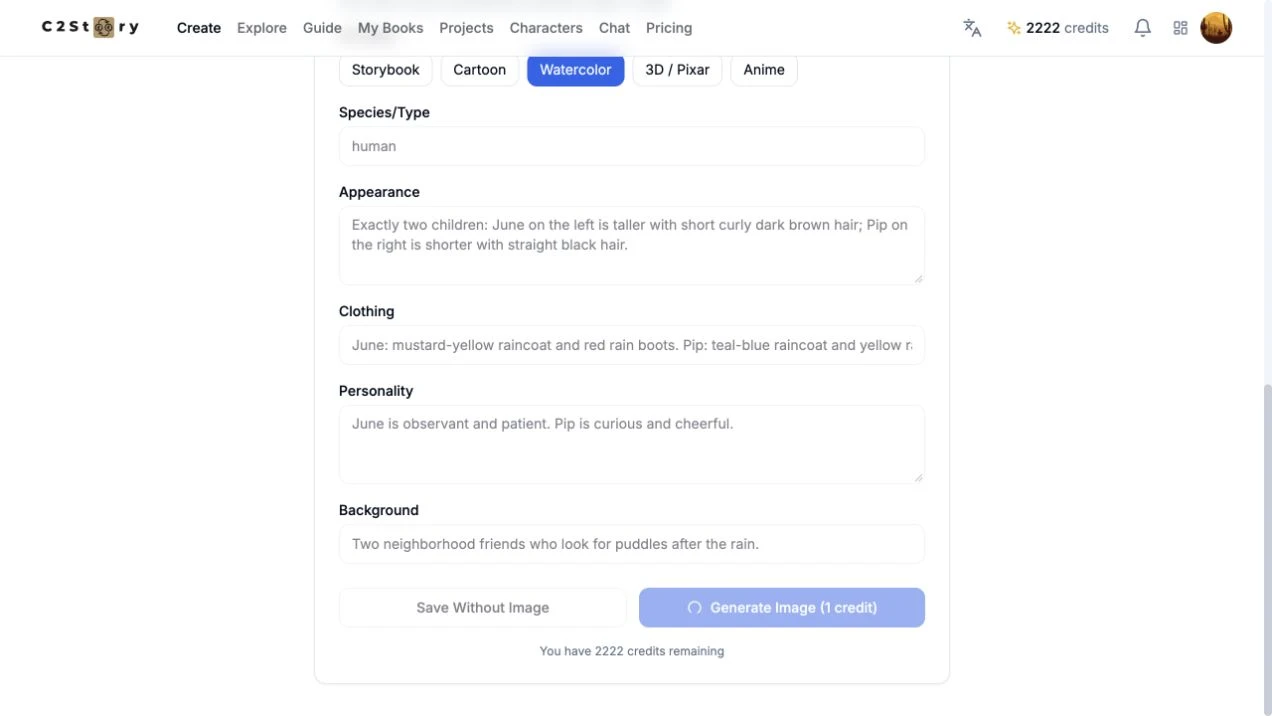
Click Generate Image (1 credit) once. During the request, the controls become disabled. Wait for completion instead of clicking again.
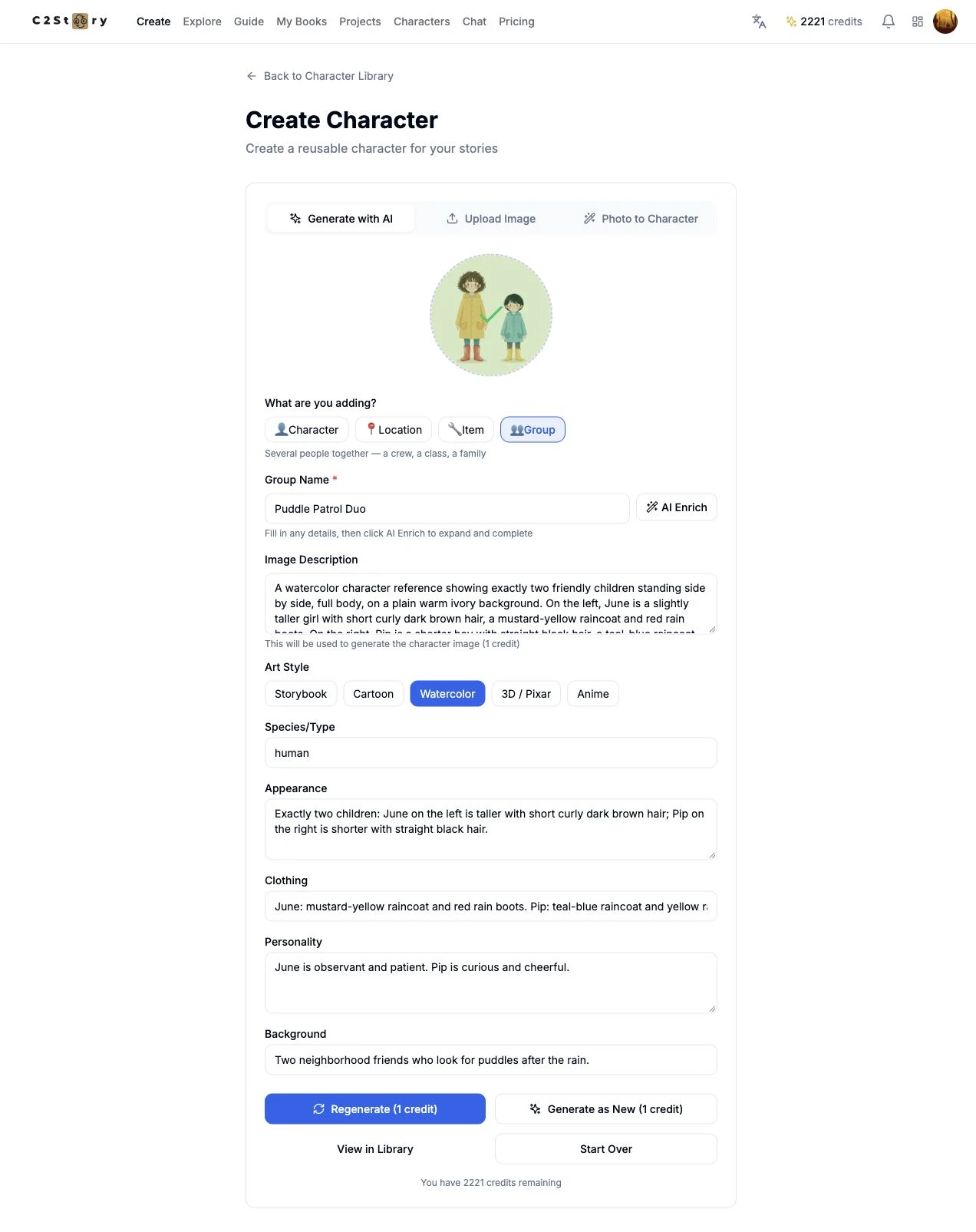
On completion, the form showed the image, Regenerate (1 credit), Generate as New (1 credit) and View in Library. We clicked View in Library; we did not regenerate, create another copy or use Save Without Image.
Actual result
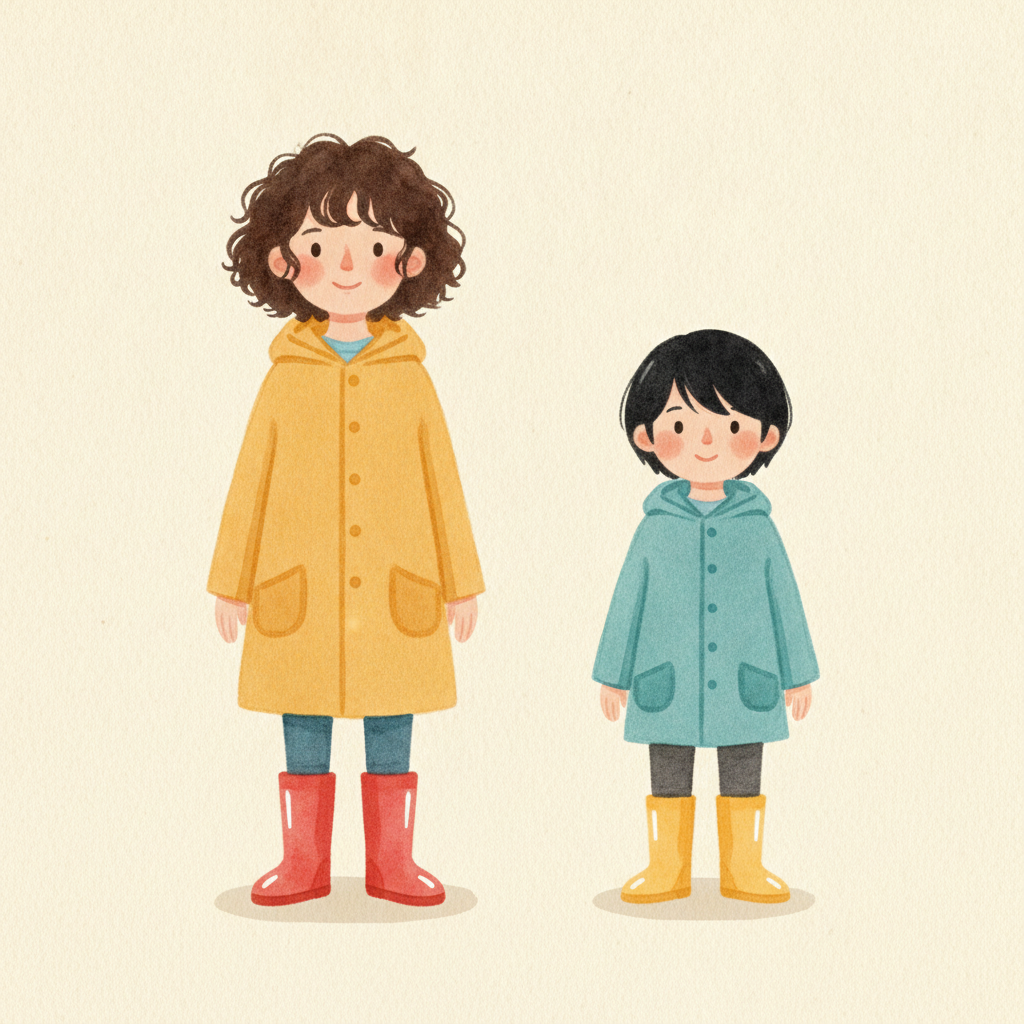
The image contains two full-body children with a gap between them, the requested left/right arrangement, different heights and hair, and the requested coat/boot colors. The plain pale background and soft watercolor appearance match the intended reference. There are no extra people, umbrellas or text. This is one shared image, not two separately saved character entries.
The UI balance changed from 2222 to 2221 credits; the button displayed 1 credit. No itemized billing record was inspected. No purchase or reward claim was made.
Step 4 — Refresh, search and reopen
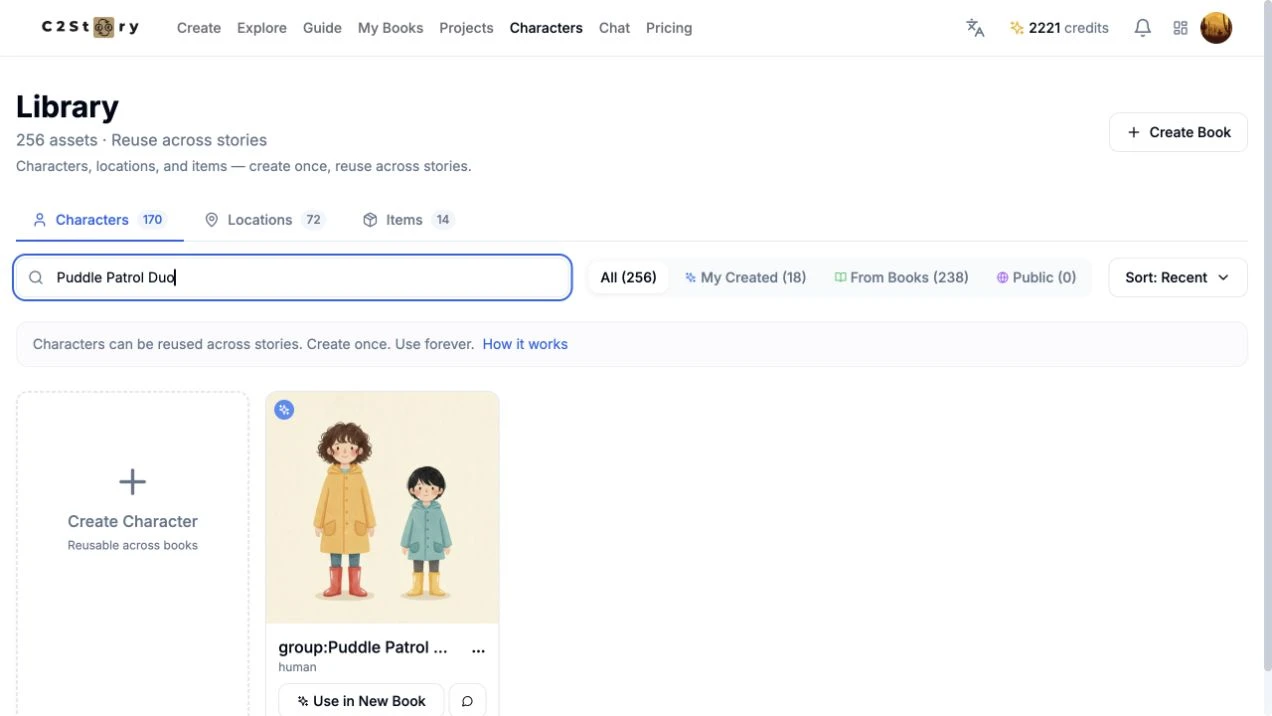
In Characters, search for Puddle Patrol Duo. Refresh the page, search again, then open the card menu and choose View Details. The current library displays the name as group:Puddle Patrol Duo, with human beneath it. The Group form itself was selected before submission; the library does not expose a separate editable Group selector.
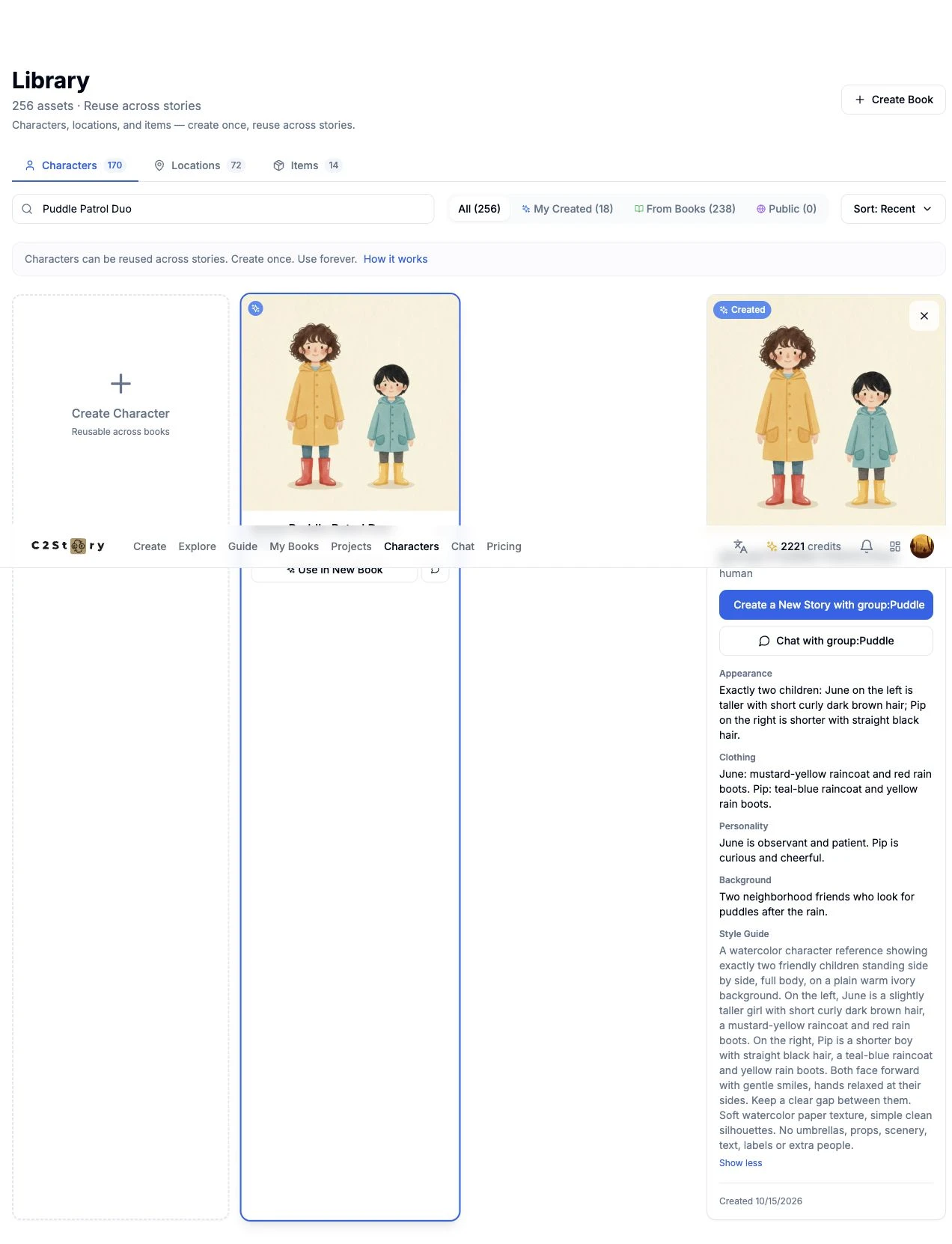
After refresh and navigation away/back, the image, appearance, clothing, personality, background and full description remained. Show more expands the saved Style Guide text. The creation date shown was 10/15/2026. The visible group: prefix also appears in the detail heading and short action labels; it is current UI behavior, not text added to our name input.
There is no public share page for this private library entry used in this walkthrough. Use the Character Library, sign in, and search for your own saved group. Our recorded character ID is b32f17ca-8980-4ecf-b5b5-5525d885ad8f. The result image above and the saved-state screenshots are publicly viewable evidence.
Step 5 — Find the next-story entry point
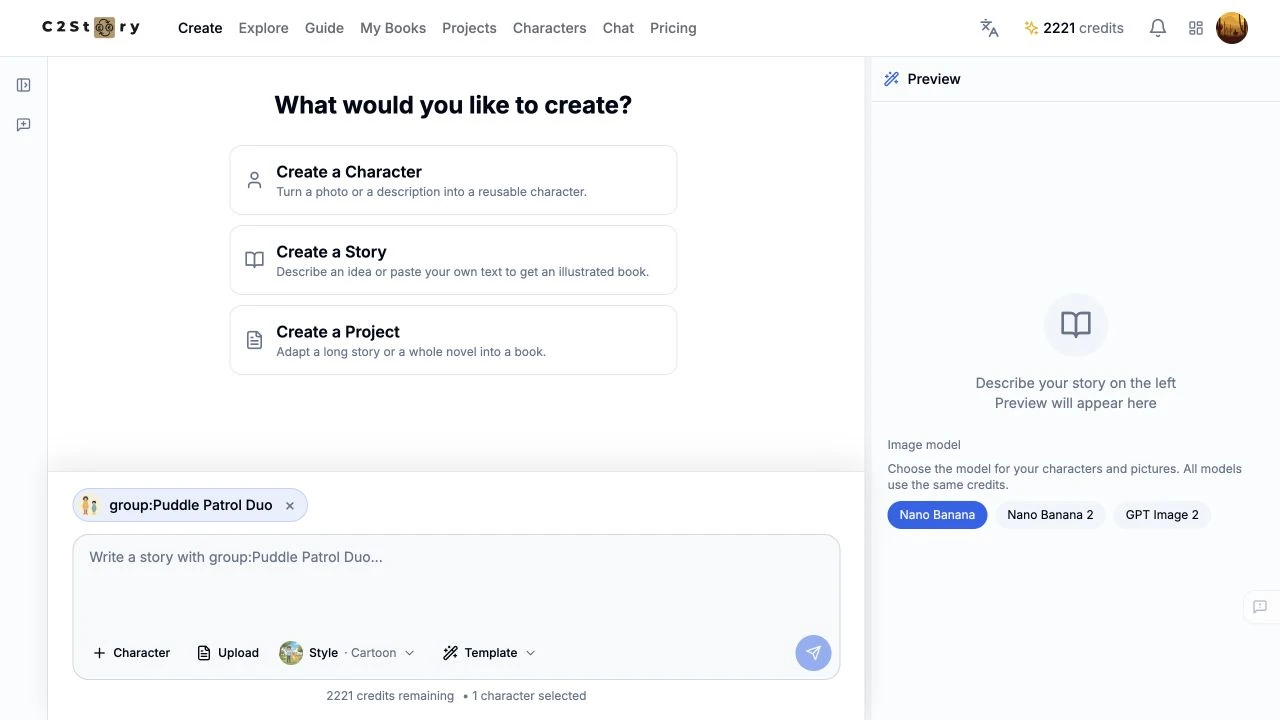
View Details → Create a New Story with group:Puddle opened the creation screen with the saved reference selected and 1 character selected shown. The card also has Use in New Book. A Group reference counts as one selected library asset here, even though its picture contains two people.
We stopped at this entry point. No story prompt, page, book or video was generated, so downstream character consistency is Not verified. Choose the story style deliberately when continuing: the new-story screen showed its own Cartoon default; it should not be read as proof that the reference form's Watercolor style carries over.
Phone-size checks and current limits
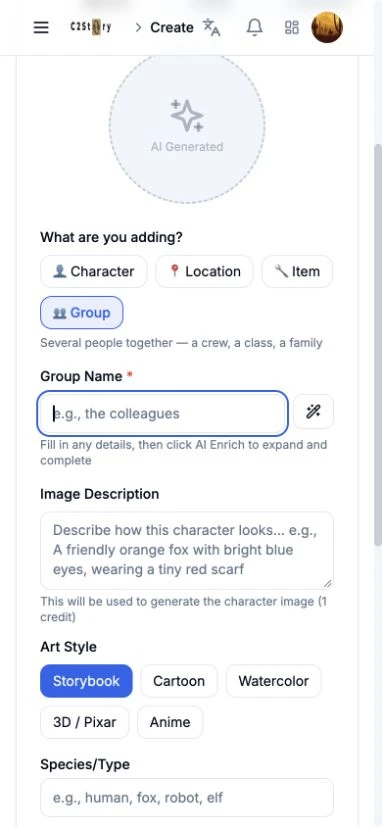
At 390 × 844, the Group button and name field were accessible; the field could receive focus. This screenshot is a fresh empty form inspected for layout, not a second generation or a lost saved entry. The actual creation happened on desktop.
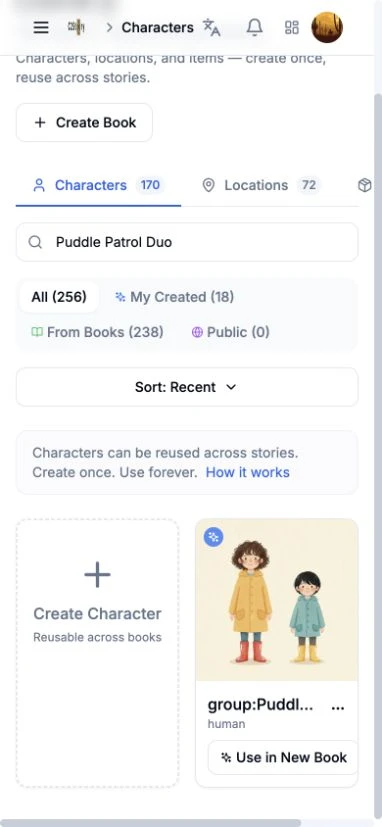
The phone-size library search found the saved image and card, but the library had horizontal overflow (474 px content width in a 390 px viewport) and a shortened card title. View Details closed the menu without showing the detail panel; clicking the card image also did not expose it. Use desktop for the full saved-description check in this workflow.
- Passed: desktop creation, one generation, library save, refresh/reopen and field persistence at 1280 × 720; phone-size search and result-card visibility.
- Failed: phone-size full-detail access and library overflow check.
- Not verified: mobile generation/save, physical-phone behavior, story generation from the duo, and consistency in downstream pages.
The saved desktop reference is the completed result. The phone detail limitation is disclosed here and does not establish mobile creation support.
A first like from an active subscriber gives a community author 1 credit. Likes are permanent; self-likes and repeat rewards are excluded.