
Recover failed illustrations from the C2Story book reader
Recover two missing pictures in an existing four-page book with Retry, verify they stay saved, and test the public reader on desktop and at phone size. Includes actual results and current status-label limits.
A failed illustration does not always mean you need to start a new book. This walkthrough recovers two missing pictures from the normal book reader, checks that they stay saved, and opens the four-page result without signing in.
Read the recovered book: This Is an Apple.
Before you start
You need to be signed in to the account that owns the book and have enough credits for image generation. Open My Books, then open the existing book with failed pages.
This example uses our own saved four-page This Is an Apple draft. Its plan, captions, and first two illustrations came from earlier work. They were not generated again for this tutorial. The original September 30 input was exactly apple in English Vocabulary (Paper Cut), with Plain bg and the visible default Nano Banana. Caption corrections also happened before this recovery.
On October 4, we entered no new prompt, changed no model or style, and clicked Retry once on each of the two missing pages. The reader displayed PAPER_CUT STORY · 4 pages · English. Retry did not expose the internal image prompt or a model selector, so the model actually used by these retries was not visible.
Step 1 — Identify the failed pages in the reader
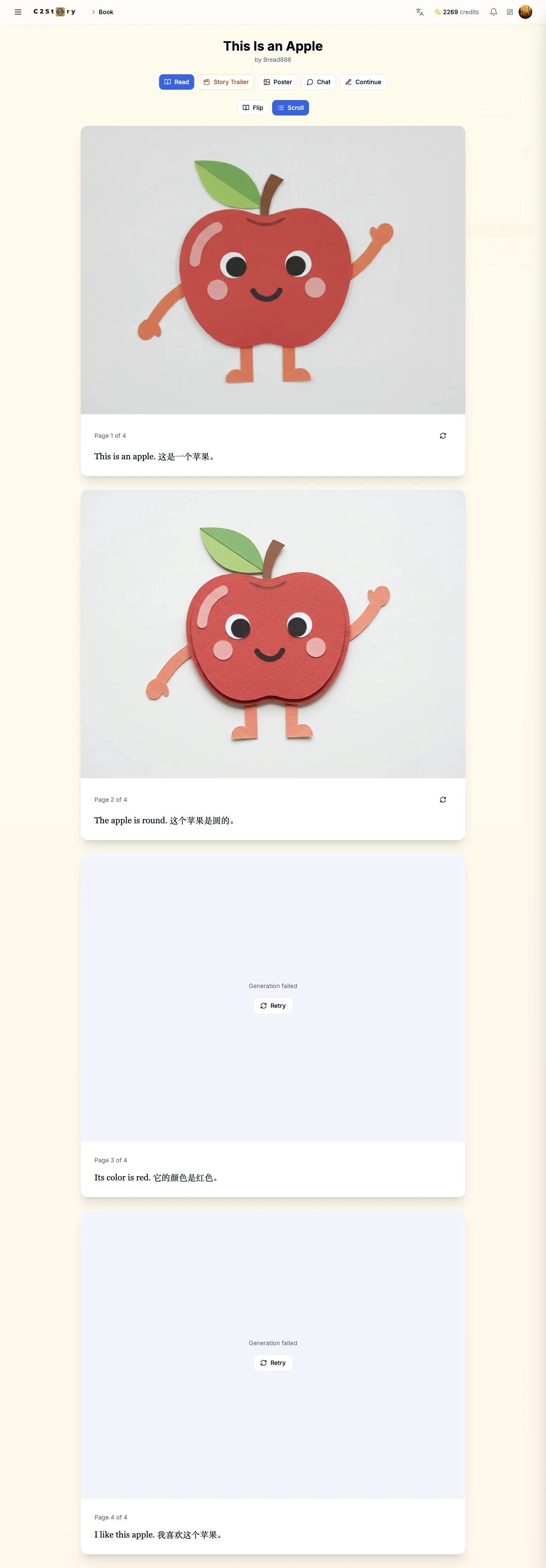
In My Books, we opened This Is an Apple. In Scroll view, pages 1 and 2 already had pictures. Pages 3 and 4 showed Generation failed with a Retry button. The book was Private.
We checked the captions before submitting anything. The goal was to keep the same book and recover only the missing illustrations—not regenerate the successful pages.
Step 2 — Retry page 3 once and wait
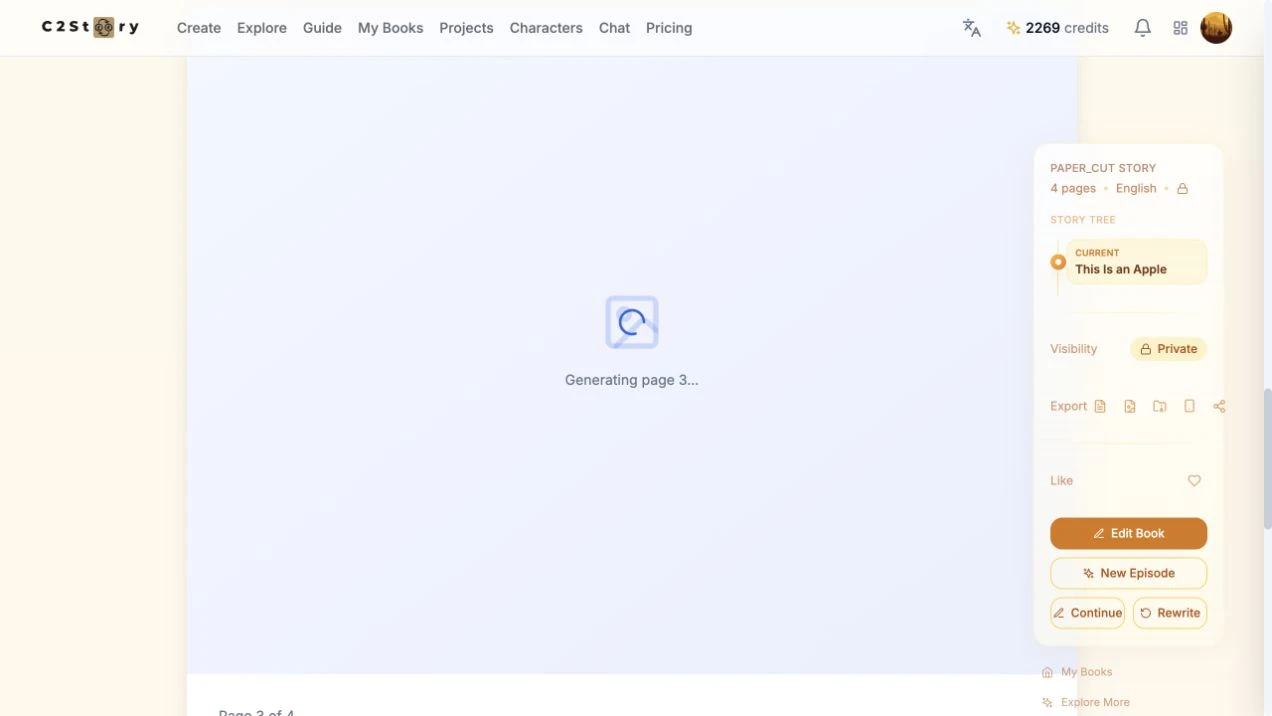
We clicked Retry in the page-3 failure panel. The reader changed to Generating page 3…, and page 4's Retry button was disabled while the job ran. We waited without submitting again.
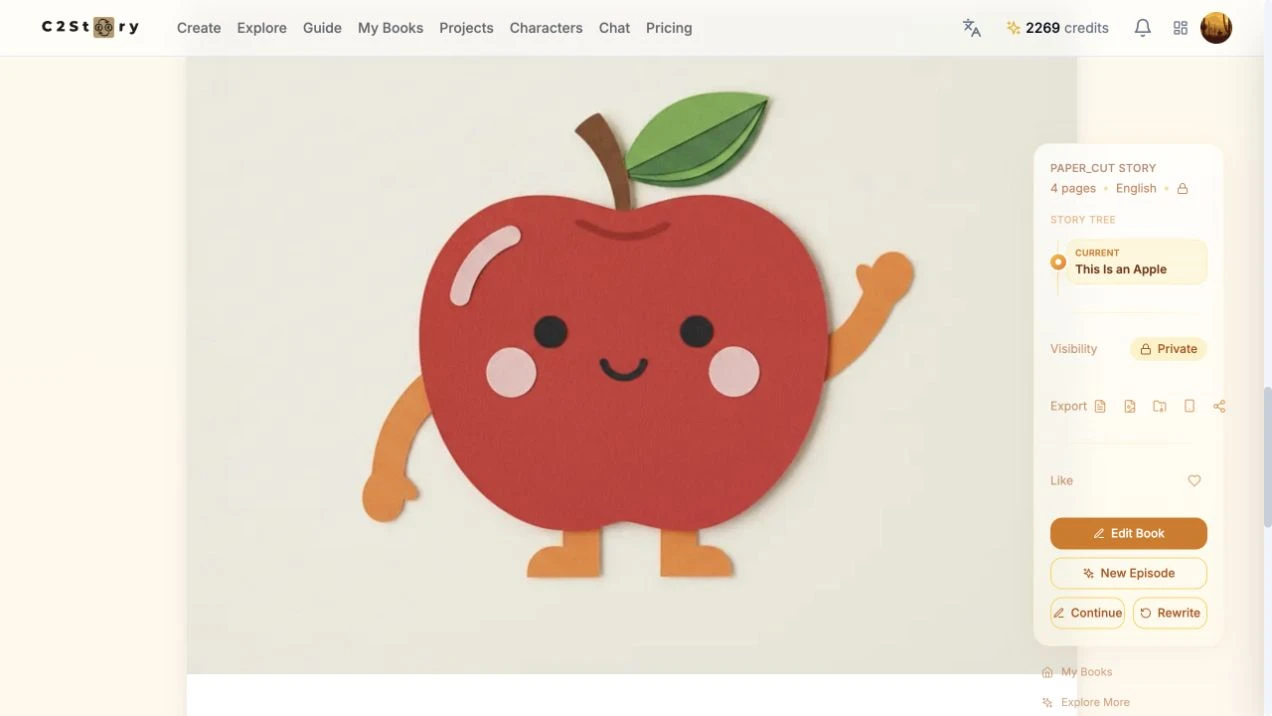
The placeholder became a red paper-cut apple. Its existing caption remained:
Its color is red. 它的颜色是红色。
This is a new October 4 result. The apple is visibly red and retains the paper-cut medium, although its eyes differ from the other pages. Recovery restored the missing image; it did not produce exact character-detail consistency.
Step 3 — Recover the remaining page
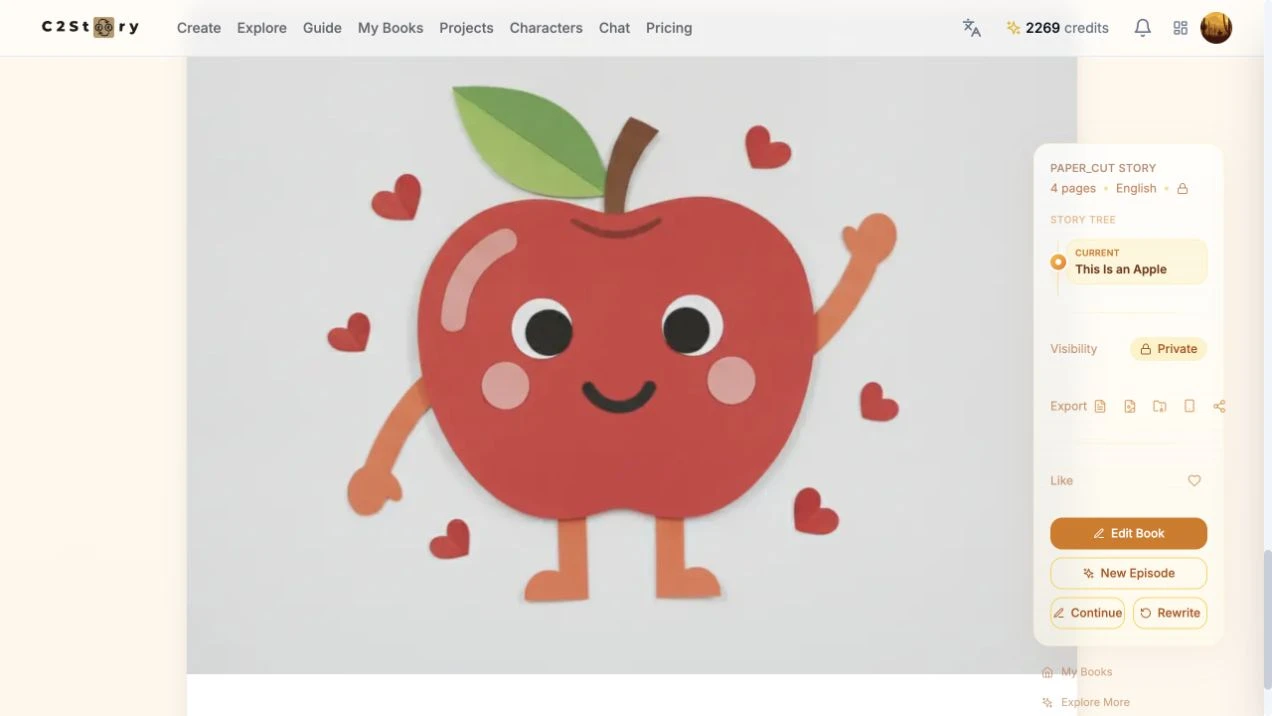
After page 3 finished, we clicked page 4's Retry once. It displayed Generating page 4…, then produced an apple surrounded by hearts. The existing caption remained:
I like this apple. 我喜欢这个苹果。
We now had four illustrations and four captions. Only the last two pictures were generated in this recovery. No new book, character, trailer, or video was created.
Step 4 — Refresh, reopen, and read every page
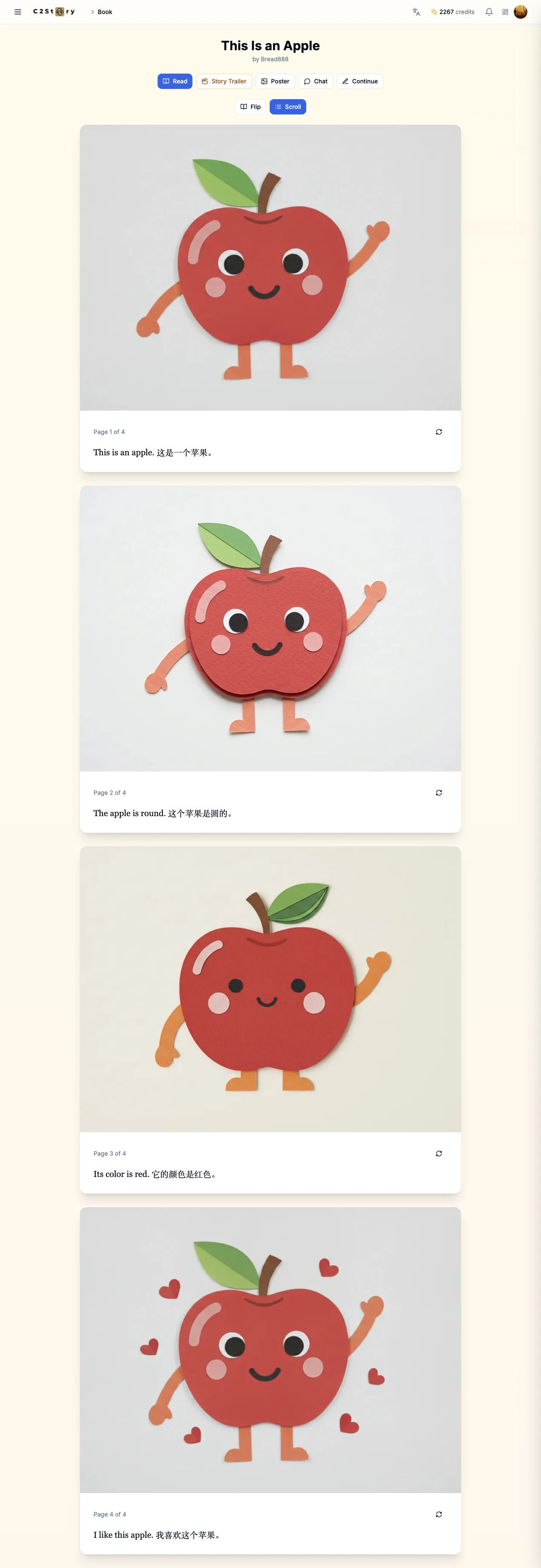
We refreshed the reader, returned to My Books, and reopened the same title. Both new illustrations remained. The four pages appeared in this order:
- Page 1: “This is an apple. 这是一个苹果。” — existing red paper-cut apple.
- Page 2: “The apple is round. 这个苹果是圆的。” — existing rounded apple.
- Page 3: “Its color is red. 它的颜色是红色。” — new red apple.
- Page 4: “I like this apple. 我喜欢这个苹果。” — new apple with hearts.
There was no separate Save button for Retry. Refresh and Library reopening were our persistence checks. My Books still labeled the book Draft, even though all four images were saved. We therefore checked the actual reader instead of treating the badge as proof of completion.
Step 5 — Make the recovered book public and test its link
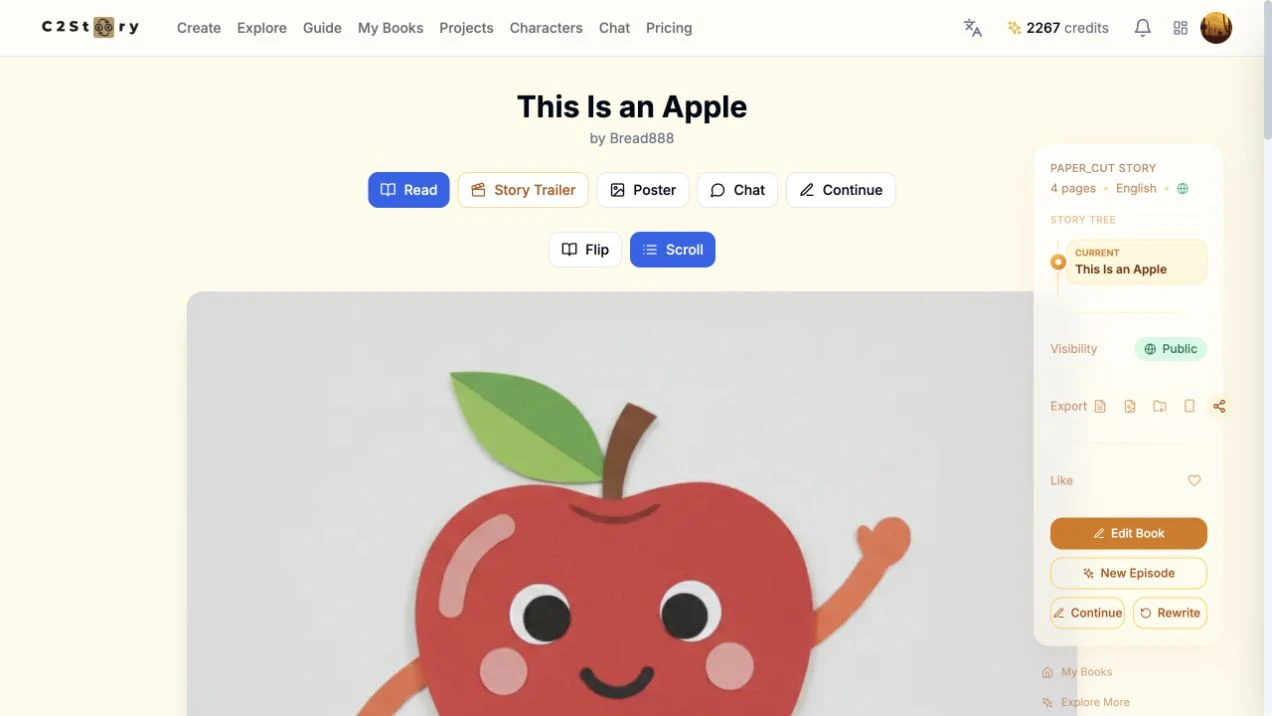
In the desktop reader's right panel, we clicked Private under Visibility. It changed to Public. We also clicked Share, but did not observe a copied clipboard value in this browser, so we used the verified reader address.
We signed out and opened the public book. All four illustrations and captions loaded without an account. Viewing the book did not require purchasing the optional PDF or HD download.

At 1280 × 720 on desktop and 390 × 844 at phone size, we checked page order, image loading, captions, and horizontal overflow. The four-page reader passed these checks. Phone-size testing used a browser viewport, not a physical phone. Mobile Retry submission and editing were not tested.
What this recovery does—and does not—prove
The reader Retry route worked for these two failed pages. An earlier attempt in this book's creation editor had stopped at Paused for review; this tutorial does not claim that editor issue is fixed or that every failed book can be recovered the same way. If Retry still fails, preserve the book and error state instead of repeatedly submitting it.
The visible balance was 2269 credits before and 2267 after refreshing, an observed decrease of 2 credits across this run. The header stayed at the old value until refresh. We did not inspect an itemized bill, and no purchase was made.
The saved result is a complete four-page illustrated vocabulary book. The remaining Draft badge, stale balance display, and page-3 eye variation are limitations observed in this example—not reasons to invent a different result or describe the output as a video.
A first like from an active subscriber gives a community author 1 credit. Likes are permanent; self-likes and repeat rewards are excluded.