
Reuse a saved two-character Group in one C2Story page
Turn an existing Group reference into one watercolor story page. Follow the real plan corrections, reference checks, generation and save/reopen verification, including current review and mobile limits.
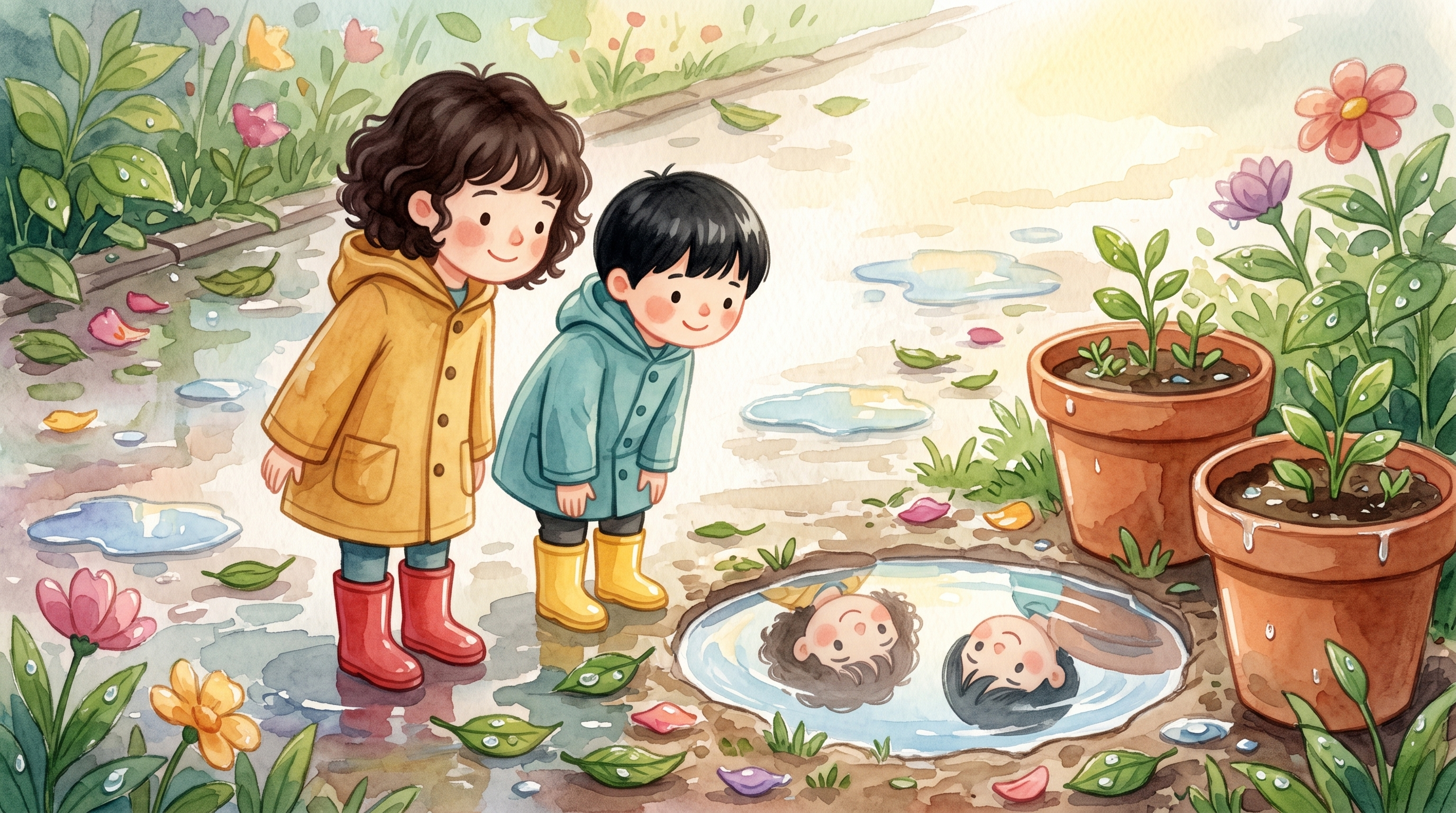
A saved Group can be the starting reference for a new scene. This real desktop walkthrough reused Puddle Patrol Duo, generated one story page, and reopened the saved result. It also shows the corrections needed when the planner split the duo into separate characters.
Read the actual one-page result. Tested October 16, 2026. This is a Group-reference reuse tutorial, not a new Group-creation tutorial or a video workflow.
Before you start
Use an account with a saved reference you own or have permission to use. Our pre-existing asset was created on October 15: June has curly dark brown hair, a mustard raincoat and red boots; Pip has straight black hair, a teal raincoat and yellow boots. That original image is not a new result from this walkthrough.
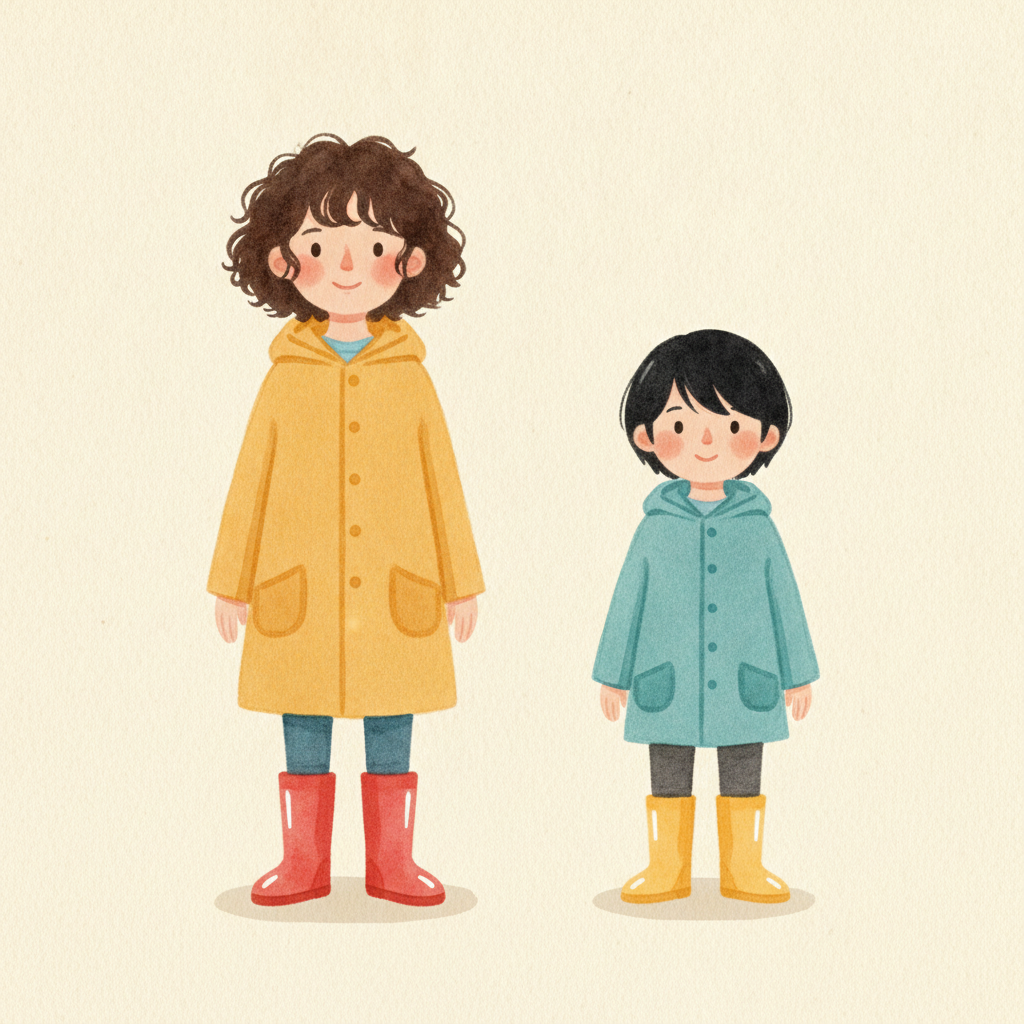
Start at the Character Library, which requires sign-in to manage your own assets. This run used Watercolor and Nano Banana. We requested one page; the smallest preset was Up to 4, and the custom control displayed 2–100. We corrected the plan to one page before illustration. The final result has one page.
Step 1 — Choose the saved Group
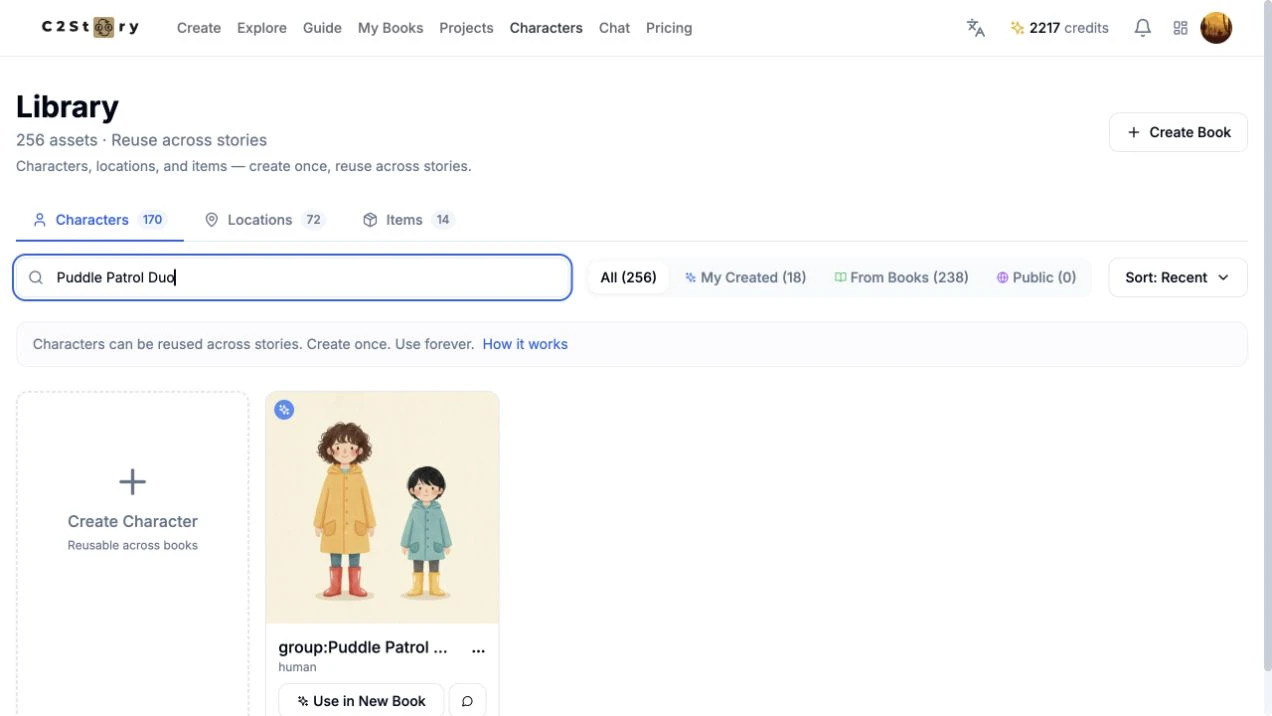
We searched Puddle Patrol Duo and clicked Use in New Book on its card. The new-story composer showed group:Puddle Patrol Duo selected. The prefix is the product’s displayed name. One selected library entry contains both children; it is not evidence of a completed story by itself.
Step 2 — Enter a small request and review the plan
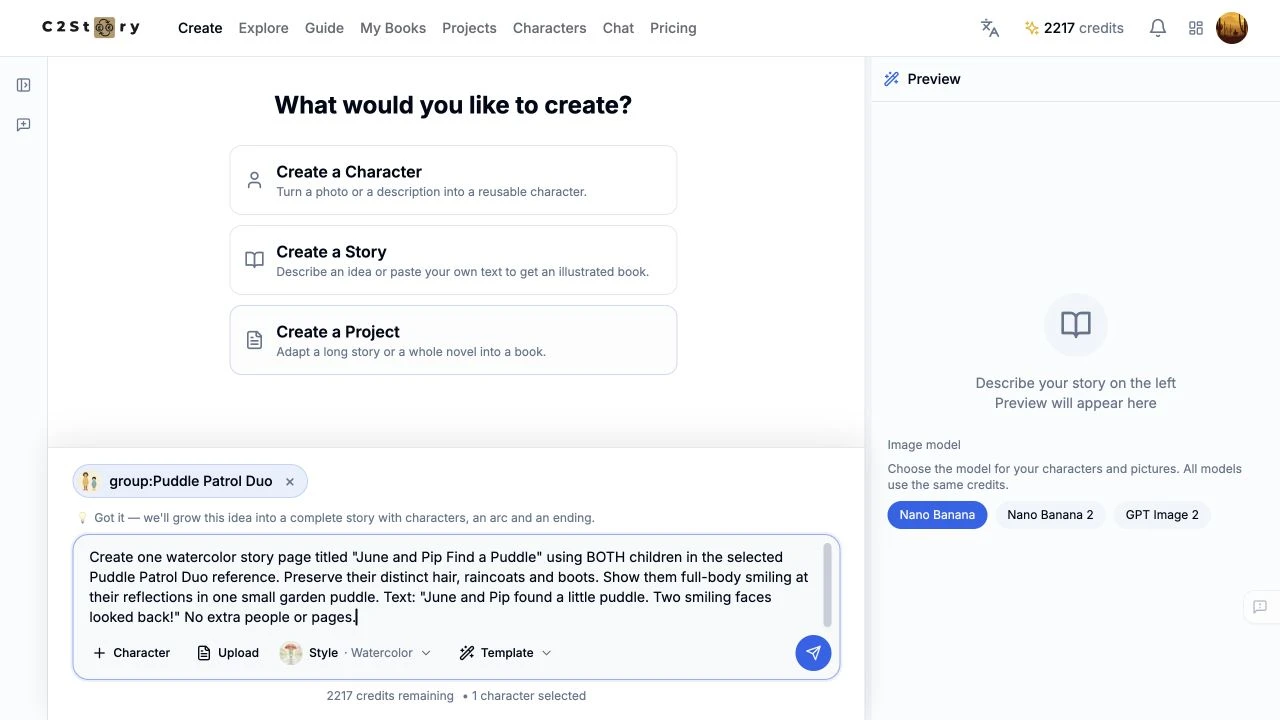
We selected Watercolor, kept Nano Banana, and submitted this exact request:
Create one watercolor story page titled "June and Pip Find a Puddle" using BOTH children in the selected Puddle Patrol Duo reference. Preserve their distinct hair, raincoats and boots. Show them full-body smiling at their reflections in one small garden puddle. Text: "June and Pip found a little puddle. Two smiling faces looked back!" No extra people or pages.
An earlier, longer draft was shortened before submission because the composer classified it as a complete story. The submitted request above was still treated as supplied story text later in the flow.
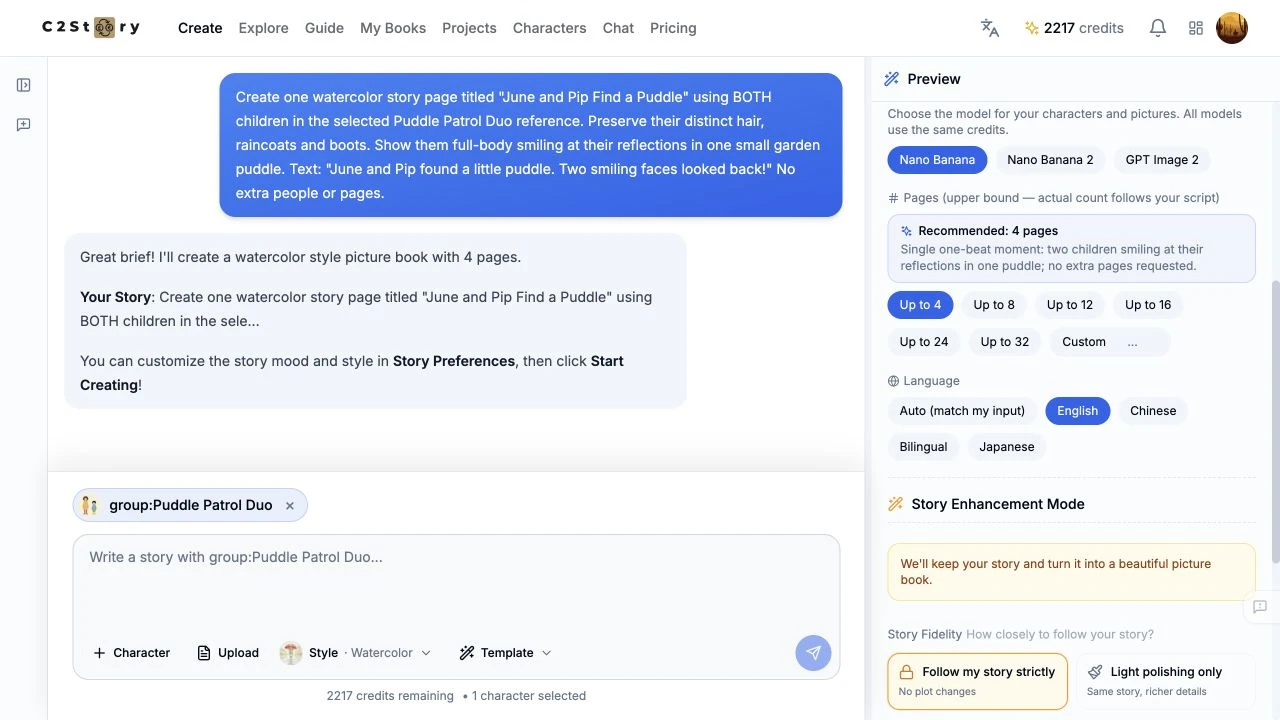
We chose Review, Up to 4, English, and Follow my story strictly. After Start Creating (1 credit), a “You brought a full story” dialog appeared; we chose Polish my writing. The follow-up answers were Young children (5–8 years old), Human children, and Heartwarming and sweet, followed by Create with My Choices. These choices are the actual run settings, not recommended defaults for every story. No aspect-ratio selector was used.
Review cards in this run had a 20-second countdown and could continue automatically. Use B · Needs changes promptly when a plan needs correction.
Step 3 — Reduce the actual plan to one page
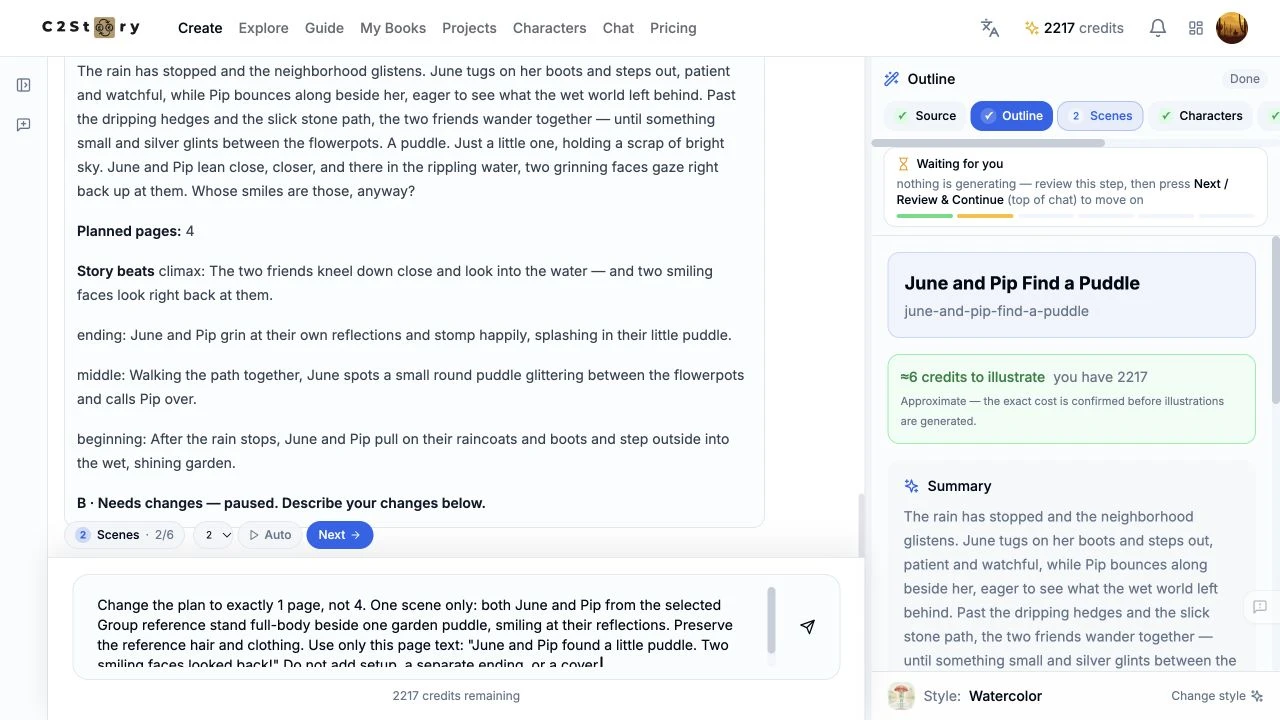
The first plan had four pages despite the one-page request. We clicked B · Needs changes and entered:
Change the plan to exactly 1 page, not 4. One scene only: both June and Pip from the selected Group reference stand full-body beside one garden puddle, smiling at their reflections. Preserve the reference hair and clothing. Use only this page text: "June and Pip found a little puddle. Two smiling faces looked back!" Do not add setup, a separate ending, or a cover.
The next plan displayed Planned pages: 1. Its countdown continued into scene drafting. We inspected the single scene and used Story → Edit → Save to enter June and Pip found a little puddle. Two smiling faces looked back! However, the later quality review rewrote that saved wording. Do not assume this path preserves exact prose.
Step 4 — Check the characters before spending on illustrations
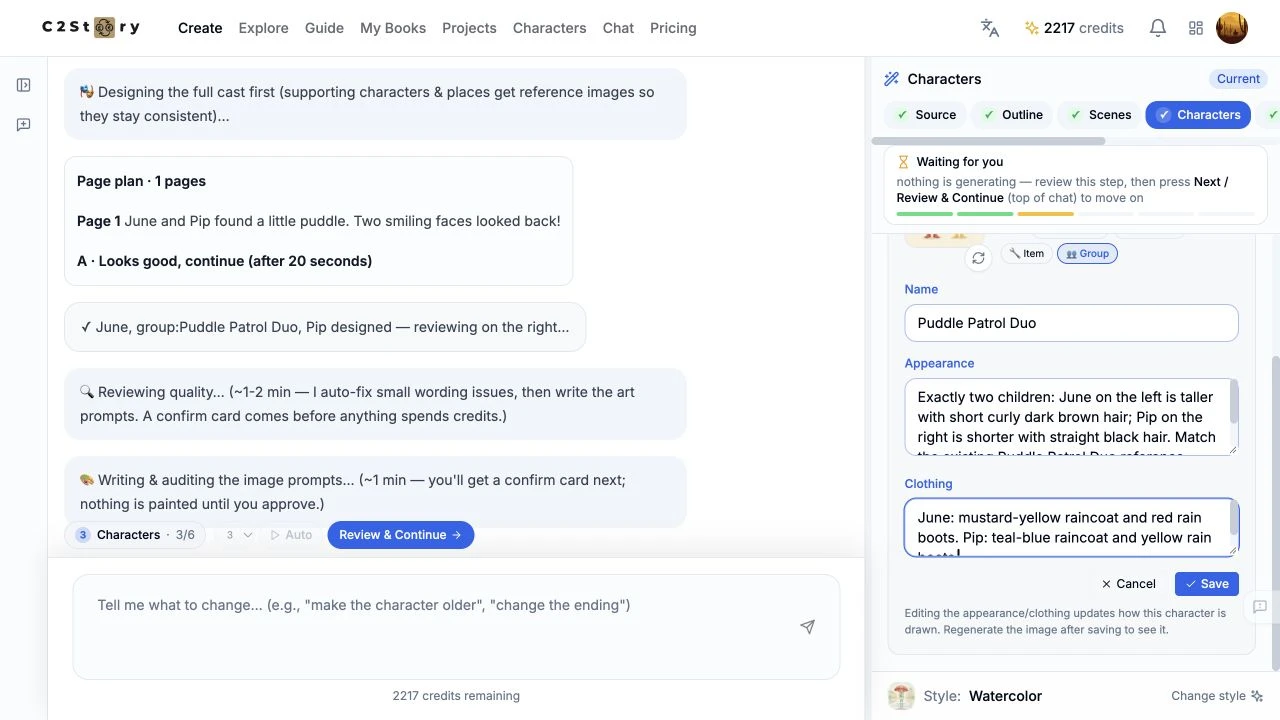
The first review added separate June and Pip entries and described their hair and boots incorrectly. The original Group image remained present. We chose C · Not yet, inspected Scenes → Prompts → References, and temporarily removed the separate June and Pip selections while retaining the Group. We also edited and saved the image prompt with explicit clothing colors:
Watercolor picture-book illustration using the selected Puddle Patrol Duo GROUP image as the likeness reference for BOTH children. Exactly two children, full body, standing beside one small puddle on a quiet garden path after rain. June on the left is taller, with short curly dark brown hair, a mustard-yellow raincoat and RED rain boots. Pip on the right is shorter, with straight black hair, a teal-blue raincoat and YELLOW rain boots. Match these features and the supplied image; do not swap their hair, clothes or boots. Both smile down at their reflections. Soft post-rain daylight, simple greenery and two terracotta flowerpots. No extra people, no umbrellas, no lettering.
In Characters → Puddle Patrol Duo → Edit, we saved these exact session fields without redrawing the original Group image:
Appearance: Exactly two children: June on the left is taller with short curly dark brown hair; Pip on the right is shorter with straight black hair. Match the existing Puddle Patrol Duo reference image.
Clothing: June: mustard-yellow raincoat and red rain boots. Pip: teal-blue raincoat and yellow rain boots.
We then ran Review & Continue a second time. It corrected the major hair/boot colors, but rewrote our image prompt and reselected all three reference entries. The final flow therefore used the original Group plus two newly generated individual references. It did not use only the Group. The reviewer also added a small cloud-pattern description for Pip.
Step 5 — Inspect the actual bound references and generate
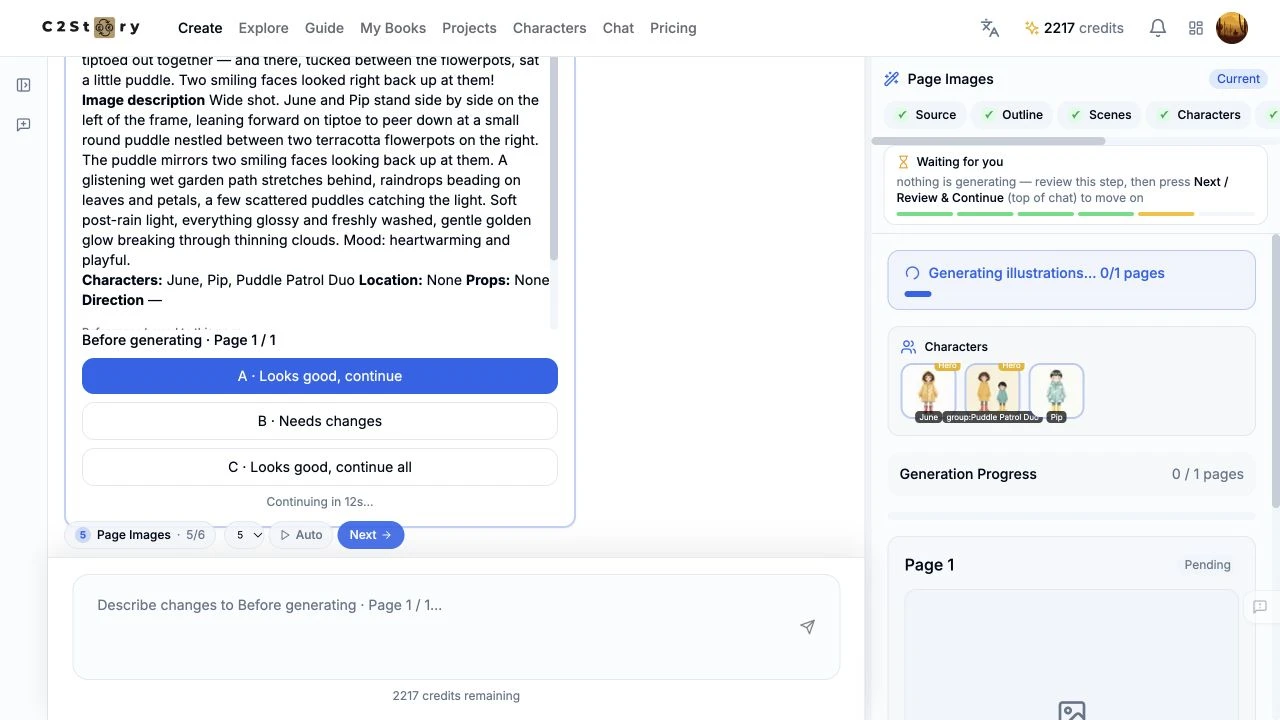
We clicked A Generate illustrations. The interface initially remained on preparation for over three minutes. Opening the same saved session in another tab showed Awaiting generation; refreshing the original tab restored Next. We continued that session, generated June and Pip as required by the product, then used Next at Page Images. No image was regenerated.
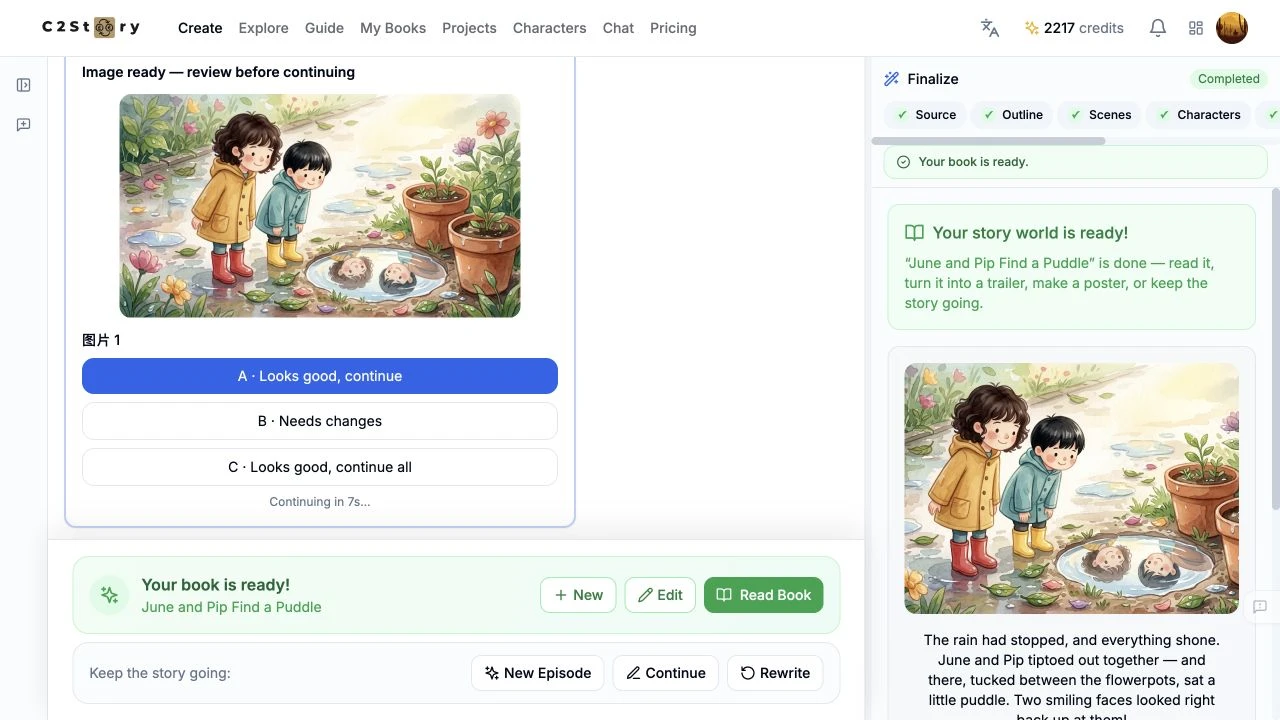
The final page card showed Page 1 / 1, watercolor, and bound references June, Pip, and group:Puddle Patrol Duo. Its actual scene description was:
Wide shot. June and Pip stand side by side on the left of the frame, leaning forward on tiptoe to peer down at a small round puddle nestled between two terracotta flowerpots on the right. The puddle mirrors two smiling faces looking back up at them. A glistening wet garden path stretches behind, raindrops beading on leaves and petals, a few scattered puddles catching the light. Soft post-rain light, everything glossy and freshly washed, gentle golden glow breaking through thinning clouds. Mood: heartwarming and playful.
We accepted A · Looks good, continue once for this page. The generated result shows two children with the expected contrasting hair, raincoats and boots, beside a puddle with two reflections. There are additional small background puddles. The illustration preserves the main reference features but is not an exact copy of the original character sheet.
Step 6 — Reopen and verify the saved result
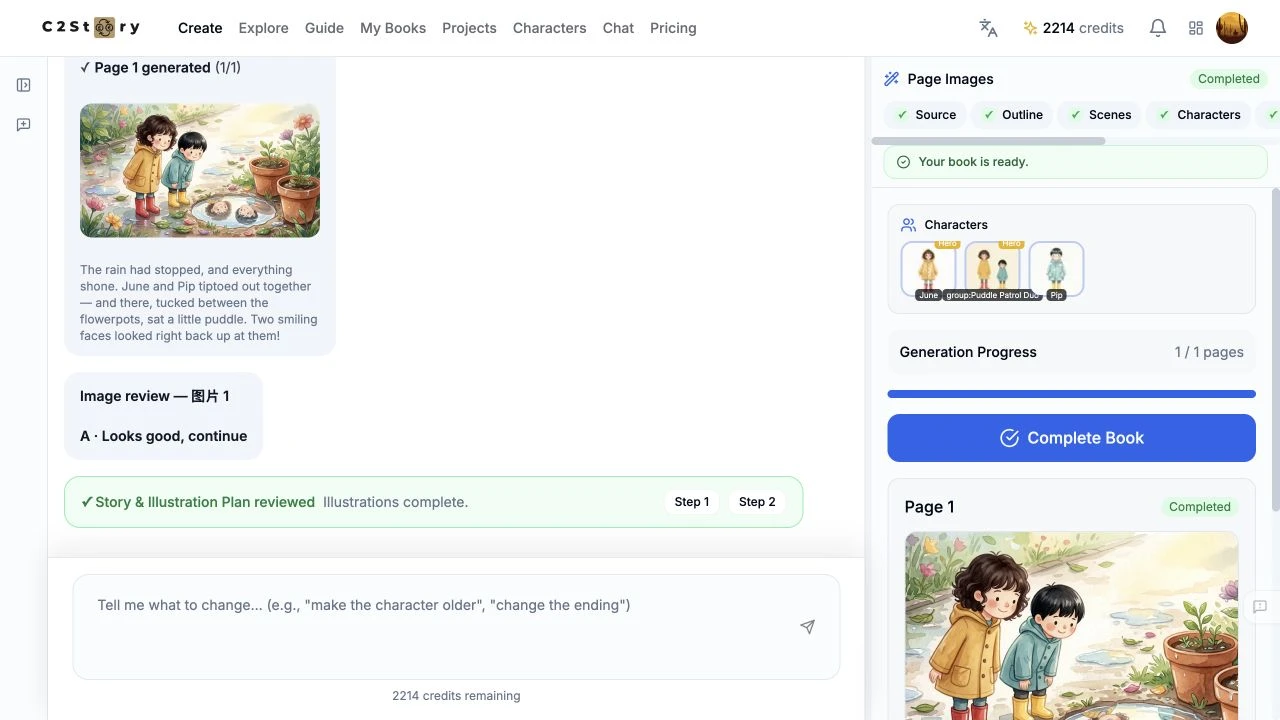
We opened Read Book, changed Visibility → Private to Public, and saw “Book is now public!” We clicked Share, but this browser showed no confirmation or copied URL. We used the actual reader URL instead. A full refresh retained the Public setting and the one-page image. Edit Book reopened the same completed result.
The actual saved page text is:
The rain had stopped, and everything shone. June and Pip tiptoed out together — and there, tucked between the flowerpots, sat a little puddle. Two smiling faces looked right back up at them!
Open the public story · Open the generated result image. Both are the results of this run, not substitute examples.
Step 7 — Check reading at phone size
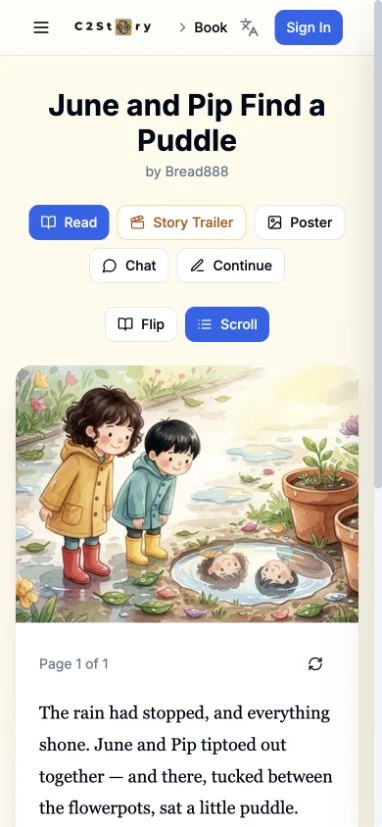
We signed out and checked the Scroll reader at 1280×720 and 390×844. The image loaded and the complete caption was readable by scrolling. The page count was 1 of 1. This verifies public reading, not the full mobile creation flow.
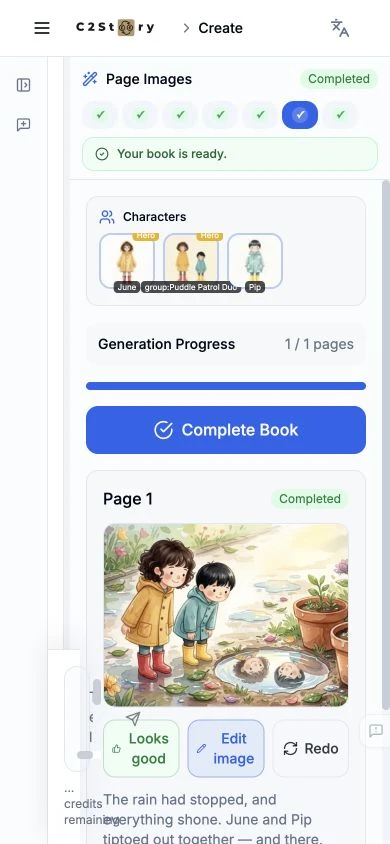
The phone-size editor reopened the saved image and exposed Looks good, Edit image, and Redo, but the chat/input area overlapped the preview near the left and bottom. We did not submit a mobile generation or edit. Physical-phone behavior, Flip mode, downloads, posters and video were not tested.
What this run cost and what to watch
The visible balance was 2217 before → 2214 after a refresh, an observed decrease of 3 credits. The run produced two new individual reference images and one new story-page illustration; the original Group was reused. Itemized billing was not inspected. The initial Start Creating label is not a total-workflow cost quote.
The Group-to-page goal passed after corrections and save/reopen checks. Watch for four-page plans, character-detail drift, review rewriting manual edits and reference selections, automatic review countdowns, and preparation status that needs a saved-session check. The credit badge also stayed stale until refresh. On desktop the floating reader sidebar overlaps the page’s right edge; the phone editor has the overlap shown above. No product code or database fixes were made for this walkthrough.
A first like from an active subscriber gives a community author 1 credit. Likes are permanent; self-likes and repeat rewards are excluded.