
Reuse a saved bear in a one-page watercolor story
Follow a real Library-to-story workflow with Milo: select the saved reference, keep the plan to one page, inspect the new illustration, recover errors and reopen the result.
This walkthrough reuses Milo the Little Gardener, a character already saved in our C2Story Library, in one newly illustrated page. It was performed in the live product on September 17, 2026. The finished page preserves Milo's recognizable face, clothing and watering can. The workflow needed a plan correction and one image retry; those steps are included below.
Read the actual one-page result.
Scope: character reuse in one illustrated page. This is not a multi-page story or a video tutorial. The image contains extra background sunflowers, so it does not fully satisfy the original request for a single sunflower. Character reuse was verified; exact flower-count control was not achieved.
Before you start
Sign in and have a character saved in Characters. Milo is our own existing asset from the earlier character-creation guide. Readers should select their own saved character; Milo is not a public shared-library preset.
His existing reference portrait has light brown fur, a cream shirt, sage-green overalls and a pale blue watering can. This portrait predates the current run:
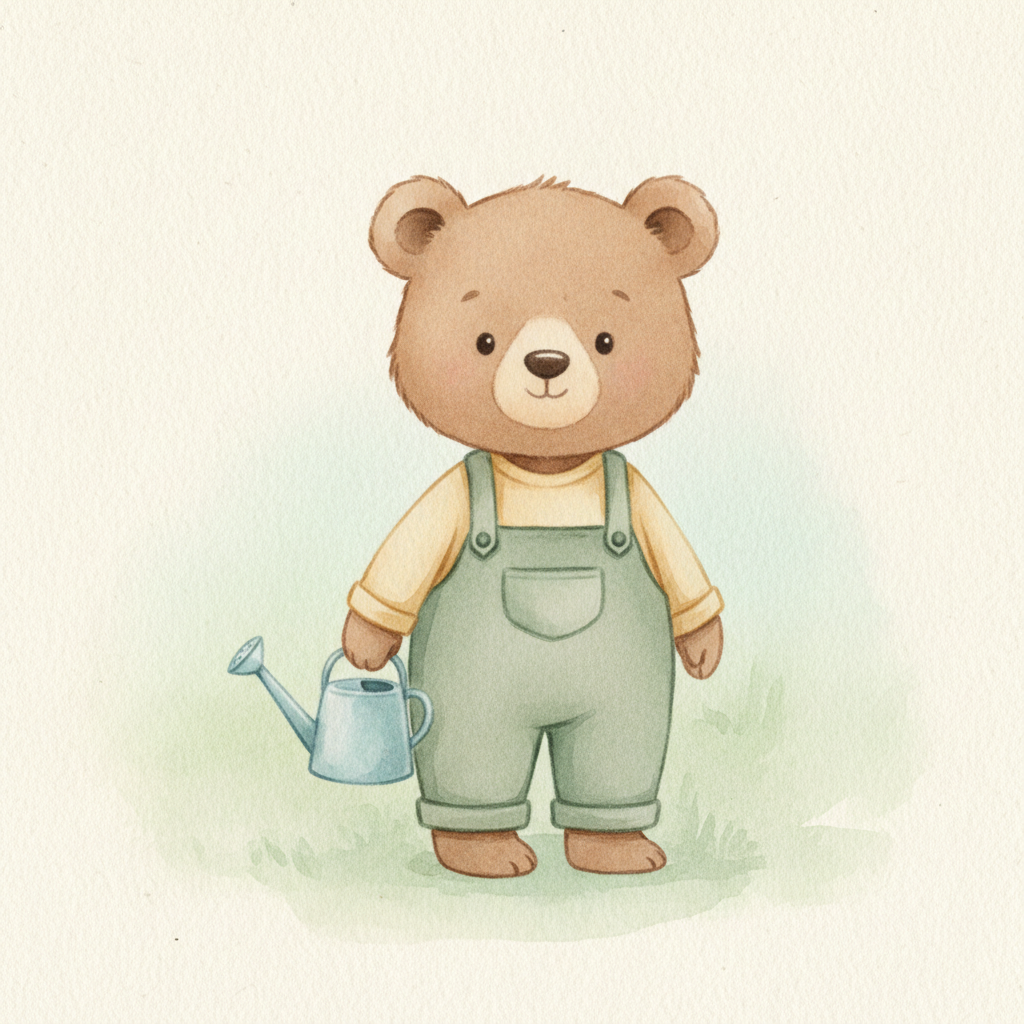
Use a desktop browser for the creation steps. Our 390 × 844 phone check found clipped and overlapping panels on Create, although Library search and the public reader worked. We did not verify phone-based generation.
Step 1 — Find the saved character and select it
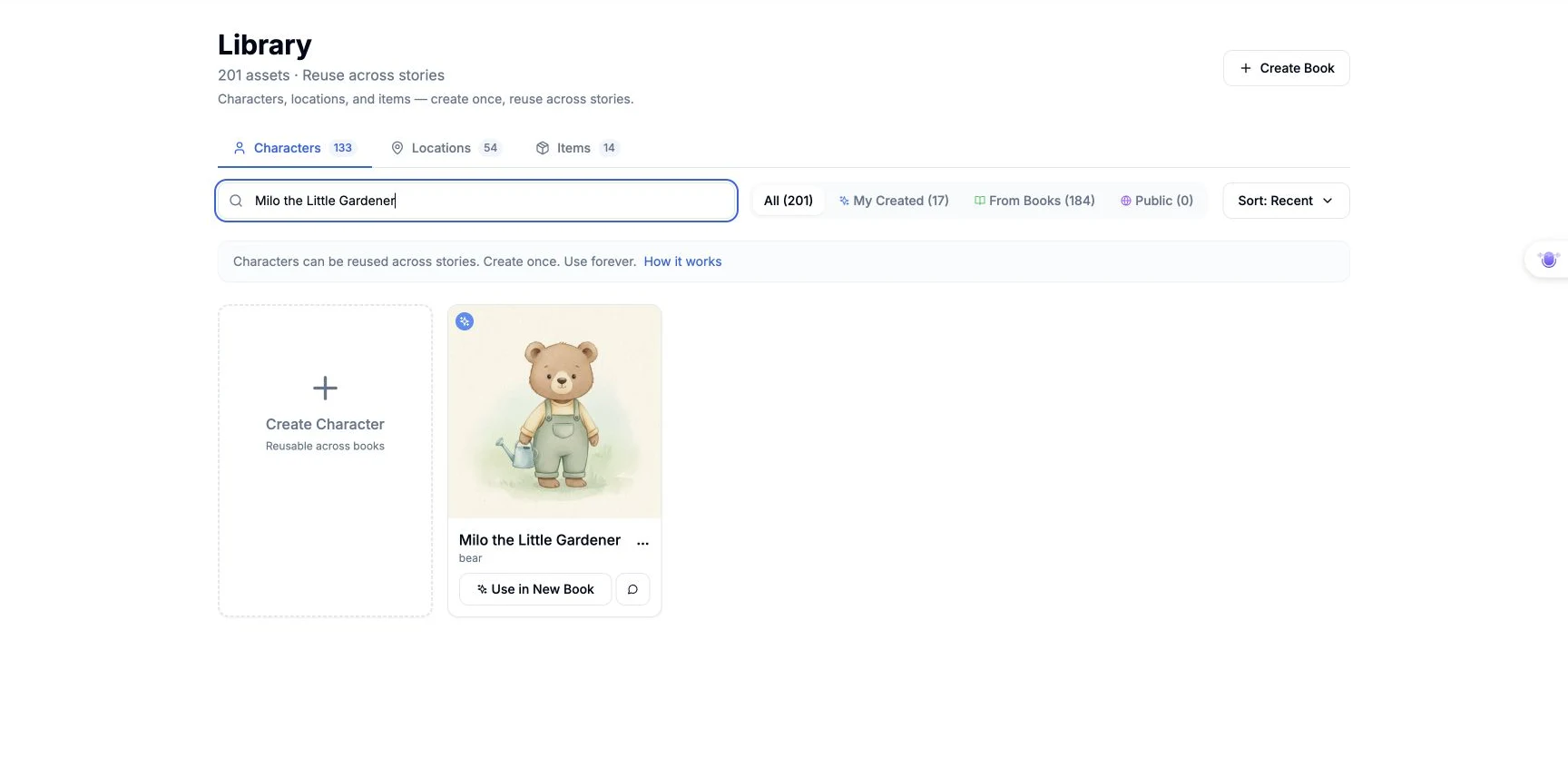
We opened Characters, searched Milo the Little Gardener, and clicked Use in New Book on his card. Create opened with Milo's chip selected and the message 1 character selected. A name in the story prompt alone is not the same as selecting a Library reference.
Step 2 — Enter the scene and choose settings
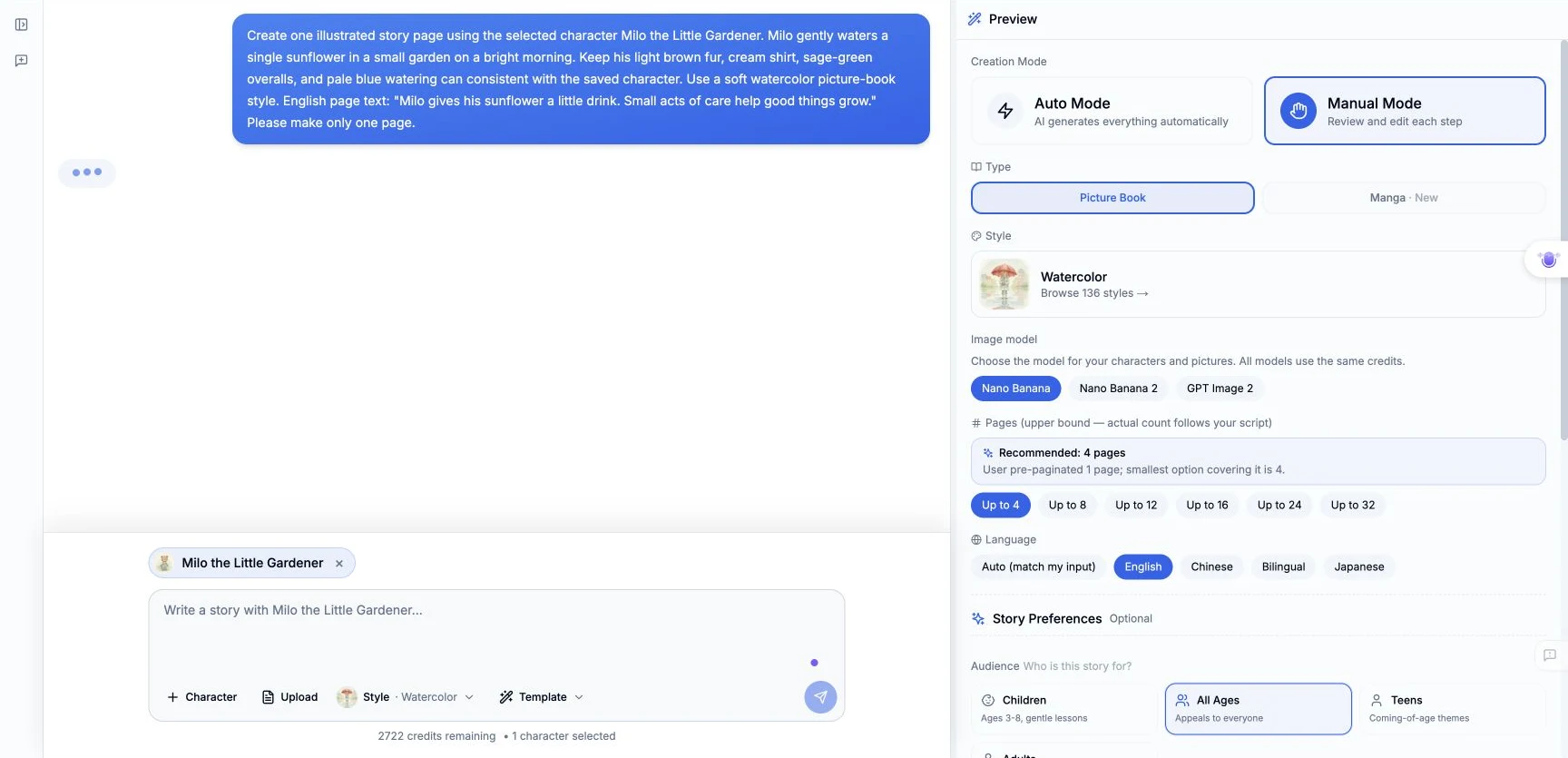
We selected Watercolor, entered the following exact request, sent it, then chose the settings shown in the screenshot:
Create one illustrated story page using the selected character Milo the Little Gardener. Milo gently waters a single sunflower in a small garden on a bright morning. Keep his light brown fur, cream shirt, sage-green overalls, and pale blue watering can consistent with the saved character. Use a soft watercolor picture-book style. English page text: "Milo gives his sunflower a little drink. Small acts of care help good things grow." Please make only one page.
- Creation mode: Manual Mode
- Type: Picture Book
- Style: Watercolor
- Image model: Nano Banana
- Page control: Up to 4, the smallest available upper bound
- Requested result: One page, specified in the request
- Language: English
- Other selected preferences: All Ages; General; Warm & Cozy; Third-person; Keep it simple
The page control was labeled an upper bound. It did not mean that we had already made four pages. No aspect ratio or seed was selected in this flow.
We clicked Start Creating (1 credit). This button label was not a reliable statement of the final run's total spending.
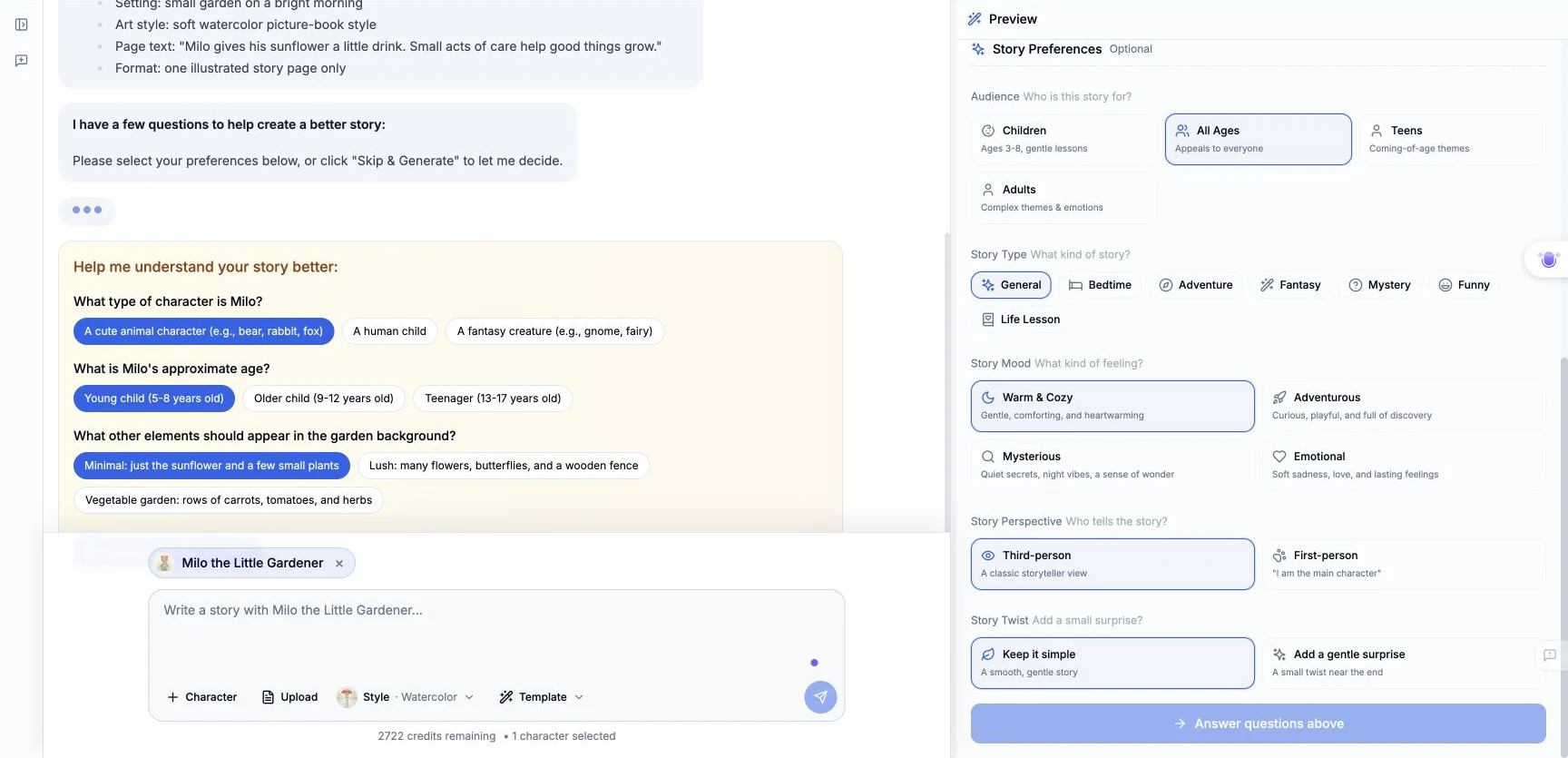
The product asked three questions. We chose A cute animal character (e.g., bear, rabbit, fox), Young child (5-8 years old) and Minimal: just the sunflower and a few small plants, then clicked Create with My Choices. The new session loaded Milo's existing portrait; we did not redraw that portrait.
Step 3 — Reduce the plan to one page
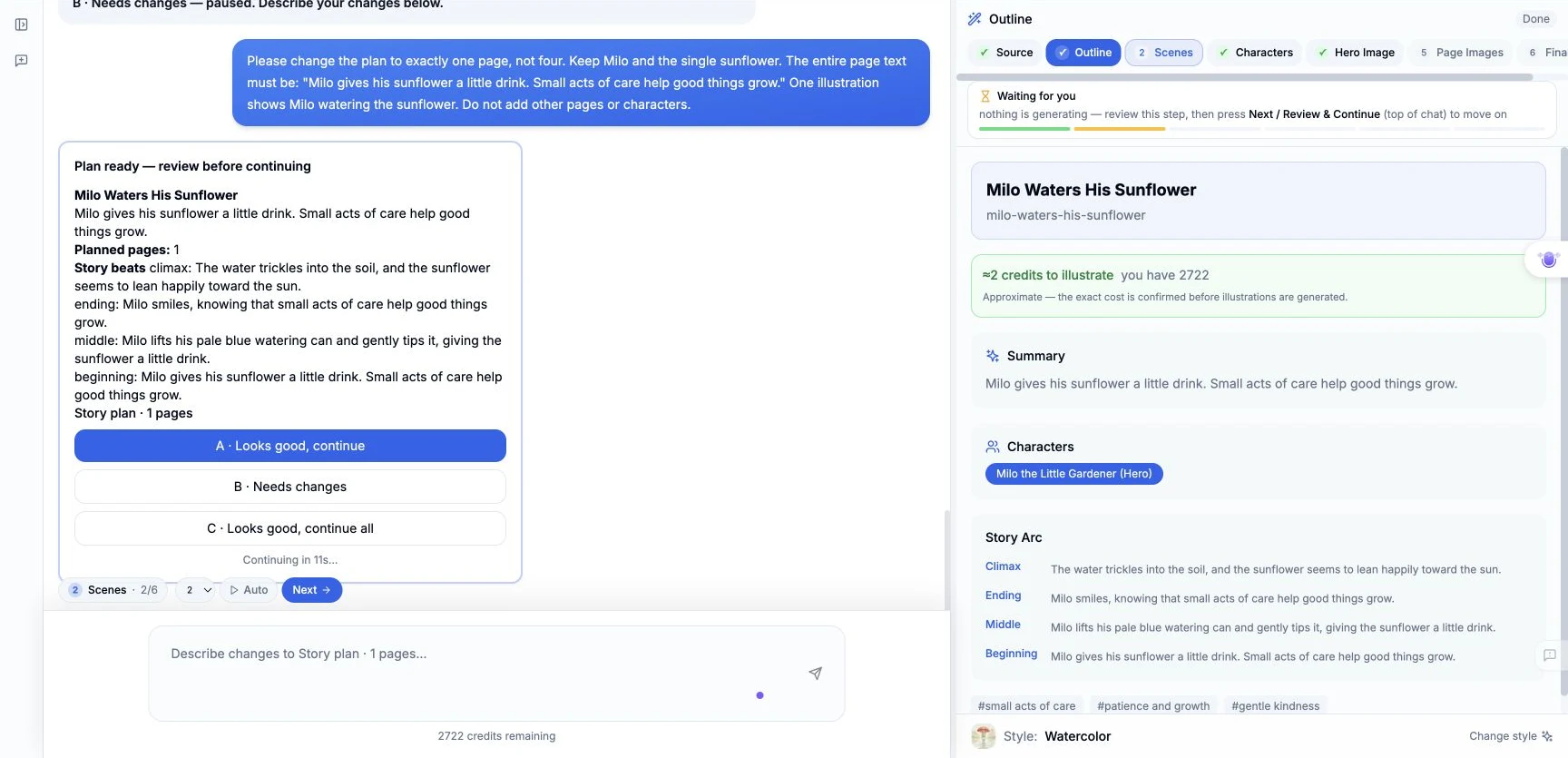
In Manual Mode, we clicked Next for the outline. The first plan said 4 pages, despite the one-page request. We clicked B · Needs changes and sent this exact feedback:
Please change the plan to exactly one page, not four. Keep Milo and the single sunflower. The entire page text must be: "Milo gives his sunflower a little drink. Small acts of care help good things grow." One illustration shows Milo watering the sunflower. Do not add other pages or characters.
The replacement review showed Planned pages: 1. We clicked A · Looks good, continue. The Scenes step then produced one page.
Step 4 — Check the text and the character reference
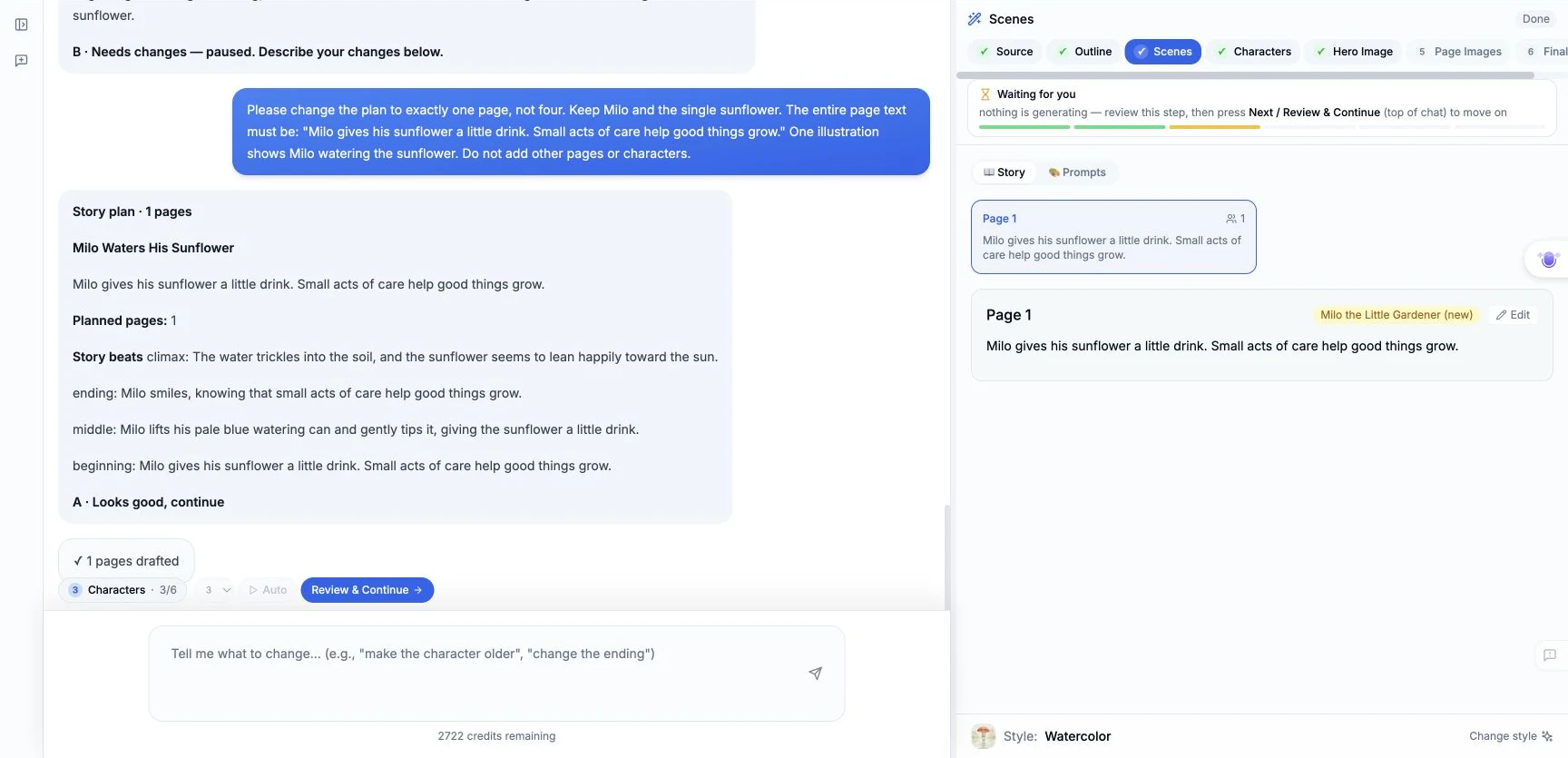
The first scene draft expanded the requested wording into a longer paragraph. In Scenes → Story, we clicked Edit, replaced it with the following text, and clicked Save:
Milo gives his sunflower a little drink. Small acts of care help good things grow.
We then clicked Review & Continue. A page-plan review continued automatically after 20 seconds; we did not manually click that particular review card.
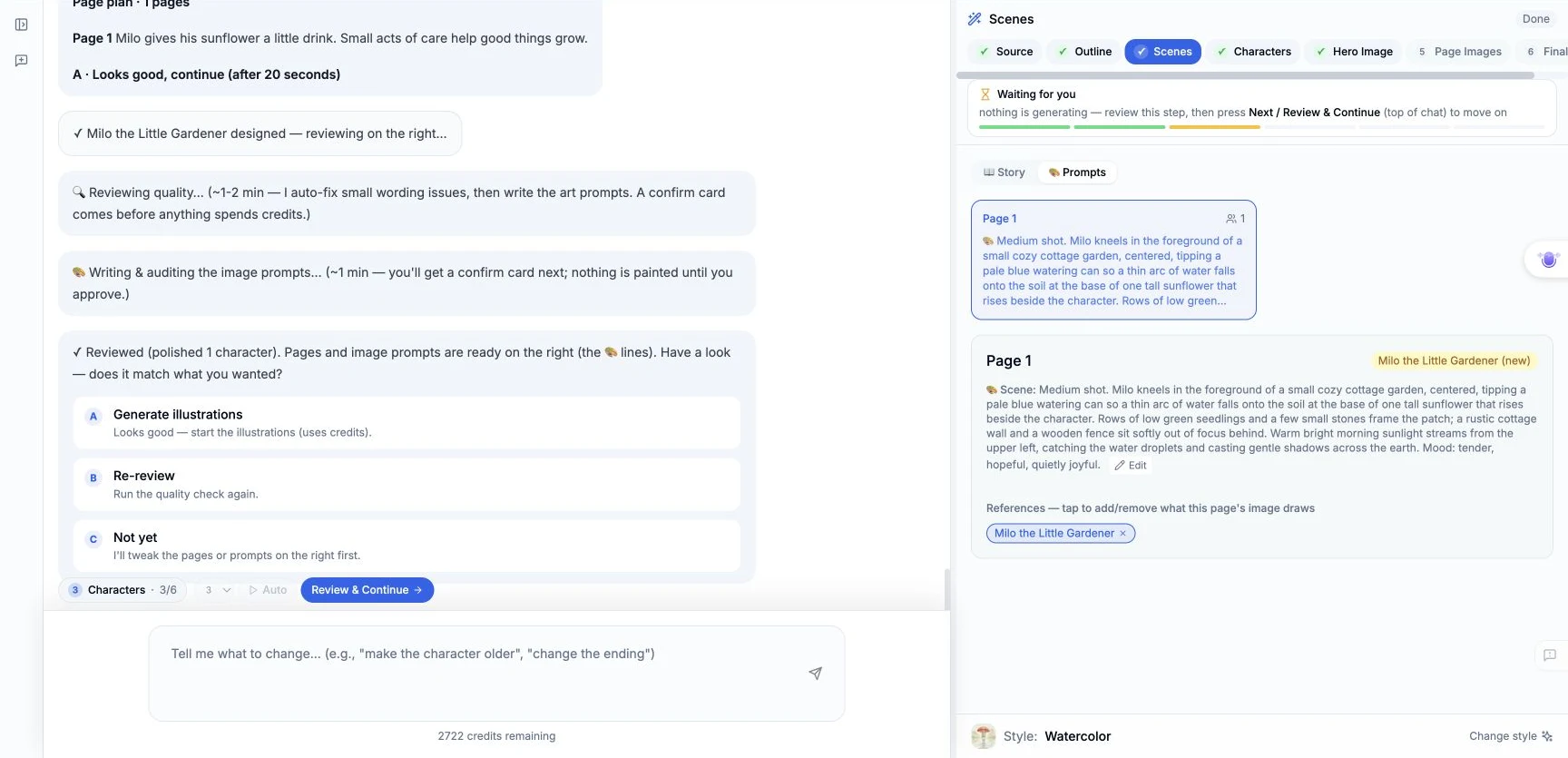
After the quality pass, we opened Prompts. The References chip selected Milo. The following is the product's visible scene prompt, recorded without rewriting it; it is not a second prompt we typed:
Medium shot. Milo kneels in the foreground of a small cozy cottage garden, centered, tipping a pale blue watering can so a thin arc of water falls onto the soil at the base of one tall sunflower that rises beside the character. Rows of low green seedlings and a few small stones frame the patch; a rustic cottage wall and a wooden fence sit softly out of focus behind. Warm bright morning sunlight streams from the upper left, catching the water droplets and casting gentle shadows across the earth. Mood: tender, hopeful, quietly joyful.
The review also described a young bear cub with light brown fur, a cream shirt, sage-green overalls and a pale blue watering can. Additional internal prompt text was not exposed. We clicked Generate illustrations and confirmed the character-description review with A · Looks good, continue.
Step 5 — Generate the one page, checking failures before retrying
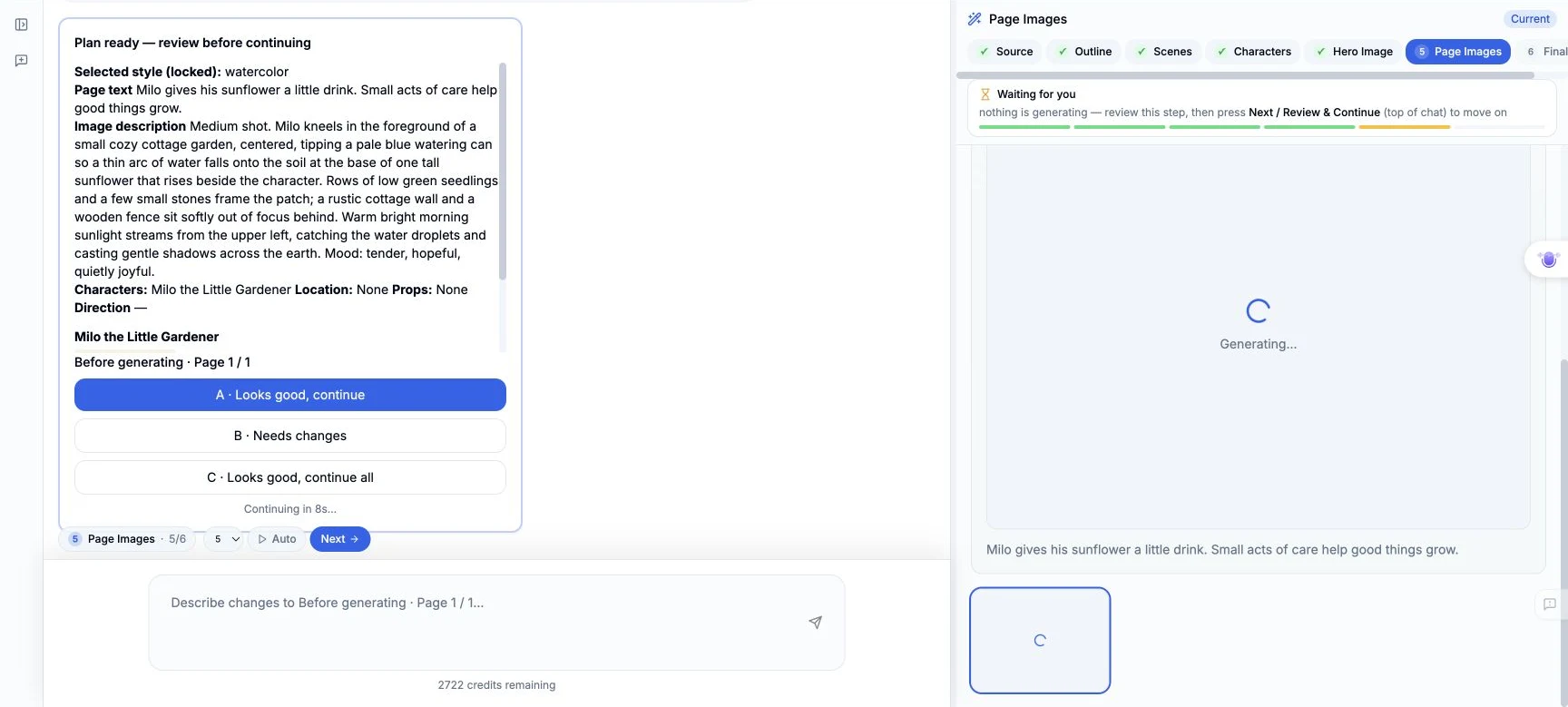
An error, Failed to fetch session, interrupted preparation. We reopened the same saved session, confirmed the existing hero was present and the workflow was waiting, then clicked Next to reach Page Images. The single page was Pending and had no result image. We clicked its Generate Image button once. The before-generation review continued automatically after 20 seconds.
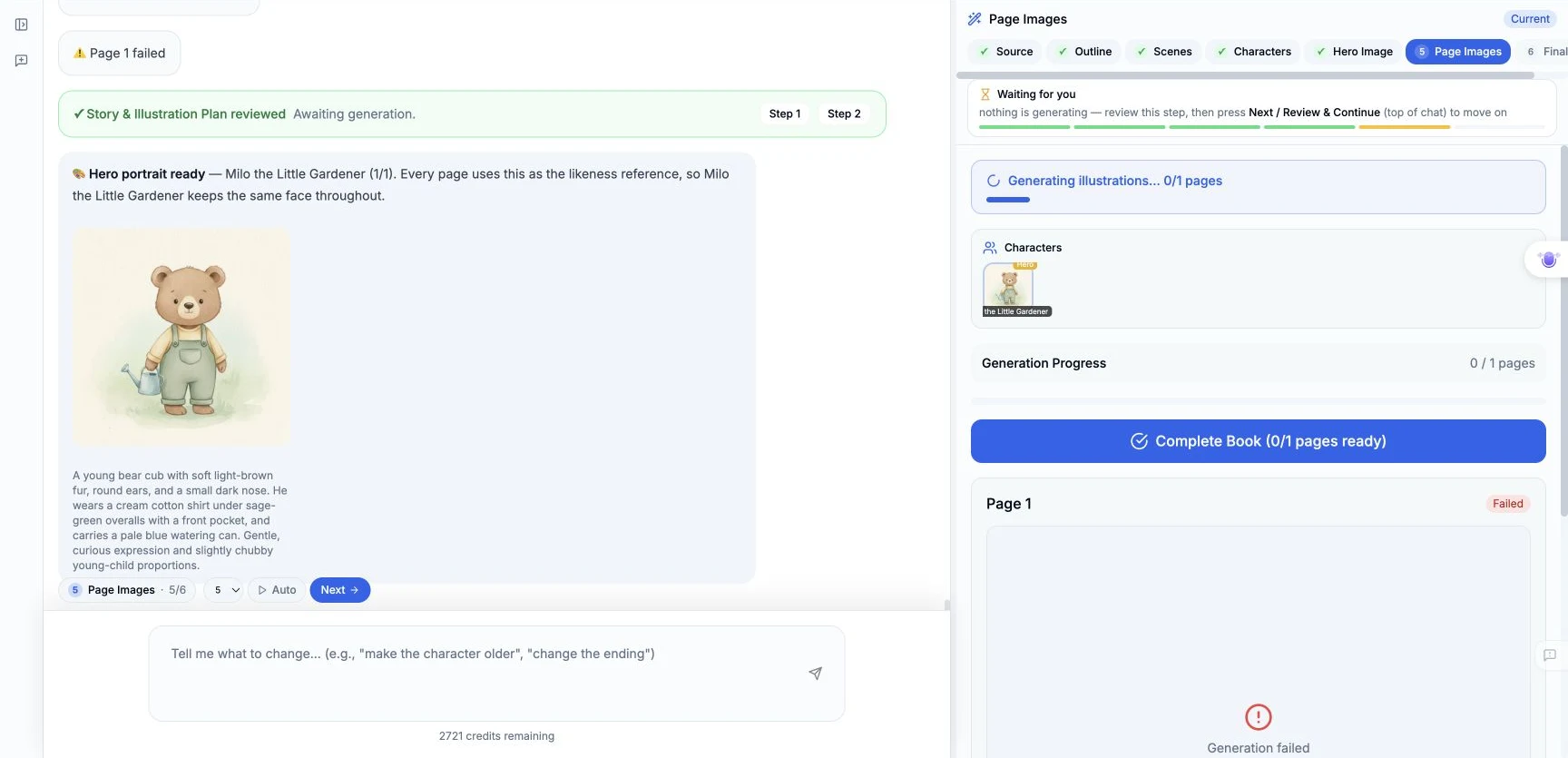
The original page remained on Generating for several minutes. Reopening the session revealed Page 1 Failed, so we used Retry once and confirmed its review with A · Looks good, continue. We did not resubmit while only seeing a running spinner.
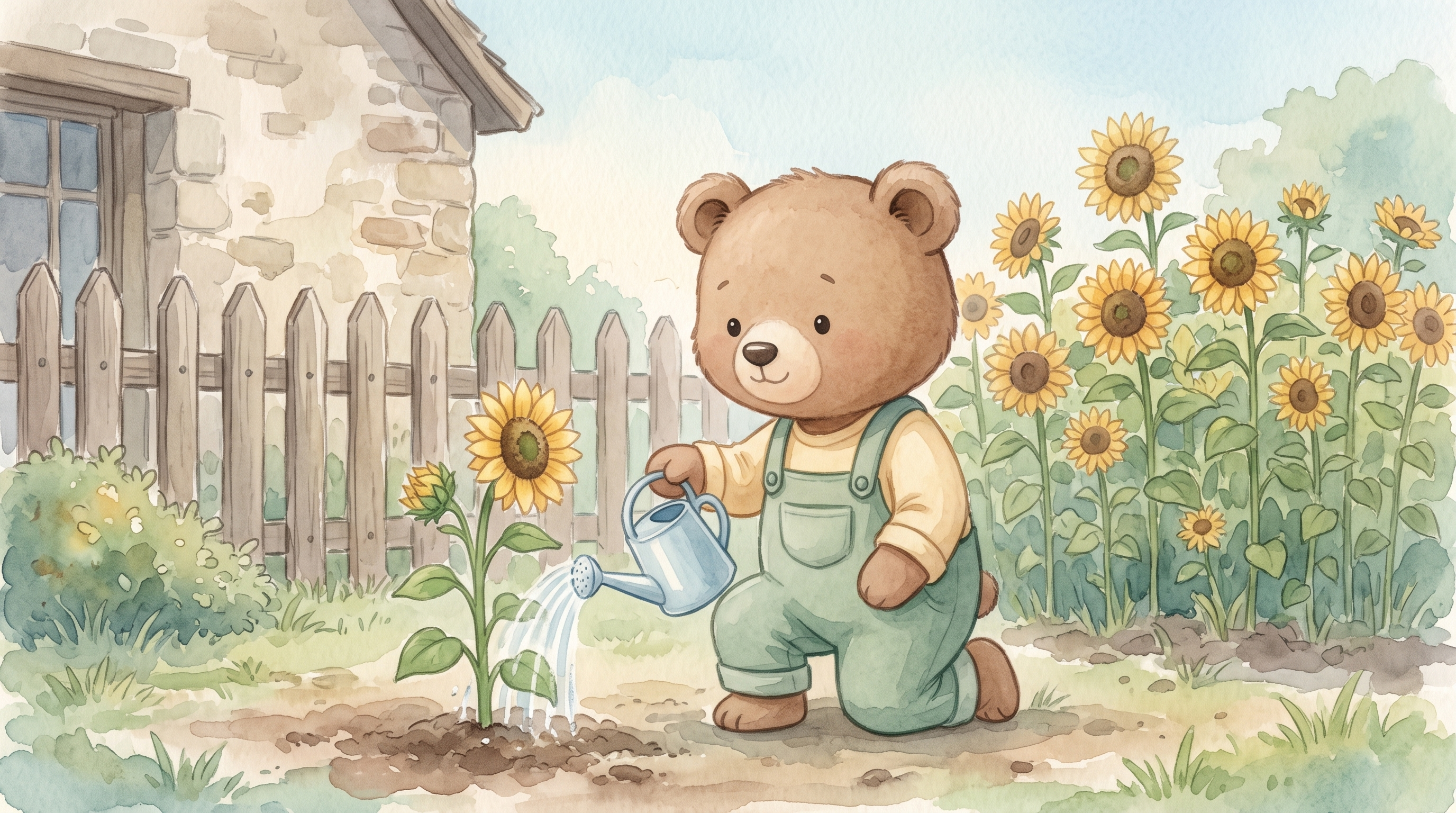
That retry produced one new image. The completed-image review had already continued automatically after 20 seconds when we inspected the result; we then inspected it ourselves and clicked Looks good. Milo's brown bear face, cream shirt, sage overalls and blue can remained recognizable in the new kneeling pose. There are extra sunflowers in the background: this is an observed limitation, not a successful single-flower result.
Step 6 — Reopen, finalize and share
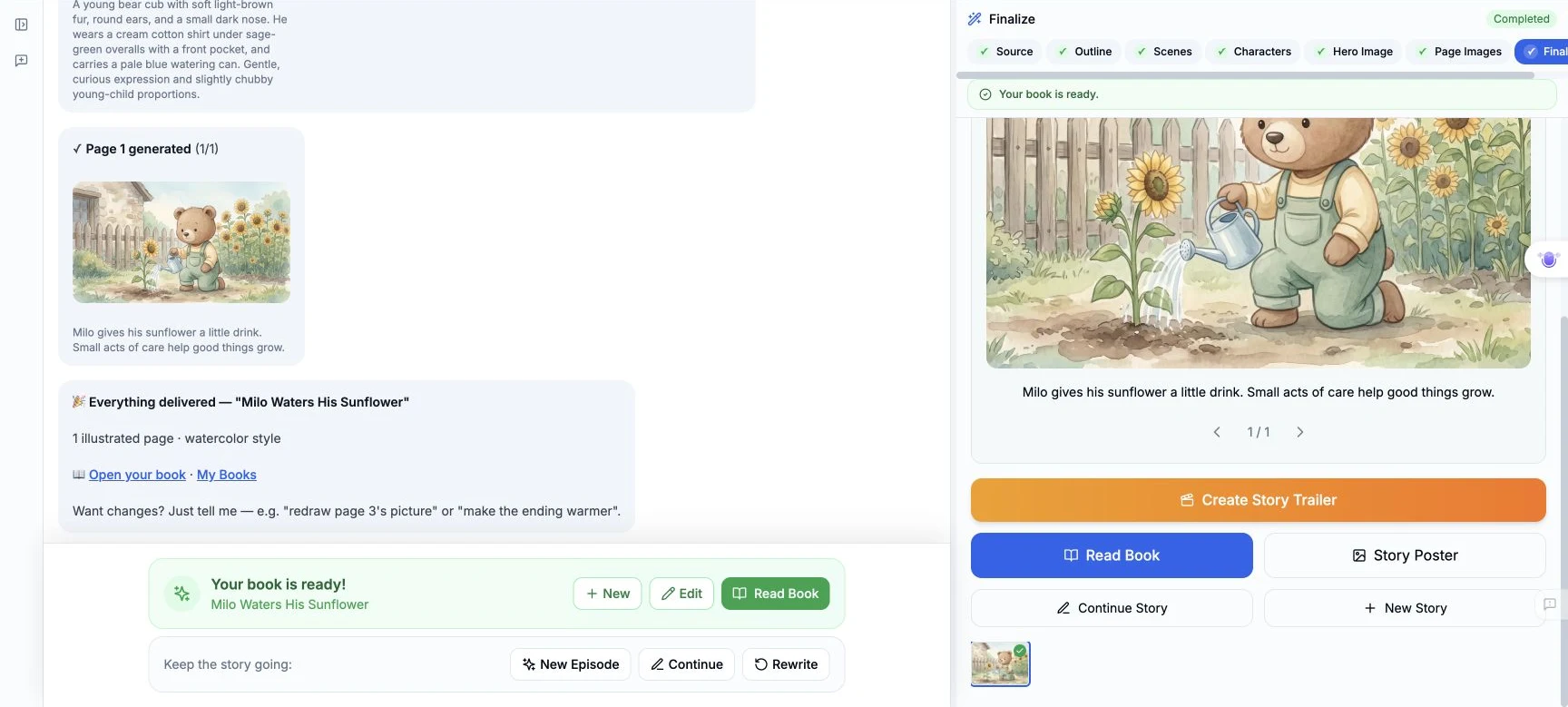
The Complete Book shortcut at Page Images returned Action failed. We reopened the session and confirmed the new image and exact text were still saved. We then used Next → Finalize Book in the Finalize step. That succeeded and displayed 1 illustrated page with Open your book.
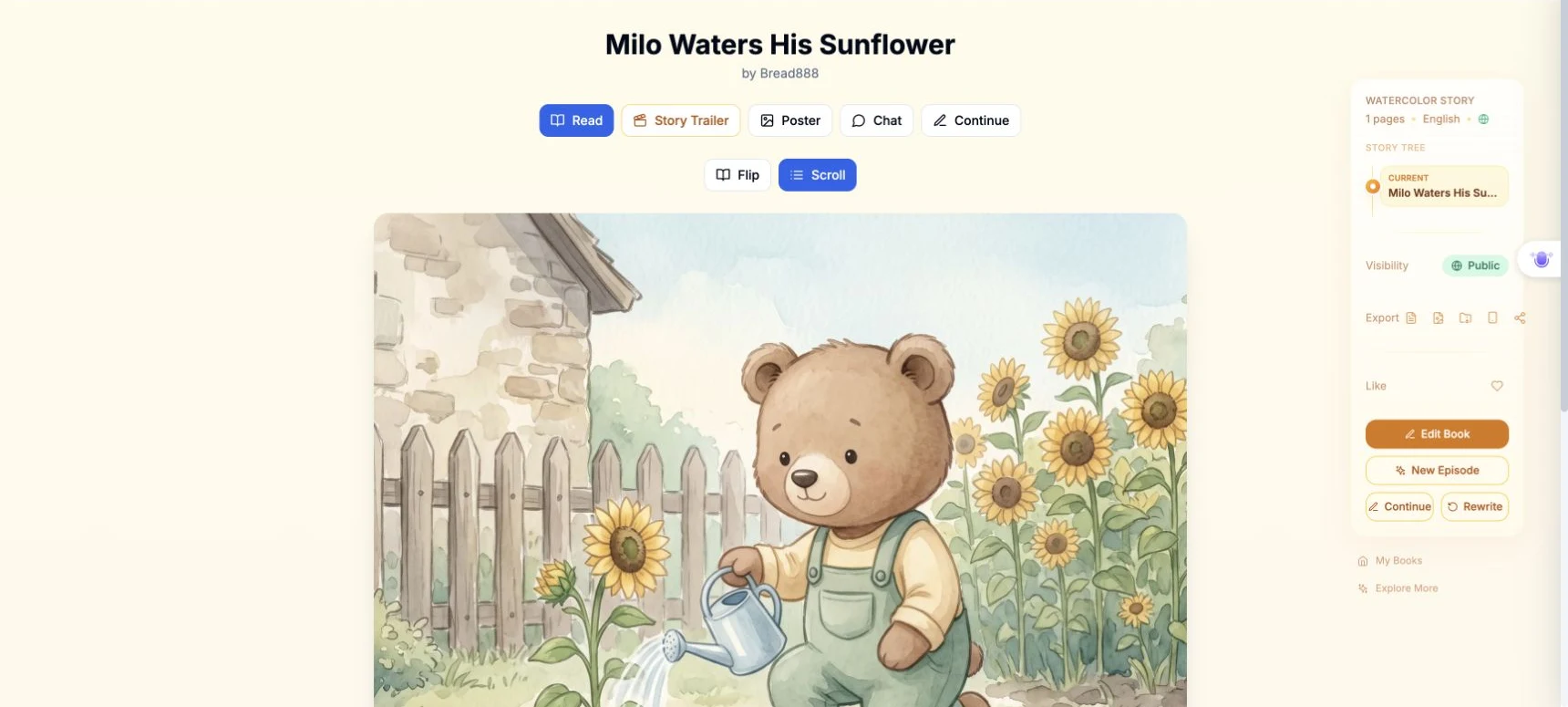
We opened the saved book and changed Visibility → Private to Public through the reader. The completed book ID is afc33f29-e48e-4b62-bc24-832eeac2b5a4. Open the public one-page book. To find your own result later, use My Books and its title; our title is Milo Waters His Sunflower.
What was verified
The desktop flow selected an existing character, used it as the page reference, generated a new image, preserved the edited text, and saved a one-page book that could be reopened. A signed-out browser could load the reader on desktop and at 390 × 844; on the phone we selected Scroll and checked the image and both sentences. No trailer, poster or other paid generation was made.
The observed account balance was 2722 before the workflow and 2720 after completion: a decrease of 2 credits. The UI did not provide a per-attempt charge/refund breakdown, so we cannot assign that decrease precisely between the failed attempt, successful retry and other processing.
Keep these limitations in view: the first plan and text needed correction; one image attempt failed; some progress labels contradicted the spinner; session reopening was required; the Complete Book shortcut failed while the final-step button worked; the phone Create layout did not pass; and the final image added background flowers. This example demonstrates saved-character reuse, not perfect obedience to every scene detail.
A first like from an active subscriber gives a community author 1 credit. Likes are permanent; self-likes and repeat rewards are excluded.