
How to Create a Children's BookFrom My Story — 2026 Guide
You already have the story — a bedtime tale, a Notes-app draft, a voice memo, a journal page. This is the 5-step walkthrough to turn it into a finished illustrated book your kid (or grandma) will keep on the shelf. Most parents finish a 24-page draft in under 90 minutes.
Time
30-90 minutes
Difficulty
No writing skill needed
Output
Print-ready hardcover
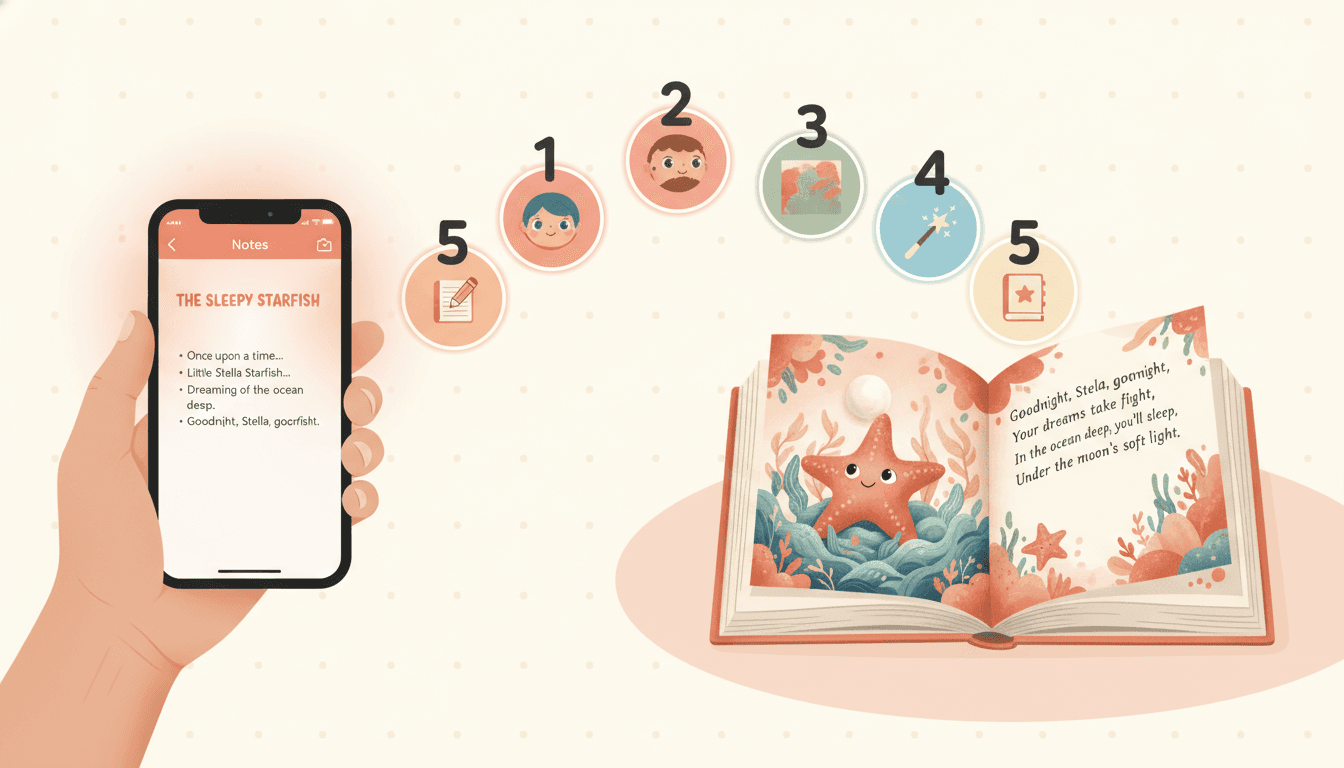
50,000+
Books Created
24-32
Pages Per Book
300 DPI
Print-Ready
4.9/5
Parent Rating
What You'll Need to Turn Your Story Into a Children's Book
Five simple things — none of which require writing experience. Most parents finish their first family book in one quiet evening after the kids are in bed.
Your story (any format)
Notes-app draft, journal page, voice memo, Word doc, or just retell it from memory
A child you're making it for
Their age picks the reading level — 2-4, 5-7, 8-10, or 8-12 middle-grade
Around 30-90 minutes
Yes — really. Most parents finish a 24-page draft in one sitting after the kids are in bed
A C2Story account
Free credits at signup are enough to make your first family book end-to-end
Optional: photos of your family
Upload a phone photo of your kid, the pet, or grandma to lock the likeness in the Character Library
Six Common Places Your Story Already Is
Most family stories aren't in a Word doc waiting to become a book. They're scattered across phones, journals, and bedtime memories. Pick whichever format matches yours — every one of these works as a starting point.
Your phone's Notes app
A bedtime story you typed up after telling it. Paste it in — even rough notes work; the AI fills the gaps.
A voice memo
You told the story aloud and recorded it. Upload the audio — the AI transcribes and structures it into pages.
A handwritten journal
A story scribbled in a journal, a kid's notebook, or on a sticky note. Photograph the page — OCR captures it.
A typed draft
A Word doc, Google Doc, or PDF you already wrote. Paste or upload — any length from 200 to 5,000 words.
A story you tell from memory
A bedtime tale you tell every night and never wrote down. Type a few bullet points — the AI builds the spreads.
A family-told story
A grandparent's childhood memory, a road-trip story, a "the day you were born" tale. Capture it in any of the formats above.
The 5 Steps to Turn Your Story Into a Children's Book
Read each step, then open the workspace and follow along. The framework works with any tooling — these instructions assume C2Story because the Character Library makes step 3 effortless.
Step 1: Capture the Story You Already Have
Why it matters: You don't need to be a writer. You already have a story — the question is how to get it into one place.
How to do it: Pick whichever capture method matches where your story lives right now. Type it into Notes if you tell it from memory. Photograph the handwritten pages of a journal or a kid's notebook. Record a voice memo while you tell it aloud (the AI transcribes). Or paste a draft you wrote in Word, Google Docs, or your phone. Any length works — even a 200-word bedtime story is enough for a 24-page book. The AI will expand sparse notes into spreads and tighten over-long passages on the next step.
Pro tip: If your story changes every time you tell it, that's fine. Capture the version you told last night — you can always make a "second edition" later.
Step 2: Pick the Reading Age and Page Count
Why it matters: A story for a 3-year-old reads completely differently from a story for a 9-year-old. Get this right before illustrating.
How to do it: Choose your target reader. Ages 2-4 = board-book vocabulary, 1-2 sentences per spread, very simple plot. Ages 5-7 = classic picture-book length, 1-3 sentences per spread, 24-32 pages. Ages 8-10 = early-reader chapter book, 3-6 sentences per spread, 32-48 pages. Ages 8-12 = middle-grade illustrated, longer chapters with spot illustrations. C2Story does the age-tiered rewrite automatically — your story keeps its voice, but the reading level matches the child. Pick the page count next: 16 (mini board book), 24 (classic), 32 (premium hardcover), 48+ (chapter book).
Pro tip: Matching it to ONE specific child you know? Use that child's actual age. Generic "for kids" usually means 5-7, the picture-book sweet spot.
Step 3: Build Your Cast in a Character Library
Why it matters: Characters in your story are usually real people — your kid, your pet, grandma, the neighbor's dog. They need to look the same on every page, or the book breaks.
How to do it: Before you generate any illustrations, define each character once. For each — your kid, sibling, pet, grandparent, imaginary friend — describe full appearance (hair, eye color, age, signature outfit, accessories) and personality, and optionally upload a reference photo. Save them to your Character Library. The same hero, sidekick, family pet, and grandma will appear recognizable across every spread. Without a library, generic AI image tools re-roll the protagonist's face on every prompt — that's the #1 reason DIY family-book attempts fail.
Pro tip: Don't skip secondary characters. The family cat, the stuffed bunny, the silly older brother — kids notice immediately when they change appearance.
Step 4: Pick One Warm Art Style and Stay With It
Why it matters: A children's book reads as a single visual world. If pages 1-12 are watercolor and 13-24 are 3D Pixar, it looks like a collage.
How to do it: Audition styles before committing. Render your hero in 4-5 styles — soft watercolor for gentle/literary tone, bright cartoon for adventure/humor, modern Pixar 3D for upper-elementary, classic storybook for fantasy/heritage stories, gentle anime for ages 6+ with character focus. Match the style to your story's tone — a quiet bedtime story usually wants watercolor or classic storybook; a silly invented adventure usually wants cartoon or Pixar. Once chosen, lock the style for every page in the book — and ideally across the whole series if you make more.
Pro tip: Save your style choice in the project so every regenerated page matches automatically. The Character Library carries the style with it.
Step 5: Generate, Refine, and Print or Share
Why it matters: AI rarely nails every page first try. The refine loop is what turns a draft into a real keepsake.
How to do it: Generate the full draft. Read it cover-to-cover with the kid the book is for. Mark pages where the illustration misses the moment, the text is too long, or a character looks "off." Regenerate just those pages — the Character Library keeps everyone consistent. When the book reads cleanly, choose your export. Share digitally as a PDF or e-book. Or export at 300 DPI and order a hardcover from Amazon KDP, Lulu, IngramSpark, Blurb, or your local print shop. A printed family book costs $15-30 — a perfect gift for grandparents, baby showers, birthdays.
Pro tip: Always order one printed proof copy first. Color, trim, and gutter look different on paper. Then order copies for grandparents, the school, and the kid.
6 Common Mistakes When Turning Your Story Into a Children's Book
Most failed family-book attempts fail for one of these six reasons. Skip the pain.
Trying to write a "perfect" version of your story first
Fix: Capture the rough version exactly as you tell it. The AI does the polishing — your job is to bring the heart.
Making the kid in the book look different on every page
Fix: Build the cast once in the Character Library before generating any illustrations. Upload a phone photo if you want extra likeness.
Picking an age that doesn't match the actual reader
Fix: Use the real child's age. Bedtime story for a 4-year-old? Pick 2-4 or 5-7 — not "general kids".
Mixing art styles between pages
Fix: Pick ONE style and stay with it for the whole book. Watercolor for gentle stories, cartoon for silly ones, Pixar for adventures.
Skipping the proof print before ordering copies for grandma
Fix: Always order one printed proof first. Then order the gift copies. Saves $20-40 in reprint costs every time.
Trying to fit a sprawling family story into one book
Fix: Pick ONE arc per book — the day she lost her tooth, the road trip, the new puppy. The rest become future volumes in a series.
From Notes-App Draft to Hardcover — In Pictures
See what each step looks like in practice. The same kid, the same stuffed bunny, the same family cat — page after page, book after book.
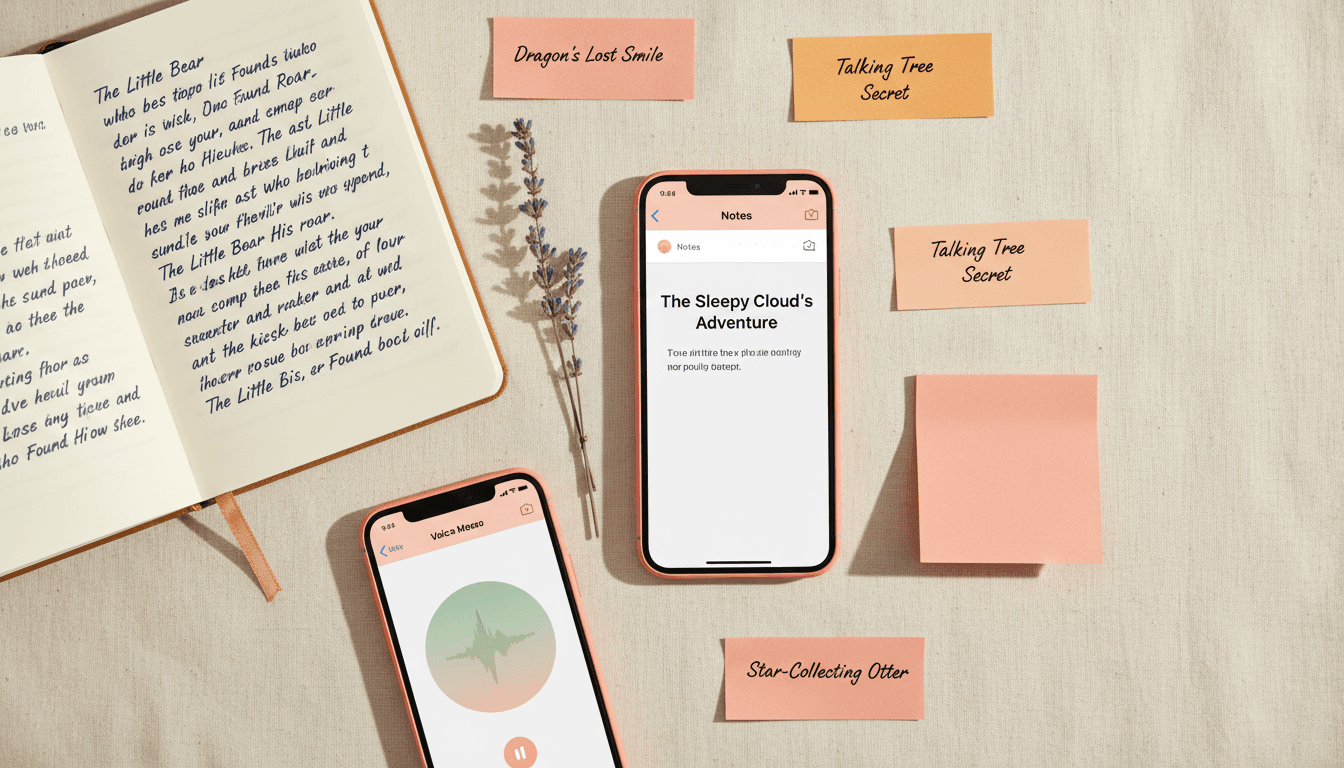
Capture from anywhere
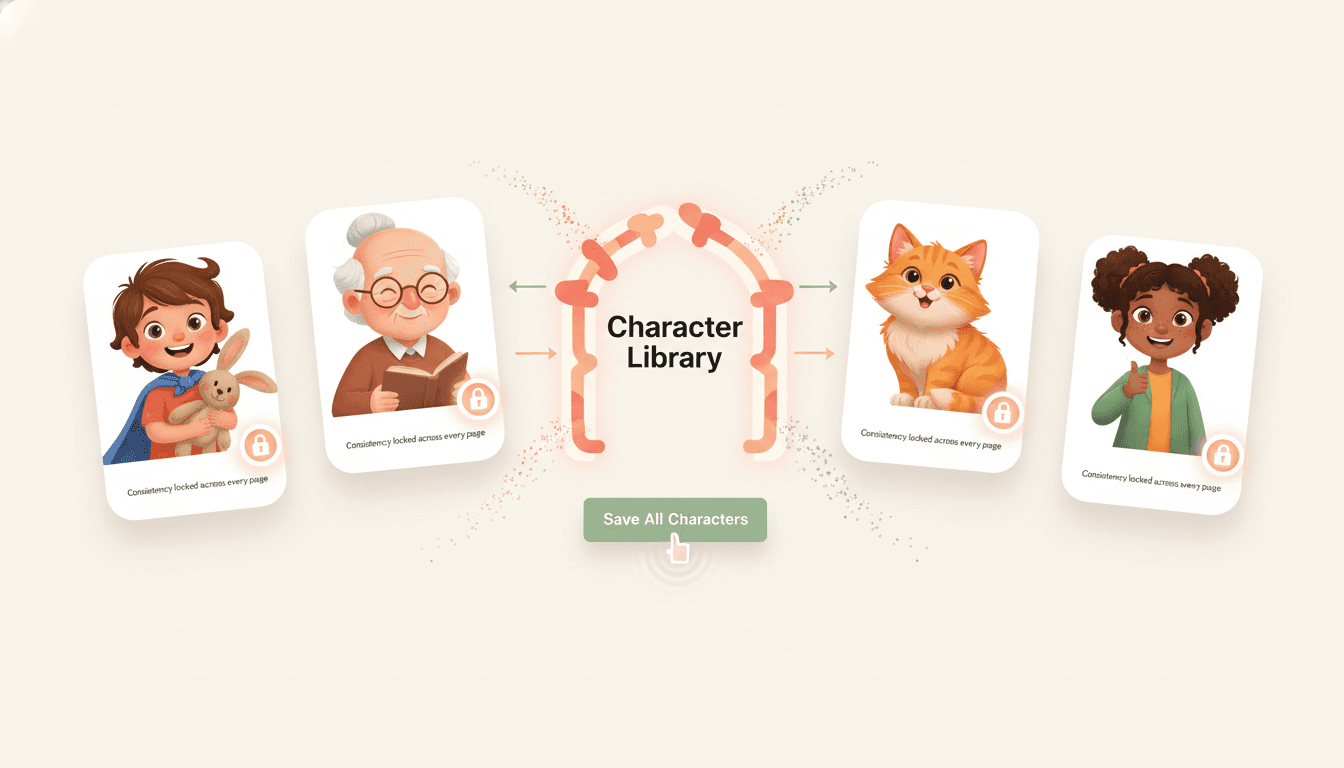
Lock the family in the library
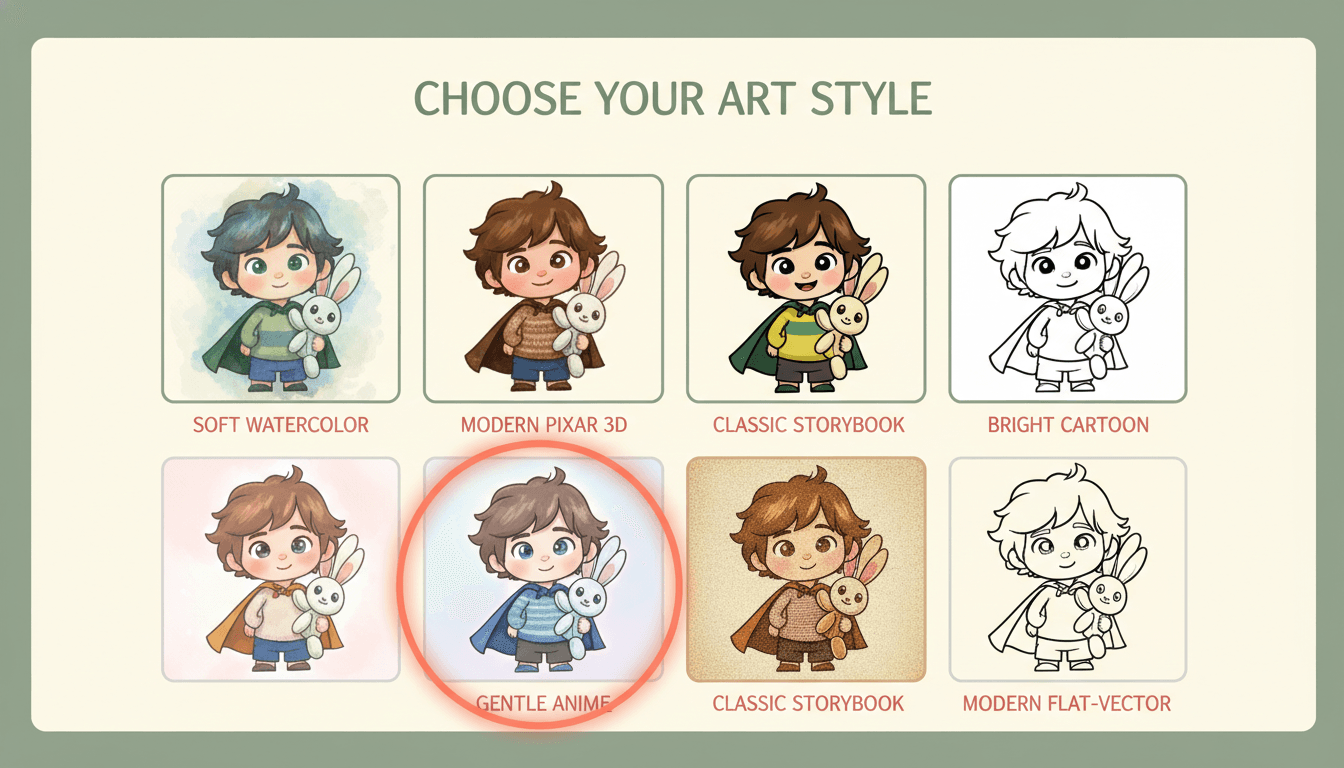
Pick one warm art style
Same Kid Hero, Five Different Picture-Book Styles
Render your hero in each style before committing. Match the style to your story's tone — and stay with it for the whole book.


Four Ways to Turn Your Story Into a Children's Book
Honest comparison of the four most common approaches — what each one is good at, what it costs, and where each one breaks down.
| Method | Time | Cost | Character Consistency | Best For |
|---|---|---|---|---|
Hand-drawn family book | 3-12 months for a single book | $0 in supplies, hundreds of evenings | Depends on your drawing skill | Pure-craft heirloom projects, art-focused parents |
Hire an illustrator on Fiverr / Upwork | 4-12 weeks turnaround | $500 - $5,000 for a 24-page book | Hit-or-miss; often inconsistent if illustrator changes | Premium one-off gifts when budget allows |
Generic AI image tools (Midjourney, DALL·E, ChatGPT) | 15-40 hours of trial and error | ~$10-30/month subscription | Poor — your kid's face changes every prompt | A single hero portrait or one-off cover, not a full book |
C2Story (purpose-built family-book AI) Recommended | 30-90 minutes for a full draft | Free credits to start, $6.99/month for unlimited | Excellent — Character Library locks every face across pages | Parents, grandparents, teachers — the actual finished book, fast |
Tools to Help You Turn Your Story Into a Book
The walkthrough above works with any setup. These C2Story tools cover the most common starting points.
Personalized Book with Photo
Upload a phone photo of your kid — they become the hero, recognizable on every page.
Kids Story to Picture Book
Your child told you a story. Type/dictate/upload-notebook-photo → finished illustrated book.
Create Children's Book From Text
You already have written text. Paste it in — get a finished illustrated book back.
AI Bedtime Story Book Generator
Bound bedtime book your child keeps on the shelf — multi-page, multi-chapter, hardcover-ready.
Family Memory Book
Capture grandparent stories, family road trips, and milestone memories as illustrated keepsakes.
Grandparent Gift Book
Turn the story you tell into a hardcover gift for grandma — printed and shipped in days.
Parents & Grandparents Who Followed This Guide
“I told my daughter the same dragon-in-the-garden story every night for two years. Followed this guide on a Saturday afternoon — uploaded a photo of her from preschool, picked watercolor — shipped a hardcover by Wednesday. She cried when she saw herself on the cover.”
Mom of a 4-year-old
“My mom has dementia and I wanted to capture her childhood Cuba stories before they slipped away. Voice-memo'd two of them on a Sunday call, ran them through the 5 steps, ordered three hardcovers — one for her, one for me, one for my brother. The Pixar 3D version of young-her made my whole family cry.”
Capturing grandparent memories
“Tried Midjourney for my son's superhero story and gave up because his face changed every page. Used the Character Library here, uploaded one phone photo, and the same exact kid stayed consistent across all 28 pages on the first try. Gave it to him at his 6th birthday.”
Dad, birthday gift book
“I'm a 1st-grade teacher. The kids told me a class story together over a week. Used this guide to turn it into a printed picture book with all 22 of them as characters in the Character Library. Every parent ordered a copy — fundraised $440 for the classroom.”
Elementary teacher
How to Create a Children's Book From My Story — FAQ
Explore More Story Ideas
Discover more styles, tools, and story types

Knight Stories
Brave knights and castle quests
Explore
Guochao Picture Books
Ornate architecture & dense pattern
Explore
Bedtime Story Generator
Cozy goodnight stories for kids
Explore
Storybee Alternative
More styles & features
ExploreReady to Turn Your Story Into a Children's Book?
Open the workspace and follow the 5-step guide. 30-90 minutes from your Notes-app draft to a print-ready hardcover. Same kid, same pet, same grandma on every page. Free credits to start.
How to Create a Children's Book From My Story — The 2026 Complete Guide
Wondering how to create a children's book from my story in 2026? This step-by-step guide is written for parents, grandparents, teachers, and anyone else who already has a story they tell — at bedtime, on long drives, in a journal, in their phone Notes app, on a voice memo — and wants to turn it into a finished illustrated children's picture book in 30 to 90 minutes. You don't need writing experience, drawing skill, or any prior publishing background. The five-step framework is the same one used by tens of thousands of families to ship hardcover keepsake books in a single quiet evening.
The most common mistake people make when figuring out how to make kids book from my story is starting with a blank page. You don't have a blank page — you already have the story. The right starting point is to capture it in whichever format is closest to where it lives now: paste your phone Notes draft, photograph a journal page, upload a voice memo, drop a Word doc, or simply type a few bullet points from memory. Even a 200-word bedtime tale is enough source material for a full 24-page picture book; the AI handles the age-appropriate rewrite, the page-by-page illustration, and the print-ready export so you can stay focused on the parts that only a parent can do — choosing the kid, the pet, and the family voice.
The single biggest reason DIY turn my story into children book attempts fail is character drift — your kid's face changes on every page when you use generic AI image tools that re-roll the protagonist on every prompt. The fix is a Character Library that locks likeness across pages, chapters, and volumes. C2Story is the only purpose-built family-book AI with this feature: define your kid, sibling, family pet, and grandparent once with a full appearance description and an optional phone photo, and the same recognizable people appear on every spread. Combined with age-tiered prose adaptation (2-4 board book, 5-7 classic picture book, 8-10 early reader, 8-12 middle-grade illustrated) and one consistent warm art style across the whole project, the result is a finished children's book that looks like it was made by a single illustrator over months — finished in an evening.
Choose from soft watercolor for gentle bedtime stories, bright cartoon for silly invented adventures, modern Pixar 3D for upper-elementary heroes, classic storybook for fantasy and heritage tales, or gentle anime for emotion-led story arcs. Once chosen, keep the same style for every page and every volume in a series. Generate the full draft, refine the pages that miss, and export at 300 DPI as a print-ready PDF. Order a single proof copy first to verify color, trim, and gutter on paper — then publish the run for grandparent birthdays, baby showers, milestone gifts, Mother's and Father's Day, adoption-day keepsakes, and classroom fundraisers. Start the my story to picture book walkthrough free today — no credit card required, free credits at signup, and the Character Library and 300 DPI print-ready export are included from your very first book.