
How to Turn a Novel Into aPicture Book — 2026 Guide
A complete walkthrough — pick the chapter, adapt the prose, build a character library, illustrate every spread, and export a print-ready PDF. Most writers finish a 24-page draft in under 90 minutes.
Time
30-90 minutes
Difficulty
Beginner-friendly
Output
Print-ready PDF
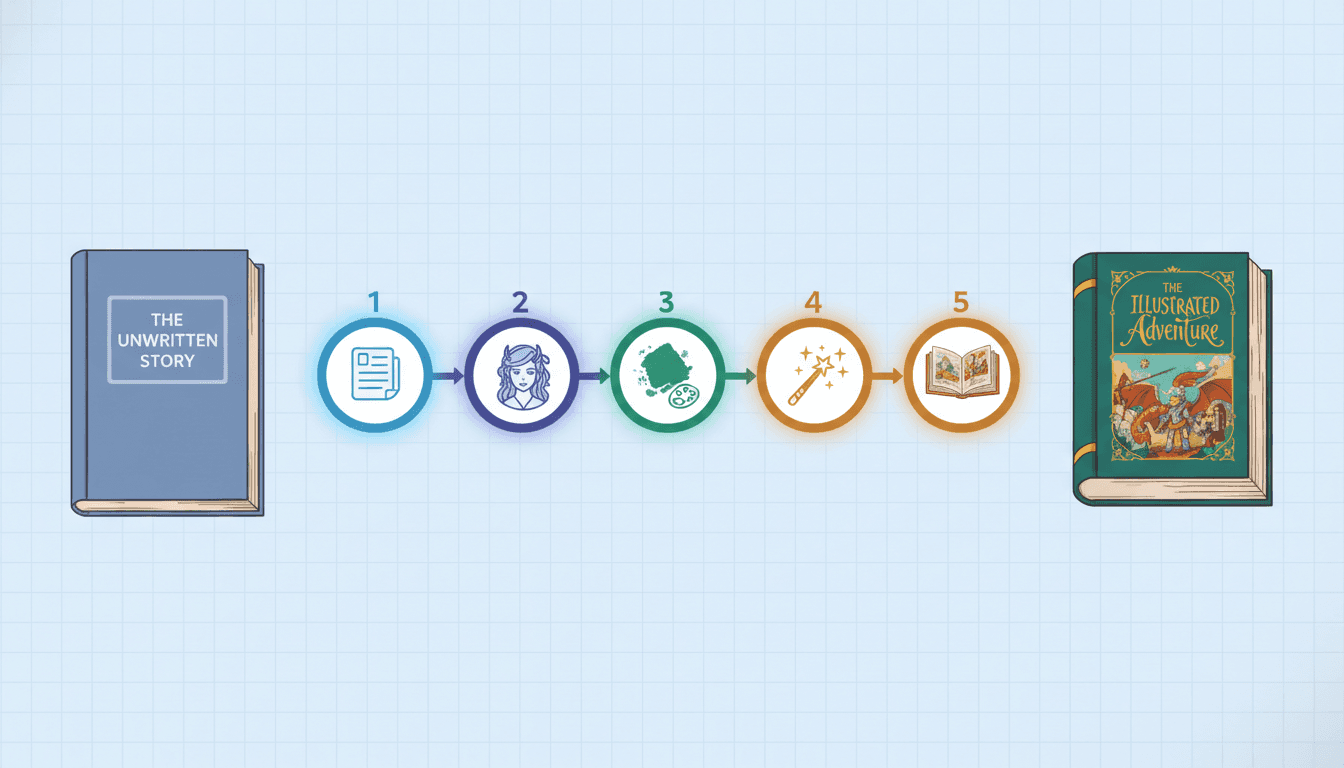
50,000+
Books Created
24-32
Pages Per Book
300 DPI
Print-Ready
4.9/5
Writer Rating
What You'll Need to Turn Your Novel Into a Picture Book
Five simple things. The whole guide takes 30-90 minutes from manuscript to print-ready PDF.
Your novel manuscript
Word doc, plain text, PDF, or photo of typed pages
A target reader age
2-4 board book, 5-7 picture book, 8-10 early reader, 8-12 middle-grade illustrated
Around 30-60 minutes
Yes — really. Most users finish a 24-page draft in one sitting
A C2Story account
Free credits at signup are enough to make your first picture book end-to-end
Optional: character reference
A sketch or photo of your protagonist if you have one — tightens likeness
The 5 Steps to Turn a Novel Into a Picture Book
Read each step, then open the workspace and follow along. The guide assumes you're using C2Story but the same five-step framework works with any tooling.
Step 1: Pick the Right Novel Chapter or Arc
Why it matters: Most novels are too long for a single picture book. The first job is choosing what to keep.
How to do it: Open your manuscript and pick ONE of these three units: a single high-impact chapter (12-32 pages of prose works best), a self-contained arc (2-4 chapters that read as a complete mini-story), or a key scene (a climactic moment that stands alone). Sticky-note the start and end. If you're adapting your whole novel, repeat steps 1-5 for each arc — many self-publishers ship a 4-volume picture-book series from one novel.
Pro tip: Picture books are 24-32 pages. Aim for 1,500-3,500 words of source prose — that gives you enough to adapt without padding.
Step 2: Adapt the Prose for Picture-Book Format
Why it matters: Novel prose is dense — long paragraphs, internal monologue, multiple character POVs. Picture-book pages are spare.
How to do it: Decide on a target reader age (2-4, 5-7, 8-10, or middle-grade 8-12). For each spread, pick ONE moment that can be illustrated. Compress description into 1-3 sentences per page; let the illustration carry the rest. Cut subplots that don't fit. Convert internal monologue into a visible action ("she felt afraid" → "Mara hugged her knees and stared at the door"). If you don't want to rewrite by hand, paste the chapter directly into C2Story and the AI does the age-tiered adaptation for you.
Pro tip: Read your draft aloud. If a sentence takes more than ~7 seconds to read, split it across two spreads or cut it.
Step 3: Build Your Characters in a Library
Why it matters: The single biggest reason novel-to-picture-book DIY attempts fail: the protagonist looks different on every page.
How to do it: Before you generate any illustrations, define each major character once — full appearance description (hair, eye color, age, build, signature outfit, accessories), personality, and a reference image if you have one. Save them to a persistent character library so the SAME person, sidekick, mentor, and antagonist appear on every spread, every chapter, and every volume of a series. Without a library, every AI image tool re-rolls the protagonist's face. C2Story's Character Library locks likeness across the entire book.
Pro tip: Don't skip secondary characters. The wise mentor, the loyal pet, the reluctant villain — kids notice when they change.
Step 4: Pick One Art Style and Stick With It
Why it matters: A picture book reads as a single visual world. Mixed styles look like a collage.
How to do it: Audition styles before committing. Render the same hero in 4-5 styles (soft watercolor, bright cartoon, modern Pixar 3D, manga, classic storybook) and pick the ONE that fits the tone. Match the style to the source: gentle watercolor for emotional/literary novels, bright cartoon for adventure, Pixar 3D for upper-elementary, classic storybook for fantasy/heritage, manga for action/young-adult. Once chosen, use the same style for every page in the book — and ideally across the whole series.
Pro tip: Save your style choice in the project so every regenerated page matches automatically.
Step 5: Generate, Refine, and Export Print-Ready
Why it matters: AI rarely nails every page first try. Building in a refine loop is what turns a draft into a real book.
How to do it: Generate the full draft. Read it cover-to-cover as a reader, not as the writer. Mark pages where the illustration misses the moment, the text is too long, or the character looks "off." Regenerate just those pages — characters stay locked because of the library. When the book reads cleanly cover-to-cover, export at 300 DPI as a print-ready PDF. Upload to KDP, Lulu, IngramSpark, Blurb, or take it to a local print shop. Hardcover keepsake done.
Pro tip: Print one proof copy first. Color, trim, and gutter look different on paper than screen. Then order the run.
6 Common Mistakes When Turning a Novel Into a Picture Book
Most failed novel-to-picture-book attempts fail for one of these six reasons. Skip the pain.
Trying to fit the whole novel into one picture book
Fix: Pick a single chapter, arc, or scene. Adapt the rest as a series of separate volumes.
Letting the protagonist change face every page
Fix: Build the character once in the Character Library before generating any illustrations. Lock likeness up front.
Dumping novel prose unchanged onto each page
Fix: Compress to 1-3 sentences per spread for younger readers, 3-6 for older. Let illustrations carry the rest.
Mixing art styles between chapters
Fix: Pick ONE style and stick with it for the whole book — and ideally the whole series.
Skipping the proof print
Fix: Always order one printed proof before the full run. Color, trim, and gutter behave differently on paper.
Exporting at the wrong DPI
Fix: Export at 300 DPI for print, 72 DPI for screen. Most KDP/Lulu/IngramSpark templates require 300 DPI bleed-included PDFs.
From Manuscript to Hardcover — In Pictures
See what each step looks like in practice. The same hero, the same forest, the same lantern — page after page, book after book.
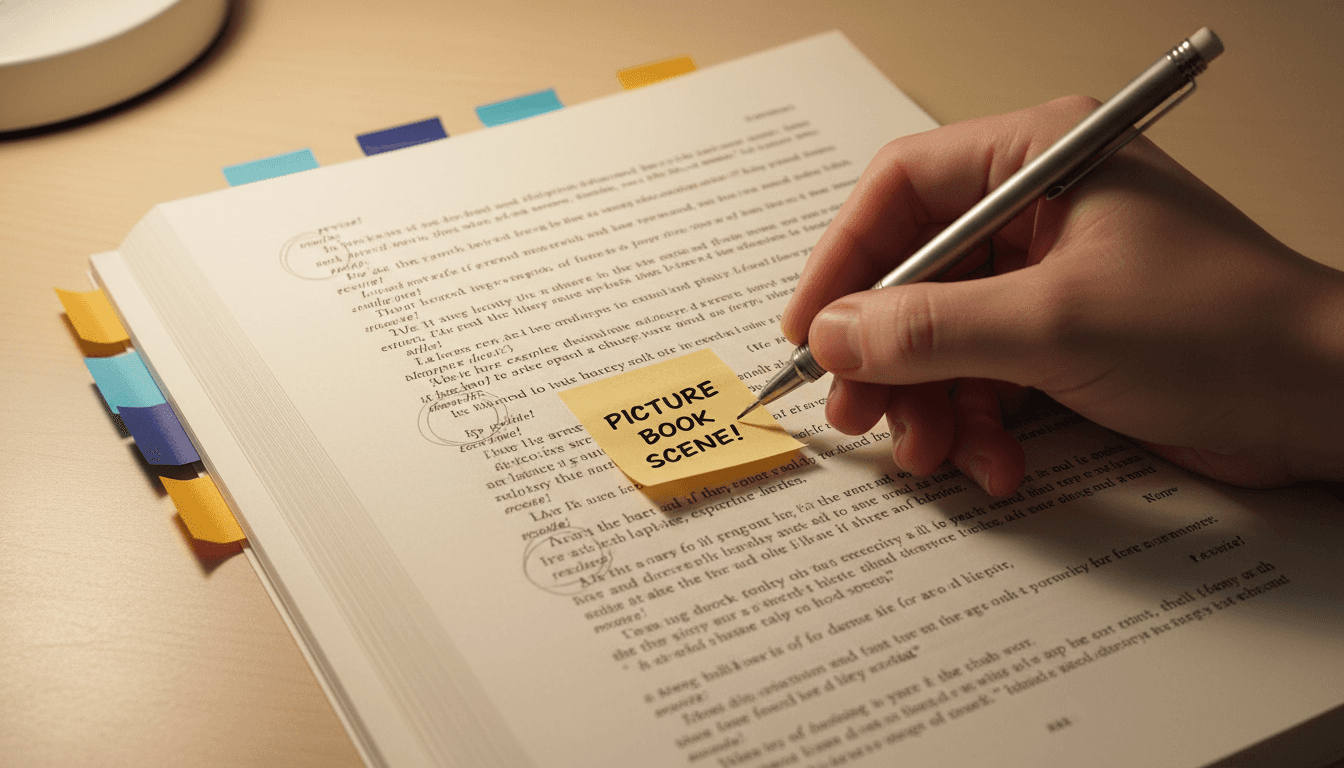
Annotate the manuscript
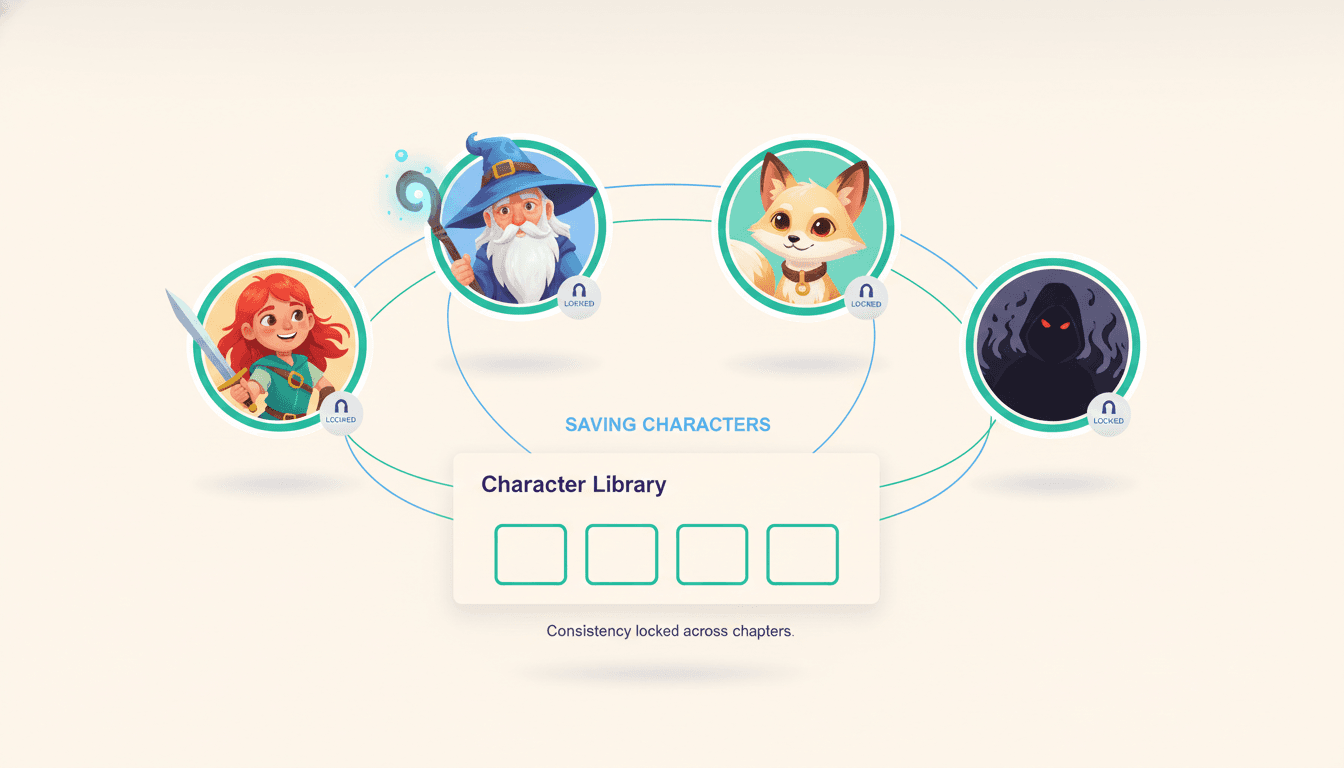
Lock characters in the library
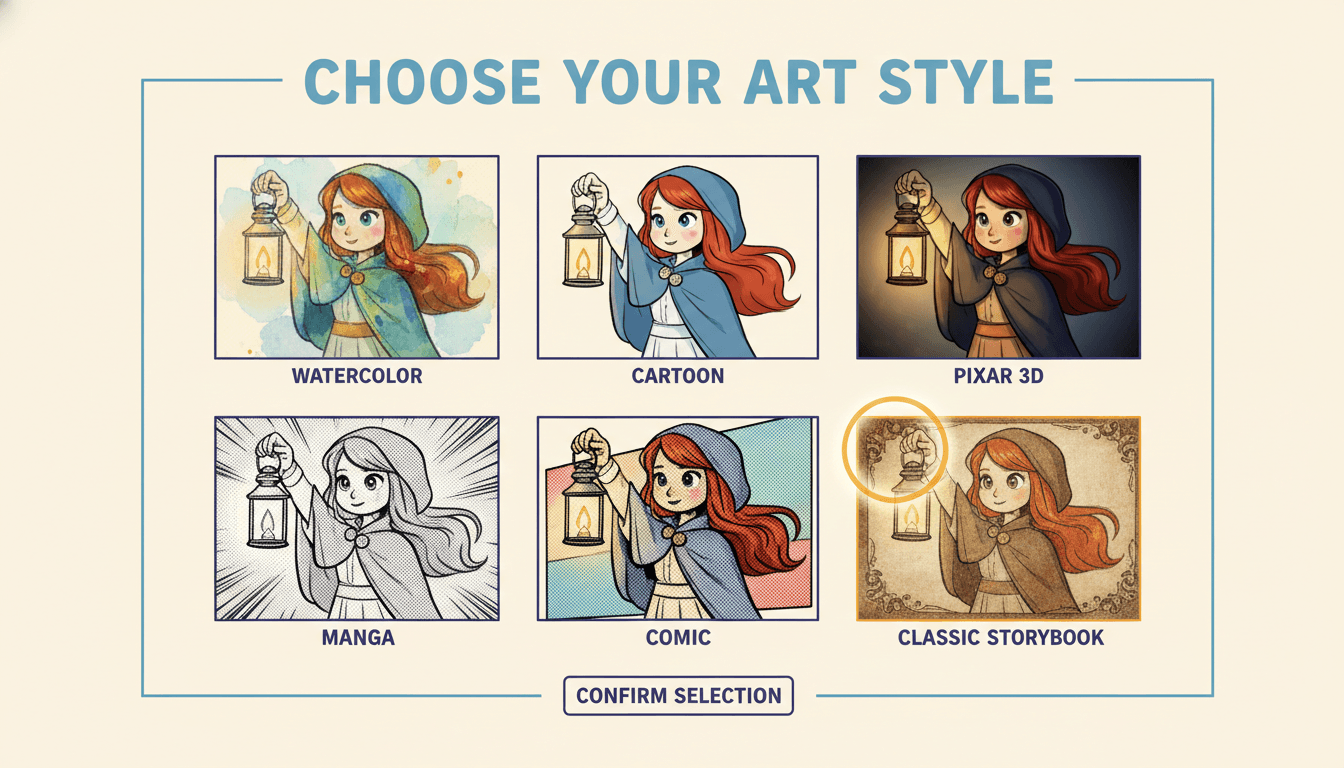
Pick one art style
Same Hero, Five Different Picture-Book Styles
Render your protagonist in each style before committing. Match the style to your novel's tone — and stay with it for the whole series.


Four Ways to Turn a Novel Into a Picture Book
Honest comparison of the four most common approaches — what each one is good at, what it costs, and where each one breaks down.
| Method | Time | Cost | Character Consistency | Best For |
|---|---|---|---|---|
Pen and paper / hand illustration | 6-18 months for a single book | $0 supplies, hundreds of hours | Depends on the artist | Personal art projects, literary fiction adaptation as art |
Hire an illustrator + page designer | 4-8 months turnaround | $3,000 - $25,000+ for a 24-32 page book | Excellent if the illustrator stays through the project | Premium one-off projects, serious commercial publishing |
Generic AI image tools (Midjourney, DALL·E, etc.) | 20-40 hours of trial and error | ~$10-30/month subscription | Poor — characters change face every prompt | One-off cover or single illustrations, not a full book |
C2Story (purpose-built novel-to-picture-book AI) Recommended | 30-90 minutes for a full draft | Free credits to start, $6.99/month for unlimited | Excellent — Character Library locks likeness across pages | Novelists, parents, teachers, KDP self-publishers — full books, fast |
Tools to Help You Turn Your Novel Into a Picture Book
The walkthrough above works with any setup. These C2Story tools cover the most common starting points.
Novel-to-Picture-Book Tool
Direct paste-your-novel tool with built-in adaptation, characters, and styles.
Upload Novel — Generate Book
Drop a Word doc, PDF, or text file. Get a finished illustrated picture book back.
Novel-to-Comic-Book
Same workflow, but as a paneled comic book with speech bubbles.
Turn Novel Into a Picture Book
Use case page with examples and stories from novelists who've done it.
Long Story to Picture Book
For novels longer than 2,500 words — automatic chapter-splitting and series support.
Chinese Novel to Picture Book
Hanzi-aware adaptation for xianxia, wuxia, cdrama, and classic 中文 literature.
Writers Who Followed This Guide
“I had a 60,000-word fantasy novel sitting in a drawer for three years. Followed this guide on a Saturday — picked the prologue arc, used the Character Library, picked watercolor — and shipped a hardcover by Tuesday. My niece read it five times.”
Hobby novelist, fantasy
“My self-published middle-grade novel needed a picture-book companion for younger siblings of my readers. The 5-step framework took me 90 minutes per arc — I shipped a 4-book series from one novel.”
KDP self-publisher
“Tried Midjourney for two weeks and gave up because the protagonist looked different on every page. Followed this guide using C2Story's Character Library and the same hero stayed consistent across 28 pages on the first try.”
Indie comic creator
“I'm a 5th-grade teacher. Used this guide to turn the class novel into a picture-book companion for the younger grades. Same characters, same world, age-tiered text. The Pre-K class is obsessed.”
Elementary teacher
How to Turn a Novel Into a Picture Book — FAQ
Explore More Story Ideas
Discover more styles, tools, and story types
Dragon Stories
Epic fire-breathing adventures
Explore
Vintage Fashion Plate Picture Books
Edwardian pen and ink in vintage blue and mustard, people who have stopped for a moment
Explore
Children's Book Creator
Design beautiful kids books
Explore
Storybee Alternative
More styles & features
ExploreHow to Turn a Novel Into a Picture Book — The 2026 Complete Guide
Wondering how to turn a novel into a picture book in 2026? This step-by-step guide walks you through the same five-step framework used by hobby novelists, KDP self-publishers, indie comic creators, and elementary teachers to convert a finished novel into a polished illustrated picture book in 30 to 90 minutes. Whether you're adapting a single high-impact chapter, a self-contained arc, or a key scene from a longer manuscript, the workflow is the same: pick the unit, adapt the prose for the target reader age, build a persistent character library, lock one art style, and export a 300 DPI print-ready PDF for Amazon KDP, Lulu, IngramSpark, Blurb, or your local print shop.
The most common mistake when learning how to turn novel into picture book form is trying to fit the entire manuscript into one 24-32 page volume. Picture books are not abridged novels — they are spare, illustration-led reading experiences with 1-3 sentences per spread for younger readers and 3-6 for middle-grade illustrated books. The right approach is to ship a series: one picture-book volume per arc, with the same protagonist, sidekick, mentor, and antagonist appearing consistently across every volume. Most successful self-publishers built a 4-book illustrated series from a single novel using exactly the workflow above.
The single biggest reason DIY novel to picture book attempts fail is character drift — the protagonist looks different on every page when you use generic AI image tools that re-roll the face on every prompt. The fix is a Character Library that locks likeness across pages, chapters, and volumes. C2Story is the only purpose-built novel-to-picture-book AI with this feature: define each major character once with a full appearance description and an optional reference image, and the same hero appears recognizable on every spread of every book in your series. Combined with age-tiered prose adaptation (2-4, 5-7, 8-10, or 8-12 middle-grade) and one consistent art style across the whole project, the result is a finished picture book that looks like it was made by a single illustrator over months — finished in an evening.
Choose from soft watercolor for gentle literary novels, bright cartoon for adventure and humor, modern Pixar 3D for upper elementary, classic storybook for fantasy and heritage stories, or manga and comic styles for action and young-adult adaptations. Once chosen, keep the same style for every page and every volume. Generate the full draft, refine the pages that miss, and export at 300 DPI as a print-ready PDF. Order a single proof copy first to verify color, trim, and gutter on paper — then publish the run. Start the convert novel to illustrated book tutorial walkthrough free today — no credit card required, free credits at signup, and the Character Library and 300 DPI print-ready export are included from your very first book.