
Edit an AI-Generated BookRegenerating Is Not Editing
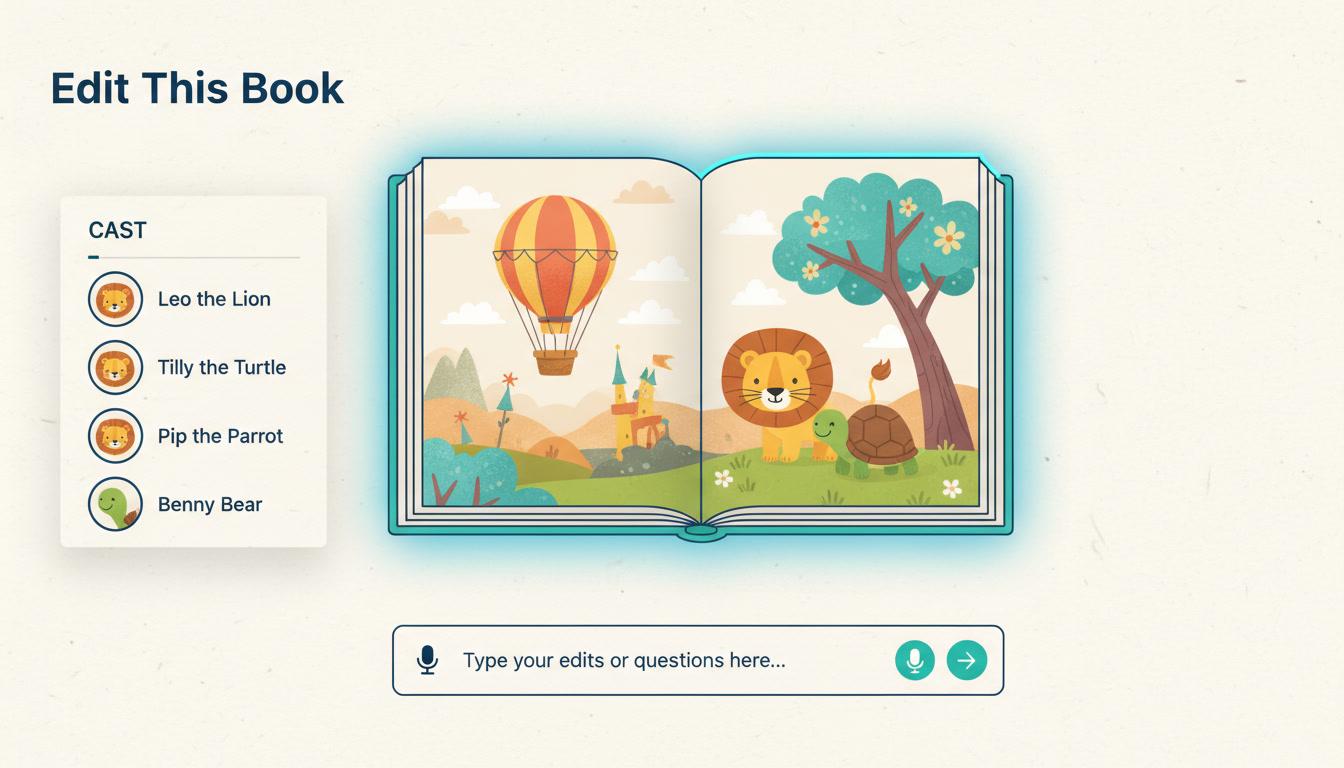
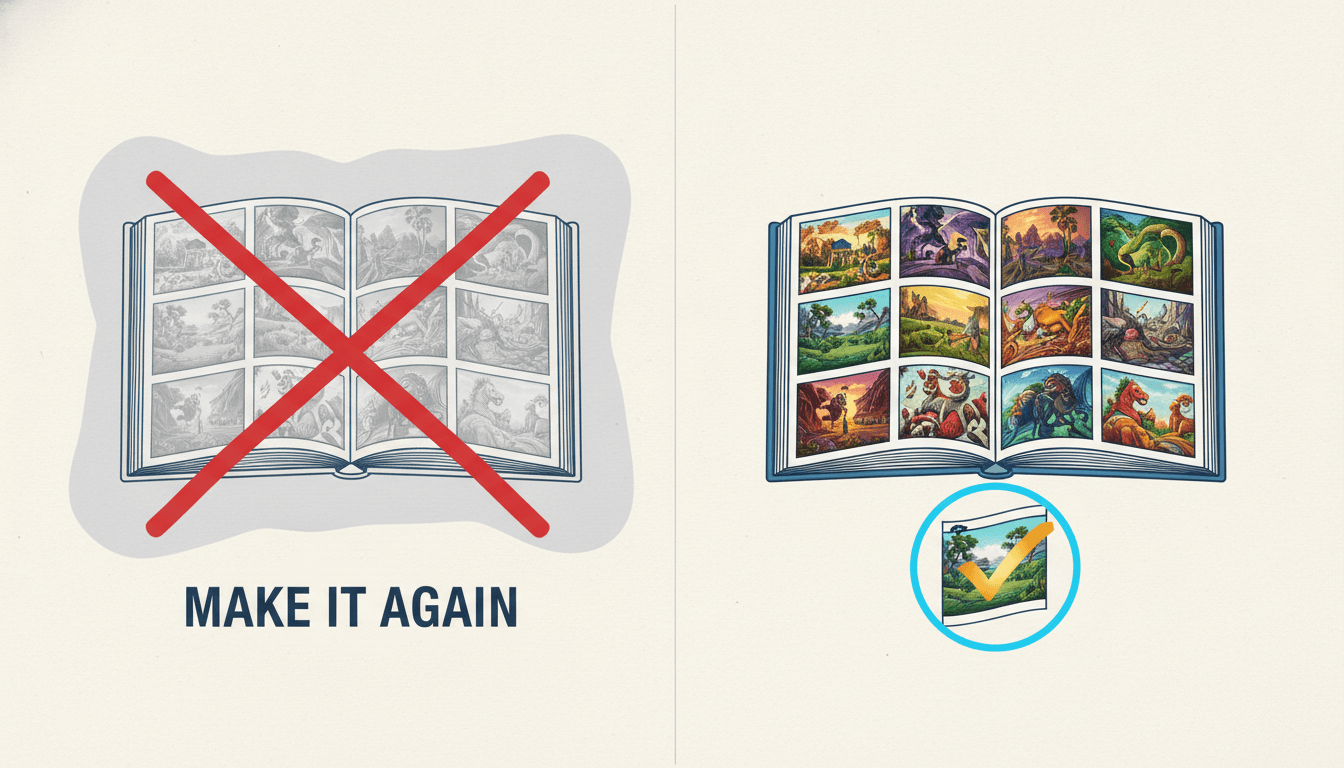
Most AI book tools give you one button: make it again. So fixing the page you dislike costs you the eleven you loved. C2Story lets you change the one thing you meant — and leave everything else exactly where it is.
- Rewrite a page without losing its illustration
- Redraw a picture without touching the words
- Correct a character once, across the whole book
- Every change read back from storage before it is called done
250,000+
Stories Created
80,000+
Characters Saved
45+
Art Styles
4.9/5
Creator Rating
How to Edit an AI-Generated Book
Three steps, and the middle one is the whole craft — deciding how far the change is allowed to travel.
Say What Is Wrong
Open the book and describe the problem in your own words — plainly, the way you would tell a co-writer. No page numbers to look up, no menu to hunt through, and several requests in one sentence is fine.
"Page 3 is too long, and the fox should not be wearing boots"
The Change Gets a Radius
Each request is matched to the narrowest thing that can carry it — this page's words, this page's picture, this character everywhere. Anything genuinely ambiguous comes back as one short question with real choices.
rewrite page 3 · correct the fox's clothing across the book
It Is Checked, Then Reported
The changes are written, the book is re-read from storage, and only what is actually observed there is reported back as done. Anything that failed is named, so you retry knowing it failed.
page 3 ✓ · the fox's clothing ✓ · 2 pages repainted
Editing and regenerating are different buttons on purpose
Regenerating throws the result away and makes another one. It is the right move when the book is not the book you wanted — wrong premise, wrong plot, wrong length — and a structural change like that is named as one rather than approximated with a dozen partial page fixes that leave the story half-converted. Editing is for when the book is basically right and one thing in it is not, which is the overwhelmingly more common case and the one almost nothing is built for. If you are still at the stage of making the book rather than fixing it, start at the AI picture book maker and come back here afterwards.
What You Can Edit in an AI-Generated Book
The book stays yours. What changes is how small a change is allowed to be — and how far it is allowed to reach when you want it to.
Every Edit Has a Blast Radius, and You Choose It
The single most useful thing to know about editing an AI-generated book is how far a change travels. Rewriting page three touches page three. Redrawing page three's picture touches its picture and not its words. Correcting a character's coat touches every page they stand on, now and later. Three different radii, three different tools, and nothing gets caught in the blast that you did not aim at.
Words and Pictures Are Separate Things
On most tools a page is one atom: change anything about it and you get a new page, new picture included. Here the text and the illustration are edited by different tools. "Make page four shorter" rewrites the words and deliberately keeps the picture you already liked, rather than silently destroying it on the way past. If you want both changed, you ask for both.
Corrections Go to the Source, Not the Surface
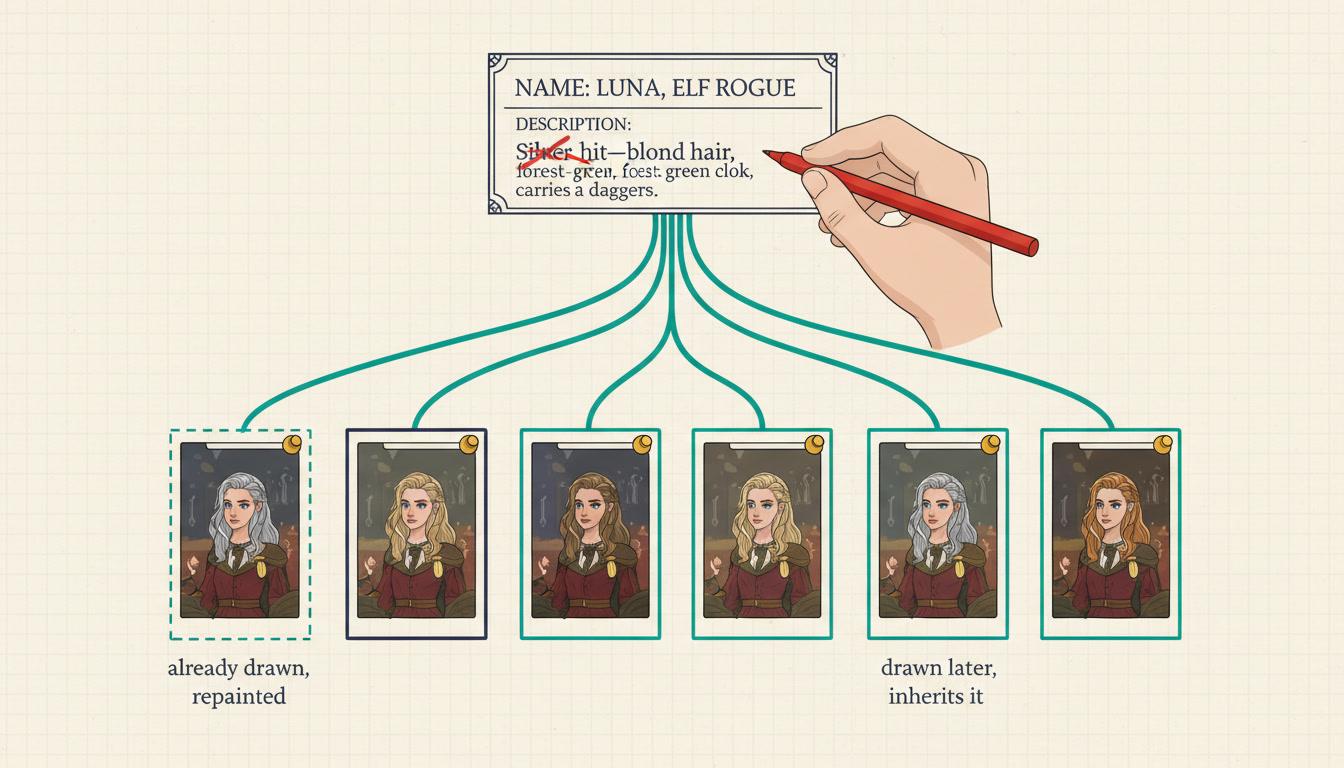
Redrawing one page fixes one page. If the mistake lives in a character's saved description, the next page you generate repeats it, and you fix it again, forever. So an appearance correction is written back onto the character record every page draws from — the pages already drawn get repainted, and the ones drawn later inherit the fix without being asked.
A Rename Stays a Rename
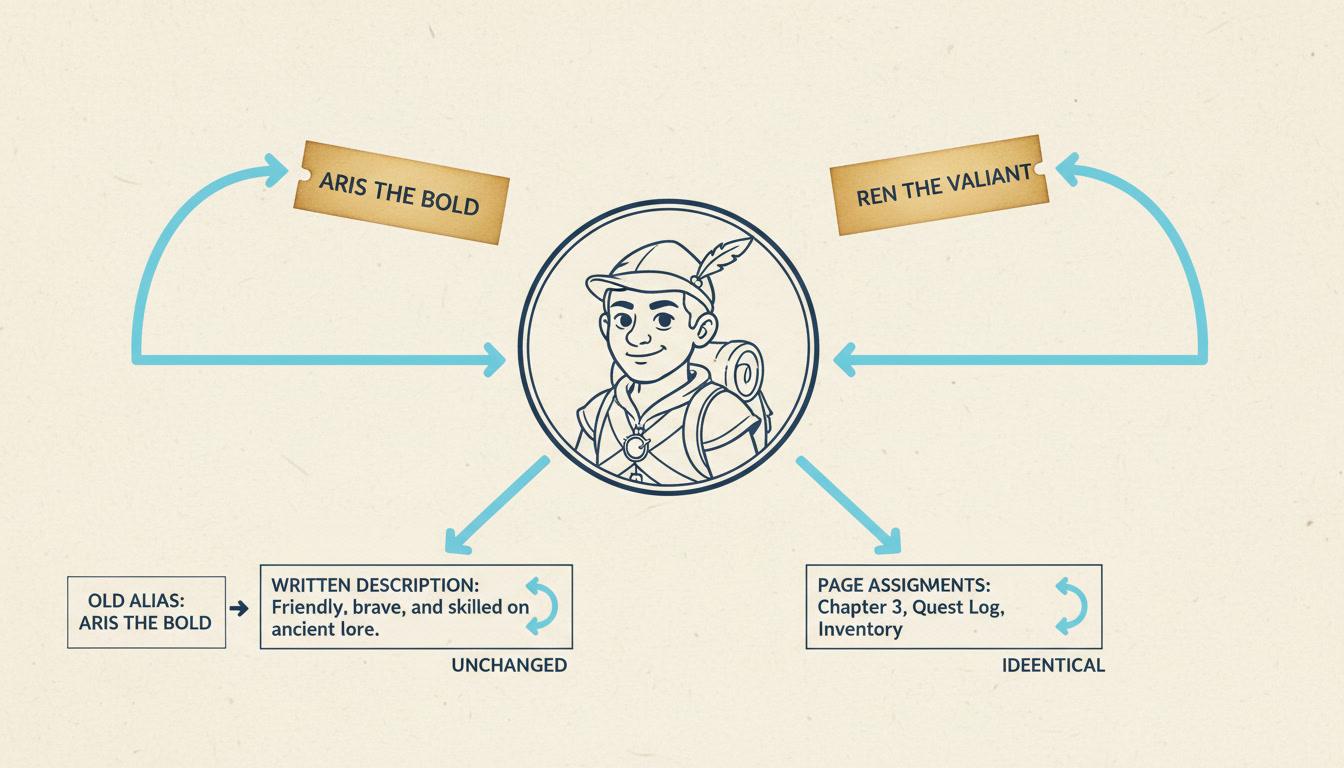
Changing what someone is called should not redesign them. Renaming a character keeps their description, their portrait and every page assignment exactly as they were, and the old name is kept as an alias so work already in flight still resolves to the same character. You get a new name and the same person, which is what you asked for and rarely what you get.
One Page Can Set the Look for the Rest
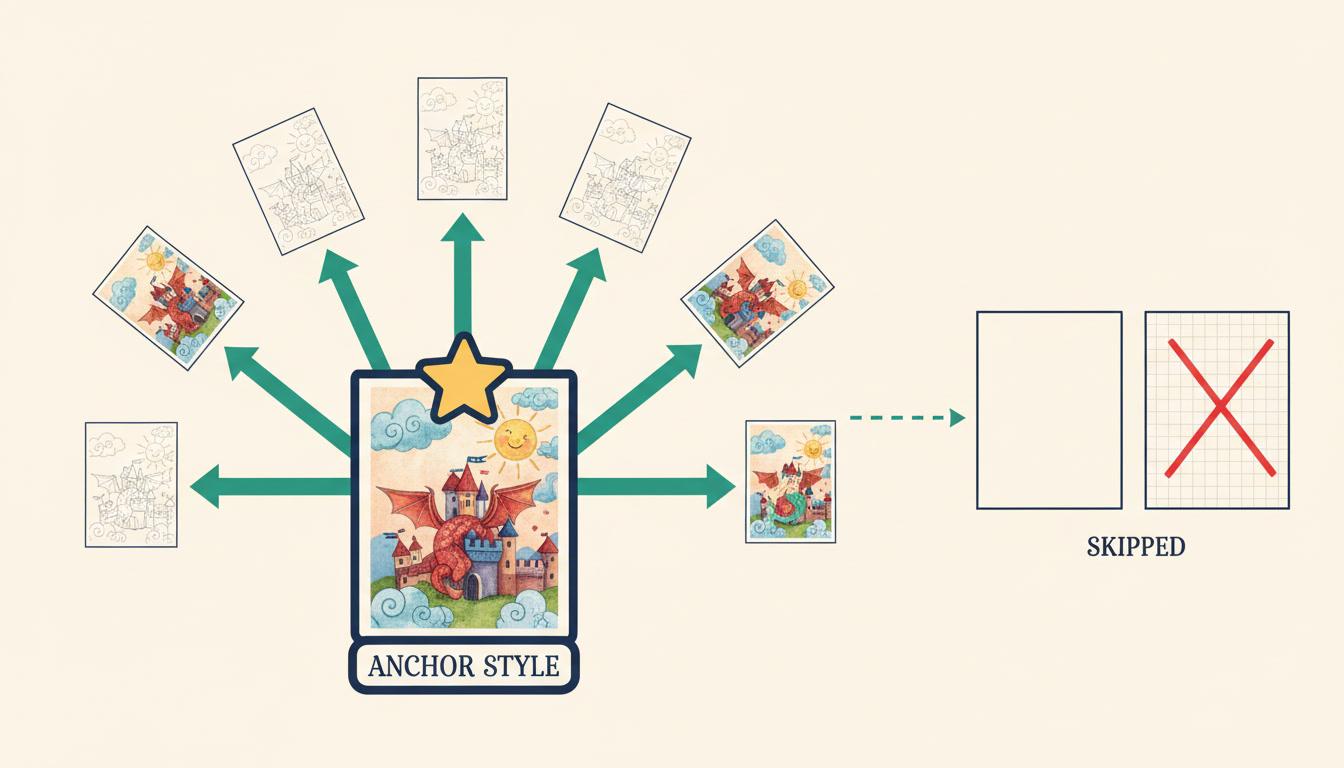
Sometimes the art drifts and one page is simply the right one. Nominate it as the anchor and the others are repainted to match it, rather than you describing the style again in words and hoping. Pages that have not been illustrated yet are skipped, because they have no look to bring in line and painting them would spend credits you did not offer.
Done Means Read Back, Not Reported
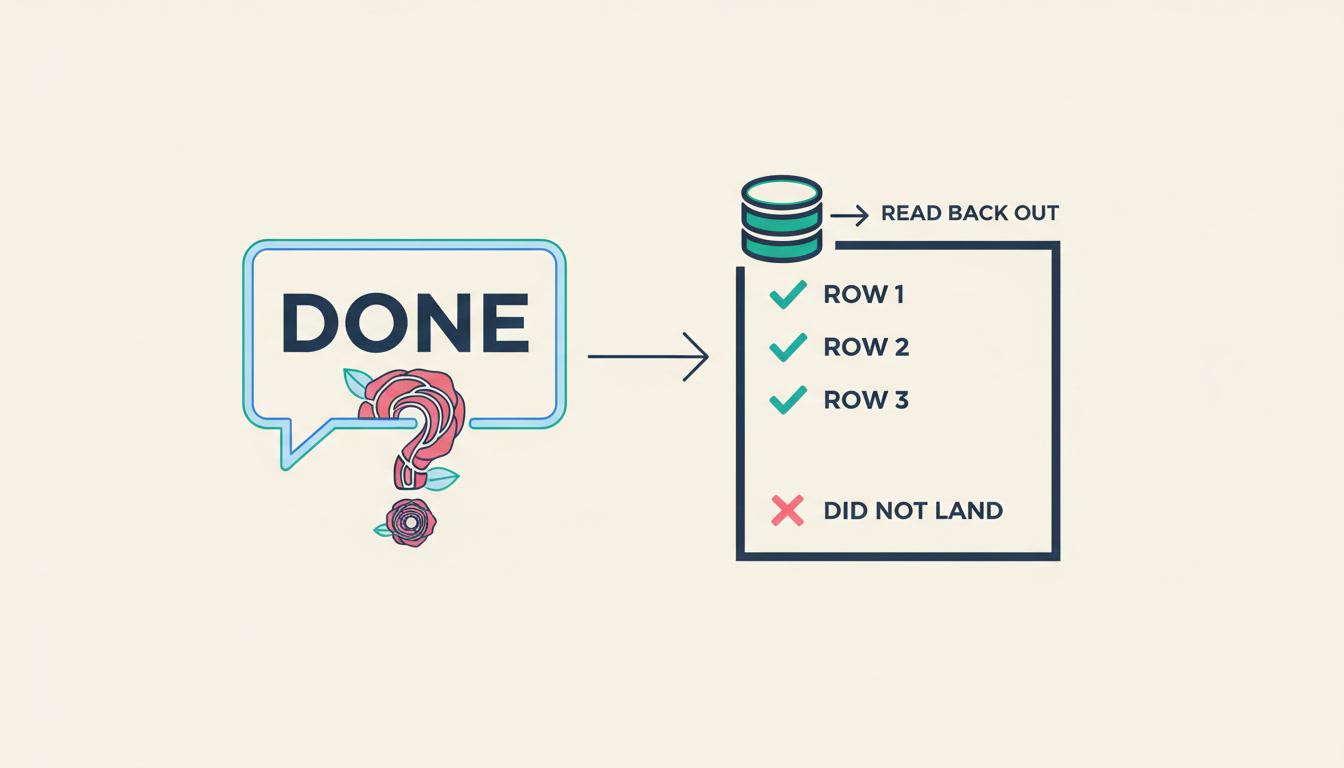
An edit is only called done after the book is re-read from storage and the change is actually observed there. Anything that did not land is named in the same breath, so you retry knowing it failed rather than assuming you were misunderstood. This replaced an older behaviour that counted proposed changes, which meant a confirmation was a restatement of intent.
Changes that only exist when the unit is smaller than the book
The Words and the Picture Are Edited Separately
A page is not one atom. It is a block of text and an illustration that happen to sit together, and you almost never want to change both.
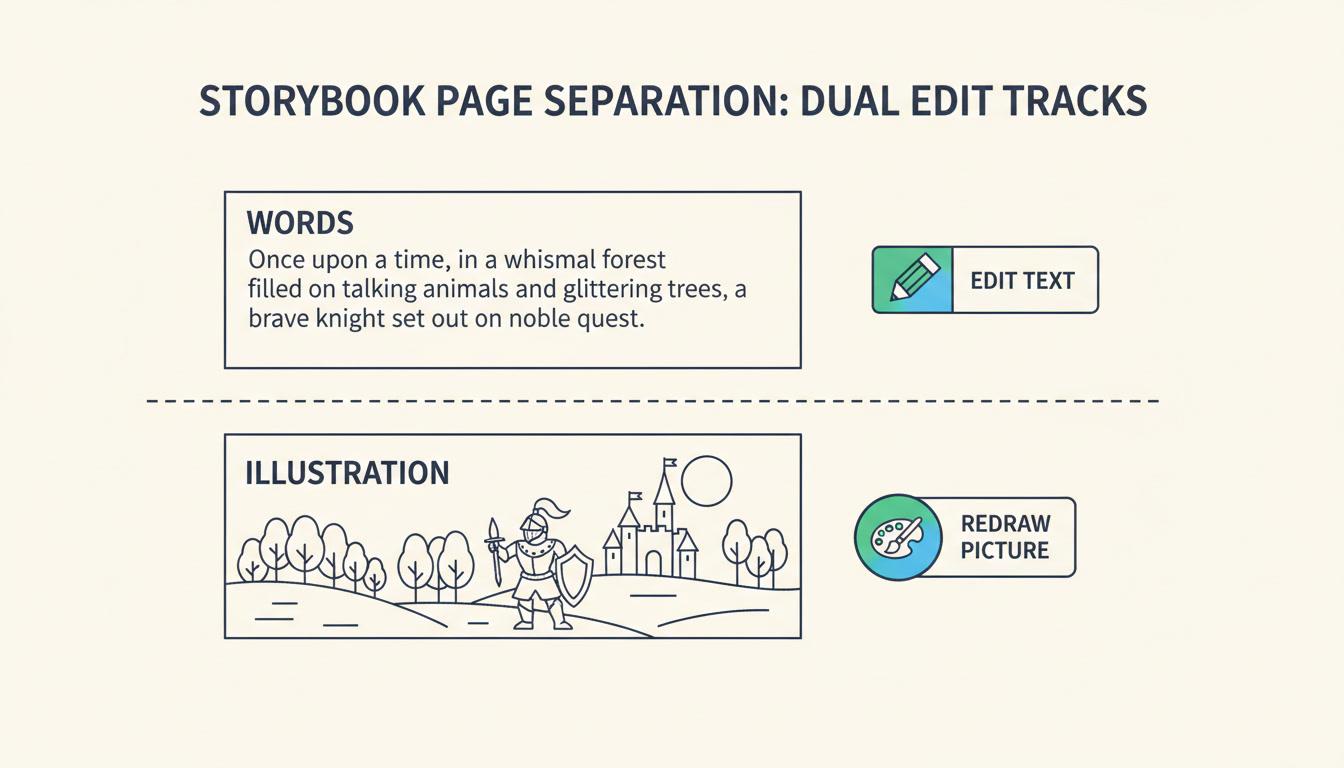
Changing the Words
- Shorter, longer, gentler, funnier — one page at a time
- The existing illustration is kept, not cleared
- Stays in the story’s own language, whatever you type in
- You are told if the picture may no longer match
Changing the Picture
- Brighter, wider, a different angle, a fixed detail
- The page’s words are left exactly as written
- Redraws use the style guide and your character references
- Or edit the image you already have, in place
Nearly right, or wrong? That decides which kind of redraw you want
There are two ways to change an illustration and the difference is worth thirty seconds of your attention. An in-place edit takes the picture you already have and modifies it against an instruction — take the people out of the background, open the curtains, make it evening — so the composition and the parts you liked survive the change. A regeneration draws a new illustration from the scene description, the book’s style guide and your saved character reference images, which is right when the picture is wrong rather than nearly right. Nearly right wants an in-place edit; wrong wants a redraw. Either way, characters are drawn from their saved references, so a redraw does not quietly produce a different-looking child — the mechanism behind that is the character consistency tool.
Fix the Source, Not Just the Page
“The animals should not be wearing robes.” Redraw page four and page four is fixed. Page nine, made tomorrow, has robes again — because the robes were never on page four.
The record
Where the Mistake Actually Lives
Every illustration of a character is drawn from their saved description — appearance and default clothing. A wrong detail there is not on one page, it is in the source every page is generated from, which is why redrawing pages one at a time never ends.
Written back
The Correction Goes Upstream
An appearance or clothing change rewrites that saved record, then redraws the character's portrait — the reference every page uses. The cached prompt is cleared too, so the portrait is genuinely rebuilt from the new words rather than the old ones.
Both directions
Backwards and Forwards
Pages that already feature the character are repainted so the book you have is fixed, not just the book you will make. Pages not yet drawn need no repaint at all — they inherit the corrected description when they are generated.
One page, or the whole book? The same sentence can mean either
“Page six is too dark — brighten it.” That is a fact about one illustration, not about the character or the book. It repaints page six and stops there.
Same for “redraw her portrait, she looks too stern in it” — a portrait complaint is about the portrait.
“Give her a green coat throughout.” “He should have a beard.” “The animals should not wear clothes.” These are facts about a character, so they are written to the character.
Her portrait is redrawn, the pages she is on are repainted, and every later page is already right.
When a change should hold for more than one page, it belongs on the character. That single rule is the difference between an AI book you can edit and one you keep re-fixing. The long-term version of it is a character bible, which keeps the record across a whole series rather than one book.
Three Edits That Almost Always Go Wrong
Renaming, matching art between pages, and knowing whether anything happened at all. Small on paper, and the reason people give up on editing an AI book.
A Rename Should Only Change the Name
“Call the dog Bean.” Handed to a general-purpose rewrite, that regenerates the whole character record and you come back to find Bean has a different face. Here a rename is its own operation: the name changes, and the appearance description, the portrait and every page assignment are left exactly as they were.
The old name is kept as an alias rather than discarded, so any illustration already being generated that still refers to the dog as Rex resolves to the same animal instead of quietly inventing a second one.
Point at the Page That Is Right
When the art drifts across a book, describing the style again in words rarely rescues it — the description was never what drifted. So you nominate a page instead: “every page should look like page two.” Page two becomes the visual anchor and the others are repainted against it.
You can name which pages to bring in line or let it take all of them. Pages with no illustration yet are skipped on purpose: there is nothing on them to make consistent, and painting them would spend credits on work you never asked for.
A Confirmation Is Worthless If It Is Just Your Request Repeated
An earlier version of this reported how many changes had been proposed — a number taken before anything was written and never checked afterwards. So the reply said “renamed him” whether or not the record had changed, and the only feedback anyone had was to type the same request again. Session logs showed the same rename typed three times in a row.
Now every write registers something to look for afterwards, the book and its cast are re-read from storage once the edits are applied, and only changes actually observed there are reported as done. A check that cannot run counts as a failure, because silence was the problem.
What Editing an AI-Generated Book Sounds Like
No page numbers to look up and no menu to learn. Ask for three things in one sentence and all three happen in the same turn.
Blast Radius
Fix the Source
Before and After
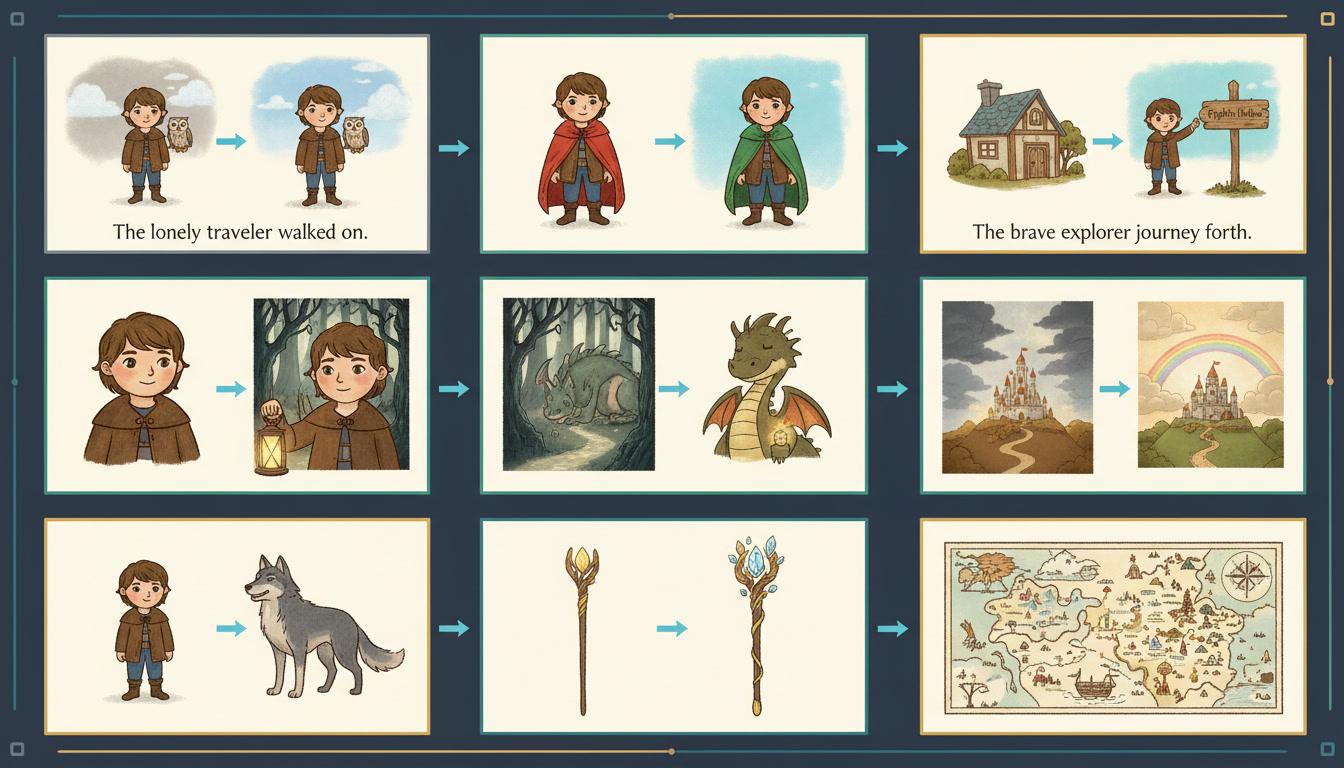
“Page 3 is too long — say the same thing in two sentences”
“Keep the words on page 7, but redraw it from further back”
“The animals should not be wearing robes anywhere in this book”
“Call the dog Bean instead of Rex, and change nothing else”
“Make every page look like page 2 — that one is right”
“Give the grandmother a green coat for the rest of the story”
The Page
Words and picture, apart
The Source
Corrected once, everywhere
The Name
A rename stays a rename
The Anchor
One page sets the look
The Receipt
Checked, then reported
What Editing Will Not Do
A tool that claims it can change anything is a tool that will pretend. These are the edges, said plainly, so you can plan around them.
A Different Story Is Not an Edit
A new plot, a different premise, a different page count — that is a structural rewrite, and it is identified as one rather than approximated with a stack of partial page changes that would leave the book half-converted. You are told that it needs a full regeneration, and whether it is the outline or just the pages that has to be rebuilt.
Page Counts Freeze When a Book Is Finished
While a book is still in its creation session you can insert a page between two others or delete one. Once it has been finished into its final published form, adding and removing pages is switched off — the finished book stores its pages separately and changing the count there safely is not wired up yet. Rewriting, redrawing and editing existing pages all still work.
Links Cannot Be Opened
If your source material lives in a shared document or on a website, pasting the URL will not work — and rather than silently ignoring it, you are asked to paste the text instead. It is a real limitation, and being told about it beats a book quietly built from nothing.
Repaints Cost Credits
Text changes are changes to stored words and are cheap. Anything that produces a picture — repainting a page, redrawing a portrait, drawing a reference for a newly added prop — costs credits. This is exactly why the scope of an edit matters, and why nothing is repainted just to be thorough.
Ambiguity Gets a Question, Not a Guess
When it genuinely cannot tell which page or which character you mean, you get one short question with two or three concrete choices. It will not check in on everything — an assistant that confirms every step is its own kind of useless — but a wrong guess spends credits and rewrites text you liked, so the genuinely unclear cases stop and ask.
Character Portraits Are Not Collateral
Editing a finished book changes page text and scene illustrations. Character portraits are never altered as a side effect of a page edit — if you want a portrait changed, you say so, and it is done as its own change. Your cast does not drift because you asked about a page.
None of these are things you find out at the end. A change that cannot be made is named at the moment you ask for it, which is the only version of a limit that is any use to you.
Is Editing the Part You Need?
This page is for people who already have a book and want one thing in it changed. If you pictured something else, one of these is a better place to start — they all work off the same saved characters.
Yes — open my book and change it
Start here. Say what is wrong in a sentence and see the changes proposed before any of them are paid for.
I do not have a book yet
Build the illustrated book first from an idea or a manuscript. Everything on this page is waiting for you afterwards.
My character keeps changing faces
The deeper version of the same problem: lock each design once and have every page draw from it instead of guessing again.
I keep losing track of who is who
Pin looks, names and history into one reusable record so book three still agrees with book one.
My words are done, the pictures are not
Bring a finished manuscript and get the illustrations for it, rather than editing ones that already exist.
I want to add to it, not fix it
Carry the same cast and world into what happens next instead of changing what already happened.
Only the cover is wrong
A cover is its own problem with its own rules — title, type and one image that has to work small.
Show me the shots before it renders
See the book as a board you can rearrange, so there is less to fix once the pictures exist.
The pages are right, now voice them
Cast a separate voice for every character, saved to the character so it holds for the whole book.
Turn the finished book into a video
A narrated watch-along built from the spreads you have already settled on.
This is one book of several
Keep the cast, world and look stable across a run rather than repairing each book on its own.
Show me everything else
The full tool shelf — generators, converters and editors, all working off one saved character library.
Frequently Asked Questions
Explore More Story Ideas
Discover more styles, tools, and story types
Circus Stories
Big-top clowns, acrobats and parades
Explore
Essay Manga Picture Books
Quiet diary vignettes of an ordinary day
Explore
Picture Book Maker
Create illustrated picture books
Explore
Midjourney vs C2Story
Stories, not just images
ExploreEdit an AI-Generated Book Without Losing the Pages You Liked
The honest failure of most AI book tools is not the writing or the drawing. It is what happens twenty minutes later, when you read the thing back and find that page three is a sentence too long, the fox is inexplicably wearing boots, and page nine looks like it was drawn by somebody else. At that moment almost every tool offers you exactly one control: make it again. So you press it, and the nine pages you were happy with are thrown away along with the three you were not, and the new version has three different problems. That loop is why so many AI picture books are abandoned at eighty per cent finished. To edit an AI-generated book in any meaningful sense, the unit of change has to be smaller than the book.
The idea that makes this work is blast radius: how far a change is allowed to travel. C2Story treats that as the first question of every edit rather than an afterthought. Rewriting page three’s words touches page three’s words. Redrawing page three’s illustration touches its illustration and leaves the text alone. Correcting a character’s coat reaches every page that character stands on, now and in future, because that is what you meant. Three different radii, three different operations, and nothing swept up in the change that you did not aim at. The practical result is that the eleven pages you liked are never at risk when you fix the twelfth.
The separation of words and pictures sounds like a detail and is the thing people notice first. On most tools a page is a single atom: change anything about it and you get a new page, new illustration included, which means “make this a bit shorter” quietly destroys artwork you had already accepted. Here they are two different edits. Rewriting a page deliberately keeps the picture that is already there — and if the new words have drifted far enough that the illustration may no longer match, you are told so rather than having the image deleted on your behalf. The decision to repaint stays a decision, and it stays yours.
The deepest part of editing an AI storybook, and the part hardly anybody builds, is the difference between the source and the surface. When the animals in your book are wearing robes and they should not be, the robes are not on page four. They are in each character’s saved description — the record every illustration is generated from. Redraw page four and page four is fixed; page nine, made tomorrow, has robes again, and you will fix it again, forever. So an appearance correction in C2Story is written back to that record: the character’s clothing or physical description is rewritten, their portrait is rebuilt from the new words rather than a stale cached prompt, and the pages they already appear on are repainted. Pages not yet drawn need no repair at all, because they inherit the corrected source when they are generated. One instruction fixes the book backwards and forwards at once.
Renaming is the same principle at a smaller scale. “Call the dog Bean” ought to change a name and nothing else, and handed to a general-purpose rewrite it usually regenerates the whole character record, so you come back to find Bean has a different face. A rename here is its own operation: the description, the portrait and every page assignment survive untouched, and the old name is retained as an alias so any illustration already being generated under the old name still resolves to the same animal rather than spawning a second one. Small, unglamorous, and the difference between an editor you trust and one you stop using.
For art that has drifted across a book, pointing is better than describing. Re-explaining the style in words rarely rescues it, because the words were never what drifted — so you nominate the page that is right and the others are repainted against it as a visual anchor. You can limit it to particular pages or let it run across all of them, and pages with no illustration yet are skipped by design, since there is nothing on them to bring in line and painting them would spend credits you never offered. If the drift is in your cast rather than the art style, the character consistency tool is the more direct fix, and an AI character bible is how you stop it recurring across a whole series.
Then there is the least visible feature on this page and possibly the most important: an edit is only called done after it has been checked. Earlier versions reported a count of changes that had been proposed — a number taken before anything was written and never verified afterwards — so the confirmation said “renamed him” whether or not the record had changed. Session logs showed people typing the same rename three times in a row, because a confirmation that merely restates your own request is not feedback at all. Now every write registers something to look for, the book and its cast are re-read from storage after the edits run, and only changes actually observed there are reported. Whatever did not land is named in the same breath, so you retry knowing it failed instead of assuming you were misunderstood.
Some things are honestly out of scope, and they are named at the moment you ask rather than discovered at the end. A different plot, a different premise or a different page count is a structural rewrite, and it is called one instead of being approximated with a dozen partial page changes that leave the story half-converted. Adding or removing pages stops being available once a book has been finished into its final published form, though rewriting, redrawing and editing existing pages all still work. Links cannot be opened, so source material has to be pasted as text. And anything that produces a picture costs credits, which is precisely why the scope of an edit is treated so carefully: a correction aimed at one character repaints the pages that character is on, not all twenty.
Ready to fix the one page that is bothering you? Open the book and say what is wrong in a sentence — several things in one sentence is fine, and all of them happen in the same turn. If you do not have a book yet, start at the AI picture book maker or bring a finished manuscript to illustrate my story. If the pages are right and you want to add to them rather than change them, the continue story generator carries the same cast forward; if only the cover is wrong, the AI book cover generator is its own problem with its own rules. To see the shots before anything renders — and give yourself less to fix later — use the AI storyboard generator. Or open your character library, correct someone once, and watch the whole book agree with you.