
Motion Comic GeneratorFlat Panels Don’t Have a Camera. Yours Will.
A motion comic is not a slideshow with a zoom on it. C2Story stages each beat with real depth layers, moves a camera through them, and lets the quiet panels hold still — then speaks the dialogue and renders the whole sequence as video.
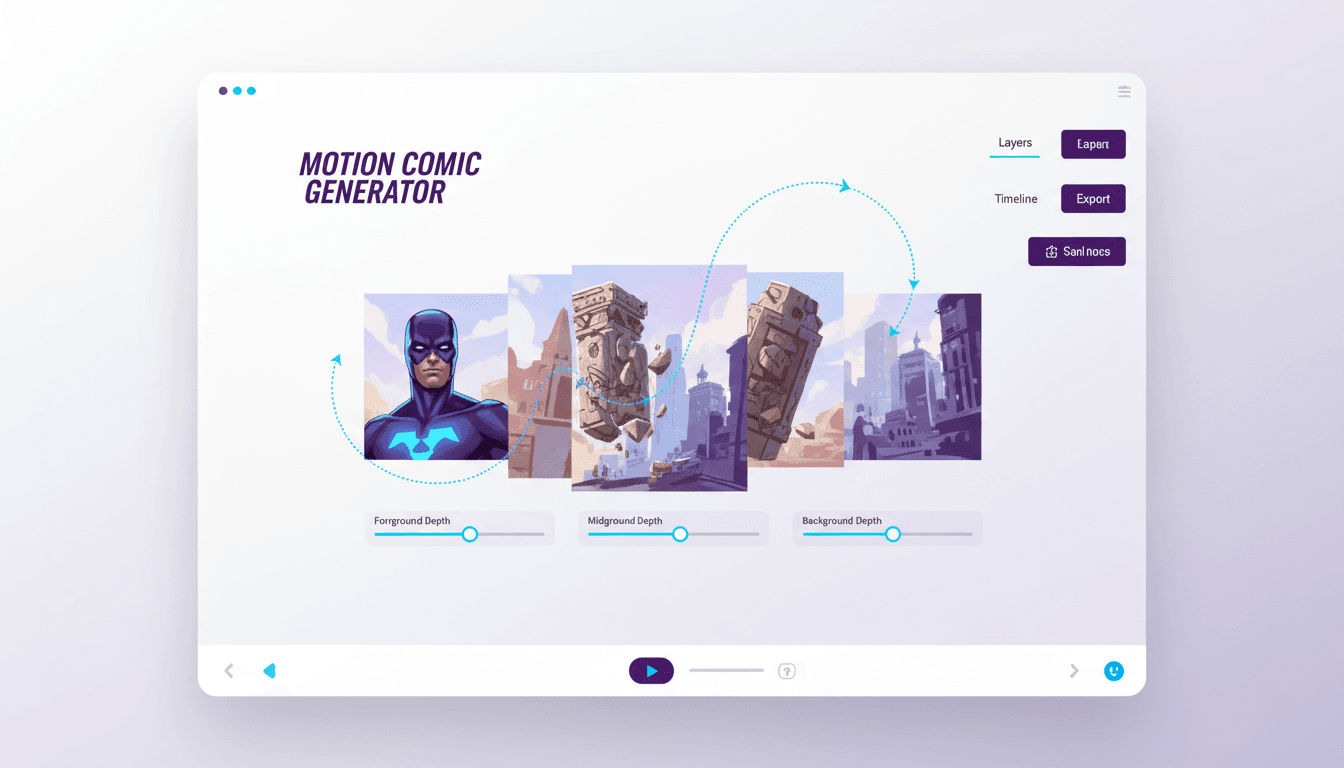
- Foreground, midground and background that move at different speeds
- A camera move chosen per beat — push in, pan, tilt, whip cut
- Held beats, because knowing when to stop moving is the craft
- Voiced dialogue and narration, exported as a real MP4
250,000+
Stories Created
80,000+
Characters Saved
45+
Art Styles
4.9/5
Creator Rating
How to Make a Motion Comic
Three steps, and none of them involve opening a compositing timeline or setting a keyframe.
Bring the Beats
Paste your script, or start from a premise and let C2Story write it. Either way the sequence is broken into beats first, because in a motion comic the beat is the unit — one panel, one camera move, one length of time on screen.
Beats, not pages
Staged in Depth
Each beat is composed with separated planes — a subject in front, a middle distance, a background behind — in whichever of 45+ art styles fits your book. Depth is built in at generation, which is why the parallax reads as a space.
Foreground, mid, background
Moved Through & Voiced
A camera move is chosen per beat, the dialogue is cast and spoken, and the timing follows the performance rather than a fixed interval. Then the whole thing renders to a downloadable MP4.
Push in, hold, cut
Three Things That Separate a Motion Comic From a Slideshow
Almost every tool that claims to make motion comics is really applying a slow zoom to a flat image. Here is what the form actually asks for.
Separation, Not Zoom
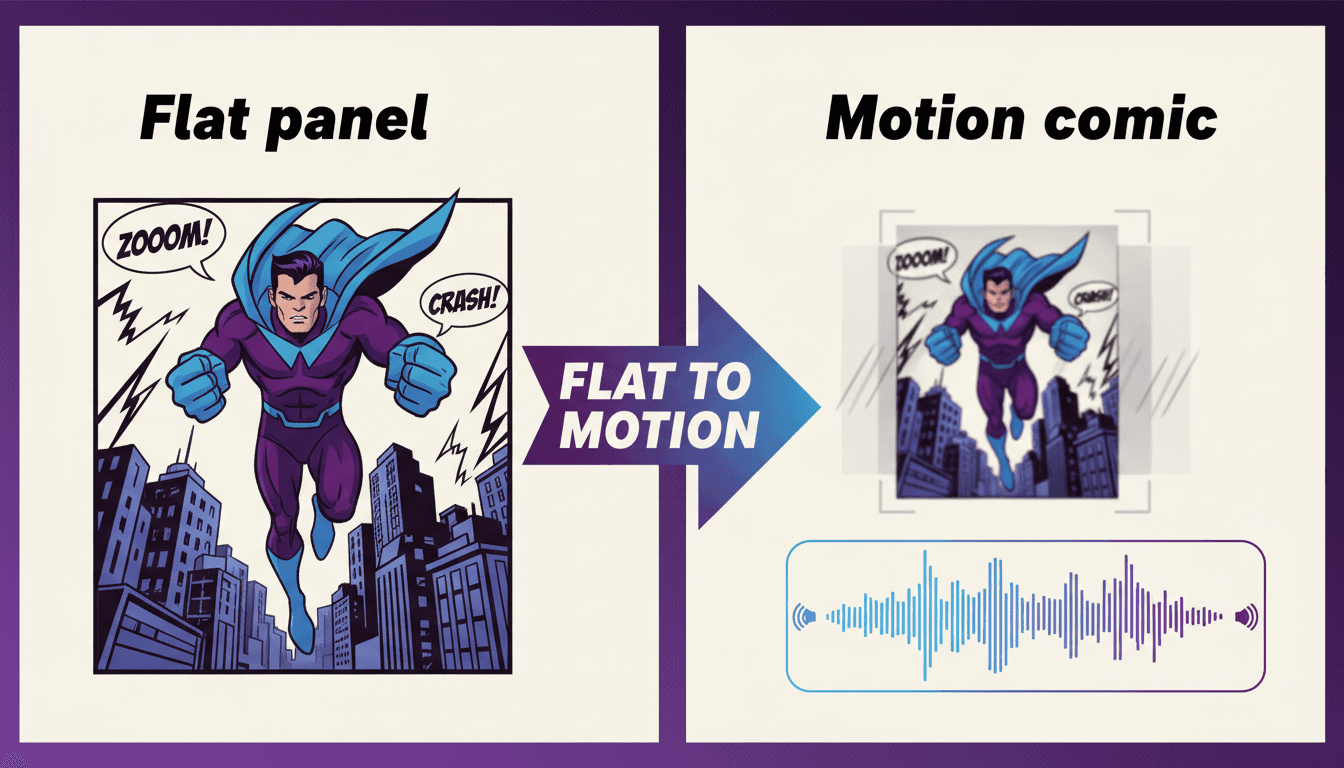
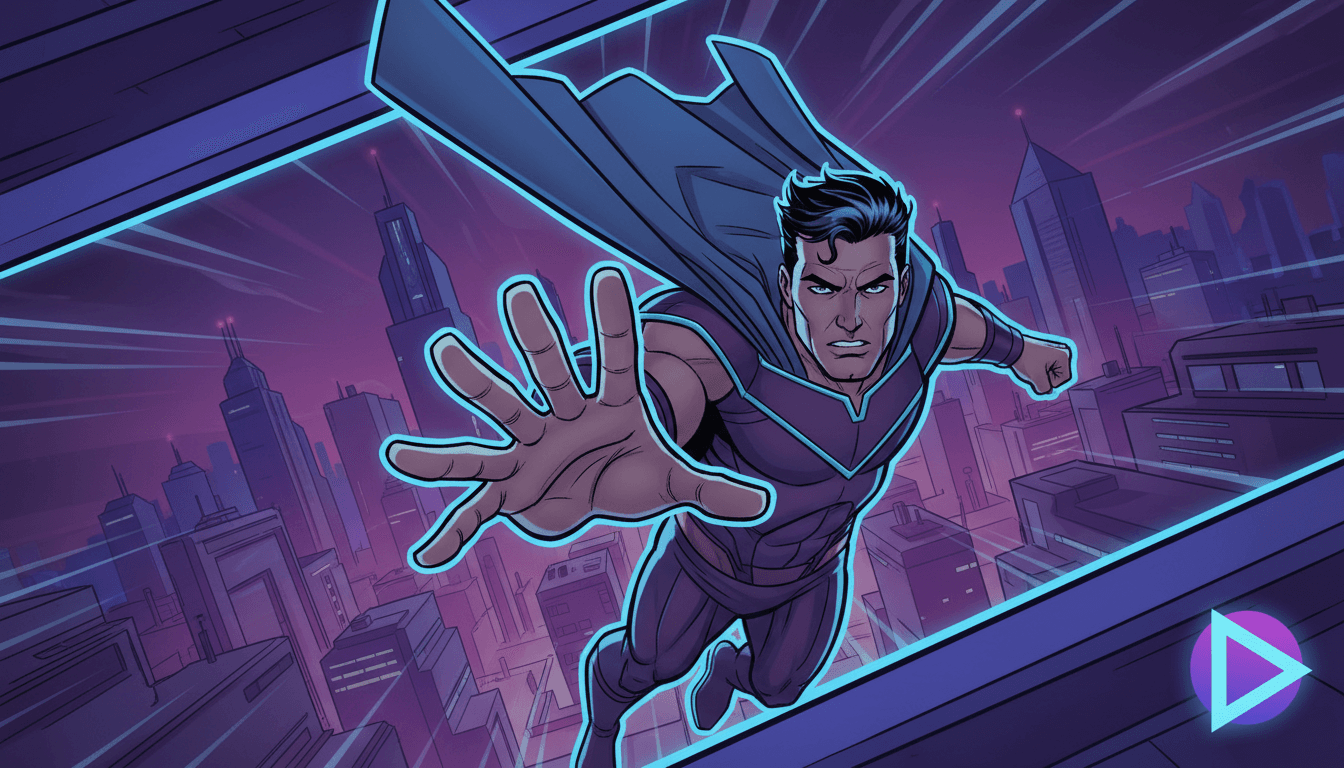
A zoom on a flat image scales everything together and the eye knows instantly. Real depth means the foreground slides further than the background across the same move — that difference is what your brain reads as space.
Planes at different distances
A Move With a Reason
A push-in raises tension, a pan reveals scale, a tilt hides then shows. When every panel gets the same drift the moves stop meaning anything, so each beat is given the move its content asks for.
Chosen per beat
Permission to Stop
Constant motion is exhausting and flattens your best panel into the same texture as the rest. Beats that need weight are allowed to hold perfectly still, which is what makes the moving ones feel like movement.
Stillness as punctuation
What this is not
C2Story does not slice your uploaded artwork into layers and puppet your exact linework. It builds the sequence as a motion comic from the beat up, which is precisely why the depth holds together — planes are composed as separate planes at generation time instead of being cut out of a finished drawing and slid over a hole that has to be painted in. Your script, your characters and your beats carry across, and you can attach up to fourteen reference images per character so the cast is recognisably yours. But if the requirement is that your original pages survive pixel-for-pixel, that is a manual layer pass in After Effects, and it is a genuinely different craft that no generator does for you yet.
Four Moves That Do Almost All the Work
You do not need a hundred effects. Motion comics have run on a small vocabulary for twenty years, and the skill is matching the move to the beat.
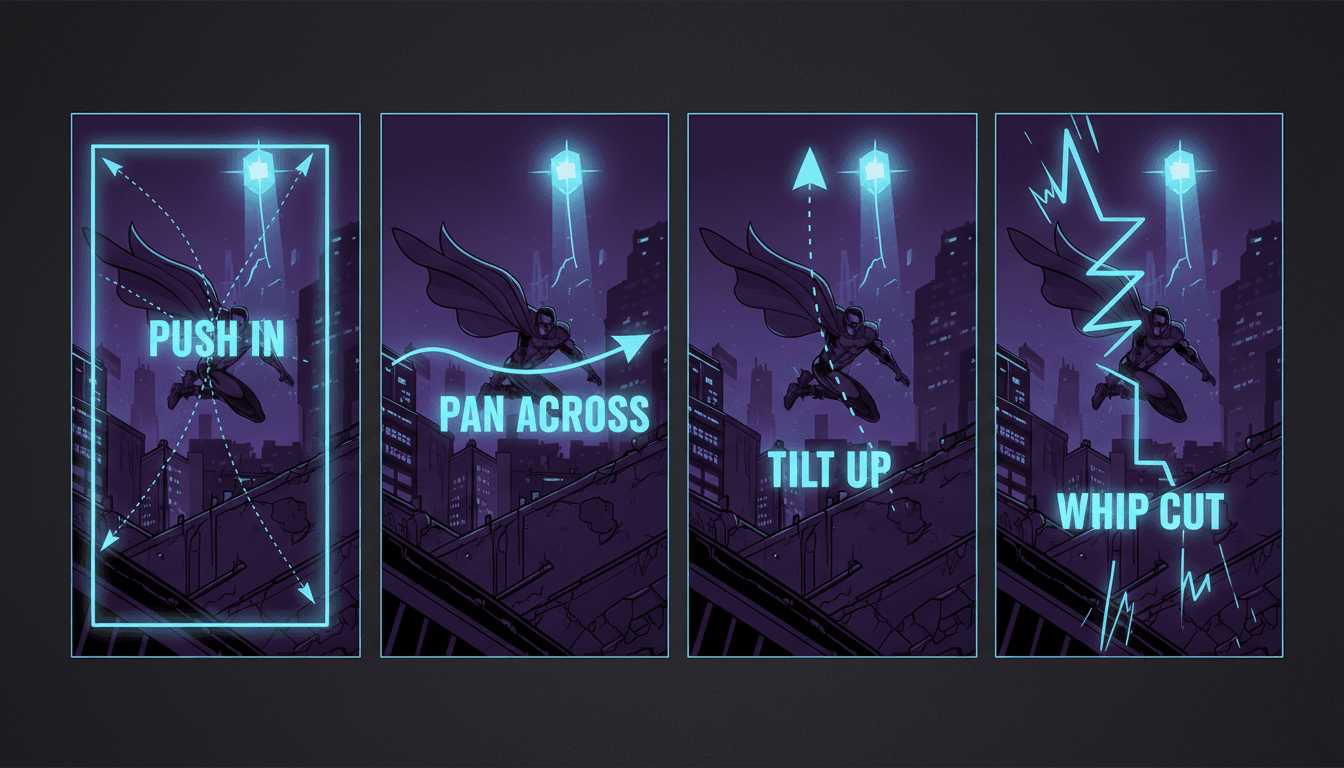
Push In
Tightens on a face or an object as the line lands. The workhorse of every realisation, confession and threat in the medium.
Pan Across
Travels a wide establishing panel so the reader feels its size instead of taking it in at a glance. Best on your biggest drawing.
Tilt Up
Withholds then reveals — the tower, the creature, the thing standing behind them. A cheap trick that has never stopped working.
Whip Cut
A fast smear between two beats for impact and reaction. Used sparingly it is a punch; used constantly it is a headache.
Flat Panel In, Layered Sequence Out
Follow one beat through the motion pass: composed in planes, given a move and a duration, then rendered into whichever shape your platform wants.
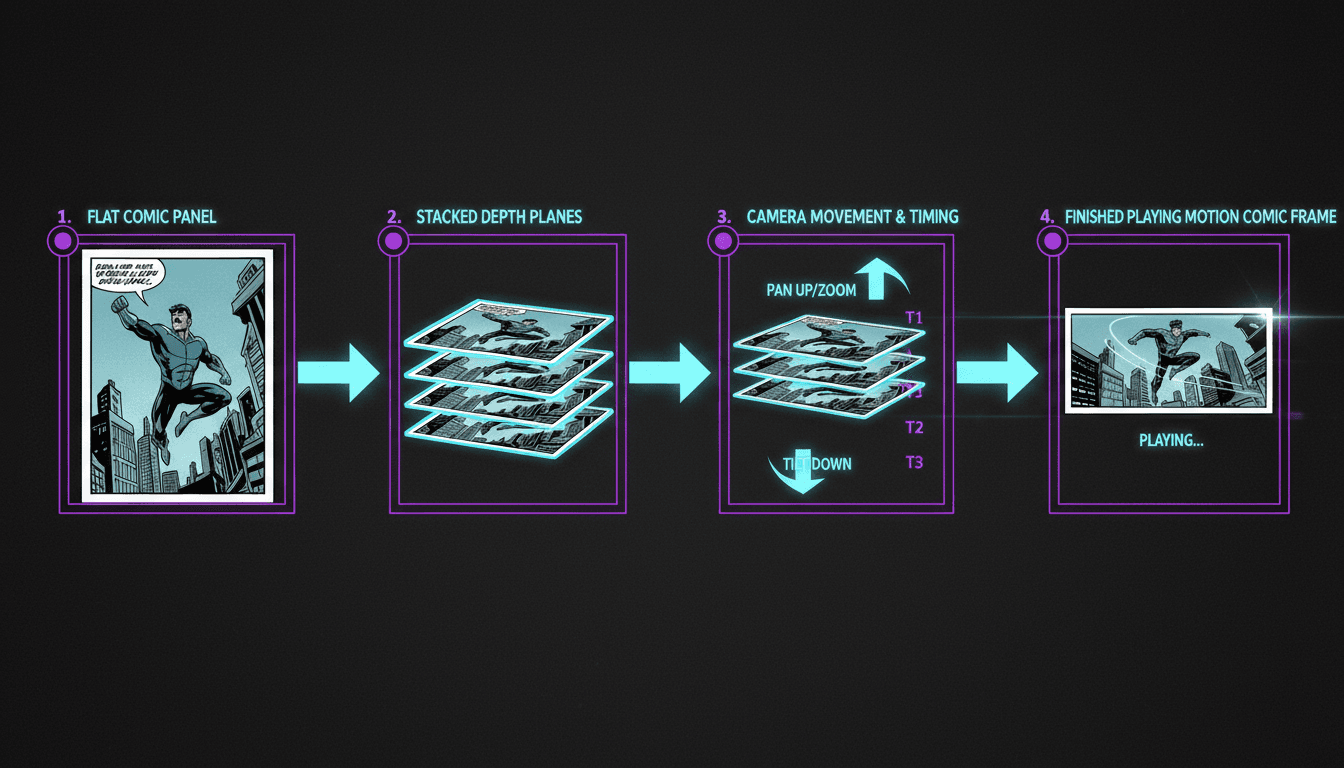
Flat → Layered → Moving
Still Panel vs Motion Comic
Vertical or Widescreen
“A noir detective chapter as a motion comic with slow push-ins on every reveal”
“Turn my superhero origin scene into a motion comic with dramatic parallax”
“A motion comic prologue for my fantasy series, narrated over moving panels”
“My one-shot horror comic with held beats and a whip cut on the scare”
“A vertical motion comic teaser for the new issue announcement”
“A sci-fi cold open as a motion comic with layered depth on the ship interior”
Sequences Worth Putting in Motion
Motion comics are strongest on self-contained pieces — the opener, the reveal, the pitch. You rarely need a whole run in motion to get the benefit.
Layers, Camera, Cast, Voices, Cut
What gets separated, what moves through it, who stays on model, what gets spoken, and how long each beat holds — in whichever of 45+ art styles matches your book.
The Layers
Depth, Not Flat
The Camera
Push, Pan, Hold
The Cast
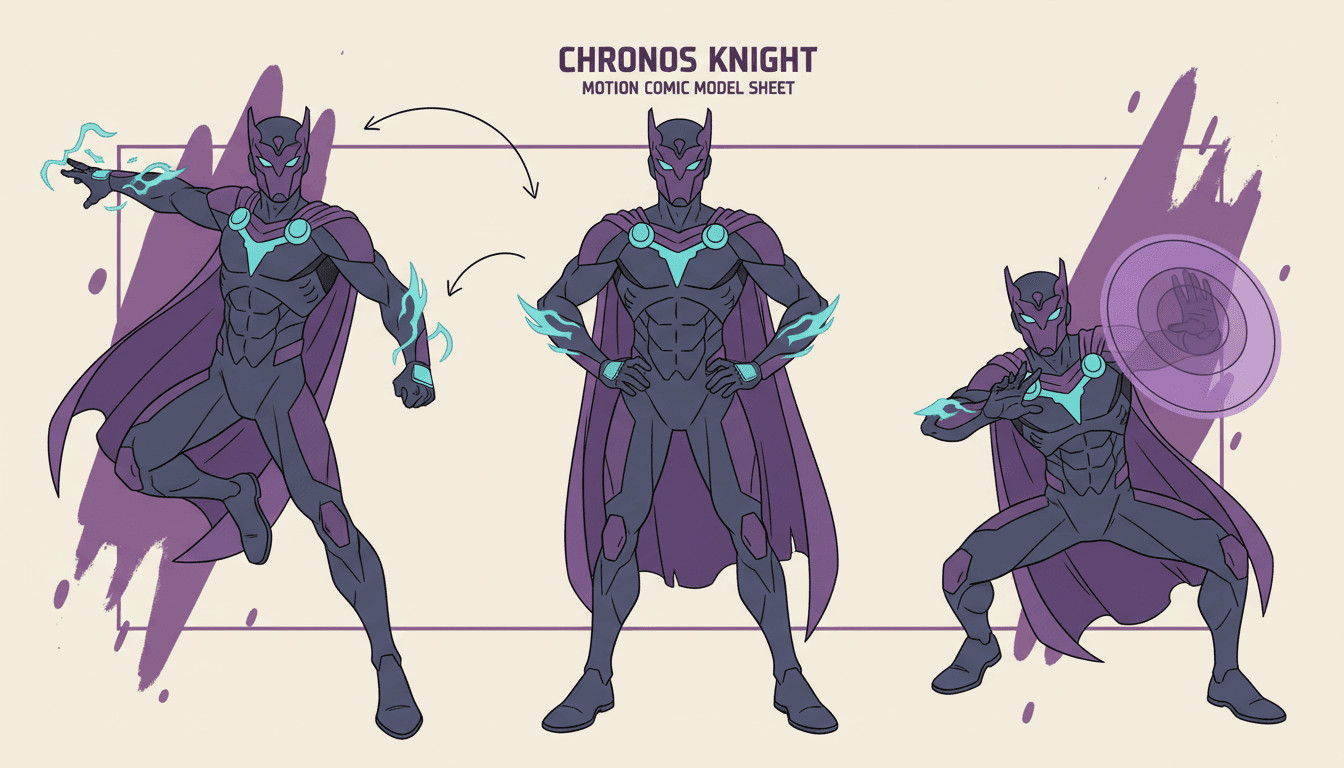
Locked On Model
The Voices
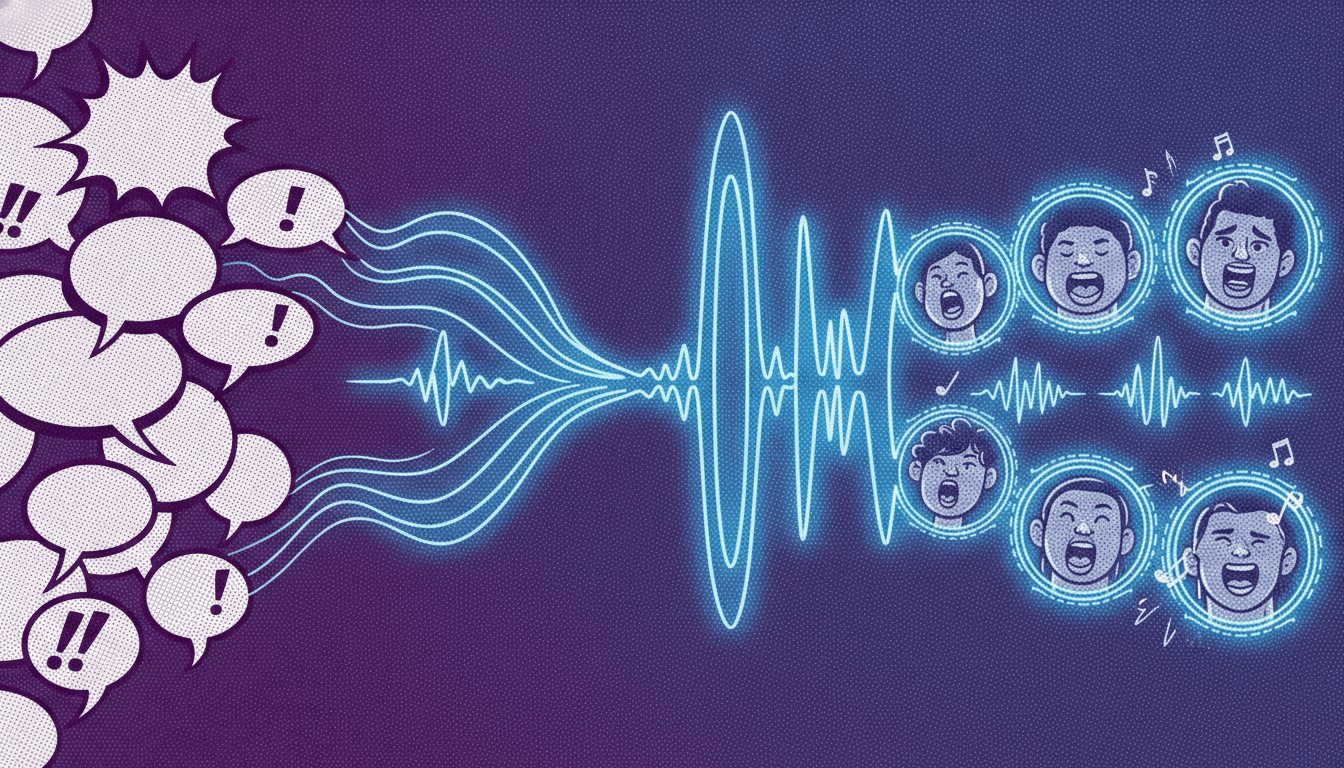
Bubbles Spoken
The Cut
Timed to the Beat
Match your book’s look with 45+ art styles including Comic, Manga, Anime, Cinematic and Noir.
What the Generator Handles For You
The six jobs that normally take a compositor, a voice director and an editor — each one handled without a timeline.
Panels Staged in Depth
Each beat is composed with a foreground, a midground and a background that sit at different distances, so when the camera moves they slide at different speeds. That separation is the whole trick — it is what makes a drawing read as a space rather than a picture.
Real Camera Language
Push in on a realisation, pan across an establishing shot, tilt up to reveal the thing above them, whip to the reaction. Motion comics live or die on which move lands on which beat, and every shot gets one chosen for it.
Held Beats
The hardest thing in a motion comic is knowing when to stop moving. Timing follows the dialogue, so a quiet panel gets to sit still and breathe instead of drifting for the sake of looking animated.
Bubbles Become Performance
Dialogue is spoken with a distinct voice per character, and caption boxes become narration over the shot. A motion comic without voice is a slideshow with ambition, which is why this is not an optional extra here.
A Cast That Never Drifts
Save each character once and every shot generates against that locked design. On a still page a wandering face is a nitpick; in a moving sequence the viewer cannot slow down to forgive it, so it reads as a different person.
A Real MP4 Out
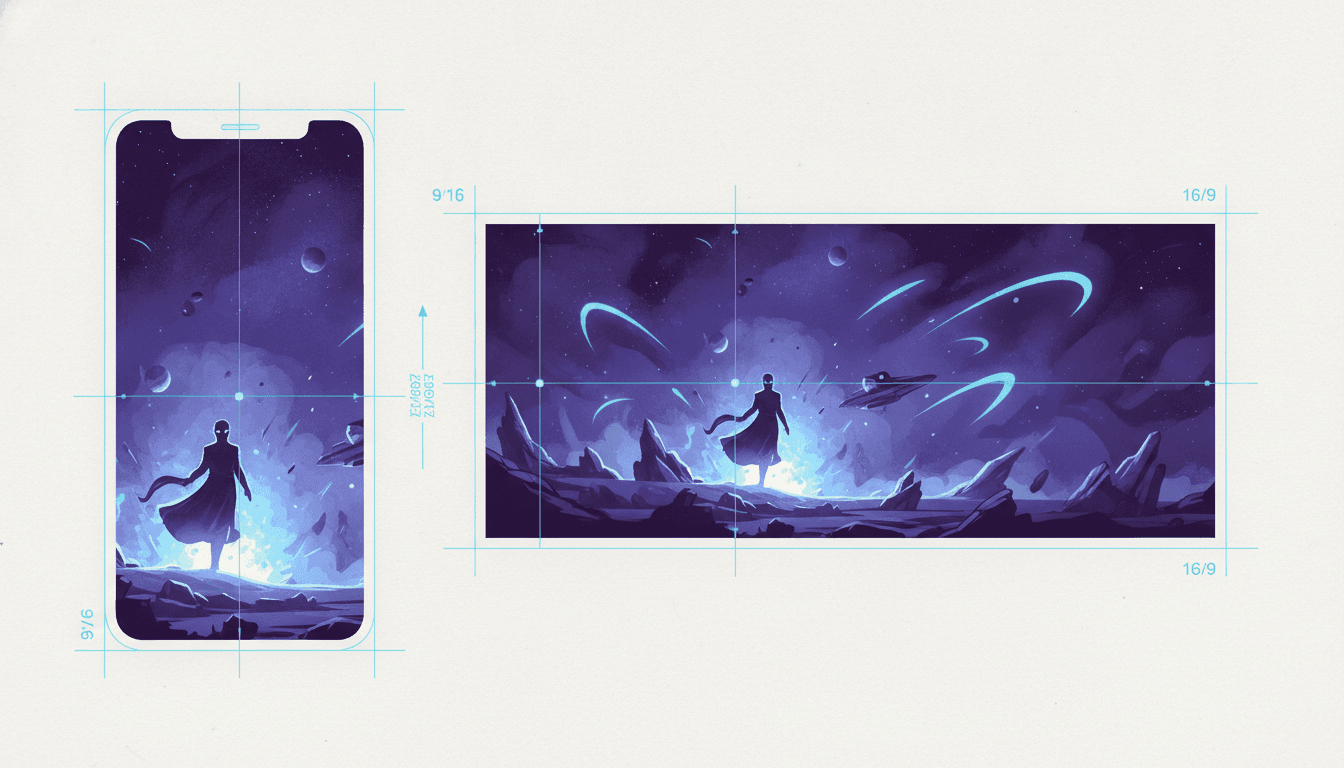
Not a locked web player or an embed — a downloadable video file in vertical 9:16 or widescreen 16:9, ready for YouTube, TikTok, a store page or a festival submission.
Who Makes Motion Comics?
Comic Creators
You can draw and you can stage a page. What you cannot do in an evening is a layered composite with voice acting — so the motion version of your best sequence never gets made.
Motion Designers
You know exactly which move belongs on which beat. The bottleneck is art: enough panels, on model, composed with real depth, before the project is worth starting.
Writers Pitching a Series
A pitch deck asks people to imagine it. A two-minute motion comic prologue shows them, and it costs a weekend instead of an animation budget.
Publishers and Studios
Every title needs a promo asset with more presence than a static gallery. A motion comic cold open is the cheapest thing that still looks like a real production.
Is a Motion Comic Actually What You Want?
This page is for one self-contained sequence made with depth staging and deliberate camera work. Several neighbouring jobs have a better door — and they all share the same character library.
Yes — one sequence, done properly
Bring the beats and take away a layered, voiced motion comic. You’re in the right place.
I’m making a series, not a one-shot
The comic drama generator is built around serialised vertical episodes — recurring cast, cliffhangers, one instalment after another.
My comic is already finished
If the pages exist and you just want a watchable version, the comic-to-video converter starts from your script and cast instead of the beat.
I want pages, not motion
The AI comic creator makes the panels and stops there — right if you publish to a comic platform rather than a feed.
I want actual animation
If characters need to move rather than be moved past, the animated story creator makes an illustrated book plus an animated trailer.
My cast drifts between shots
Pin every design so the same face survives every camera move, in this sequence and the next one.
Widescreen for Depth, Vertical for the Feed
Frame shape changes which camera moves work, so this is a craft decision rather than an export setting. Choose it before you render.
Widescreen 16:9
The traditional home of the form. A wide frame gives a pan somewhere to travel and lets a layered background actually read, so depth staging pays off most here. Right for YouTube, a site embed, a pitch or a festival cut.
Best for depth and pans
Vertical 9:16
For teasers and feed-native promos. It changes the vocabulary — push-ins and tilts carry a tall frame well, pans much less so — so each beat is composed for the vertical rather than cropped into it.
Best for discovery
Frequently Asked Questions
Explore More Story Ideas
Discover more styles, tools, and story types

Farm Stories
Friendly farm animals and barnyard fun
Explore
Scandinavian Folk Books
Naive painted shapes & matte earth tones
Explore
Bedtime Story Generator
Cozy goodnight stories for kids
Explore
Storybird Alternative
Better AI story creation
ExploreMotion Comic Generator — Depth, Camera and Voice on Comic Artwork
A motion comic sits deliberately between a comic and an animated short. The artwork stays comic artwork — drawn panels, comic staging, comic framing — but it is separated into depth layers and moved through with a camera, cut to a soundtrack of voices and music. Characters do not walk; mouths do not lip-sync. That restraint is the form rather than a shortfall of it, and it is why the style has survived twenty years of cheaper animation: it keeps the composed image the audience came for while adding the timing and performance a still page cannot deliver.
The reason most people never make one is that the motion pass is specialist work. Separating a finished drawing into planes means painting back everything the foreground was hiding. Choosing camera moves means knowing why a push-in belongs on a confession and a tilt belongs on a reveal. Then there is casting voices, timing the beats, and holding the whole thing together in a compositing timeline. A motion comic generator collapses that pipeline: C2Story composes each beat with a foreground, midground and background from the start, so the parallax is structural rather than reconstructed after the fact.
Three decisions do most of the work, and they are worth making consciously. Separation, not zoom — scaling a flat image reads as a zoom no matter how slow it is, because everything in frame grows at the same rate; real depth means the near plane travels further than the far one. A move with a reason — when every panel gets the same drift, the moves stop carrying meaning, so each beat is given the move its content actually asks for. And permission to stop — a motion comic that never holds still flattens your best panel into the same texture as the rest, which is why the stillness is what makes the movement land.
Be clear about the boundary. C2Story does not slice your uploaded pages into layers and puppet your exact linework — it rebuilds the sequence as a motion comic, with your script, your characters and your beats newly staged in depth. You can attach up to fourteen reference images per character so the cast on screen is recognisably the one you drew. If preserving your original artwork pixel-for-pixel is the requirement, a manual layer pass in After Effects is the honest answer, and we would rather say that here than let you find out at export.
Ready to stage a sequence? Start with one self-contained piece — a prologue, a cold open, the reveal you are proudest of. Making a serialised run instead? The AI comic drama generator is built around vertical episodes with a recurring cast. Already have finished pages? Comic to video starts from your existing script and cast. Want panels without any motion? Use the AI comic creator, or the AI manga generator for inked black-and-white work. Want characters that genuinely move? The AI animated story creator is the closer fit. And if the cast is what keeps breaking between shots, pin every design with the character consistency tool or open your character library.