
Replace a Book Illustration With Your OwnKept As You Drew It
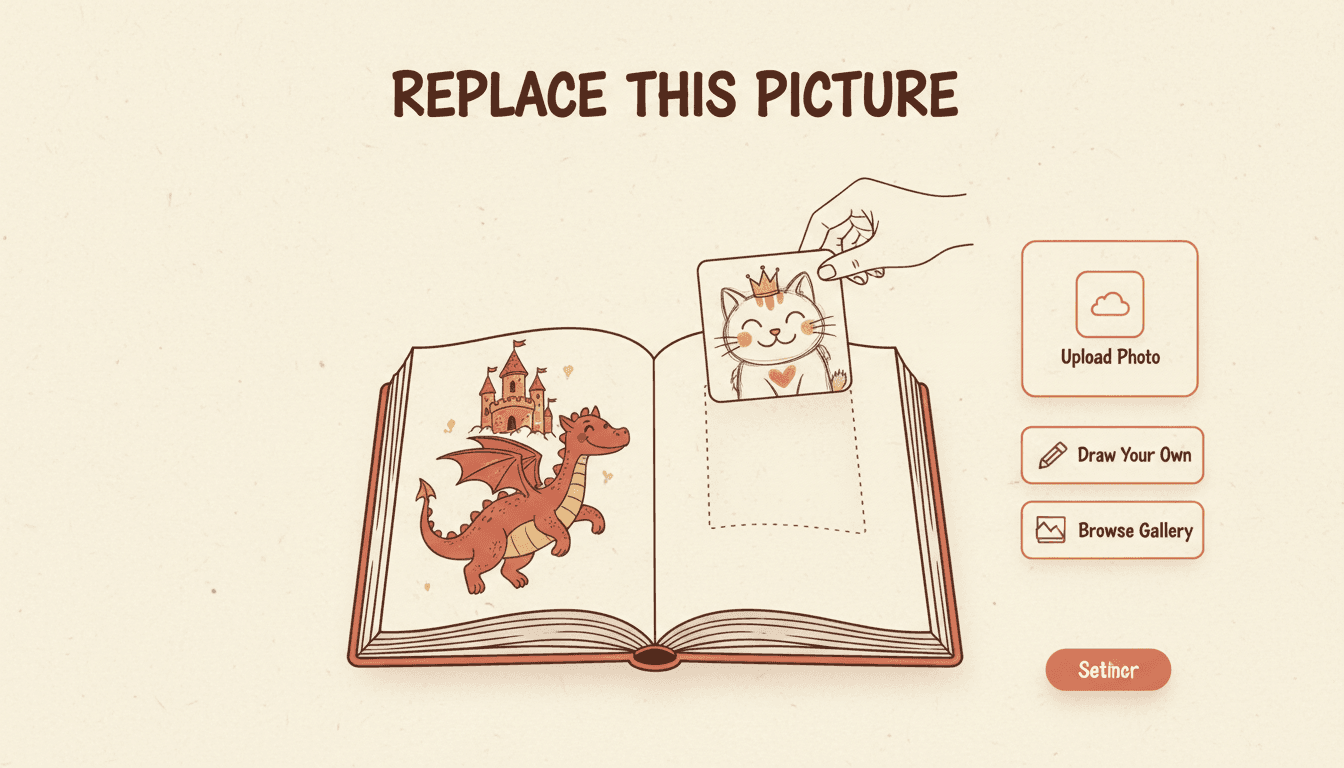
Some pictures already exist — they are just not in the book yet. Drop your own artwork onto any page and it lands exactly as you uploaded it: no model, no redraw, no credit. Or hand it over as a reference and have it painted to match the page beside it.
- Swap any AI illustration for a drawing, scan or photo of your own
- Used as given: same lines, same paper grain, nothing regenerated
- Or redrawn from your reference so it matches the book
- Free — replacing a picture with yours does not spend a credit
250,000+
Stories Created
80,000+
Characters Saved
45+
Art Styles
4.9/5
Creator Rating
How to Replace a Book Illustration
Three steps, and the middle one is the only decision that matters — whether the page ends up with your pixels or the book’s style.
Bring the Picture
Open the page you want to change and upload your image — a scan of a pencil drawing, a watercolour, a photograph, a commissioned illustration you already own. Any image file up to 10MB.
fox-final-inked.png · 4.2MB
Decide Whose Hand Wins
Use it exactly as it is, and the file you uploaded becomes the page. Or hand it over as a reference and let a new illustration be painted from it in the book's style. One keeps your line; the other keeps the book's look.
as given — unchanged · as reference — redrawn
It Lands, and Is Checked
Your picture is copied onto our own storage and written to the page — both the working session and the finished book. If the write cannot be completed you are told so and asked to retry, not congratulated.
page 4 saved ✓ · hosted on our own storage ✓
Replacing is not redrawing, and the difference is your line
Redrawing asks for a new picture and gets one — from the scene, the style guide and your saved character references. Replacing does not ask for a picture at all, because you already have one. The file you uploaded is put on the page as given, and every mark in it is still the mark you made. That is the entire promise of this tool, and it is the one thing an image generator structurally cannot offer you: a page it did not draw. If you want the picture changed rather than swapped, the wider set of moves lives on editing an AI-generated book.
Three Ways to Replace a Book Illustration
People say “use my picture” and mean three different things. Choosing the wrong one is how you end up with a page that is either an eyesore or not yours.
Door one
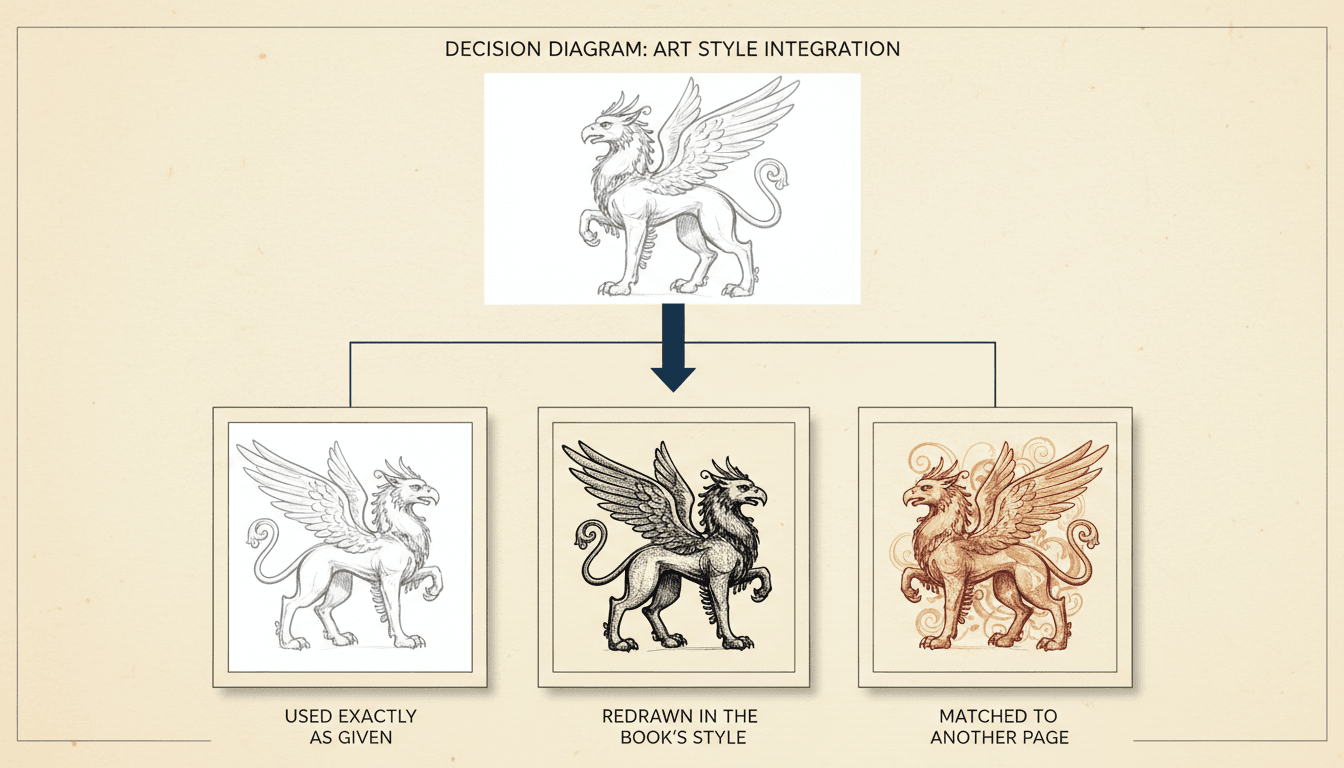
Used Exactly As Given
Your file becomes the page. No model runs, nothing is smoothed or reinterpreted, and no credit is spent. Choose this when the picture is finished and the whole point is that you made it — a cover, a commission, a child's own crayon drawing.
Door two
Redrawn From Yours
Your upload becomes a private reference and a new illustration is painted from it in the book's style. Choose this when the subject is right but the finish is not — a photo of a real house, a rough sketch, artwork in a style the book does not share.
Door three
Matched to Another Page
You do not upload anything. You name a page already in the book and the new picture is drawn using that page as the reference for its setting, light and colour. Choose this when the art has drifted and one existing page is simply the right one.
One Path Keeps Your Own Pixels
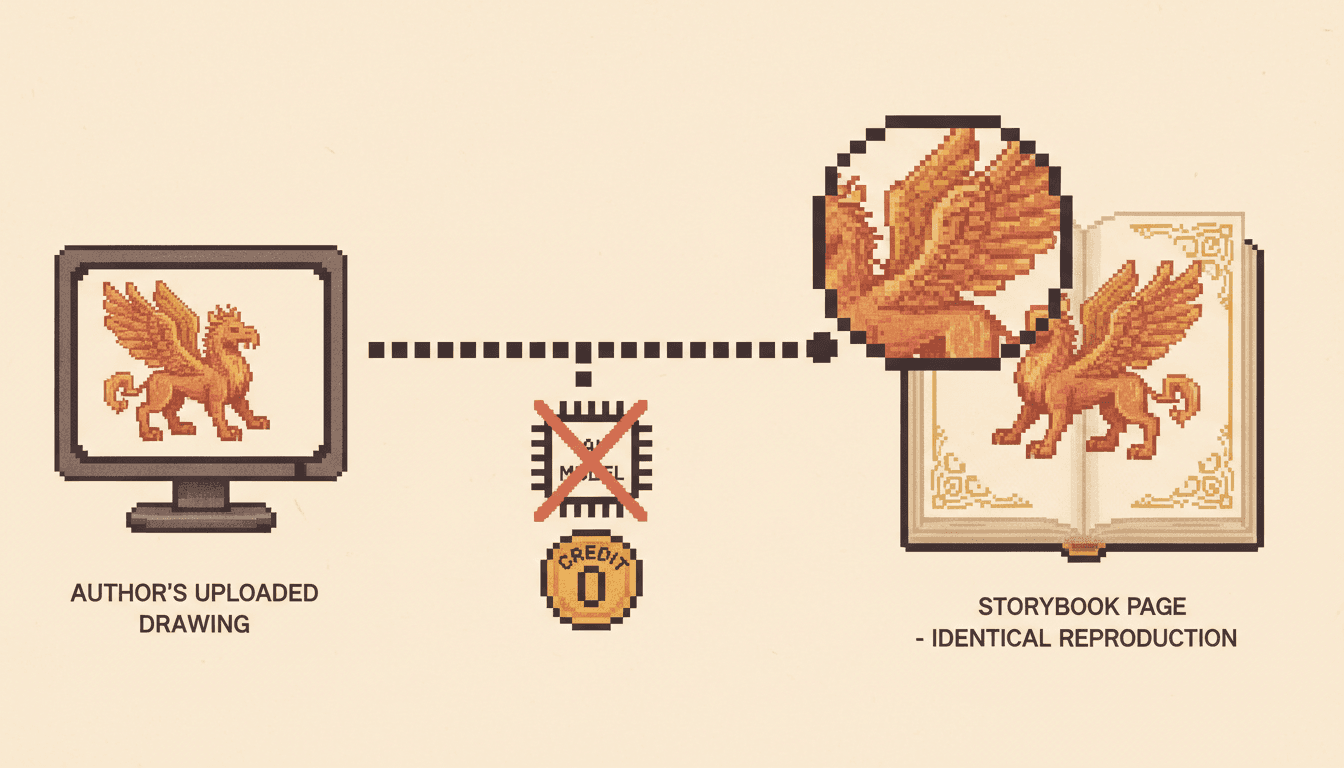
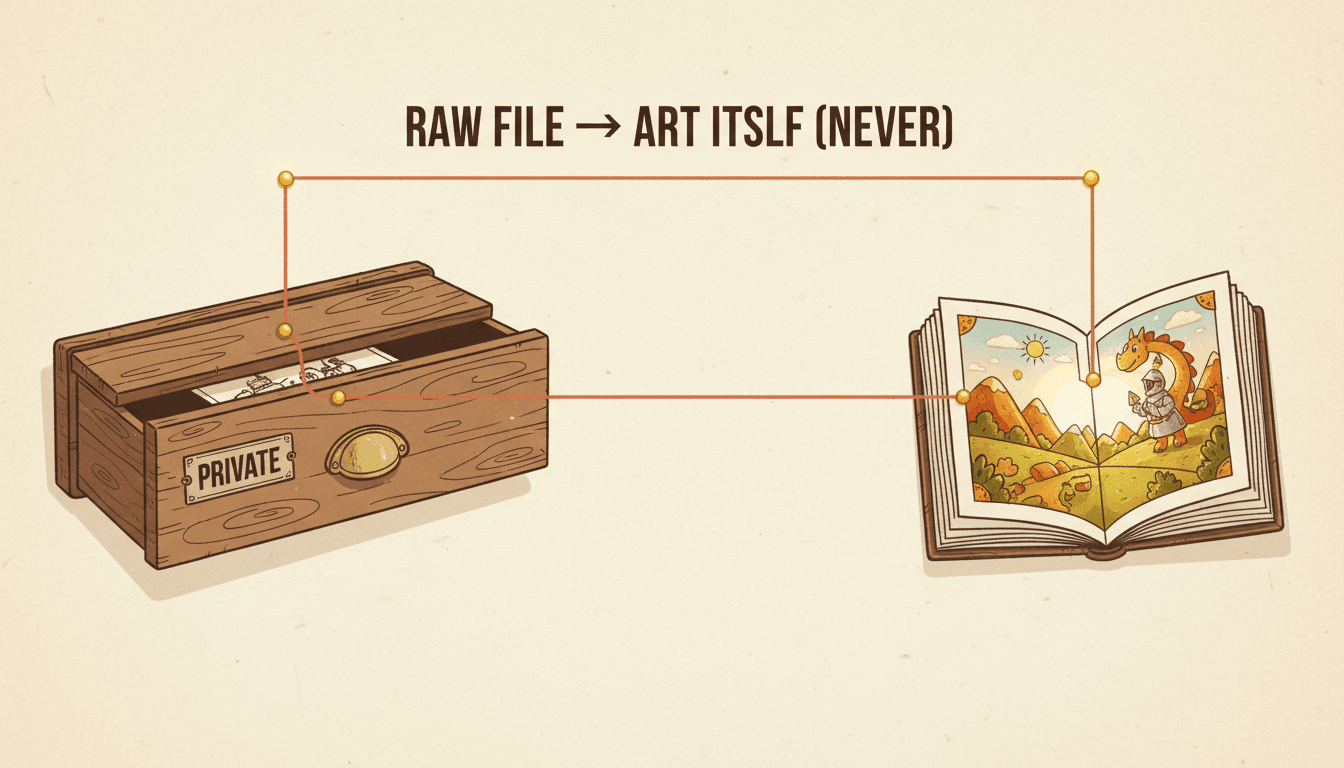
This is the distinction almost nothing makes. Every redraw path in C2Story treats your upload as a reference and paints something new from it. Exactly one path does not: the replace path puts the file you uploaded onto the page as given — same lines, same paper grain, same small imperfection you were fond of. No model is run over it, nothing is smoothed, nothing is reinterpreted.
Using Your Own Art Costs Nothing
Because no picture is generated when you replace a book illustration with your own, no credit is spent. That sounds like a pricing detail and it changes how you work: you can swap a drawing in, read the book, decide you preferred the old one and swap it back, as many times as you like. Only the paths that actually make a new picture ever charge you.
A Reference Stays Private
When you hand a photograph or a sketch over to be redrawn rather than used as-is, the raw file is a private reference and nothing more. The character or the scene is painted in the book's style from it. Your original never becomes the published art and never enters the shared character library. Your photo stays yours — that is the rule, not a setting.
You Can Point Instead of Describing
Half of replacing an illustration is getting the new one to belong next to the old ones. Rather than re-describing your style in adjectives and hoping, you point: name the page whose setting and light the new picture should copy, and that page is sent along as the reference the redraw works from. Pointing at a picture beats describing one, every time.
You Can Mark the Picture Itself
For a change to one part of an illustration, draw on it. Your marks are painted onto a copy of the picture on the server and handed to the model with your instruction, so "this tree, not that one" is a scribble rather than a paragraph. It happens server-side deliberately: the CDN serves no CORS headers, so a browser canvas that touched your picture could never export it again.
Your Picture Cannot Go Missing Later
Anything you bring in that is not already on our own storage is copied onto it before it is written to the page. A book that quietly points at somebody else's server is a book with a hole in it the day that server changes its mind — so we never store a link that could rot, and we never hotlink an image we do not host.
Pictures that only get into a book if you can bring your own
Your Pixels, or the Book’s Style?
Every other route through the product treats an upload as something to learn from. Exactly one route treats it as the answer. Know which one you are on.
Kept As Given
- The exact file you uploaded becomes the page
- No generation, so nothing is reinterpreted
- No credit spent — swap in and out freely
- Best for covers, commissions and real photographs
Redrawn From Yours
- Your upload guides a new picture, in the book’s style
- The original stays private and is never published
- Sits next to the surrounding pages without a seam
- Best for photos, sketches and off-style artwork
A reference is private, and that is a rule rather than a setting
This matters most when the upload is a photograph of a person. Handed over as a reference, the photo is used to paint a character in the book’s illustration style and then it is done — the raw image never becomes the published artwork, and it never enters the shared character library that other people’s stories draw from. What ends up in your book is a drawing of a child who looks like your child, not your child’s photograph pasted into a storybook. If you genuinely want the photograph itself on the page, that is the other door, and you should take it deliberately. The mechanics of keeping that drawn face identical from page to page are the character consistency tool.
Making Your Picture Belong on the Page
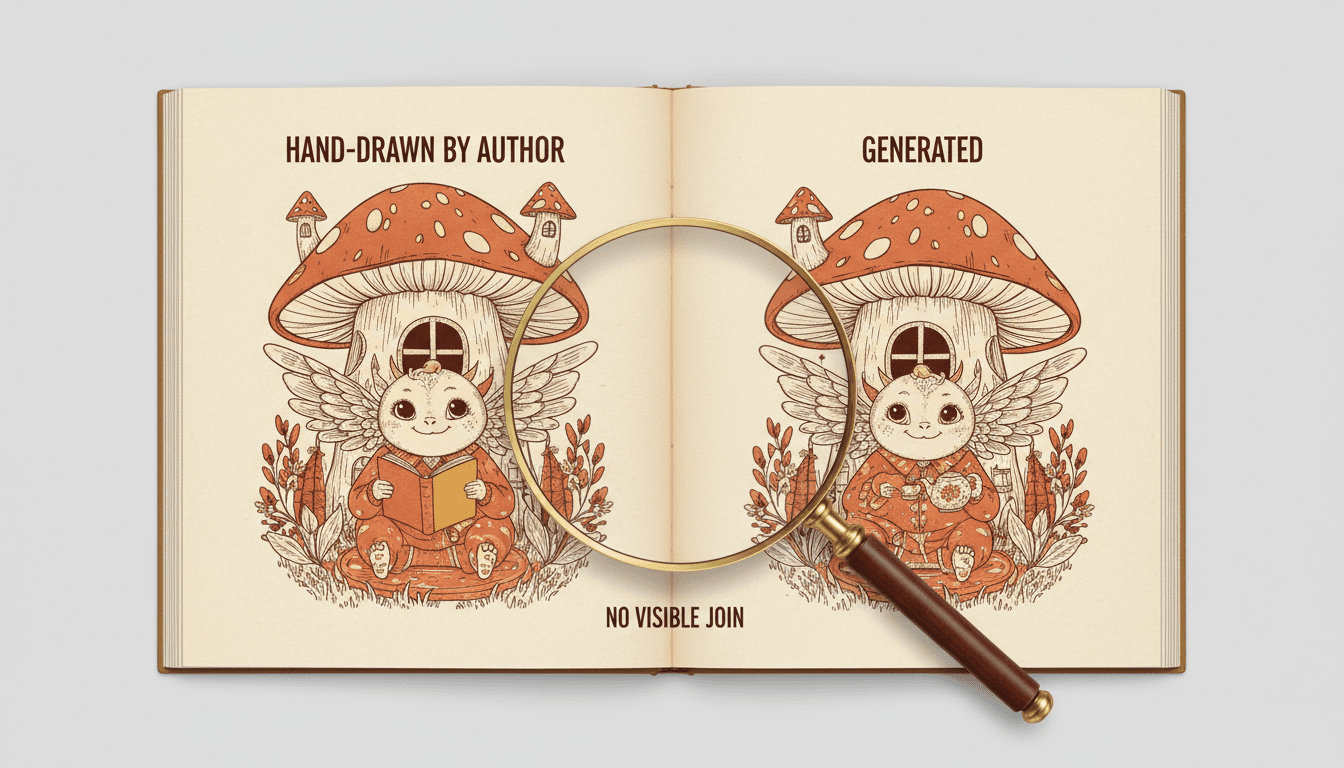
A replaced illustration is only half the job. The other half is the spread it lands in — because a reader sees two pages at once, and a seam between them is the one thing they will notice.
Point at the Page It Should Match
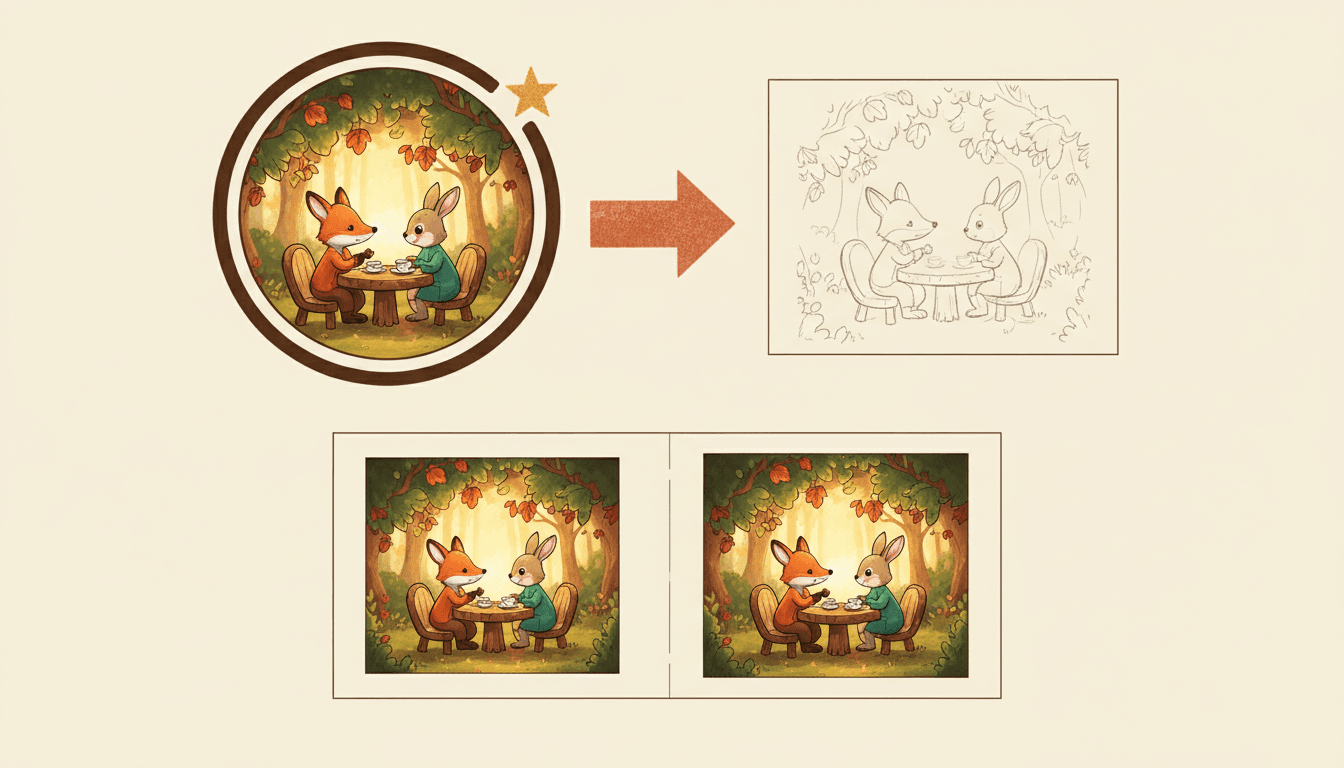
When a new picture has to sit beside an old one, describing the style again in words almost never rescues it — the description was never what drifted. So you point instead: name the page whose setting, light and colour the new illustration should copy, and that page is passed along as the reference the redraw actually works from.
There is deliberately no one-click “copy page two”, because two identical pages are not a book. What you get is the same room at the same hour in the same palette, with something different happening in it.
Or Draw on the Picture and Say What You Mean
Often you do not want to replace a book illustration at all — you want one thing in it changed. Scribble over the part you mean and type the instruction. Your marks are painted onto a copy of the picture and handed to the illustrator together with your words, so “this tree, not that one” costs you a circle rather than a paragraph.
That compositing happens on the server on purpose: our image host sends no cross-origin headers, so a drawing canvas in your browser that touched the picture would be permanently tainted and could never export the result at all.
One Drawing Can Set the Cast for the Whole Book
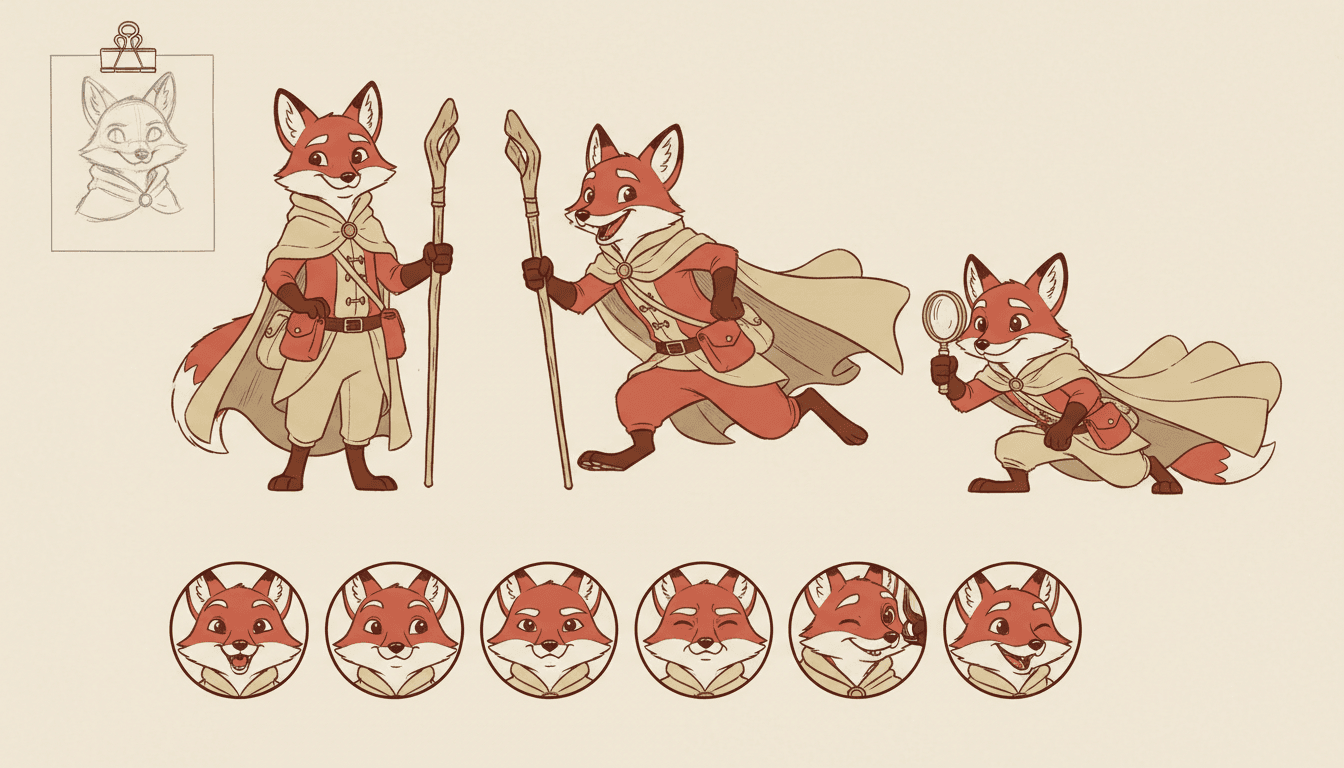
The highest-leverage upload is rarely a page. It is a character. Bring your own drawing of the fox, hand it over as a reference, and the fox that gets painted from it becomes the saved reference every later page draws from — so you are not replacing twelve illustrations, you are replacing the thing twelve illustrations are made out of.
Your original sketch stays private and stays yours. What the book uses is the illustration painted from it, held steady across every page the character appears on.
What Happens to the File You Upload
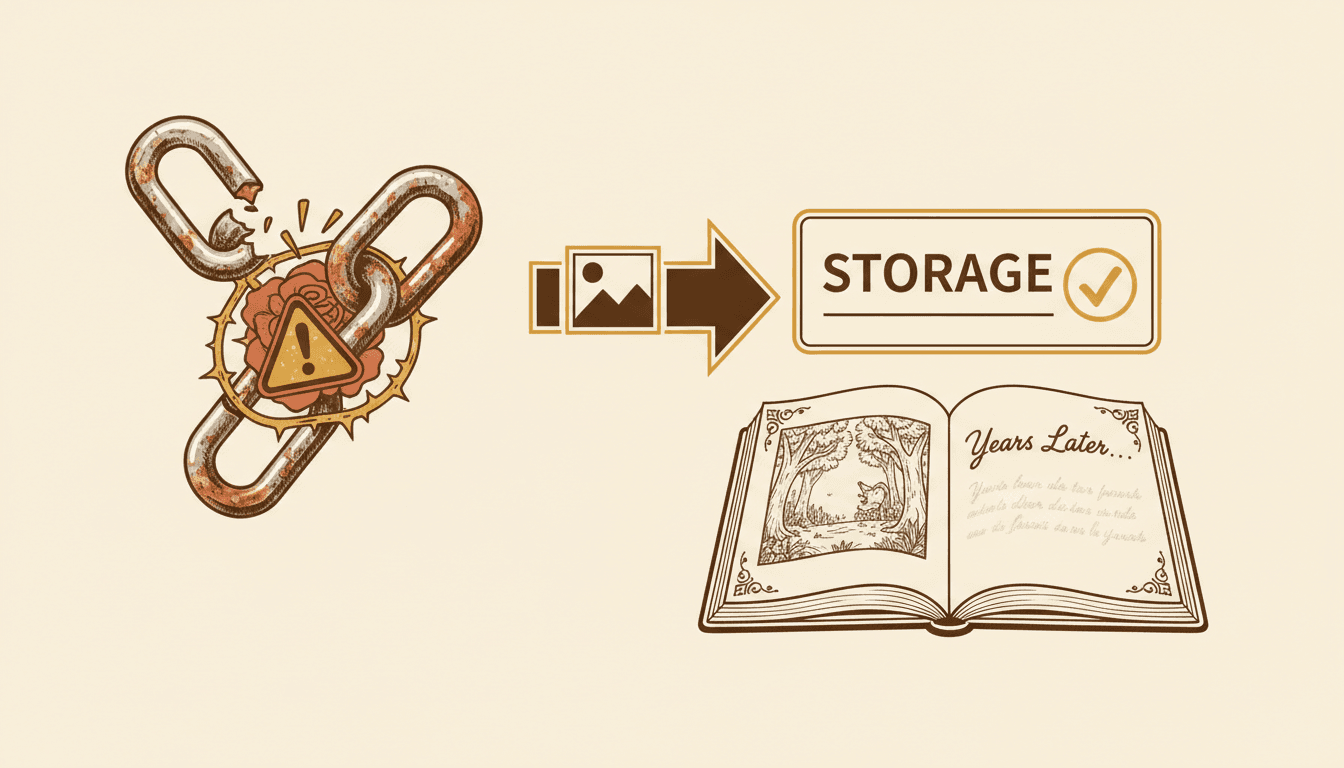
A picture on a page is really a link to a picture somewhere. Which somewhere is not a technicality — it decides whether your book still has its pictures in three years.
Copied
Never a Borrowed Link
Anything you bring in that is not already on our own storage is copied onto it before the page is written. A book that points at somebody else's server is a book with a hole in it the day that server changes its mind — and hotlinking an image we do not host is not something we are willing to do to whoever does host it.
Yours
Stored Under Your Account
Uploads are filed under your own account rather than tipped into a shared pool, with a name that will not collide with anyone else's. Any image file up to 10MB is accepted — enough for a high-resolution scan of a physical drawing, which is the case it was sized for. Non-images are refused at the door.
Confirmed
Written, or Told You It Failed
The replacement is written to the page in the working session and to the finished book, whichever exist. If none of those writes can be completed, the operation fails with a plain message asking you to try again — rather than reporting success for a picture that is not actually on the page.
Who actually replaces illustrations, and why
The cover, the reveal spread, the character’s first appearance — drawn by hand, because those are the pages the book is judged on. The fifteen connective pages in between are generated, and nobody buys a picture book for page nine.
The seam is the risk, and pointing at your own page as the one to match is how you close it.
A photograph of the actual house. A child’s own crayon drawing of the dog, kept as a crayon drawing on its own page. A grandparent’s watercolour scanned in at the front.
These are the pages the book gets kept for, and they only exist if a tool is willing not to redraw them.
Both groups want the same unusual thing from an AI tool: the discipline to leave a picture alone. If you are making a keepsake rather than a product, the family memory book page is the better starting point.
What Swapping an Illustration Sounds Like
No layers, no export settings, no re-uploading the whole book. One page, one picture, one sentence about what should happen to it.
Three Doors
Your Pixels Kept
Before and After
“Use my drawing on page 4 exactly as it is”
“Here is my sketch — redraw page 4 from it, in the book's style”
“Make page 9 look like page 2, same light and the same room”
“Keep my cover, redraw the twelve pages behind it to match”
“Here is a photo of our actual house — put it in the story”
“Circle the tree and draw my version of it in that spot”
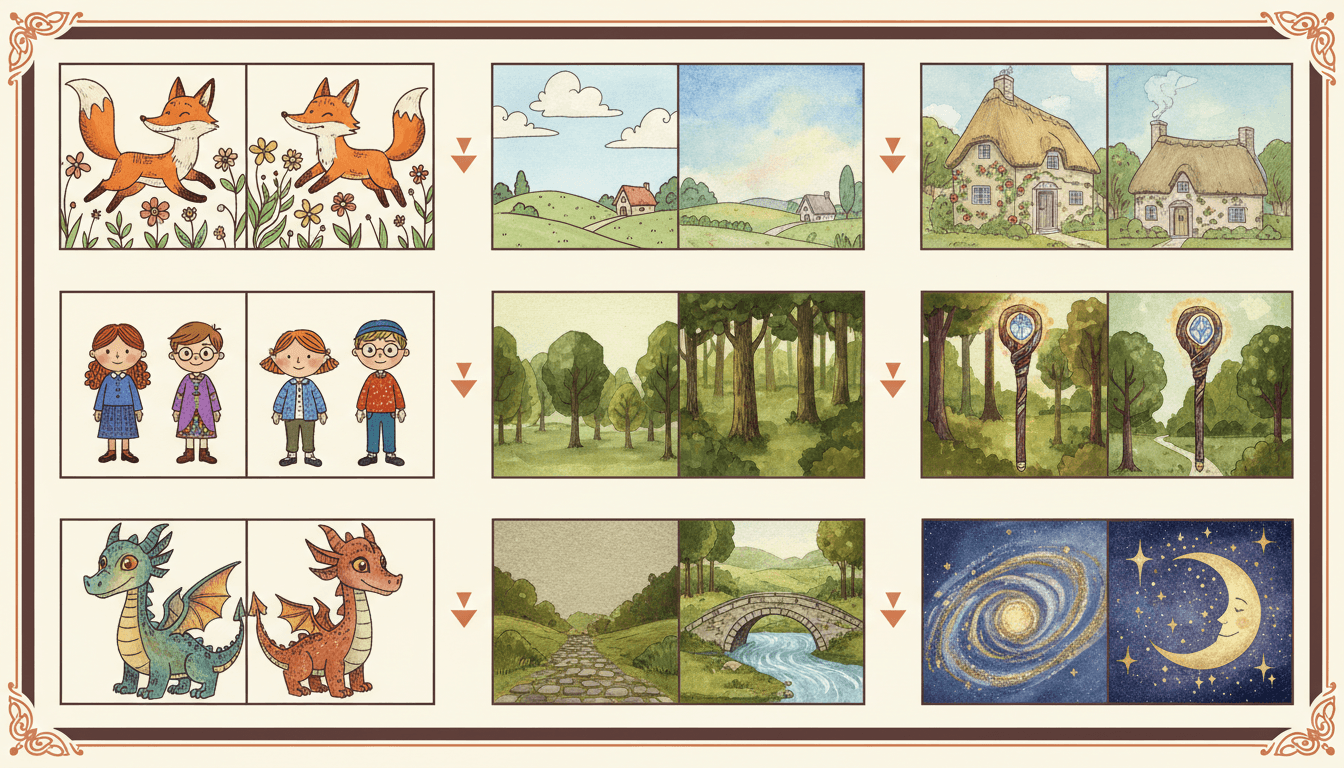
As Given
Your pixels, untouched
As Reference
Redrawn to match
The Anchor
Copy that page
The Rehost
A link that cannot rot
The Seam
No visible join
What Replacing an Illustration Will Not Do
The edges, said plainly. A tool that claims it can absorb any picture into any book is a tool that is about to redraw something you loved.
A Link Is Not a File
If your artwork lives on another site, pasting the address will not do. Bring the image itself. Everything that ends up on a page is copied onto our own storage first, precisely so the book cannot lose its pictures later — and that copy has to start from a file you actually hand over.
Your Picture Keeps Its Own Shape
Used as given, your image is put on the page as it is — it is not recomposed, recropped or extended to fill a different aspect ratio. A tall scan on a wide page will sit as a tall picture. If you want it reshaped to the page, that is a redraw from your reference, not a replacement.
Redraws Still Cost Credits
Putting your own picture on a page is free because no picture is made. The moment you ask for one to be painted — from your reference, to match another page, or as a character portrait — a picture is being generated and that costs credits. The free door and the paid door are both on this page; pick knowingly.
A Mixed Book Can Still Look Mixed
Nothing guarantees a hand-inked page and a generated page look like siblings, and pretending otherwise would be dishonest. The tools that close the gap are real — hand your art over as the reference, name your page as the one to match — but on a book with very distinctive line work, expect to spend some effort on the seam.
Images Only, Up to 10MB
A PDF of your portfolio, a layered working file or a 40MB print-resolution master will not upload. Export a flattened image first. Ten megabytes is generous for a scan of a physical drawing, which is the case this was sized around, but it is a real ceiling rather than a soft one.
One Page at a Time
A replacement is aimed at a page. There is no bulk import that drops a folder of thirty finished illustrations onto thirty pages in order — and given what a mis-ordered bulk import would do to a book, the deliberate version is the safer one. If your pictures are already all made, you may want the manuscript route rather than this one.
None of these are discovered at the end. A file that cannot be taken is refused at the moment you offer it, which is the only version of a limit that is any use to you.
Is Swapping a Picture the Part You Need?
This page is for people who already have a picture and want it in the book. If you pictured something else, one of these starts closer to where you are — and they all share the same saved characters.
Yes — put my picture on the page
Start here. Upload your drawing, choose whether it is kept as given or redrawn from, and see it on the page.
I want the picture changed, not swapped
Rewrite a page, redraw one illustration or correct a character everywhere — the full set of changes to a book you already made.
My words are done, the pictures are not
Bring a finished manuscript and get the illustrations made for it, rather than swapping ones that already exist.
My character keeps changing faces
Lock each design once from a reference and have every page draw from it instead of guessing again.
I keep losing track of who is who
Pin looks, names and history into one reusable record so book three still agrees with book one.
Only the cover is the problem
A cover has its own rules — title, type and one image that still reads at thumbnail size.
Show me the shots before it renders
See the book as a board you can rearrange, so there is less to replace once the pictures exist.
I have a manuscript, not a picture
Paste or upload a long text and have it broken into illustrated pages from the start.
I do not have a book yet
Make the illustrated book first. Everything on this page is waiting for you afterwards.
Turn the finished book into a video
A narrated watch-along built from the spreads you have already settled on.
Should I draw it or generate it?
The honest comparison of cost, control and time between hiring an illustrator and generating the art.
Show me everything else
The full tool shelf — generators, converters and editors, all working off one saved character library.
Frequently Asked Questions
Explore More Story Ideas
Discover more styles, tools, and story types
Adventure Stories
Thrilling quests and discoveries
Explore
Essay Manga Picture Books
Quiet diary vignettes of an ordinary day
Explore
Bedtime Stories for Anxious Kids
Calming tales that soothe worries
Explore
Midjourney vs C2Story
Stories, not just images
ExploreReplace a Book Illustration Without Giving Up Your Own Hand
There is a moment that catches almost every illustrated book made with AI. The story is right, eleven of the twelve pictures are fine, and the twelfth is a picture you already have — a drawing you made, a photograph of the real house, a commission you paid for two years ago, your daughter’s crayon dog. You do not want the tool to invent something like it. You want that. And almost every AI book tool, asked for that, will helpfully redraw it for you, because generating pictures is the only verb it knows. To replace a book illustration in the way people actually mean is to ask a generator to do the one thing it was not built for: leave a picture alone.
So C2Story has a path that does exactly that. Your file is copied onto our storage and written straight onto the page — no model is run over it, nothing is smoothed, upscaled or reinterpreted, and no credit is spent. What arrives on the page is the file you uploaded: the same line weight, the same paper grain in the scan, the same small imperfection you were secretly fond of. Every other route through the product treats an upload as a reference to learn from. This is the only one that treats it as the answer, and the internal note on it is blunt about why it exists: the redraw paths always repaint an upload in the book’s style, and this is the one path that keeps the author’s own pixels.
The other door is the one most people want for photographs, and it is genuinely a different product rather than a setting. Hand your image over as a reference and a new illustration is painted from it in the book’s own style: a character who really looks like your child, a cottage that really is your cottage, drawn rather than pasted. In that mode your original is private guidance and nothing else. It never becomes the published artwork and it never enters the shared character library that other people’s stories draw from. Your photo stays yours. Knowing which of the two doors you are walking through is the whole skill of this page — one keeps your hand, the other keeps the book’s look, and you choose per page rather than per book.
Which brings up the real difficulty with a mixed book, which is not the swap but the spread. A reader sees two pages at once, so an obviously hand-inked page beside an obviously generated one announces itself. There are two honest tools for that seam. The first is to let your own work be the teacher: hand your art over as the reference, and the pages painted from it inherit its palette and finish. The second is pointing. When a new picture is drawn you can name another page in the book as the reference for its setting, light and colour, and that page is sent along with the instruction — so “make it like page two” is carried by page two itself rather than by your description of it. There is no one-click copy of a page, deliberately, because two identical pages are not a book. You get the same room at the same hour in the same palette, with something different happening in it.
Often, though, you do not want to swap a picture at all — you want one thing in it changed. For that you can draw on the illustration. Scribble over the part you mean, type the instruction, and your marks are painted onto a copy of the picture and handed to the illustrator together with your words, so “this tree, not that one” costs a circle instead of a paragraph. That compositing runs on our servers rather than in your browser for a very specific reason: our image host sends no cross-origin headers, so a drawing canvas that had touched your picture would be permanently tainted and could never export anything again. Small, invisible, and the difference between a mark-up tool that works and one that silently breaks the moment you try to save.
The highest-leverage thing to replace is usually not a page at all. It is a character. Upload your own drawing of the fox, let the fox be painted from it, and that painting becomes the saved reference every later page draws from — so instead of swapping twelve illustrations you have swapped the thing twelve illustrations are made out of. Holding that design steady from page to page is the job of the character consistency tool, and keeping it steady across a whole series is what an AI character bible is for.
There is one more piece of care worth naming, because it decides whether your book still has its pictures in three years. Anything you bring in that is not already hosted by us is copied onto our own storage before the page is written. We never store a link that could rot, and we never hotlink an image somebody else is paying to serve. Uploads are filed under your own account, any image file up to 10MB is accepted — generous for a high-resolution scan of a physical drawing, which is the case it was sized around — and anything that is not an image is refused at the door rather than accepted and failing quietly later. The write itself is confirmed too: the picture is saved to the page in the working session and to the finished book, and if none of those writes can be completed you get a plain error and a retry instead of a cheerful message about a change that never happened.
The limits are worth having in front of you. A link is not a file, so bring the image rather than its address. Used as given, your picture keeps its own shape and is not recropped or extended to fill a different page ratio. Replacing costs nothing, but every path that actually paints something — a redraw from your reference, a page matched to another, a portrait rebuilt — makes a picture and therefore costs credits. And nothing can promise that a hand-inked page and a generated one will look like siblings; the tools that close that gap are real and they are not magic. Replacements are aimed one page at a time, with no bulk folder import, which is slower and considerably harder to get catastrophically wrong.
Ready to swap an AI illustration for one of your own? Open the book, pick the page, and upload the picture you already have. If the words are finished but the pictures are not, start at illustrate my story; if you have a long manuscript instead, upload the novel and have it broken into pages first. If what you actually want is the picture changed rather than exchanged, the full set of moves is on editing an AI-generated book, and if only the cover is wrong, the AI book cover generator is its own problem with its own rules. Still weighing up whether to draw it yourself at all? The honest version of that comparison is AI versus human illustration. Or open your character library, bring your own drawing of someone in it, and let the rest of the book follow your hand.