
The Chapter Book IllustratorPictures Where the Chapter Needs Them
Illustrate a long book one chapter at a time, with one cast carried the whole way through. A chapter book is not a picture book with more words — so the real question is how many pictures this chapter needs, and which paragraph each one belongs to.
- One density control: Auto, or pin 8 / 12 / 16 / 32 / any count to 60
- In Auto, a chapter's real scenes set its picture count — not a template
- Scenes merge down to your number; pictures are never invented to fill it
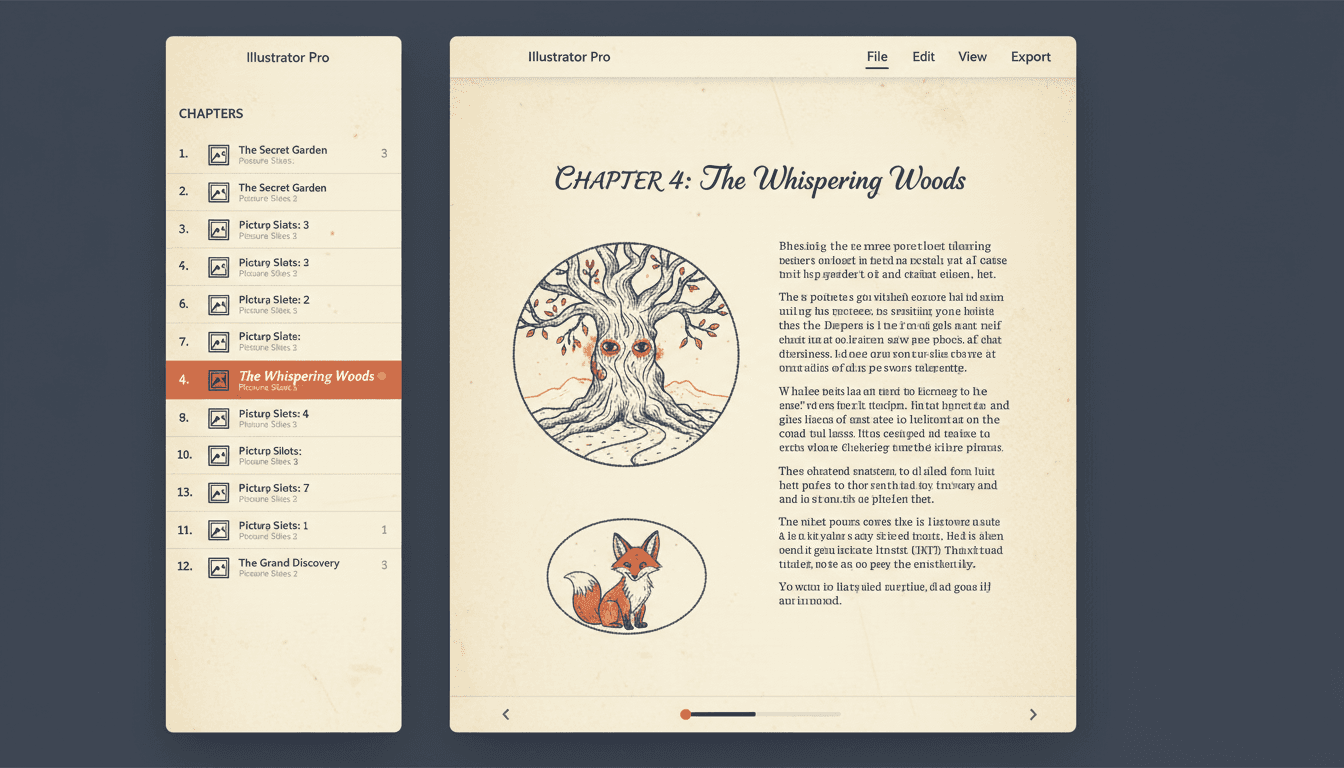
- Every illustration bound to a verbatim piece of the chapter text
250,000+
Stories Created
136
Art Styles
1–60
Pictures Per Chapter
4.9/5
Creator Rating
How a Chapter Book Illustrator Works
Four steps, and the order is the point: the whole book exists as chapters before a single picture is decided on.
Bring the Whole Book
Paste the manuscript or upload a .txt and it is split into chapters, with the original document kept intact so a bad split is never a one-way trip. Or start blank with a title and write the chapters in.
40,000 words → 12 chapters, in order
Set the Density
One setting: pages per chapter. Auto sizes each chapter from its own text between 8 and 32. Or pin 8, 12, 16, 32, or any custom number from 1 to 60 and every chapter gets exactly that.
Auto · or pinned at 4 for a sparse interior
Board One Chapter
The chapter is cut into pictures at its real scene changes, each bound to a verbatim run of the text. You see the cut and the cast of every picture, and can fix it, before any art exists.
5 pictures · each owning its own paragraphs
Brief, Then Draw
Every picture gets a written illustration brief, and that brief is the prompt. With briefs done the chapter hands off to be rendered using the project's saved cast references.
briefs: 5/5 ✓ → render with the book's cast
The chapter is the unit of work — on purpose
Illustrating a long book in one enormous pass is how long books go wrong: the art drifts, the cast redesigns itself around chapter six, and by the end you cannot tell which drawings belong together. So the chapter is the unit. Each one is boarded, briefed and rendered as a piece, while the cast, the style and the density live one level up on the project and do not change underneath you. You can illustrate chapter one tonight and chapter twelve next month and they will still look like the same book. If you would rather see the whole thing laid out as a board first, that is the storyboard from a storybook.
A Chapter Book Is Not a Picture Book With More Words
One has art on every spread by definition. The other has to decide — and that decision is the entire job.
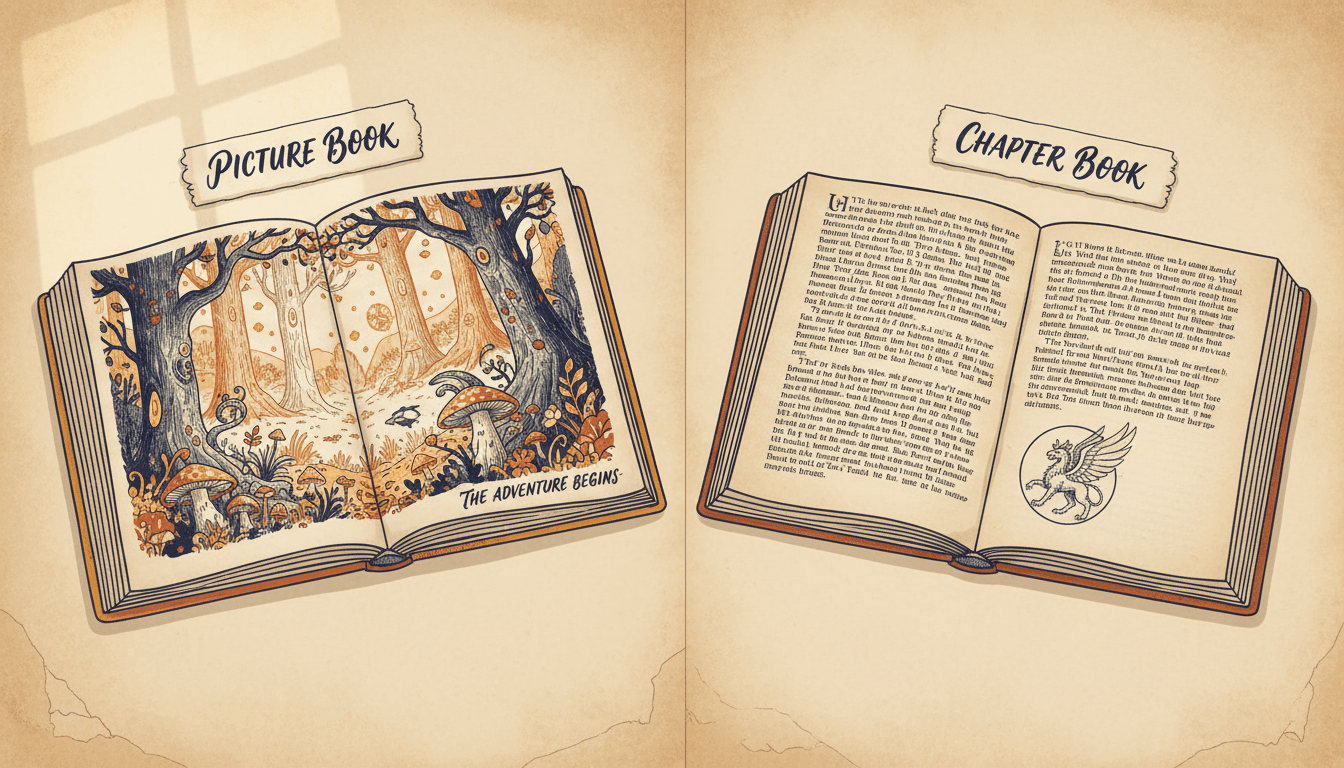
A picture book
- Art on every single spread — that is the format
- A line or two of text per page, carried by the picture
- Density is not a question anyone has to ask
- Converting a chapter into one means cutting the prose down
A chapter book
- Text-led: the prose carries the story, the art punctuates it
- Density is a choice, and it differs chapter to chapter
- Your manuscript survives the process word for word
- Consistency has to hold over tens of thousands of words
Which one do you actually want?
The giveaway is the reader, not the manuscript. A five-year-old being read to needs the conversion: the chapter becomes a picture book, the prose comes down to a line a page, and the art does the work. That is what the chapter to storybook converter and novel to picture book are for, and there is nothing second-rate about it — for that audience it is the right book.
A nine-year-old reading to themselves needs the opposite. They want your sentences, all of them, with pictures that reward the reading rather than replacing it. That is chapter book illustration, and it is a density problem before it is an art problem. If you are not sure, illustrate one chapter both ways and read them side by side — it takes an evening and settles the argument permanently.
Density Is the Setting That Matters
One project-level control decides everything about how illustrated your book is: pages per chapter. Auto lets each chapter be sized from its own text. Or pin a number — 8, 12, 16, 32, or any custom count from 1 to 60 — and every chapter gets exactly that. This is the only dial you have to think about, and it is the one that separates a densely illustrated early reader from a middle-grade novel with a drawing at the head of each chapter.
In Auto, the Scenes Decide
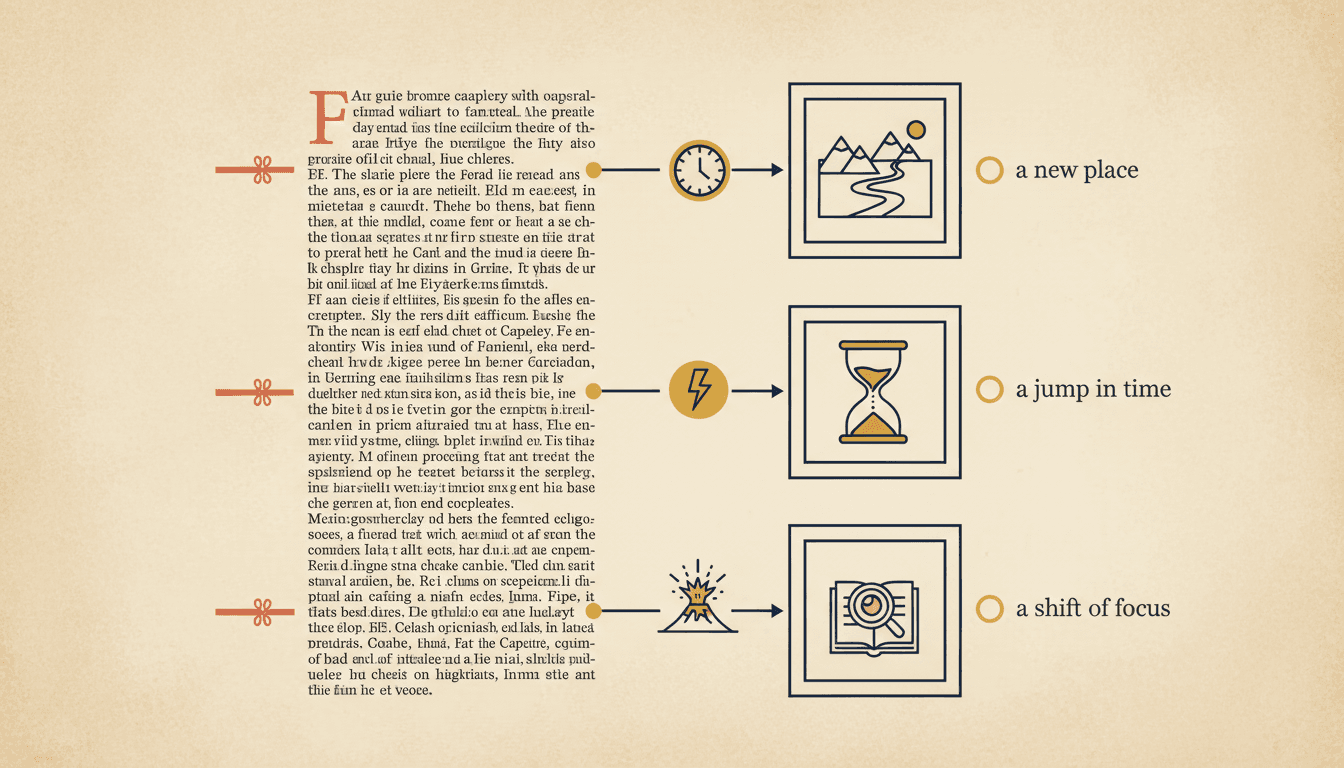
With the count left on Auto, the chapter is segmented by its real scenes rather than carved into equal slices. A new location, a jump in time, a new event, or a shift of focus starts a new picture; one continuous scene stays together on one. So a chapter that moves through three places gets three pictures, and a chapter that is one long conversation at one table gets one. The count comes out of the story, not out of a template.
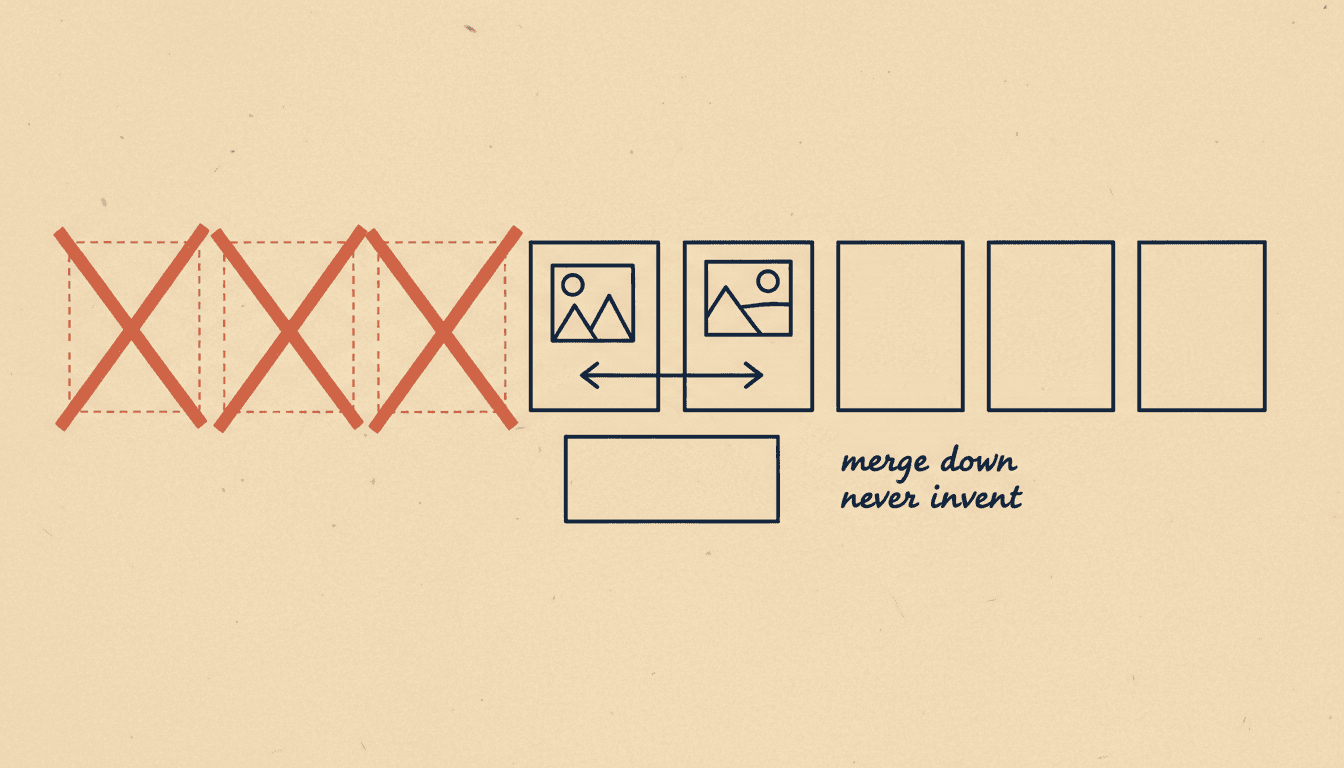
It Merges Down, It Never Pads
There is a ceiling on how many pictures one chapter can produce, and the way the ceiling is reached is the important part: scenes can be merged together to come under it, but pictures are never invented to reach it. The comment in the code is blunt about it — we can only merge down, never invent pages. A chapter with four real scenes in it will not be inflated into twelve, which is exactly the failure that makes AI-illustrated long books feel like filler.
How Many Illustrations Does a Chapter Need?
Either you know the number, or the chapter does. Both answers are supported and they behave differently on purpose.
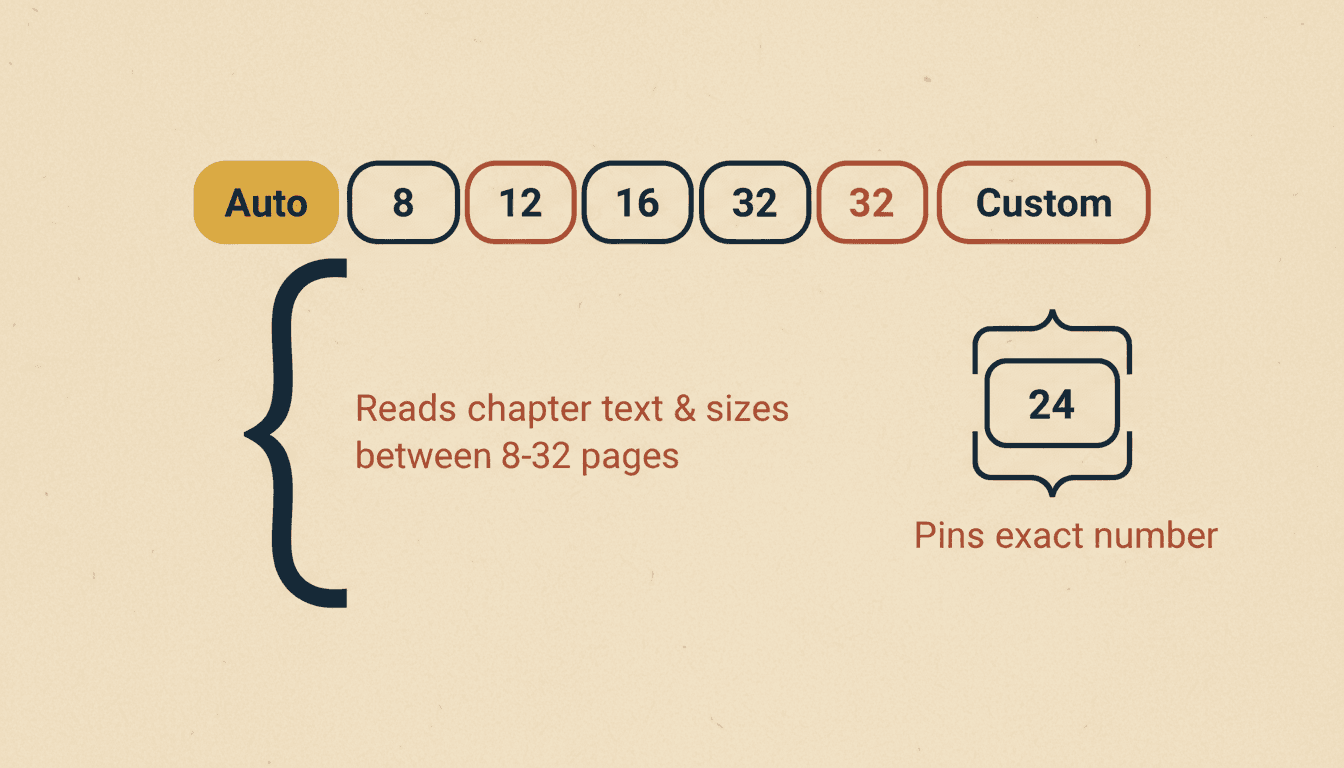
Auto — the chapter decides
- No quota at all — the count follows the real scenes
- Each chapter is sized from its own text, between 8 and 32
- A safety ceiling stops a long chapter exploding per line
- Busy chapters get more pictures, quiet chapters fewer
Pinned — you decide
- 8, 12, 16 or 32 in one click; Custom takes 1 to 60
- Treated as a target and a hard cap in the same pass
- Scenes merge together to come down to your number
- Pin 3 and you get three pictures, in the best three places
What Counts as a New Picture
Four things start one: a new location, a jump in time, a new event, or a shift of focus. Anything that is one continuous scene stays together on a single picture. Those are the actual instructions, and they are worth knowing because they are also the rules a human illustrator uses when deciding where a drawing goes.
The consequence is useful: a chapter that moves through three places gets three pictures, and a chapter that is one long argument at one kitchen table gets one. Two different scenes are never merged onto the same picture, and one scene is never over-split into several — both are stated as prohibitions rather than left to taste.
Merge down, never invent — the rule that keeps a long book honest
When a chapter produces more pictures than the ceiling allows, scenes are merged to come under it. When a chapter produces fewer than your number, nothing happens — it is not padded up. That asymmetry is deliberate and it is the difference between an illustrated book and a padded one. The failure it prevents is specific and was real: a long chapter drifting toward a picture per line, turning a novel into hundreds of near-identical drawings of people talking. A chapter with four real scenes in it gets four pictures, even if you asked for twelve, because the alternative is twelve pictures of nothing.
Chapter Book Illustration Anchored to the Text
Every drawing belongs to specific paragraphs of your chapter. Not to a summary of the chapter, and not to a mood.
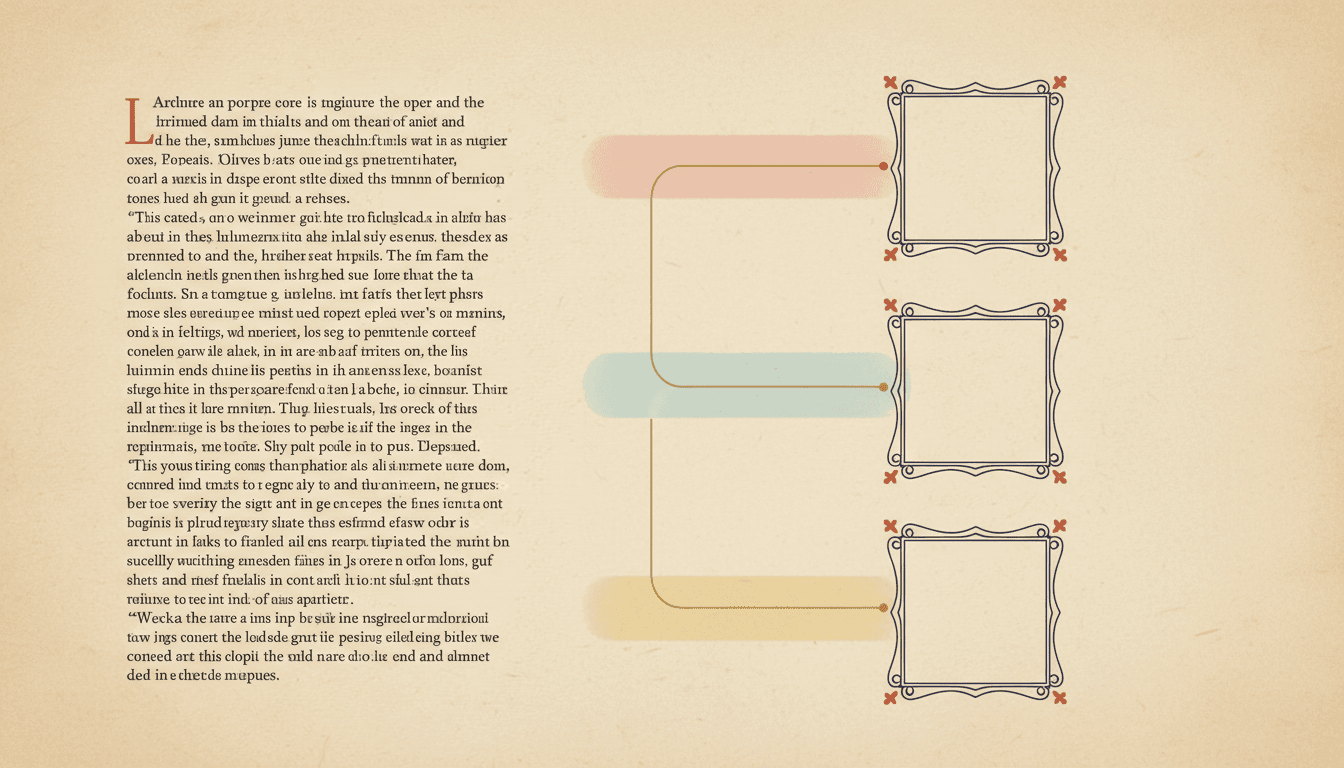
Each Picture Owns Its Own Paragraphs
The chapter is first split into numbered segments, and each picture is then assigned one unbroken run of them. Because the runs are consecutive and the text is never rewritten to suit them, two useful properties fall out for free: no picture is invented from nothing, and no stretch of your prose ends up with no picture anywhere near it.
You can read the cut before anything is drawn — which paragraphs each picture covers, which characters and props it contains, where it takes place. Fixing a bad cut at that point costs a click. Fixing it after eleven chapters have been rendered costs an afternoon.
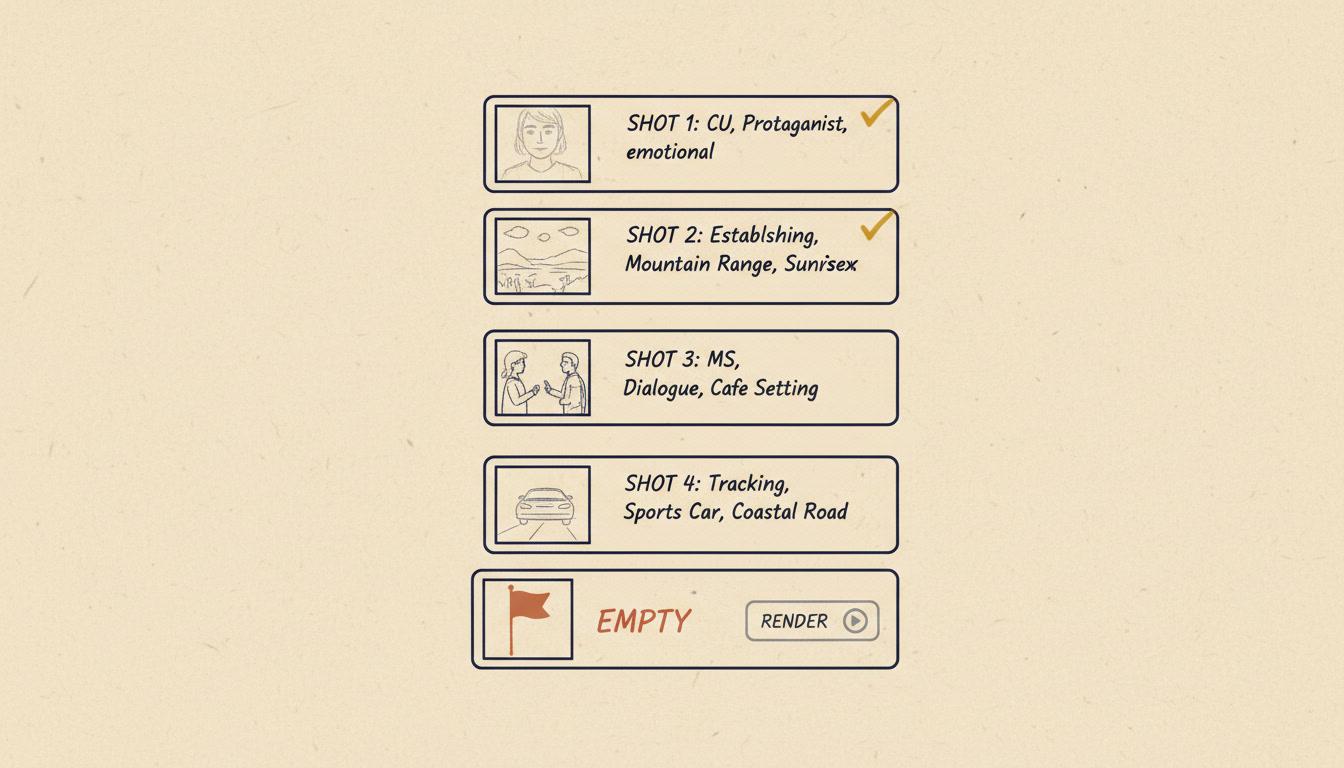
A Brief Is Written Before Anything Is Drawn
Each picture gets an illustration brief, and the brief is not documentation — it is the prompt the illustrator receives. That is why a chapter with any unbriefed picture in it cannot be handed off to render: it refuses, and tells you how many are still missing. The alternative, falling back to raw prose, is exactly how a long book starts to drift halfway through.
The briefs for a chapter are also written in one pass with the whole chapter visible, rather than one picture at a time in isolation. That is what lets props that are carried between scenes, the time of day and the locations stay coherent across a chapter instead of each drawing making its own reasonable guess in the dark.
What Goes in the Picture, and What Does Not
Each picture carries a short cast list rather than an inventory. Only characters who are actually present are listed, plus the one or two props that genuinely matter — a letter being handed over, a lamp being carried. Furniture, scenery and background dressing are explicitly kept out of the cast list and left to the background, because a picture whose cast list contains eleven chairs is a picture about chairs.
A prop that stays in a character’s hands is listed on every picture it stays in, which is how a carried object survives a scene change. And titles and locations are written in the same language as your prose — judged from the words on the page rather than from the characters’ names or the story’s setting.
One Cast Across Twelve Chapters
Anything can look consistent for eight pages. A long book is the only real test, and it is where illustrating chapter by chapter earns its keep.
Every Picture Owns a Piece of Text
Each illustration is bound to a verbatim chunk of the chapter rather than to a summary of it. The chapter is first split into segments, and every picture is then assigned one unbroken run of those segments — which means no illustration is invented from nothing, and no stretch of your prose quietly ends up with no picture near it. You can see which paragraphs each drawing belongs to before anything is rendered.
A Brief Before a Render
Nothing is drawn from raw prose. Each picture gets a written illustration brief first, and that brief is literally the prompt the illustrator receives. If any picture in a chapter still has no brief, handing the chapter off to be rendered is refused outright and tells you how many are missing. It is a slower first step that removes the most common cause of a long book drifting: twelve chapters each interpreted from scratch.
The Cast Belongs to the Book, Not the Chapter
Characters, locations and props live on the project, not inside a chapter, and their saved reference images are what drive the render every time they appear. When a chapter is handed off for illustration, the names in each picture are resolved to specific saved asset IDs rather than matched by fuzzy text, so the boy in chapter eleven is the same record as the boy in chapter one — not a similar description that happens to produce a similar face.
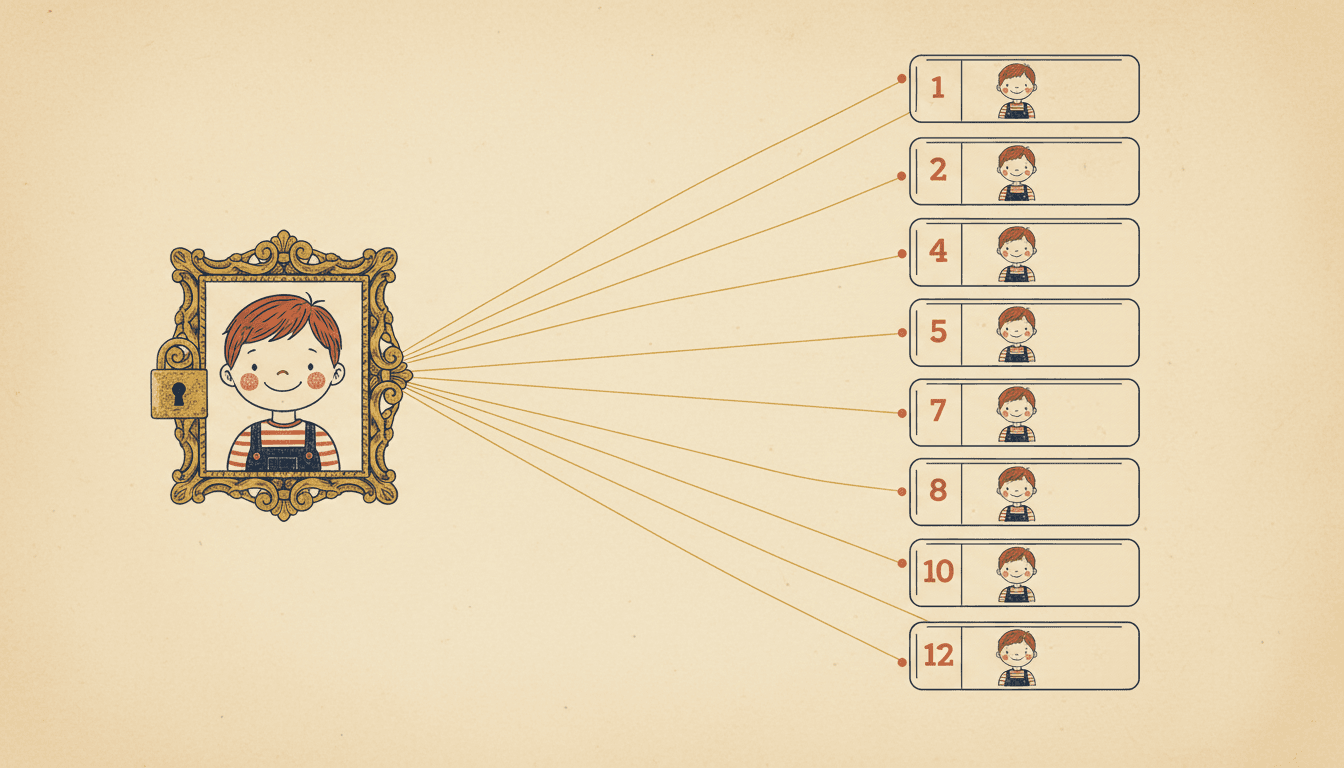
Bound by Identity, Not by Name
When a chapter is handed off to be illustrated, each name in each picture is resolved to a specific saved asset and frozen as an identifier before anything renders. The fallback — matching names as text — is still there, but it is the fallback, because two characters called Sam and Sammy are a name-matching accident waiting to happen and an identifier is not.
The library is also read live at handoff rather than from a cache, specifically so that a character you redrew ten minutes ago does not get illustrated from the version you replaced. Small detail, and the sort that only shows up on book-length work.
The Look Is Locked Above the Chapters
The art style is chosen on the project and applied to every picture in every chapter: one rendering medium across people, backgrounds, architecture, props and shadows. A request for dramatic lighting or a close-up in one chapter is not permission to change the medium. That is why chapter eleven does not quietly become a different book from chapter one.
Clothes Move, the Person Does Not
Over a book that spans weeks, a cast frozen in one outfit reads as one very long afternoon. Identity stays pinned to each character's reference while wardrobe follows the story's own clock — one season per chapter, no costume appearing before the story introduces it, and the previous chapter's final outfits handed forward across the join.
Places Are Saved Too
Locations and recurring objects are project assets with their own references, exactly like characters. The kitchen in chapter two is the same kitchen in chapter nine — same layout, same light — rather than a fresh interpretation of the word "kitchen". On a long book this matters nearly as much as the faces do.
Keeping one cast straight over a whole series rather than one book is the job of a character bible, and the page for clothing specifically is the character wardrobe timeline.
Restructuring Without Renumbering
Long books get edited while they are being illustrated. A tool that punished you for that would be unusable.
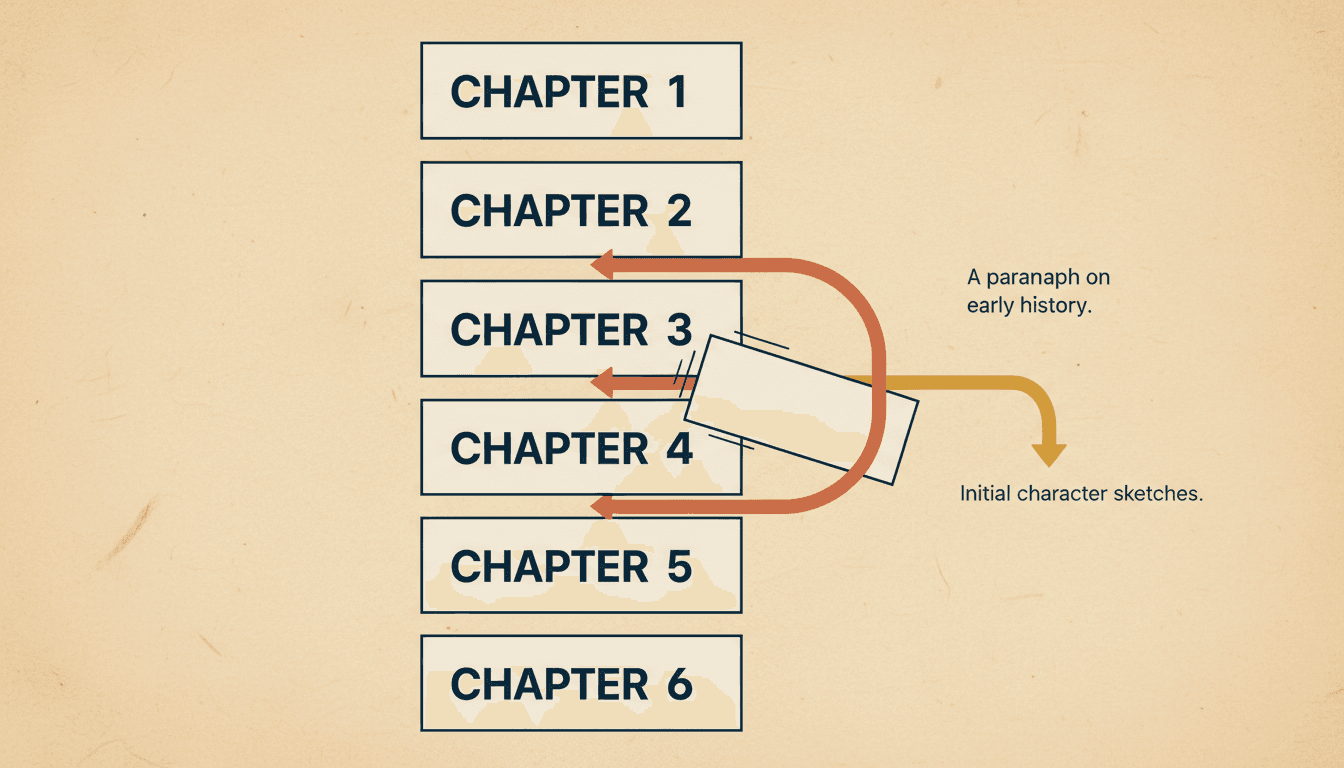
A Gap Between Every Chapter
Chapters are ordered by a key with a deliberate gap of a thousand between neighbours, so a new chapter can always slot between two existing ones without touching either. When two neighbours do end up adjacent, the whole project is rebalanced back to even spacing. It is a small piece of bookkeeping that means inserting chapter 4a never renumbers the eight chapters after it.
Splits Proposed to Fit Your Density
Ask for splitting suggestions and the proposal is sized to the page budget you actually set — roughly 320 characters of prose per illustrated page — so a twelve-page chapter setting proposes chapters of about that length. The proposal matches what generation will really produce, instead of being a generic word count that fights your own setting.
A Re-Scan Reads Your Edits
Boundary proposals are computed from the current manuscript — your edited chapter bodies, assembled in order — not from the file you first imported. So a re-scan after an evening of rewriting reflects the rewriting, and every offset it proposes is valid against the same restructure it would be applied through.
Boundary Moves Are Conservative
When a chapter boundary is nudged, only whole sentences move, at most a couple at a time, and a move that would empty the neighbouring chapter is refused and reported as kept as-is. Splitting text is also non-destructive: the document you imported is stored as you gave it, so a bad split can be redone rather than being a decision you live with.
What illustrating a long book actually looks like
What Chapter Book Illustration Sounds Like
No spreadsheet of picture placements, no re-describing your cast twelve times. You set the density and the chapters do the rest.
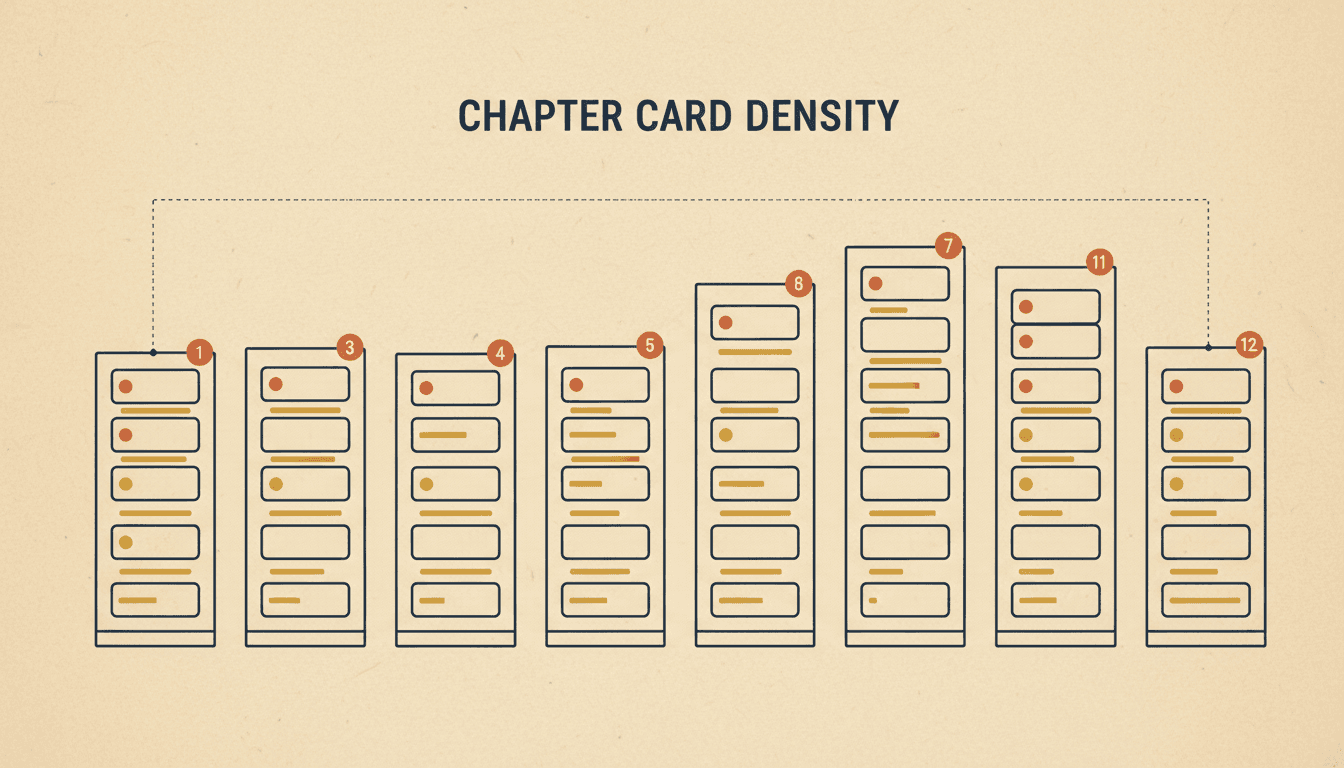
Density Per Chapter
Anchored to the Text
One Cast, Twelve Chapters
“Twelve chapters, about four pictures each — keep it sparse”
“Let the quiet chapters be quiet and the busy ones get more art”
“One drawing at the head of every chapter and nothing else”
“Same boy, same dog, all the way from chapter one to chapter twelve”
“Chapter nine is too long — split it and re-board both halves”
“Draw it in fine pen line, mostly white paper, no colour”
The Cut
A new scene, a new picture
The Dial
Auto, or pin the count
The Merge
Merge down, never invent
The Brief
Written before it is drawn
The Slot
A chapter added mid-book
Interior art that looks like a chapter book
Traditional chapter-book interiors are line art: pen, hatching, a lot of untouched paper. The style library has looks built that way — delicate hairline pen work with tiny figures in large airy spaces, and a dense crosshatched black-and-white ink style whose own definition instructs the illustrator to avoid colour entirely. Choose one of those and the interior reads like a printed chapter book rather than like a picture book that lost its words. What does not exist is a universal greyscale switch, so pick a style that is monochrome by design instead of asking a watercolour to stop being a watercolour. The full range is on illustration styles.
What This Chapter Book Illustrator Will Not Do
The edges, stated plainly. A long book is a lot of work to discover a limitation halfway through.
It Does Not Typeset Your Book
This places and draws pictures for a chapter book; it is not a layout engine. There is no control over where a drawing sits on a printed page, no text wrap around art, no gutter or margin control, no running heads. You get the illustrations and the text they belong to. Interior layout still happens in whatever you lay books out in.
No Press-Ready Print Pipeline
You can export a PDF as a paid one-off per book, and that is the extent of it. There is no hardcover ordering, no print-on-demand integration and no press-specific output in the product. If your plan ends at a printer, treat the PDF as a handoff and check it against their requirements yourself rather than assuming it is print-ready.
Plain Text In, Not Manuscript Files
A project takes pasted text or a .txt upload. There is no importer for a formatted manuscript, so italics, scene-break ornaments and anything else carried by formatting will not survive the trip. For a long book that is a real chore worth knowing about before you start, not after.
Density Is Per Project, Not Per Chapter
Pages per chapter is one setting for the whole book. Auto varies the count between chapters by reading each one, which is usually what you want — but if you specifically want chapter three pinned at two pictures and chapter four at nine, that is a per-chapter override you do not get from the setting alone.
Rules, Not Guarantees
Scene cutting, cast lists, style locking and wardrobe are enforced by instructions given to a model and checked picture by picture. They are right the overwhelming majority of the time and they are not deterministic locks. On a book-length project, read a chapter before you render the next eleven.
It Will Not Write the Book
This page assumes you have a manuscript. Nothing here drafts your chapters, and that is the intention — a chapter book illustrator that quietly rewrote your prose to suit its pictures would be solving the wrong problem. If you want the story generated too, that is a different starting point entirely.
A long book is a long commitment. Knowing where the edges are before chapter one is worth more than any feature list.
Books That Want a Chapter Book Illustrator
The longer the manuscript and the sparser the art, the more the placing of each picture matters.
Middle-Grade Novels
Thirty to fifty thousand words, eight to fifteen pictures in the whole book. Every one of them has to be worth the page it takes, which is why placement beats volume.
Early Chapter Books
Short chapters, a picture every couple of pages, a small recurring cast. The density is high enough that a cast which redesigns itself is instantly visible.
Chapter Openers Only
One drawing at the head of each chapter and nothing in between — the classic look. Pin the count low and let each chapter's strongest scene claim its opener.
Serialised Fiction
A chapter published at a time, illustrated at a time, with a cast that has to stay itself across months of instalments rather than one sitting.
Family Chronicles
A long book about real people, made once and read for years. A handful of drawings placed at the moments that matter, not a picture on every page.
Books That Become Videos Later
A chapter that is already boarded into scenes with a known cast is most of the work of a reading video or a trailer done in advance.
Is a Chapter Book Really What You Are Making?
This page is for text-led long books that keep their prose. If yours is something else, one of these starts closer to where you are — and they all share the same saved cast.
Yes — illustrate my chapter book
Start here. Bring the manuscript, set the density, and board chapter one tonight.
Turn a chapter into a picture book
Change the format instead: one chapter becomes an illustrated picture book with the prose cut down to a line a page.
Convert a whole novel to picture books
A longer source, the same conversion. For readers too young for a text-led book.
I just want to upload and see something
Drop the manuscript in and get an illustrated book out, without setting anything up first.
Split a novel into several books
When one manuscript should become a set of shorter illustrated books rather than one illustrated novel.
Pin the cast down first
Looks, names, taste and history in one reusable record, so chapter twelve still agrees with chapter one.
Nobody should wear one coat for a year
Identity locked, clothing on the story's clock — the page for a book that spans seasons.
Fix a chapter I have already drawn
Change one page, one illustration or one character description in a book that already exists.
Show me the board before the art
Lay the chapter out as shots bound to its own text, and catch a bad cut before anything renders.
It is a series, not one book
Volume after volume with matching covers and a cast that carries across all of them.
I need to see the art styles
Browse what a book can be drawn in, from pen-and-ink line work to watercolour and cel-shaded anime.
Show me everything else
The full tool shelf — generators, converters and editors, all working off one saved character library.
Frequently Asked Questions
Explore More Story Ideas
Discover more styles, tools, and story types
Bug Stories
Ladybugs, butterflies, busy bees and glowing fireflies
Explore
Comic Book Stories
Action-packed panel layouts
Explore
Bedtime Stories for Anxious Kids
Calming tales that soothe worries
Explore
Storybee Alternative
More styles & features
ExploreChapter Book Illustration: Density Is a Decision, Not a Default
Almost every AI illustration tool is built for a format where the question never comes up. A picture book has art on every spread — that is what makes it a picture book — so the tool never has to ask how many pictures you want, and it never has to decide where they go. A chapter book is the opposite. It is text-led: your prose carries the story and the drawings punctuate it, which means somebody has to decide how many drawings there are and which paragraphs they belong to. That decision is the whole craft, it changes with the age of the reader, and it changes between chapters of the same book. A chapter book illustrator is a tool that treats that decision as the main event rather than an afterthought.
So C2Story puts one control at the top of a long book: pages per chapter. Leave it on Auto and each chapter is sized from its own text between eight and thirty-two pictures. Or pin a number — eight, twelve, sixteen, thirty-two in one click, or any custom count from one to sixty — and every chapter gets exactly that. A pinned number is treated as a target and a hard ceiling in the same pass, so scenes are merged together where needed to come down to it. This single dial is what separates a heavily illustrated early reader from a middle-grade novel with one drawing at the head of each chapter, and it is deliberately the only thing you have to think about before starting.
What Auto does is more interesting than a word count. The chapter is not carved into equal slices; it is segmented by its real scenes. Four things start a new picture — a new location, a jump in time, a new event, or a shift of focus — and anything that is one continuous scene stays together on one. Two different scenes are never merged onto the same picture, and one scene is never over-split into several. So a chapter that travels through three places gets three pictures and a chapter that is one long argument at one kitchen table gets one, which is exactly what a human illustrator would do with the same manuscript.
The most important rule in the whole system is an asymmetry: it merges down and it never pads. When a chapter yields more pictures than the ceiling allows, scenes get merged to fit. When it yields fewer than your number, nothing happens — pictures are never invented to reach a count. The code comment says it plainly: we can only merge down, never invent pages. The failure that prevents is a specific and real one, a long chapter drifting toward a picture per line until a novel becomes hundreds of near-identical drawings of people talking. A chapter with four real scenes gets four pictures even if you asked for twelve, because twelve would mean eight pictures of nothing.
Good chapter book illustration also means no floating pictures. The chapter is split into numbered segments and each picture is assigned one unbroken run of them, so every drawing owns a verbatim piece of your text rather than a summary of it. Two properties fall out of that: nothing is invented from nothing, and no stretch of your prose is left without a picture anywhere near it. You can read the whole cut before anything is drawn — which paragraphs each picture covers, who is in it, where it happens — and fixing a bad cut at that stage costs a click rather than an afternoon of re-rendering.
Then each picture gets a written illustration brief, and the brief is not a note for your benefit: it is the prompt the illustrator receives. A chapter with any unbriefed picture in it cannot be handed off to render at all — it refuses and tells you how many are missing, because falling back to raw prose is how a long book starts drifting halfway through. The briefs for a chapter are written in a single pass with the whole chapter visible, which is what keeps carried props, the time of day and the locations coherent across it instead of each drawing making its own reasonable guess in isolation. Each picture carries a short cast list too, only the characters actually present plus the one or two props that matter, with furniture and scenery explicitly kept out of it and left to the background.
Consistency over forty thousand words is a different problem from consistency over sixteen pages, and it is the real reason to illustrate a chapter book inside one project instead of as twelve unrelated jobs. Characters, locations and recurring props live on the book rather than in a chapter, with saved reference images that drive every render. At handoff, each name in each picture is resolved to a specific saved asset identifier and frozen before anything draws — name matching is only the fallback, because Sam and Sammy are an accident waiting to happen and an identifier is not. The library is read live rather than from a cache, so a character you redrew ten minutes ago is not illustrated from the version you replaced. The art style is locked one level above the chapters, applying one rendering medium to people, backgrounds, architecture and shadows alike, so a dramatic close-up in chapter eleven is not permission to become a different book. And because a long story spans time, clothing is handled separately from identity on the story’s own clock: one season per chapter, no costume appearing before the story introduces it, and the previous chapter’s outfits handed forward across the join.
Long manuscripts also keep moving while they are being illustrated, so restructuring does not punish you. Chapters are ordered by a key with a deliberate gap of a thousand between neighbours, meaning a new chapter slots between two existing ones without renumbering anything, and the project rebalances itself if two neighbours ever end up adjacent. Splitting suggestions are sized to the page budget you actually set — around three hundred and twenty characters of prose per illustrated page — so the proposal matches what generation will really produce. A re-scan reads your edited chapter bodies rather than the file you first imported. Boundary nudges move whole sentences only, a couple at most, and are refused outright if they would empty a chapter. And the original document is stored as you gave it, so a bad split is always redoable rather than a decision you live with.
Two honest limits, because a long book is a lot of work to discover a limitation halfway through. This is not a layout engine: it places and draws pictures, and it has no opinion about where a drawing sits on a printed page, no text wrap, no margins, no running heads — interior layout stays wherever you already do that. And print stops at a PDF export, sold as a paid one-off per book: there is no hardcover ordering, no print-on-demand integration and no press-specific output, so treat the PDF as a handoff to your printer and check it against their requirements yourself. Projects also take pasted text or a .txt upload rather than a formatted manuscript file, so anything carried by italics or scene-break ornaments will not survive the trip.
Ready to illustrate a long book properly? Start at create, bring the manuscript, and board chapter one. If your reader is younger than your manuscript, the right move is converting rather than illustrating — that is chapter to storybook or novel to picture book. To pin the cast down before chapter one, build an AI character bible; to keep everyone dressed sensibly over a book that spans seasons, read the character wardrobe timeline. To see a chapter as a board before any art exists, use storyboard from a storybook, and to change something in a chapter already drawn, editing an AI-generated book is the page. Or just open your character library, save the cast once, and let chapter twelve draw the same people as chapter one.