
Vertical Comic Video MakerStaged for the Tall Frame, Not Cropped Into It.
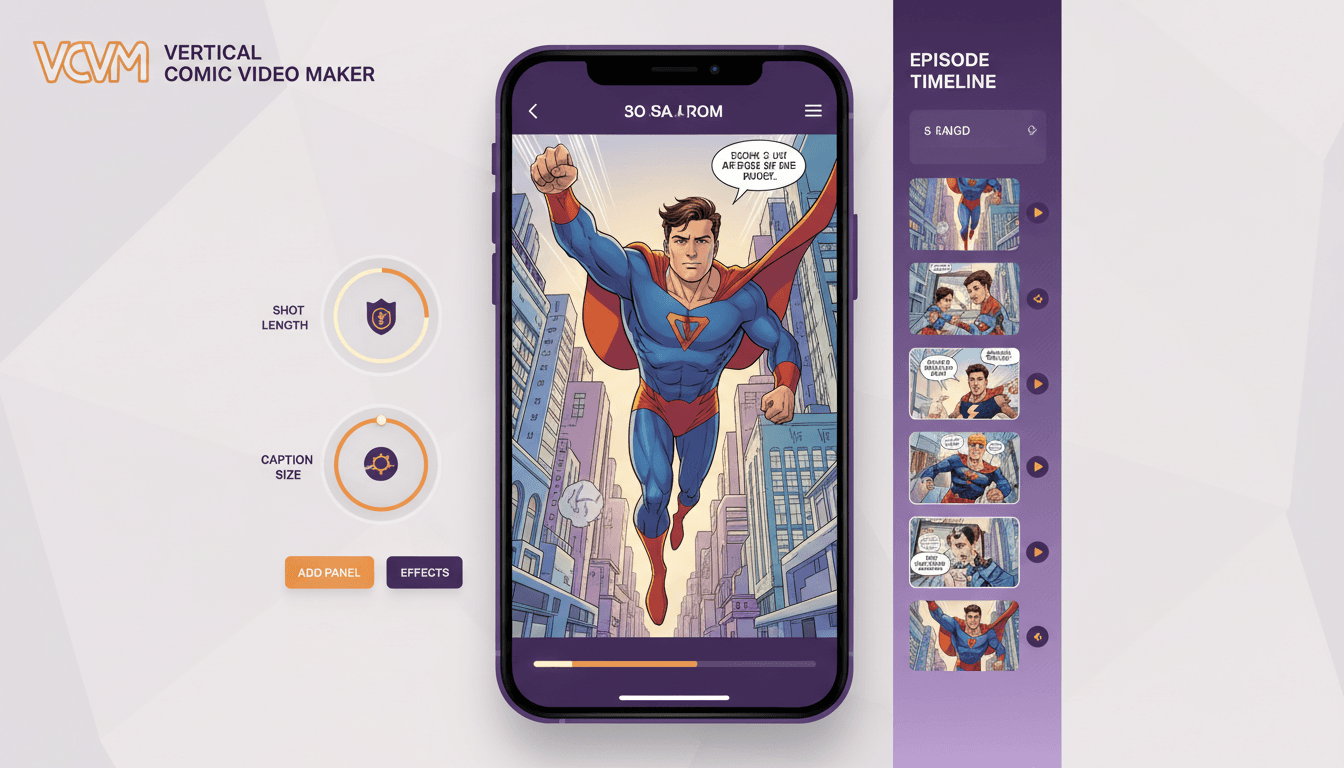
A 16:9 episode cut down to 9:16 loses most of its width — and almost always the wrong part. C2Story composes every shot tall from the start, with lettering you can read at arm’s length and a real 9:16 MP4 at the end.
- Every shot framed for 9:16 before rendering, never cropped after
- One subject per frame, close enough to read on a phone
- Speech balloons and captions sized for sound-off viewing
- Faces kept inside the safe zone, clear of app buttons
250,000+
Stories Created
80,000+
Characters Saved
45+
Art Styles
4.9/5
Creator Rating
How to Make a Vertical Comic Video
Three steps, with the shape chosen at the start — because that is the one decision everything else depends on.
Pick 9:16 First
Set the frame before a single shot exists. Everything downstream — how close the camera sits, how many characters fit, how large the lettering runs — is decided by the shape of the rectangle you are filling.
The shape, then the shots
Bring the Story and the Cast
Paste your script or start from an idea, and save your characters with reference images. Each beat becomes a tall shot: subjects framed close and centred, one speaker at a time, text kept inside the safe band.
Staged tall, beat by beat
Render and Post
Per-character voices, camera motion, sound and music get layered over the shots, and the episode renders as a true 9:16 MP4 — full vertical resolution, no blurred side bars, nothing to re-frame before you upload.
A file, not a preview
A Vertical Frame Is Not a Narrow Widescreen One
Cut a 16:9 frame down to 9:16 and you keep about a third of its width. The camera does not move, the staging does not change, and whatever sat outside the middle third is simply gone.
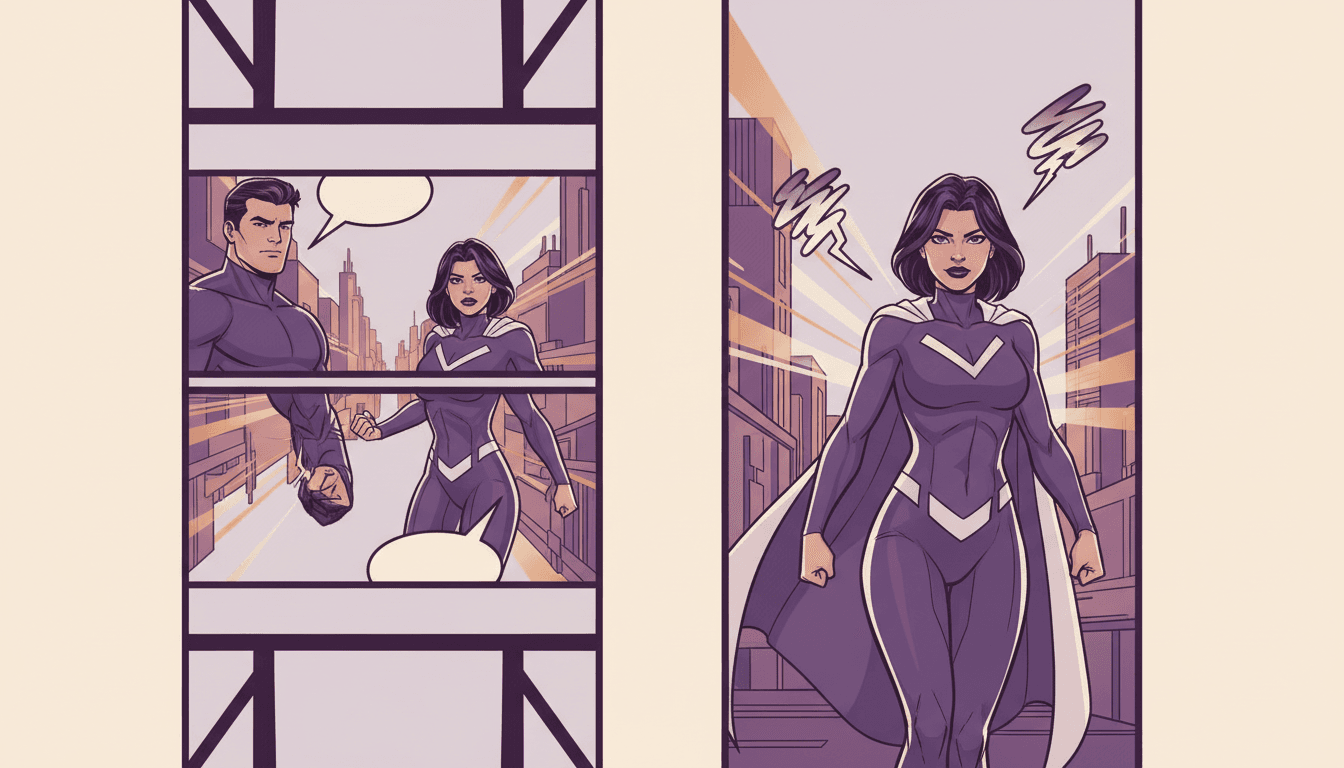
The Crop Takes the Wrong Third
A cropped frame keeps the centre, but comic staging rarely puts the payload there — a two-shot puts people at the edges, and a reveal often sits off to one side. Both get trimmed away.
Re-stage, do not crop
Wide Shots Stop Working
An establishing shot is a landscape idea. Narrowed to a column it becomes an unreadable slice of background, so vertical staging replaces it with something the tall frame can actually carry: a face, a detail, a silhouette.
One subject per frame
Lettering Shrinks Twice
Text sized for a page is already small on a phone. Crop the frame and it shrinks again, often sliding out of view entirely. Vertical episodes carry fewer words per shot, set larger.
Readable at arm’s length
What this is not
This is not a reframing filter that slides a tall window across a finished widescreen video, and it is not a letterbox that pads your 16:9 render with blurred bars until it fills a phone. Both of those exist and both are recognisable at a glance. What happens here is that the episode is staged for 9:16 in the first place — the shots are composed tall, the cast is framed close, and the lettering is set to a size that survives a phone screen. If you already have a widescreen cut you are happy with, the honest advice is to render it again as vertical rather than crop it.
Every App Draws Its Own Interface Over Your Video
A 9:16 export is not 9:16 of usable space. Status bars sit on top, captions and usernames sit along the bottom, and a column of buttons runs up one side — and none of it is consistent between apps.
Composed Edge to Edge
- ✕ Faces near the bottom end up behind the caption
- ✕ Titles at the top collide with the status bar
- ✕ Action on the right hides behind the button column
- ✕ Looks fine in your editor, broken in the feed
Composed for the Safe Band
- Faces and key action staged in the middle
- Burned-in captions kept clear of app text
- The right edge left free of anything load-bearing
- Reads the same on every vertical platform
Script In, Tall Shots Out
Follow an episode through: beats become tall shots, the safe band decides where faces sit, and the arc gets cut to finish inside a scroll.
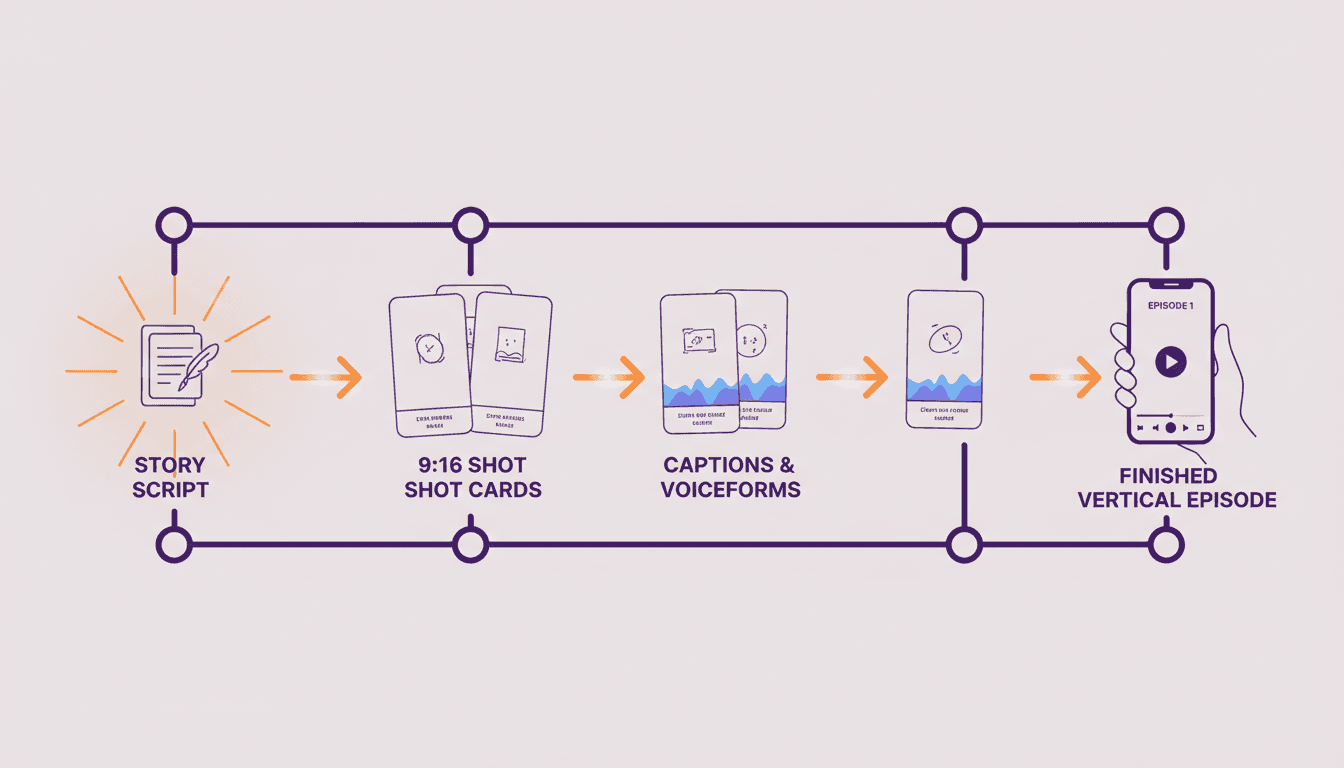
Script → Tall Shots → MP4
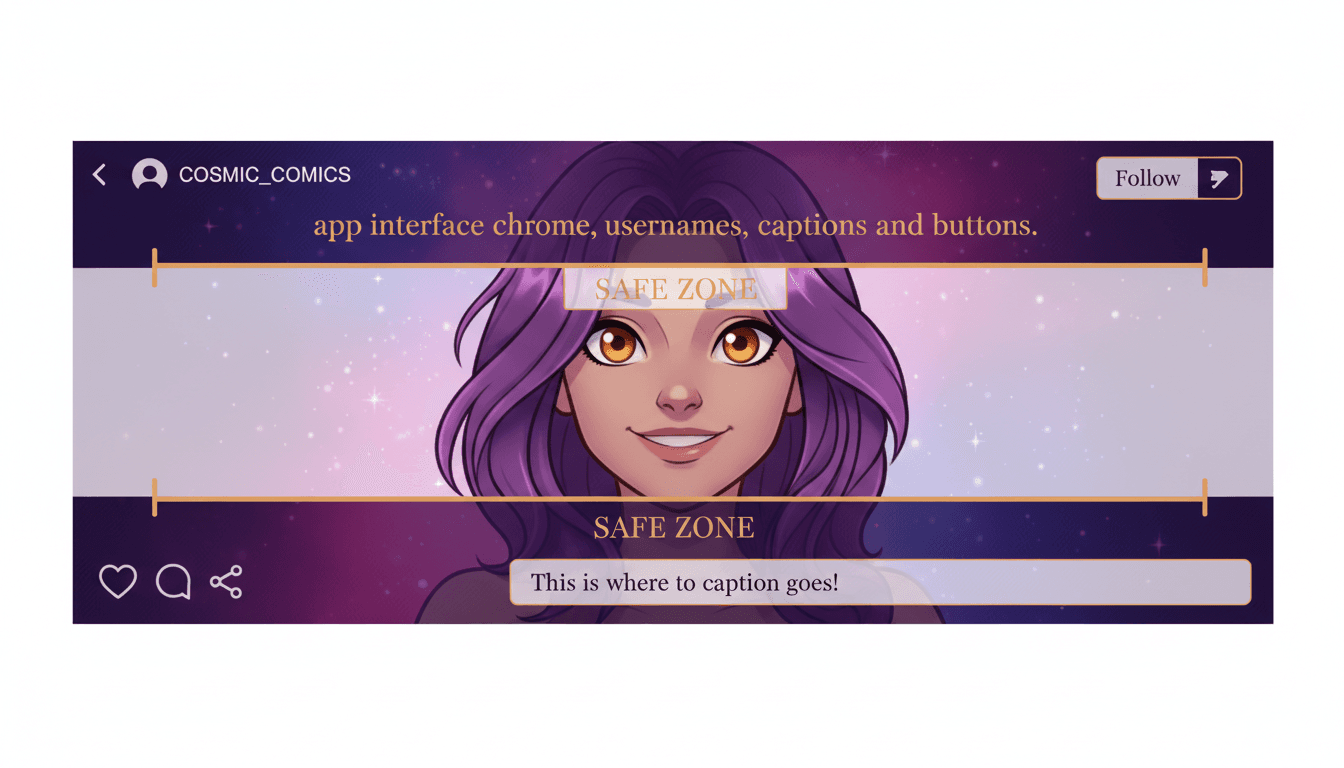
The Safe Zone Is the Middle
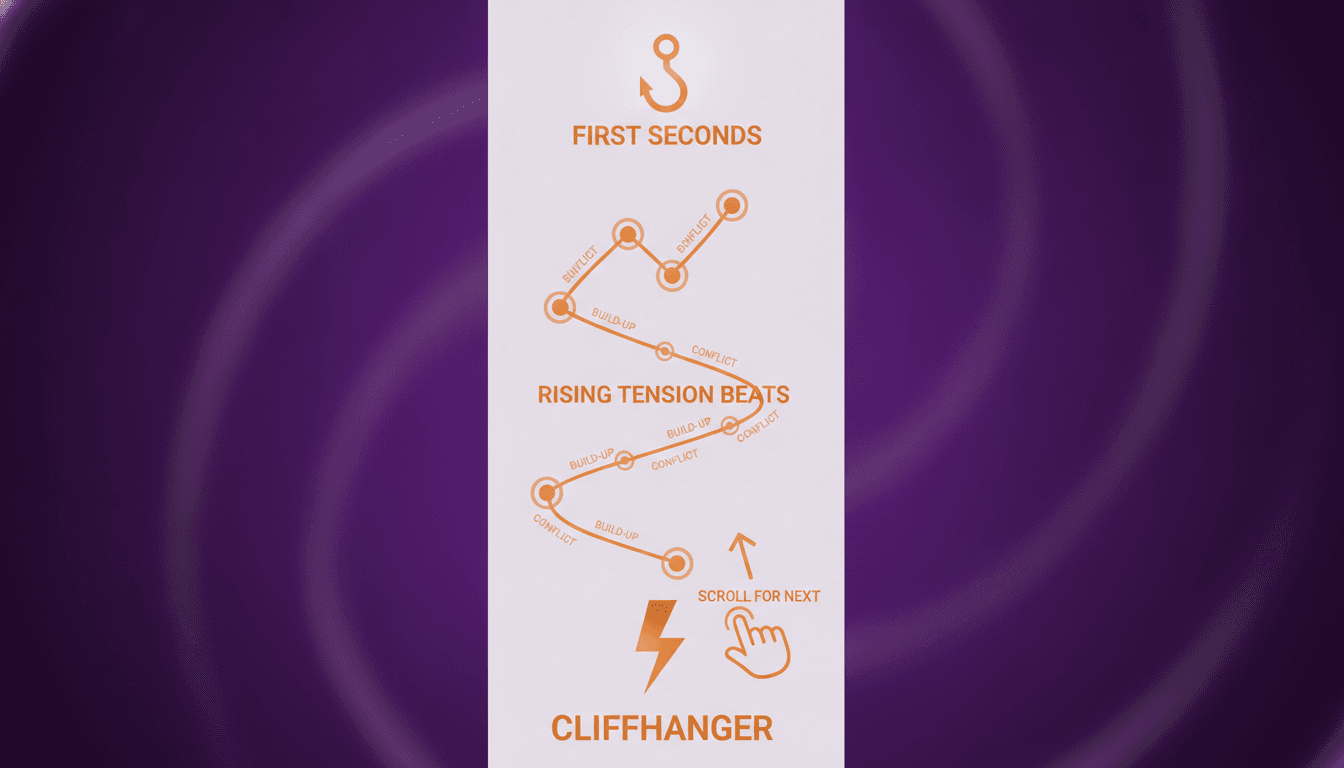
An Arc Inside a Scroll
“A sixty-second vertical episode of my comic’s opening chapter”
“Turn my chapter cliffhanger into a vertical teaser”
“Restage my widescreen episode as a tall cut, not a crop”
“A vertical comic drama with big captions for sound-off viewing”
“Weekly vertical episodes of my serial, same cast every week”
“A thirty-second vertical hook that points at the full chapter”
Every Kind of Vertical Cut
A weekly serial, a chapter teaser, a character introduction or a loop-ready short. The staging rules are the same — the length and the ending are what change.
Frame, Staging, Cast, Lettering, Export
The shape you pick, how each shot is composed inside it, who stays recognisable, what can be read on a phone, and what you walk away with — in whichever of 45+ art styles suits the series.
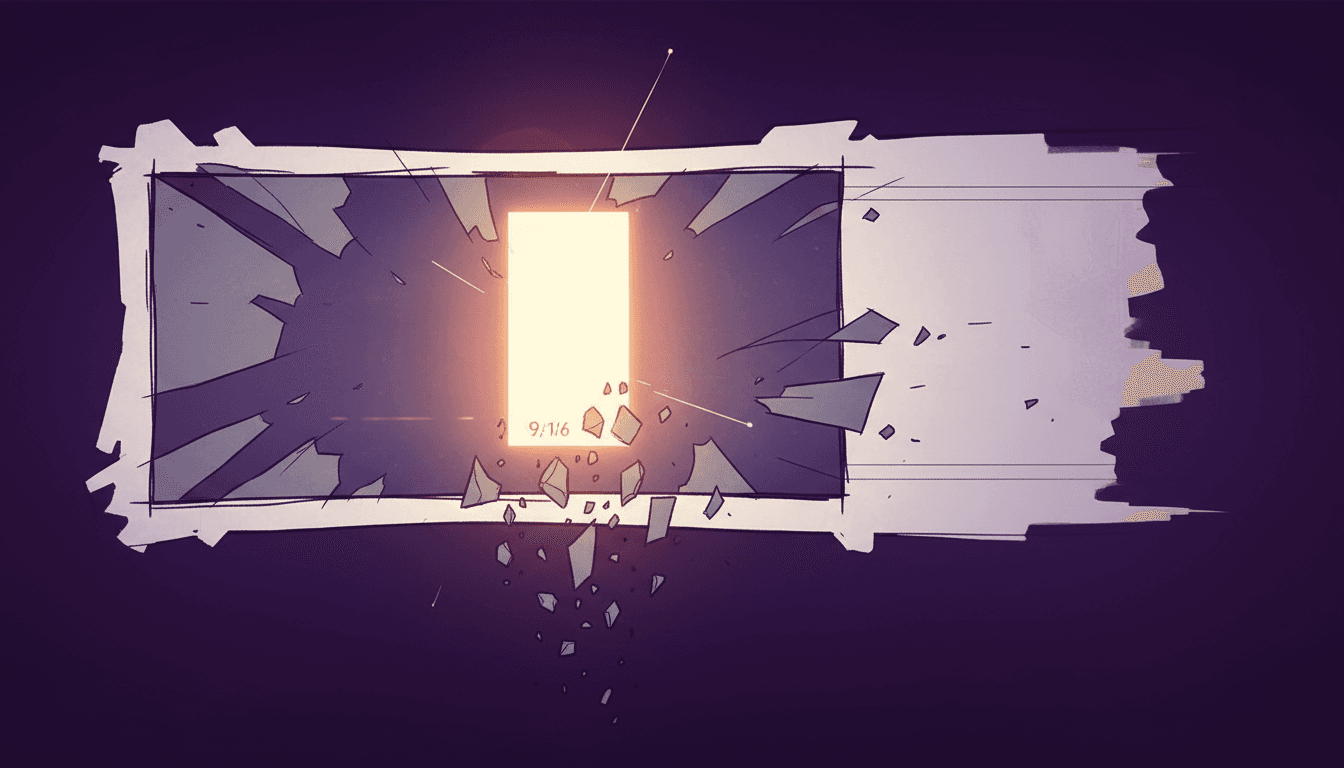
The Frame
9:16 From the Start
The Staging
One Subject, Close
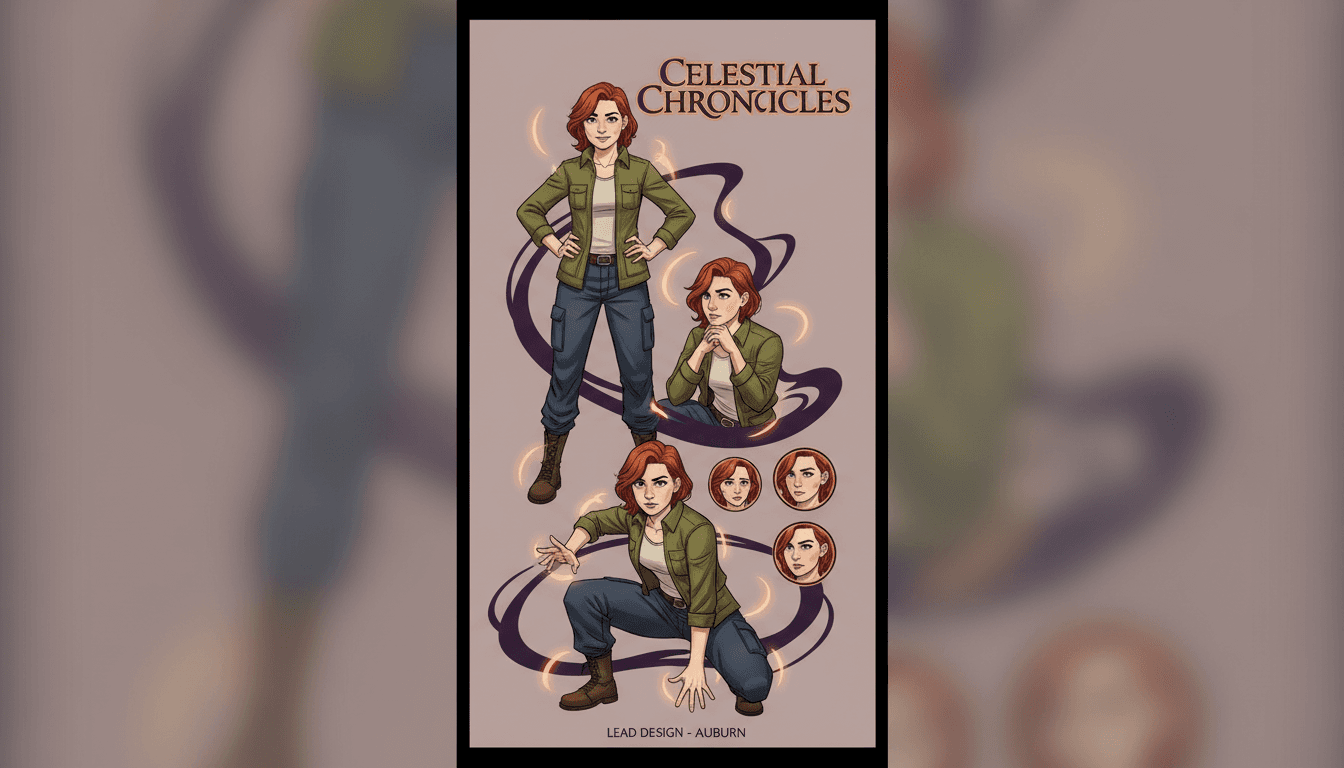
The Cast
Kept On Model
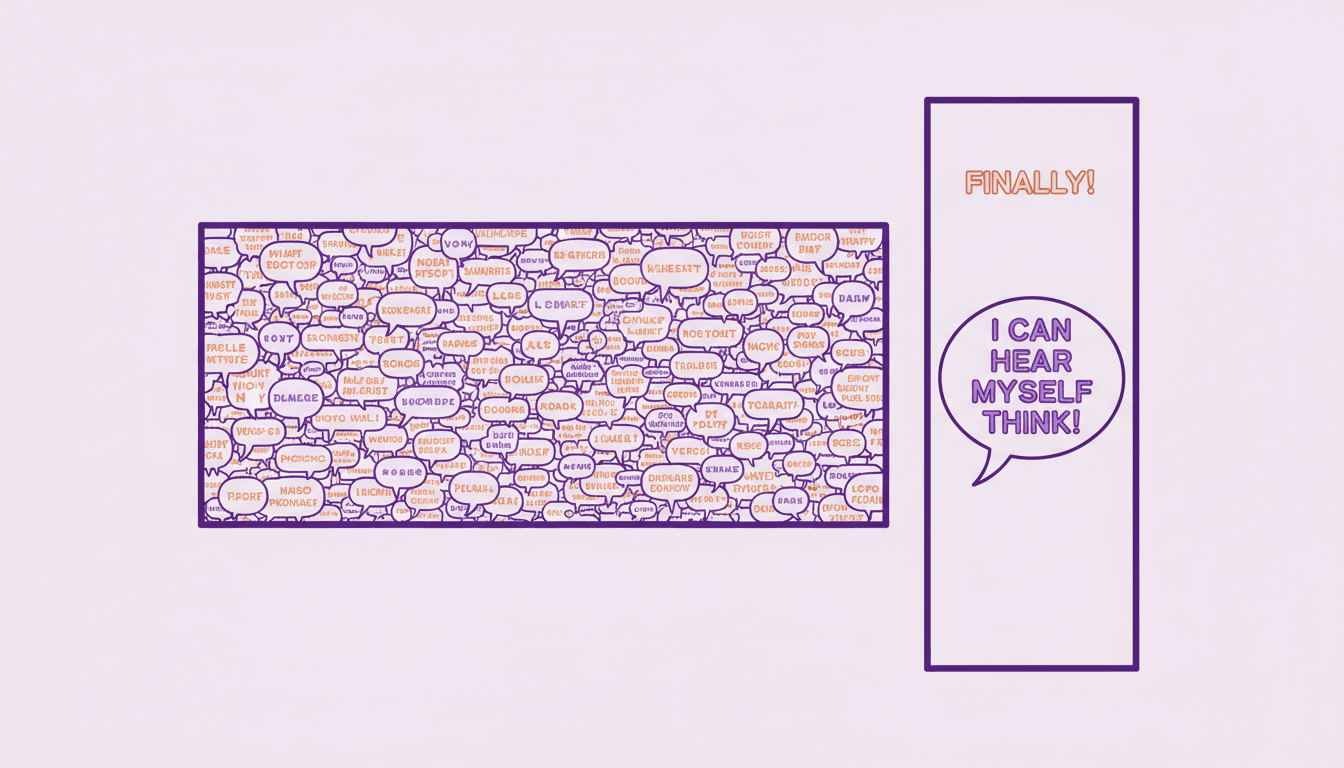
The Lettering
Readable at Arm’s Length

The Export
A Real MP4
Match your series’ look with 45+ art styles including Comic, Manga, Anime, Cinematic and Watercolor.
What the Tall Frame Changes
Six things that work differently when the output is 9:16 — each one handled before the render rather than patched afterwards.
Composed Tall, Not Cropped Tall
Choosing 9:16 before rendering means every shot is framed for a tall rectangle from the beginning. Cropping a finished widescreen render throws away most of the width and takes the wrong part of it — usually whoever was standing on the left.
One Subject Per Frame
A wide two-shot of two characters talking does not survive the narrow frame. Vertical staging cuts the same conversation into singles, so each speaker gets the screen while they have the line — the way a phone actually wants to watch a scene.
Lettering Sized for a Thumb
Balloons composed for a printed page become unreadable on a phone held at arm’s length. Vertical episodes carry fewer words per frame at a larger size, and burned-in captions keep the story legible with the sound off.
Safe Zones Respected
Every vertical feed covers the top and bottom of the frame with its own interface — usernames, captions, buttons. Key action and faces get staged in the middle band so the app chrome never lands on the thing you needed people to see.
Your Cast, Episode After Episode
Save each character once and every vertical episode generates against that locked design. A serial only works if viewers recognise the lead in episode nine as the one from episode one, especially at thumbnail size.
A True 9:16 File Out
A downloadable MP4 at full vertical resolution — not a widescreen video with blurred bars filling the sides. Upload it anywhere vertical video goes and nothing needs re-encoding or re-framing first.
An Arc That Finishes Before the Thumb Moves
Vertical is not just a shape, it is a viewing posture. Someone standing in a queue holds a video for as long as it keeps earning the next second, which puts a real ceiling on episode length.
The First Two Seconds
Open on the most striking frame in the episode, not on a title card or a slow establishing beat. Vertical feeds decide fast, and a cold open buys you the rest of the runtime.
Hook, not preamble
Thirty to Ninety Seconds
Long enough for a real beat, short enough to finish inside one scroll session. A four-minute chapter usually plays better as three vertical episodes than one long one.
Cut, do not compress
End on a Question
A tidy ending gives the viewer permission to scroll on. A cliffhanger makes the next episode the answer to something, which is the whole mechanic serialised vertical content runs on.
Cliffhanger over resolution
Who Makes Vertical Comic Videos?
Comic Drama Creators
The format is published vertically almost everywhere it appears. Staging for 9:16 from the start is the difference between an episode that looks made for the feed and one that looks reformatted for it.
Serial Publishers
A weekly episode only builds an audience if the lead is recognisable at thumbnail size every week. Vertical staging plus a locked cast is what makes a series legible at a glance.
Indie Comic Artists
Your pages are landscape or long-canvas, and neither fits a phone frame. A vertical cut of one scene reaches people who will never click through to a comic hosting site.
Series Promoters
Launches need a teaser and none of them have an animation budget. A thirty-second vertical hook ending on a cliffhanger does more for a chapter drop than a static cover post.
Is the Frame the Thing You Are Designing Around?
This page is for creators whose output shape is the starting constraint. If you are defined more by what you are converting from, one of these is a better door — and they all share the same character library.
Yes — vertical is the point
Start here and pick 9:16 before anything is staged. You’re in the right place.
I want the format, either shape
The comic drama generator covers panels in motion with voiced dialogue, widescreen or vertical. Start there if the episode matters more than the frame.
I already have a Western comic
Bring finished issue pages and have them re-staged as timed shots, then choose vertical as the export shape.
Mine is a long-canvas scroll
Webtoons and manhwa convert differently, because a continuous canvas has no page breaks to inherit. That is the page for it.
Mine reads right to left
Manga panel order is its own problem, and getting it wrong plays your chapter backwards. Use the manga converter instead.
My cast keeps drifting
Pin every design so your lead is recognisable at thumbnail size in episode nine as well as episode one.
Vertical Is a Choice, Not an Upgrade
Most comic drama is published vertically because that is where the audience is. But the tall frame gives things up, and for some episodes the trade is not worth making.
Vertical 9:16
For serialised episodes, teasers and anything published into a scrolling feed. It fills a phone edge to edge, which is the only frame that gets full attention on a device held in one hand — and it suits close, character-led staging.
Costs you: wide shots and two-shots
Widescreen 16:9
For a channel, a series landing page or a publisher pitch — and for episodes that genuinely need scale, like a crowd, a landscape or a confrontation you want staged across a frame rather than cut into singles.
Costs you: reach in vertical feeds
You can render both from the same project — but render them, rather than cropping one out of the other.
Frequently Asked Questions
Explore More Story Ideas
Discover more styles, tools, and story types

Adventure Stories
Thrilling quests and discoveries
Explore
Gouache Picture Books
Flat opaque paint & matte brush edges
Explore
Children's Book Creator
Design beautiful kids books
Explore
Midjourney vs C2Story
Stories, not just images
ExploreVertical Comic Video — Staging Panels for a Phone-Shaped Frame
A vertical comic video is not a comic video that has been made narrower. The 9:16 frame is a different canvas with different rules, and the single decision that determines whether an episode works is when you choose it. Pick vertical before anything is staged and every shot gets composed for a tall rectangle — the camera sits closer, the cast is framed in singles, the lettering runs larger. Render widescreen and crop afterwards and you keep roughly a third of the original width, chosen by geometry rather than by what the shot was about.
That crop problem is worth being specific about, because it is the most common failure and the easiest to avoid. Comic staging puts information across the width of a frame: a two-shot places speakers near the edges, a reveal often sits off-centre, an establishing shot is a fundamentally landscape idea. A centre crop takes none of that into account. You end up with two characters half-visible at opposite sides, a background slice where a location was meant to register, and text that has slid out of view. Re-staging solves it by asking a different question for each beat — not “how do I fit this wide shot into a tall frame” but “what does this beat look like when the frame is tall?” Usually the answer is one subject, framed close.
The second thing the tall frame changes is legibility. Speech balloons composed for a printed page are already small on a phone; cropping shrinks them again. Vertical episodes work with fewer words per shot set at a larger size, and burned-in captions matter more here than in any other format because a large share of feed viewing happens with the sound off. If your dialogue cannot be read at a glance on a phone held at arm’s length, it is not in the episode as far as most viewers are concerned.
The third is safe zones, and this one catches people who have done everything else right. A 9:16 export does not give you 9:16 of usable space: the app draws its own interface on top. Status bars cover the top, captions, usernames and music credits run along the bottom, and a column of action buttons sits up one side — and the exact dimensions differ between platforms. The working rule is to treat the top and bottom bands as decorative and keep faces, key action and any text you need read inside the middle. Shots staged that way survive every vertical platform without a per-app re-edit.
Length is the fourth. Vertical is a viewing posture as much as a shape — someone standing in a queue, holding the video for as long as it keeps earning the next second. In practice that means thirty to ninety seconds, opening on the most striking frame rather than a title card, and ending on a question rather than a resolution. A chapter that takes four minutes to tell almost always plays better as three episodes than as one, because each one gets its own hook and its own cliffhanger.
The rest is the part every serialised format shares: a consistent cast. Save each character once with reference images attached — up to fourteen per character — and every shot in every episode generates against that locked design. Consistency carries more weight in vertical than anywhere else, because the content is consumed at speed and often at thumbnail size, where viewers identify your lead by silhouette, hair shape and colour block before they register a face. A design that drifts between episodes reads as a new character and quietly breaks the series.
None of this makes vertical automatically correct. It gives up wide shots, two-shots and any beat that needs scale, so a confrontation staged across a frame or a landscape reveal is a genuine argument for 16:9 — as is a YouTube channel, a series page or a publisher pitch. You can render both shapes from the same project. The only thing worth avoiding is producing one by cropping the other.
Ready to start? Pick 9:16 and go. Want the format rather than the frame? The AI comic drama generator covers panels in motion in either shape. Already have finished pages? Comic to video handles Western issues, webtoon to video handles long-canvas scrolls, and manga to video handles right-to-left panels. Posting to short-form platforms specifically? See AI story videos for TikTok and Reels. And if your cast is what keeps breaking between episodes, pin every design with the character consistency tool or open your character library.